Download Time Calculator:
These frustrations often come down to one thing: your internet speed. Our download time conversion tool will help you understand your speeds, better equipping you to get the most from your internet connection.
Whether you’re streaming a video or downloading a movie to watch later, your experience is determined by your connection’s download speed. Use the calculator below to understand the relationship between Megabits and Gigabytes, and see how they impact your download times and overall connection strength.

Understanding the Numbers: A Simple Guide
A download time calculator estimates how long it will take to download a file based on its size and your internet speed. It can also convert megabits per second to gigabits per second. The calculator/converter is especially helpful when downloading large files like games, videos, or software updates—and wondering if you’ll be able to finish before your lunch break or important meeting.
Megabits (Mbps) vs. Megabytes (MB): The #1 Thing to Know
Imagine you are taking a road trip. Megabits per second (Mbps) is your internet’s speed, like miles per hour. Megabytes (MB) is the file’s size, like the total distance of a trip.
What Common File Sizes Look Like
The introduction of 4K/8K resolution for video, gaming, and streaming is a game-changer, depending on your device’s download capabilities. Here are some real-world examples:
- A 1-hour Netflix HD show: 3 GB
- Call of Duty: 150 GB
- A high-res photo: 5 MB
- The latest pop song: 8–25 MB
Note: Streaming a movie or song is essentially downloading a file in real-time, with your device playing it as it downloads. Higher bandwidth enables adaptive streaming, adjusting quality based on your internet speed. But when connections falter, this auto-switching can trigger the dreaded buffering wheel.
A Quick Breakdown of Data Size Abbreviations
- KB: Kilobyte – roughly 1,000 bytes
- MB: Megabyte – about 1,000 kilobytes
- GB: Gigabyte – around 1,000 megabytes
- TB: Terabyte – approximately 1,000 gigabytes
How to Use the Calculator
The download time calculator is super handy if you want both conversion and time estimates in one go.
To Convert Speeds (e.g., Mbps to Gbps)
Enter your download speed in Mbps
Input the file size you want to download (in MB, GB, etc.)
The calculator will convert Mbps to Gbps if needed
To Estimate Download Time
Enter File Size (KB, MB, GB, TB)
Enter internet speed (Kbps, Mbps, etc.)
The calculator will instantly show the estimated time in seconds, minutes, or hours.
Real-World Examples
Example 1: Downloading a 2 GB file with a 20 Mbps connection
Convert 20 Mbps to MBps → 20 ÷ 8 = 2.5 MBps
Time = 2048 MB ÷ 2.5 MBps ≈ 819 seconds ≈ 13 minutes 39 seconds
Example 2: Downloading a 750 MB file with 5 MBps speed
Time = 750 ÷ 5 = 150 seconds ≈ 2 minutes 30 seconds
Not Happy With Your Download Time? The Answer Might Be Your Router.
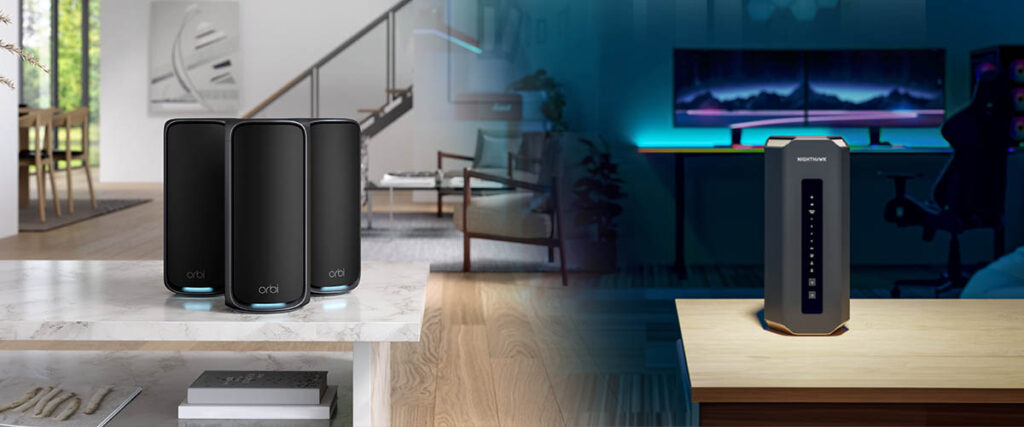
Now that you understand how to calculate download times, let’s explore what might be slowing you down and how to fix it. There’s no getting around the need for a powerful router to optimize internet speed and performance. Older routers using standards like 802.11b/g/n are slower than newer ones like 802.11be (WiFi 7). There are also limits to how much data an older or cheaper router can handle at once before the network gets overloaded. Plus, if your device is far from the router or there’s interference from walls, other obstacles, or appliances, download speeds can suffer. If this is your experience, it’s probably time for a new WiFi 7 router or whole-home WiFi mesh.
Why Your Internet Plan Isn’t the Whole Story
Your internet plan determines the data transfer rates you can expect. Your download speed is capped by what you’re paying your internet service provider for. The capabilities of the modem, router, or modem/router combo also play a role. Slow computers, phones, or other devices can also cause internet bottlenecks, even with high-speed connections.
Unlocking Your True Speed with Nighthawk and Orbi Systems
Both Nighthawk and Orbi routers from NETGEAR are designed with speed in mind, but they serve slightly different purposes:
Nighthawk Routers: Built for Speed and Performance
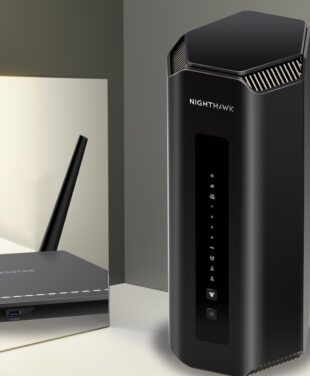
Nighthawk Routers are geared toward gamers and streamers who want blazing-fast speeds. WiFi 7 models like the Nighthawk RS700S Router support speeds up to 19Gbps. The extensive Nighthawk range includes superfast, budget-friendly WiFi 7 alternatives such as the Nighthawk RS300, which offers speeds up to 9.3Gbps. Advanced features include QoS, traffic metering, and parental controls, making Nighthawk routers ideal for smaller spaces or single-router setups.
Orbi WiFi 7 Systems: Whole-Home Coverage and Stability
Orbi WiFi 7 Systems are built for whole-home coverage and consistent high-speed performance, perfect for larger or multi-story homes. Top-of-the-line quad-band Orbi 970 Series Mesh WiFi 7 Systems deliver astounding speeds up to 27Gbps. Alternatively, check out budget-friendly NETGEAR tri-band and dual-band mesh systems. Orbi features include:
- Multi-Link Operation (MLO): Uses the 2.4GHz, 5GHz, and 6GHz bands for lower latency and faster downloads.
- 2.5Gbps Ethernet Ports: Ideal for wired gaming consoles, smart TVs, workstations, and other devices requiring strong, fast, and stable connections.
- Expandable Mesh: Add satellites strategically around the home to eliminate dead zones and maintain speed across your entire network.
- Built-in Security: Includes WPA3 encryption, VPN support, and NETGEAR Armor protection.
Explore the full NETGEAR Nighthawk Router Range
Explore the full NETGEAR Orbi WiFi Mesh System Range
Conclusion
time. With our handy calculator, you can convert Mbps to MB/s and estimate download times for large files. You now have the power to decide if your connection is truly meeting your needs.
Ready to slash your download times and get the performance you deserve? Explore NETGEAR’s lineup of high-speed Nighthawk routers and Orbi mesh systems.
FAQs
What's the difference between Megabits per second (Mbps) and Megabytes per second (MB/s)?
The main difference between the two terms comes down to bits vs. bytes. The first acronym, Mbps, with a lowercase “b,” refers to megabits per second, while the second, MBps, with a capital “B,” stands for megabytes per second. Mbps is used for measuring internet speed or bandwidth. MBps is used for measuring file transfer or download speed.
Why is my actual download speed slower than what my internet plan says?
Internet plan speeds are often theoretical maximums. Real-world performance is usually lower. Other factors that influence download speed include network congestion, old or slow equipment, distance to the server, device capability, and ISP throttling.
How can I test my current internet speed to use in the calculator?
You can use an online tool like Internet Speed Calculator or your NETGEAR App. This provides a speed reading in Mbps, which can then be used in the Download Time Calculator to estimate download times, upload times, and system performance based on your internet connection.
What internet speed do I need for 4K streaming or online gaming?
The recommended speed for 4K streaming is 50 Mbps or higher for smoother playback and to account for other devices. For competitive gaming, speeds 50–100 Mbps with low latency (ping < 50ms) are recommended.
Why are download speeds in Mbps and file sizes in MB?
Mbps (megabits per second) and MB (megabytes) measure different things. Mbps Measures speed—how fast data is transferred. There are 8 bits in a byte. MB Measures size—how much data is in a file. Each byte contains 8 megabits.
How fast is 1000 Mbps?
1000 Mbps (1 Gbps) internet speed is extremely fast. You can download a 5GB file or a high-definition movie in close to 30 seconds.
Does my upload speed matter for downloading?
Theoretically, no. Download speed determines how fast you can receive data from the internet. Upload speed affects how quickly you can send data out. However, there are situations where upload speed can impact downloading, like two-way video calls or gaming where a sluggish upload speed can affect overall performance.