Start with router placement, compare Orbi mesh systems, or jump to answers about WiFi through thick walls.
Compare NETGEAR Orbi Mesh WiFi for Thick Walls
The right mesh system depends on your home’s layout, connected devices, and internet plan. Start with these three NETGEAR Orbi options, then consider where the router and satellites will connect around thick walls.
NETGEAR Orbi 370 Series: Dual-Band WiFi 7 for Everyday Use
Looking for an affordable starting point for whole-home mesh WiFi? The Orbi 370 Series supports everyday streaming, video calls, browsing, and smart-home devices. The RBE373 three-pack includes one router and two satellites, with advertised coverage up to 6,000 square feet and support for up to 70 devices.
NETGEAR Orbi 770 Series: Tri-Band WiFi 7 for Connected Households
The Orbi 770 Series adds a third WiFi band, including 6 GHz, for households looking for more wireless capacity. The RBE773 three-pack offers advertised coverage up to 8,000 square feet. Consider it when comparing tri-band WiFi 7 mesh systems for streaming, gaming, and multiple connected devices.
NETGEAR Orbi 970 Series: Quad-Band WiFi 7 for Demanding Setups
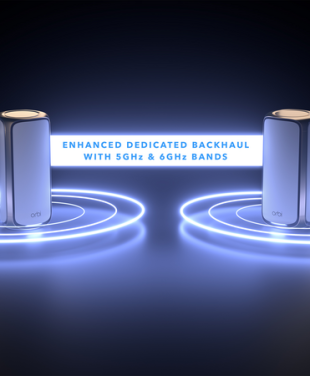
The Orbi 970 Series combines quad-band WiFi 7 with Enhanced Dedicated Backhaul, the connection used to carry traffic between the router and satellites. Consider it for demanding home networks where wireless capacity and connections between units are priorities.
Coverage depends on the specific kit, placement, wall materials, and other conditions. Advertised coverage does not guarantee that wireless signals will reach through every concrete or brick wall. Ethernet backhaul can help where a wired connection is available.

Why Thick Walls Weaken Your WiFi Signal
As for what causes a reduction in signal strength, there are a few main factors. First is the distance between the router and the device – WiFi radio signals dissipate over range due to the effects of the atmosphere and natural signal degradation over distance. Second are the signal propagation path obstructions, such as brick or concrete walls. Most objects cause some loss in signal strength, especially metal objects, but walls have the most significant impact. The number of walls will impact WiFi signal strength, as well the wall material and thickness.

Tip: Don’t hide your Router in a closet!
Walls made of less dense materials such as wood and plaster will have less impact on WiFi signal strength, although there will still be diminished signals. Solid furniture and other household objects can also interfere with a WiFi signal, so it’s a good idea to position your router in an open space like on a shelf or side table wherever possible. This will also help with cooling, improving device life.
How to Improve WiFi Through Thick Walls
Adjusting the router’s positioning or using higher gain antennas can help, but an even better idea is to work around the issue. Wireless access points, mesh systems, extenders, and powerline adapters are all viable options, depending on your home’s layout and the number of devices you want to connect. Knowing how to improve WiFi signals through thick walls can be the first step for improving your home internet experience, so let’s explore some WiFi coverage solutions.
Option 1: Relocating Your Router
If possible, relocate your router to a central, open area. A router at the far corner of your home may not have the signal strength to reach rooms on the other side, ultimately leading to WiFi dead zones. If yours is a smaller home or apartment, this simple router position adjustment may be all that is required to establish a reliable internet connection. You can also try elevating your router so objects like tables and chairs aren’t affecting the WiFi signal line of sight.
Option 2: Using Range Extenders or Repeaters
Range extenders (repeaters) have traditionally been a way to alleviate WiFi coverage problems. A range extender should be placed midway between your router and the device you want to connect. The extender will rebroadcast the WiFi signal, although there will be some significant bandwidth loss. Position the WiFi extender close enough to the router and device for the extender WiFi signal to overlap. Range extenders can be a good solution in smaller homes and apartments with few connected devices. A newer type of “Extender” is using a multi-unit Mesh WiFi system. This will be discussed in depth in Option 4 below.
Compare WiFi extenders and mesh WiFi to decide which approach fits your coverage problem.
Option 3: Utilizing Powerline Adapters
A powerline adapter uses existing electrical wiring to deliver an internet connection. An Ethernet cable is run from the powerline (power socket) adapter to a WiFi network device such as a computer or smart TV. This can be a viable alternative to running Ethernet cables through the walls or roof cavity. However, powerline adapters can suffer interference from other WiFi devices, and performance is limited as powerline adapters mostly run on the older WiFi 5 standard. WiFi technology has progressed dramatically, and the best performance today is found with WiFi 7 or WiFi 6/6E.
Option 4: NETGEAR Orbi Mesh WiFi for Thick Walls
A mesh WiFi system uses a router and satellites to bring WiFi closer to the rooms where you need it. This can help when one router cannot cover your home through thick walls. Placement still matters: each wireless satellite needs a strong connection to the rest of the system. Mesh does not remove the effect of brick or concrete, but it gives you more flexibility in distributing coverage.
Extreme Measures: Open Plan Living
Open-plan living is a home trend that is here to stay. This type of home, without many thick walls, is friendlier to WiFi signals. You will notice more reliable WiFi coverage from your WiFi router. However, the distance the WiFi signal needs to travel to reach your devices will still be an issue in larger homes. The further you move away from your router, the weaker the signal will become.

How NETGEAR Orbi Improves Coverage Across Rooms
WiFi mesh systems, first introduced in 2015, are a game changer for home networks. They offer whole-home blanket WiFi coverage and seamless networking upstairs and downstairs, from the front door to the back garden. Orbi 970 WiFi 7, introduced in 2023, is the best mesh WiFi for thick walls.
How NETGEAR Orbi Routers and Satellites Work Together
Your Orbi router connects to your modem or internet gateway. Compatible satellites extend coverage to other areas of your home and communicate with the router or another satellite, depending on the setup. Together, they provide one WiFi network across multiple access points.
Place satellites where they still receive a strong connection, rather than inside an existing dead zone. To extend coverage later, check which satellites are compatible with your specific Orbi system.
Using Ethernet Backhaul with NETGEAR Orbi
Backhaul is the connection between your mesh router and satellites. If thick walls weaken that wireless connection, compatible Orbi units can use Ethernet cables instead. Your devices can still connect over WiFi while the router and satellites exchange traffic through the wired connection. Ethernet port speeds and supported configurations depend on the model.
This avoids the current blanket claim that all Orbi satellites use 2.5 Gb ports and clarifies the role of the Orbi 970’s Enhanced Dedicated Backhaul.
Learn more about Orbi Enhanced Dedicated Backhaul and the connection between mesh units.

NETGEAR Orbi Features for Homes with Thick Walls
The latest NETGEAR Orbi quad-band and tri-band WiFi mesh WiFi systems take you on a quantum leap into the future of networking. NETGEAR Orbi 970 WiFi 7 is considered by many to be the best mesh WiFi system on the planet, with benefits that include:
- Ability to create a home network, guest network, and smart home IoT network.
- A reliable WiFi signal to every nook and corner of the home, even outdoors in the yard.
- Streamlined and seamless connections without the need for range extenders.
- A consistently strong signal for up to 200 connected devices running simultaneously.
- Convenient scalability to suit your specific wireless network needs.
- Robust NETGEAR Armor WPA3 encrypted security for whole-home network protection.
- Easy setup and network management using the Orbi App.
- Wired Ethernet port backhaul connection options for dedicated devices.
- Conveniently run speed tests, configure satellite placement, and optimize device connections.
- Use a single password for your entire network, without manual switching or reconnecting.
- The option to apply Smart Parental Controls to ensure everyone in your network is safe online.
Choosing NETGEAR Orbi for Your Home’s Layout
Instead of trying to pass the WiFi signal through thick walls, WiFi mesh takes the easier route around the walls. NETGEAR Orbi mesh systems are the best WiFi solution for homes with thick walls, delivering multi-gigabit WiFi speeds up to 27Gbps and coverage up to 10,000 sq. ft. The latest firmware is updated automatically to ensure your system always performs optimally. The main router and router satellites contain multiple Ethernet ports for priority HD streaming, multi-player gaming, conferencing, virtual reality, and remote work from any room in your home. As a world WiFi leader since the 1990s, NETGEAR has the solutions for connectivity issues.
Transform Your Online Experience
If you are struggling to breach thick walls with an older WiFi 5 router operating on the 2.4GHz and 5GHz bandwidths, it’s probably time to upgrade to the best mesh for thick walls, NETGEAR Orbi WiFi 7. This game-changing system includes the new 6GHz bandwidth with enhanced dedicated backhaul. There are loads more Orbi Mesh WiFi 7 features to explore that deliver improved connectivity for next-generation networking. Experience the future of WiFi with NETGEAR Orbi Mesh Systems and transform your online experience.
WiFi for Thick Walls FAQs
What is the best mesh WiFi for thick walls?
The best mesh WiFi for thick walls depends on your layout, wall materials, and connection needs. Compare the NETGEAR Orbi 370, Orbi 770, and Orbi 970 systems based on coverage, features, and budget. No mesh system makes walls irrelevant: satellite placement and a strong backhaul connection remain essential.
New to mesh networking? Learn what mesh WiFi is and how it works.
How can I improve WiFi through brick or concrete walls?
Start by placing your router in a central, open location away from cabinets and large metal objects. Add mesh satellites where they can still receive a strong connection, following NETGEAR’s Orbi setup guidance. If walls prevent a reliable wireless connection between units, consider Ethernet backhaul with compatible equipment.
Is mesh WiFi better than a WiFi extender for thick walls?
An extender can help with an isolated weak spot if it receives a strong router signal. Mesh is often better suited to coverage across several rooms or floors. Compare WiFi extenders and mesh WiFi to understand which approach fits your home. Both depend on placement, and neither can reliably extend a wireless signal from a location where that signal is already too weak.
Does WiFi 7 penetrate thick walls better?
WiFi 7 alone does not guarantee better wall penetration. Coverage also depends on frequency, wall materials, equipment, and placement. When choosing a system for thick walls, consider how the router and satellites will connect rather than relying on the WiFi generation alone. Learn how Orbi Enhanced Dedicated Backhaul supports communication between units.
Can Ethernet backhaul help in a house with thick walls?
Can I add more satellites to extend Orbi coverage?
You can expand a supported Orbi system with compatible satellites. Check compatibility and supported configurations for your exact model before buying. Place additional units where they have a strong wireless connection, or use Ethernet backhaul where supported. Follow NETGEAR’s Orbi setup guidance for installation help and learn how to manage your mesh system with the Orbi app.