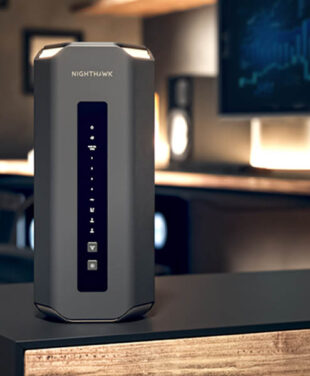
WiFi 7 Routers for Gaming: Low Latency, Faster Speeds
The best gaming router in 2026 for most homes is a tri-band WiFi 7 model with a multi-gig internet port. In our lineup, that means the Nighthawk RS700S for maximum performance or the Nighthawk RS300 for the best value. Large homes need a mesh system instead, and the Orbi 970 Series covers up to 10,000 sq. ft.
The right choice depends on latency, coverage, congestion, wired connections, and the number of devices sharing your network. A fast internet plan cannot fix every lag spike. Your wireless router must also manage gaming, streaming, downloads, smart home devices, and other traffic competing for bandwidth.
Here’s how to choose the best router for gaming so you can match the hardware to your layout rather than guess at it.
See a summary of our What makes a Router great for gaming? in the short video below:
What Is a Gaming Router?
A gaming router is a WiFi router engineered for low latency, stable bandwidth under congestion, and traffic prioritization: the features that matter most during online play.
A gaming WiFi router is still a router. There is no separate category of hardware here. The difference comes down to the hardware, WiFi technology, wired connections, coverage, and network controls behind it.
For gaming, internet speed is only part of the equation. A steady connection and consistent ping can matter far more during a competitive match. A fast download connection will help you install a 100 GB game sooner, but it will not automatically stop latency spikes during play.
That distinction is what gaming WiFi actually means in practice. Your ping is decided by how well the router schedules traffic under load, not by the number printed on the box.
What Features Should a Gaming Router Have?
The best WiFi routers for gaming should give you a strong combination of low latency, suitable coverage, current WiFi standards, and enough wired capacity for your setup.
Low latency before raw speed. A 500Mbps connection with a stable 20ms ping beats a 2Gbps connection that spikes to 200ms mid-match. Latency is the metric that decides gunfights.
Quality of service controls. Most gaming WiFi router problems in busy households come down to unmanaged traffic. QoS lets the router put your console or PC ahead of the queue. So a large upload, video stream, or software download is less likely to compete with your game at the wrong moment.
A multi-gig internet port. A 1Gbps WAN port caps you at 1Gbps regardless of your plan. If your internet speed is 1.5Gbps or higher, you need a 2.5Gbps or 10Gbps internet port or you are paying for headroom you cannot reach.
WiFi 7 or at minimum WiFi 6E. Both give you access to the 6GHz band, which is far less crowded than the 2.4 GHz and 5GHz bands your neighbors are already saturating.
Device headroom that matches your household. A gaming home with two consoles, a gaming PC, smart speakers, cameras, and phones passes 30 devices quickly. Buy for the device count you actually have.
WPA3 encryption and network segmentation.WPA3 is the current security standard, and a separate IoT SSID keeps smart plugs and cameras off the same network as your gaming rig.
MU-MIMO and beamforming. Though they work quietly in the background, they make a huge impact on your router performance, too. MU-MIMO allows a router to communicate with multiple compatible devices at the same time, rather than in sequence. Beamforming aims the signal toward your device instead of spreading it evenly around the room.
Do not choose a router simply because it has a gaming port label or RGB lighting. Port speed, WiFi design, congestion handling, and coverage tell you much more about how the router is likely to perform.
What Are the Benefits of WiFi 7 for Gaming?
WiFi 7 improves gaming performance through wider 320MHz channels, MLO, 4K QAM, preamble puncturing, OFDMA, and greater network capacity.
MLO
MLO, or Multi-Link Operation, allows compatible WiFi 7 devices to use more than one wireless link as part of the same connection.
Older WiFi connections typically rely on one band at a time. A device might connect through 5GHz, for example, and need to change its path if interference becomes a problem. MLO gives compatible devices access to multiple links, which can improve connection reliability and reduce disruption caused by interference.
For gaming, that can mean a steadier connection during periods of high network activity. It can also reduce the effect of packet loss or temporary interference on one wireless link.
320MHz Channels
WiFi 7 expands channel bandwidth up to 320 MHz on the 6 GHz band. That is twice the maximum 160MHz channel width available with WiFi 6E. This extra bandwidth is useful for high-throughput devices, large game downloads, local file transfers, 4K and 8K streaming, and other demanding traffic.
Just keep in mind that to take full advantage, your device needs to support 320 MHz channels and your local environment needs the open spectrum available.
4K QAM
QAM controls how much data each transmission carries. WiFi 6 tops out at 1024-QAM, while WiFi 7 reaches 4096-QAM (4K QAM), so each signal carries around 20% more data. The gain is largest close to the router, since higher QAM needs a clean signal to work.
Preamble Puncturing
Interference used to disable a whole channel. Preamble puncturing lets the router block out only the interfered portion and keep using the rest. In an apartment building with a dozen competing networks, this keeps your usable bandwidth intact instead of collapsing it.
OFDMA
OFDMA splits a channel into smaller sub-channels so the router can serve multiple devices in a single transmission. It reduces the wait time each device faces. That waiting is what your ping graph looks like during peak evening use.
Feature
WiFi 5
WiFi 6 and 6E
WiFi 7
Max channel width
80MHz
160MHz
320MHz
Theoretical max speed
3.5Gbps
9.6Gbps
46Gbps
Bands
5GHz only
2.4 GHz, 5GHz, 6GHz on 6E
2.4 GHz, 5GHz, 6GHz
QAM
256-QAM
1024-QAM
4096-QAM
Multi-band connection
No
No
Yes, via MLO
Latency under load
High
Moderate
Lowest
Gaming suitability
Dated
Good
Best available
Actual WiFi speeds vary with your devices, internet plan, network traffic, distance, interference, building materials, and regional regulations. Every WiFi 7 speed figure quoted by any manufacturer, including us, is a theoretical maximum derived from the IEEE 802.11be specification.
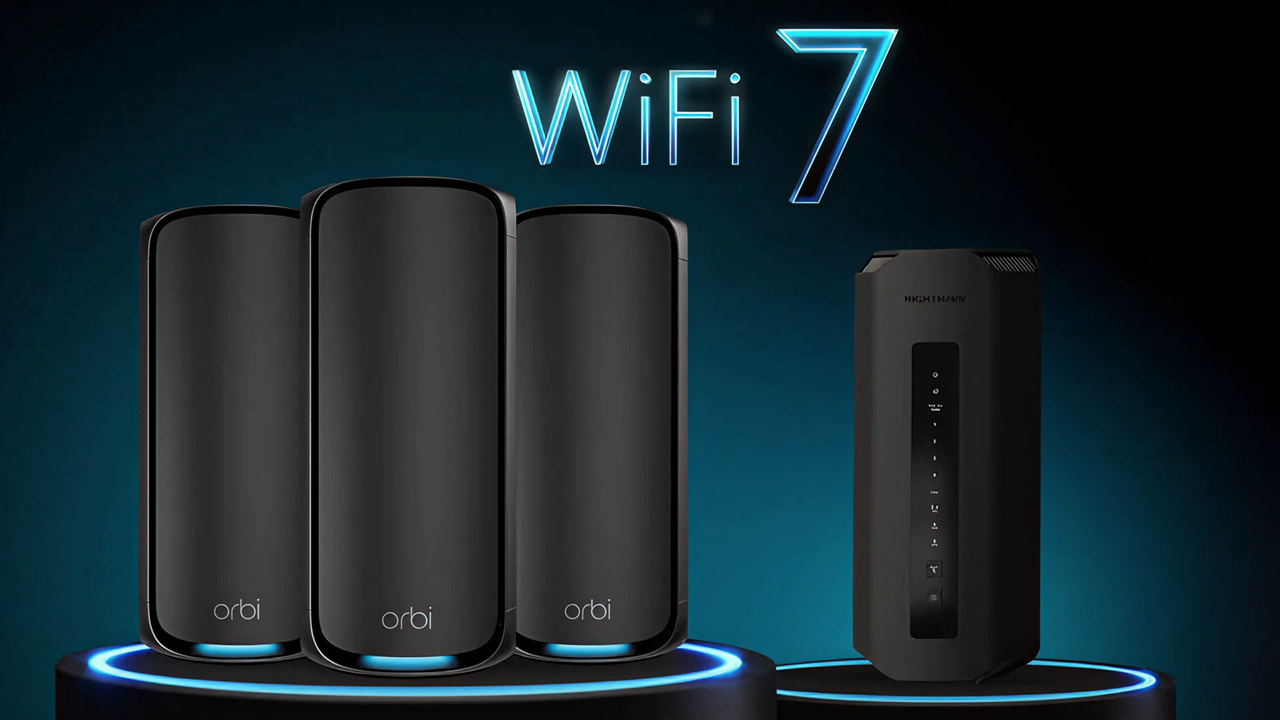
In 2023, NETGEAR launched its first WiFi 7 router products, the Nighthawk RS700S, and the Orbi 970 Mesh System. With WiFI 7 the promise of 100x lower latency is a lure for gamers, animators, and virtual reality users who need lag-free online responses for an advantage over the competition, without the need for wired Ethernet connections.
Best WiFi 7 Gaming Routers in 2026
The best WiFi 7 gaming routers in the NETGEAR lineup are the Nighthawk RS700S for maximum performance and the RS300 for gamers who want strong tri-band WiFi 7 performance at a lower price.
The RS600 sits between them. It gives you 10Gbps connectivity and up to 18Gbps WiFi speed without moving all the way to the RS700S.
If you are comparing a NETGEAR gaming router, these three models give you clear choices based on home size, connected devices, and Multi-Gig needs.
NETGEAR Nighthawk RS700S
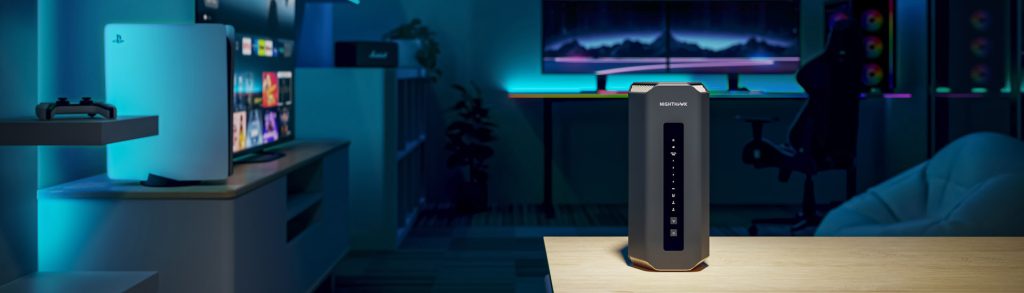
The NETGEAR Nighthawk RS700S is our flagship gaming router. It runs tri-band WiFi 7 at speeds up to 19Gbps across 12 streams, covers up to 3,500 sq. ft., and handles up to 200 devices.
Its port layout is what separates it. You get one 10Gbps internet port, one 10Gbps Ethernet LAN port, and four 1Gbps LAN ports, so a wired gaming PC and a multi-gig fiber plan can both run at full speed. All three radios are 4×4, and a quad-core 2.6GHz processor manages the traffic.
It’s best for households with a multi-gig internet plan, a wired gaming PC, 4K or 8K streaming, and 100 or more connected devices.
NETGEAR Nighthawk RS600
The NETGEAR Nighthawk RS600 keeps the 10Gbps internet port and drops the price. It runs tri-band WiFi 7 up to 18Gbps, covers up to 3,300 sq. ft., and supports up to 150 devices.
Both the 5GHz and 6GHz radios are 4×4, which matters most for sustained performance under load. You also get one 10Gbps Ethernet LAN port alongside three 1Gbps LAN ports.
Best for performance-focused homes that want a 10Gbps internet port without flagship pricing.
NETGEAR Nighthawk RS300
For gamers who want tri-band WiFi 7 on a budget, the NETGEAR Nighthawk RS300 is our top value pick. Speeds reach 9.3Gbps, coverage extends to 2,500 sq. ft., and it supports up to 100 devices.
It carries three 2.5Gbps ports in total, one internet port and two LAN ports, plus two 1Gbps LAN ports. For a home on a 1Gbps or 2Gbps plan, that is enough wired headroom for a console and a PC at once.
That makes it best for gamers who want 6GHz access and MLO without paying flagship prices.
Specs
Nighthawk RS300
Nighthawk RS600
Nighthawk RS700S
Number of bands
Tri-band
Tri-band
Tri-band
Maximum WiFi speed
Up to 9.3Gbps
Up to 18Gbps
Up to 19Gbps
Coverage
Up to 2,500 sq. ft.
Up to 3,300 sq. ft.
Up to 3,500 sq. ft.
Connected devices
Up to 100
Up to 150
Up to 200
Internet port
2.5Gbps
10Gbps
10Gbps
Multi-Gig LAN
Two 2.5Gbps LAN ports
10G connectivity
One 10Gbps LAN port
Best fit
WiFi 7 value
High performance gaming homes
Maximum Nighthawk performance
What Is the Fastest Router for Gaming?
The fastest NETGEAR gaming router is the Nighthawk RS700S, with tri-band WiFi 7 speeds up to 19Gbps, a 10Gbps internet port, and a 10Gbps Ethernet LAN port.
That does not mean every game will run faster simply because the router has a higher maximum WiFi rate. Your game server, ISP connection, client device, signal quality, and local network traffic all affect latency.
For gaming, consistency matters. A stable connection with low ping is usually more useful during play than unused peak throughput.
The best mesh WiFi system for gaming is one that provides a strong connection between the router and satellites so your gaming traffic does not lose performance as it moves through the mesh.
What Is a Gaming Mesh Router?
A gaming mesh router is part of a multi-unit WiFi system designed to give you consistent wireless coverage across a larger area. The main router connects to one or more satellites. Those units communicate through wired or wireless backhaul, then provide WiFi closer to your gaming devices.
Backhaul design matters because every mesh satellite needs a reliable path to the router. A dedicated wireless backhaul can reserve network resources for this communication instead of making all traffic compete on the same connection.
A mesh WiFi system is usually a better fit than a single wireless router in homes larger than roughly 3,000 sq. ft., multi-floor homes, or layouts where walls and distance create weak WiFi in the gaming room.
NETGEAR Orbi WiFi 7 for Gaming
For demanding gaming setups in large homes, the Orbi 970 series is our top pick. It is quad-band with 16 streams and combined speeds up to 27Gbps, and it covers up to 10,000 sq. ft. It also has one 10Gbps internet port, one 10Gbps LAN port, and four 2.5Gbps LAN ports. Its backhaul uses dedicated 5GHz and 6GHz bands with MLO.
The Orbi 770 Series is the tri-band option for large homes on a smaller budget. Speeds reach 11Gbps, and each unit covers up to 2,750 sq. ft., so a three-piece setup reaches roughly 8,000 sq. ft. Its 6GHz radio runs 2×2 at 320MHz with 4K-QAM, and each unit carries two 2.5Gbps LAN ports.
The 770 Series does not reserve a band exclusively for backhaul the way the 970 Series does. For a household with heavy simultaneous gaming and streaming across several floors, that difference shows up in latency consistency, and the 970 Series is the better choice.
Specification
Orbi 770 Series
Orbi 970 Series
Bands
Tri-band, 6 streams
Quad-band, 16 streams
Combined speed
Up to 11Gbps
Up to 27Gbps
Coverage
Up to 2,750 sq. ft. per unit
Up to 10,000 sq. ft. per system
Dedicated backhaul
No reserved band
Yes, dedicated 5GHz-1 at 8,647Mbps
MLO backhaul
Not specified
Dedicated 5GHz-1 and 6GHz
Router internet port
2.5Gbps
10Gbps
Fastest LAN port
2.5Gbps
10Gbps
Processor
Quad-core 1.5GHz
Quad-core 2.2GHz
Both systems support WPA3 and separate main, IoT, and guest networks. The 970 Series includes a one-year NETGEAR Armor subscription, which requires payment after the trial ends, and NETGEAR Smart Parental Controls, where the Premium Plan carries a fee.
The best router for gaming and streaming at the same time is a tri-band WiFi 7 router with enough capacity to keep both workloads moving without unnecessary competition.
Streaming can consume substantial bandwidth, especially at 4K or 8K resolution. Gaming usually needs far less throughput, but it reacts more strongly to delays and sudden changes in latency. That makes network capacity and traffic handling important in a busy household.
MLO gives compatible WiFi 7 devices another way to use available wireless links. The 6GHz band also provides another path for compatible devices, which can reduce pressure on 5GHz.
For a single-router home, the Nighthawk RS600 and RS700S give you high WiFi capacity plus 10G wired connectivity. The RS300 is a budget-friendly option for homes that do not need the same coverage or device capacity. Larger homes can use Orbi 770 to bring gaming and streaming connectivity closer to rooms that sit beyond comfortable single-router range.
Gaming WiFi Extenders vs. Mesh: Which Do You Need?
A WiFi extender is a reasonable choice for gaming if you already have a strong router and need to improve coverage in one specific area. A mesh system is usually the better option for consistent coverage across several rooms or floors.
Range extenders can help with a small dead zone and can cost less than replacing your whole network. However, your results depend on the quality of the connection between the extender and the main router.
A mesh router system makes more sense if you have several weak areas, multiple gaming rooms, or many devices spread around the home. The router and satellites work as one system and give devices a common network as you move through the property.
A portable WiFi hotspot enables gaming through a cellular connection in places where your normal home router is unavailable. It makes sense for travel, gaming events, temporary accommodation, or locations without fixed broadband. However, cellular gaming latency can vary with signal strength, network congestion, carrier infrastructure, and your distance from the cellular network.
The NETGEAR Nighthawk M7 (MH7150) combines 5G or 4G cellular connectivity with WiFi 7. It provides WiFi speeds up to 3.6Gbps and supports up to 32 connected devices. Its eSIM options provide access to data plans in more than 140 countries.
For competitive gaming at home, a fixed broadband or fiber connection usually gives you a more predictable foundation. The M7 is aimed at situations where portability matters.
Which Gaming Router Should You Buy?
Start with your floor plan, because coverage is the one thing that no amount of speed will fix. Homes under 2,500 sq. ft. are well served by a single Nighthawk RS300. Between 2,500 and 3,500 sq. ft., the RS600 or RS700S gives you the radio strength and the 10Gbps internet port to match a multi-gig plan. Past 3,500 sq. ft., or across more than two floors, move to the Orbi 970 Series and let its dedicated 5GHz-1 backhaul carry the traffic between units.
Then check your internet plan against the WAN port. This is where most upgrades go wrong. A 10Gbps router on a 500Mbps plan will not lower your ping, and a 1Gbps port on a 2Gbps plan wastes half of what you pay for every month. Match the port to the plan first, then spend what is left on coverage and device headroom.
One realistic expectation to set. A better gaming router fixes latency caused by congestion inside your home. It cannot fix congestion on your ISP’s network or distance to a game server, so run a wired test before you buy if your ping is already poor on Ethernet.
The best gaming router in 2026 for most households is the NETGEAR Nighthawk RS700S for maximum performance, or the RS300 for the best value tri-band WiFi 7 experience. For large homes, the Orbi 970 Series mesh system is the better choice.
What is a good WiFi 7 gaming router for the money?
The NETGEAR Nighthawk RS300 is our best-value WiFi 7 gaming router. It is tri-band with speeds up to 9.3Gbps, carries three 2.5Gbps ports, and covers up to 2,500 sq. ft. at a lower price than our flagship models
What is the best mesh WiFi system for gaming?
The best gaming mesh WiFi system in our lineup is the NETGEAR Orbi 970 Series. It is quad-band with speeds up to 27Gbps and covers up to 10,000 sq. ft., and its dedicated 5GHz-1 backhaul keeps gaming traffic separate from satellite-to-router communication. The Orbi 770 Series is the tri-band alternative, with each unit covering up to 2,750 sq. ft.
Does WiFi 7 actually make gaming better?
Yes. MLO is the most meaningful gaming improvement, because connecting a device to two bands at once means interference on one band does not interrupt your session. 320MHz channels also reduce congestion in households with many competing devices.
Is a gaming router worth it over a regular router?
For most households running 20 or more connected devices, yes. The reason is congestion management rather than marketing features. MLO, OFDMA, and preamble puncturing make a measurable difference to latency consistency under load, and a basic ISP gateway does not offer them.
What is the best portable WiFi hotspot for gaming?
The NETGEAR Nighthawk M7 (MH7150) is our best portable gaming hotspot. It supports WiFi 7 at up to 3.6Gbps, connects up to 32 devices, runs on 5G, and includes eSIM support for use in more than 140 countries. It is currently the only NETGEAR mobile hotspot with WiFi 7.