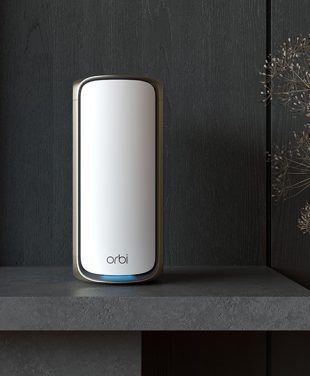
Watching 4K streams stutter into buffering circles isn’t always because the Internet is slow—it could be your house "fighting" the signal. The good news is that with NETGEAR, it’s possible to conquer dead zones and WiFi obstacles to create whole-home wireless connectivity.
Concrete walls, a large house, or multiple floors? All of these factors can impact your WiFi routers performance. Find out how to solve these issues in the article below.
Even the WiFi frequency you choose can affect your WiFi range and penetration. See a summary of 5GHz vs 6GHz in the short video below:
Why Thick Walls and Multiple Floors Weaken WiFi
It’s an irony that the sturdiest, most beautiful homes are often the worst for connectivity. Although it’s great to have a strong and well-built home, thick walls (brick, concrete, stucco, metal lath) absorb WiFi signals like a sponge.
Standard routers rely on a single point of broadcast that cannot penetrate multiple layers of density, resulting in slow internet connections with disrupted WiFi signals. In a small or medium-sized home, a standalone High-Performance NETGEAR Router may be all you need, but there are a number of ways your strong signal can be affected, such as:
Physical obstructions like thick walls, metal framing, and concrete
Distance from the router to your devices
Routers tucked away in the corner, on the floor, in a cupboard, or behind the TV
Interference from other devices like microwaves, baby monitors, and Bluetooth speakers
Dense WiFi environments where congestion is common
Outdated hardware or firmware
Too many connected devices
Buying a cheap extender might seem like a quick fix, but it simply pushes a weak signal further rather than fixing the root cause.
The Physics of Obstruction:
WiFi signal absorption rates vary dramatically between different materials.
Drywall / soft insulation — minimal signal loss
Wood / plywood / wood siding — light signal loss
Glass (standard) / tile / hollow brick — moderate signal loss
Stucco (wire mesh) / solid brick / cinder block — significant signal loss
Concrete / steel / mirrored or low-E glass — high signal loss
How NETGEAR Orbi Mesh WiFi Covers Large Homes
The average US smart home today includes dozens of WiFi devices and applications, making the need for robust and powerful WiFi connectivity essential. Knowing how to get WiFi through concrete walls is more important than ever. Even the strongest standalone routers can struggle to transmit WiFi signals seamlessly around an expansive property or large, multi-story home.
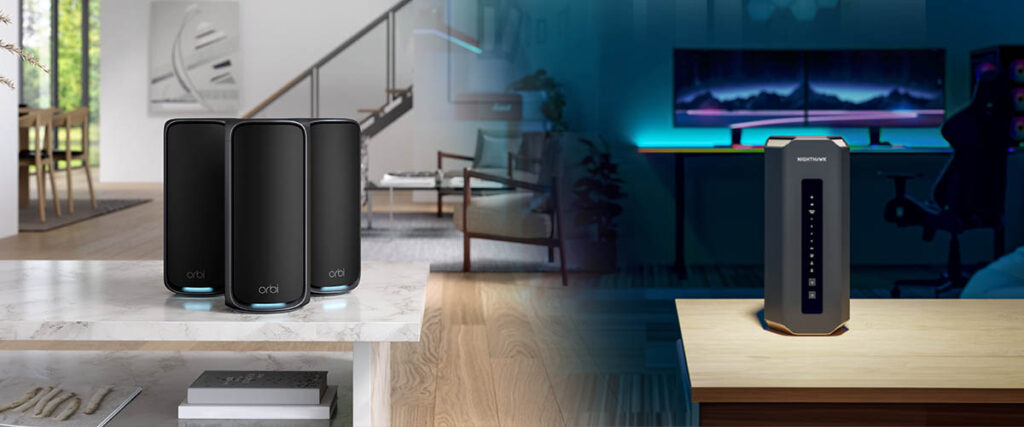
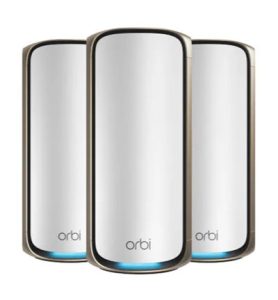
Enter mesh WiFi, the convenient way to achieve better WiFi coverage and faster speeds for large homes with thick walls, without the need to renovate or rewire with Ethernet cable. Leading NETGEAR mesh systems like the Orbi 970 WiFi 7 Quad-Band Mesh System can cover up to 10,000 sq. ft. with blazing-fast WiFi performance. The main router and satellites also include Ethernet ports for dedicated device connections.
The main Orbi WiFi 7 router and Orbi satellites communicate with each other, allowing your devices to connect with the strongest access point signal as you move from room to room, upstairs and downstairs, from the front door to the backyard.
The best mesh WiFi systems such as NETGEAR Orbi offer easy setup and management using the Orbi App, and great signal strength for all wireless and wired connections in larger homes.
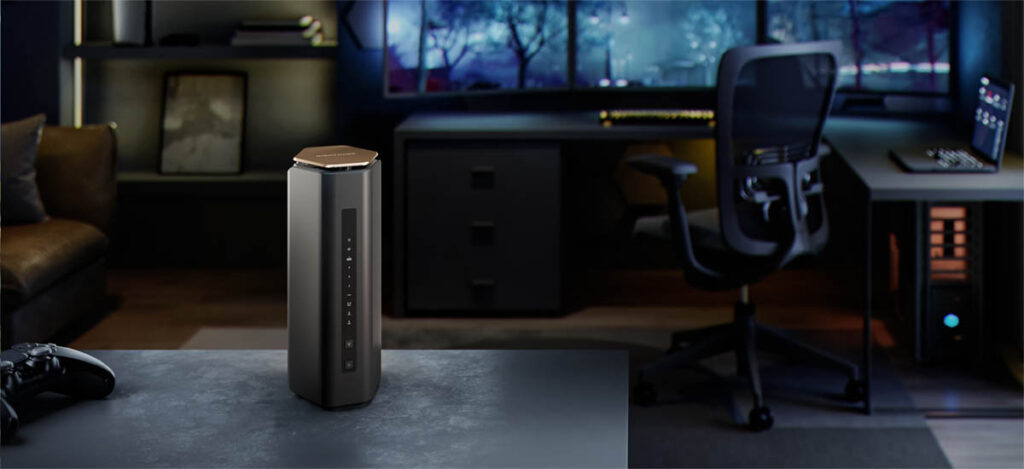
When a NETGEAR Nighthawk Router Is Enough
Best for smaller, simple spaces:
A single router shines when your home or office is:
1,300–1,600 sq ft
Mostly open plan with few walls or obstructions
Single-story
Wired for Ethernet
Best when you want maximum speed in one area:
If most of your devices sit near the router, a strong standalone router gives:
Lower latency
Higher peak speeds
More stable performance
Best for budget-conscious setups:
Routers are generally cheaper than mesh systems. If you don’t need expansive whole-home coverage, a NETGEAR Nighthawk router is the perfect addition.
Every setup is different, but here is a starting point. Also note that a powerful single router can handle more devices, but will still be limited to connecting all devices to a single WiFi source.
Best when you have few devices:
If you’re connecting:
Fewer than 20 devices
Mostly phones, laptops, and a couple of smart devices
When to Choose NETGEAR Orbi for a Large or Multi-Story Home
Best for large or multi-story homes:
Mesh is designed for:
Large houses (1,500–4,000+ sq. ft.)
Homes with multiple floors
Long or oddly shaped layouts (L-shaped, U-shaped, etc.)
Outdoor areas to cover
Mesh nodes (satellites) help eliminate dead zones far better than range extenders or a single router.
Best for homes with thick walls or interference:
If you have:
Concrete walls, which block WiFi signals
Brick walls, which can also be an obstacle
Metal framing or wire mesh inside the walls
Long hallways
In these situations, mesh nodes strategically placed will outperform any single router.
Best for many devices:
Mesh systems distribute the load across the satellites, ideal for:
30–100+ devices
Smart homes with cameras, sensors, lights, speakers, and more
Best for seamless roaming:
Mesh gives you:
One network name (SSID)
Smooth handoff as you move around
No drops when walking between rooms
Perfect for:
Video calls
WiFi calling
Streaming or gaming while moving around
Best for outdoor coverage:
Mesh nodes can help extend WiFi to:
Decks
Garages
Sheds
Backyards
How NETGEAR Orbi Backhaul Connects Your Router and Satellites
You don’t need louder WiFi; you need smarter distribution. The physics of radio waves means the signal must be routed around obstacles or daisy-chained through them using multiple high-powered satellite nodes.
Orbi satellites act as “relays” that navigate the signal around corners and through doorways, rather than trying to punch directly through thick structural elements.
There are big differences between Orbi satellites and WiFi range extenders. Orbi uses a dedicated lane for backhaul communication between units on Orbi 970, or a high-performance shared WiFi 7 MLO Backhaul on Dual and Tri-Band Orbi systems. This allows mesh systems in large homes to punch through density without losing half the speed to overhead like many WiFi extenders experience.
NETGEAR Orbi WiFi 7 Mesh for Connected Homes
WiFi 7 (802.11be) is the latest WiFi standard introduced by the WiFi Alliance, following WiFi 5, WiFi 6, and WiFi 6E.
Advantages of WiFi 7 Orbi 970 Mesh include:
Breakthrough real-world speeds up to 27 Gbps
WiFi 7 range up to 10,000 sq. ft.
Reduced latency for millisecond response times
Improved handling of multiple connected devices
Expanded bandwidth for seamless gaming and streaming
Line-of-sight satellites delivering optimal WiFi speeds and eliminating dead spots
Advanced network management for empowered work-from-home options
Using Ethernet Backhaul with NETGEAR Orbi
All Orbi home WiFi mesh systems have an optional wired backhaul. If your home is wired for Ethernet, each satellite can connect directly to the router or another node, skipping the WiFi backhaul entirely. Ethernet backhaul is ideal for long runs between rooms or floors, or even to a detached garage or pool house.
NETGEAR is a leader in innovation, using dedicated backhaul and high-performance antenna designs to overcome physical obstacles better than generic extenders or standard routers.
The Payoff: A seamless home network where Orbi mesh coverage lets 8K streaming, VR gaming, and video calls happen effortlessly in every corner of the property — even the backyard.
TIP: Match your router or mesh WiFi system with a powerful modem and the right plan from your ISP.
Choosing NETGEAR Orbi Mesh WiFi for Large Homes and Thick Walls
NETGEAR’s WiFi 7 mesh router lineup, including the Orbi 970, 770, 870, and 370 Series, all leverage smart band steering and multi-link operation to deliver stable, high-speed throughput and backhaul connections everywhere. As a highly regarded WiFi innovator since the 1990s, NETGEAR continues to lead the way with a comprehensive range of mesh systems suitable for homes of all sizes.
NETGEAR Orbi 970 Series Quad-Band WiFi 7 Mesh System
Orbi 970 Series delivers coverage up to 10,000 sq ft, top-tier WiFi 7 performance, multi-gigabit speeds, and advanced security features such as NETGEAR Armor and parental controls. Its quad-band design, dedicated 5GHz backhaul, and 12-stream architecture maximize speed and reliability, even in ultra-dense environments.
More NETGEAR Orbi WiFi 7 Mesh Systems for Large Homes
NETGEAR Orbi 870 Series Tri-Band WiFi 7 Mesh System
Orbi 870 Series covers up to 9,000 sq ft, offering robust, high-capacity performance for modern homes that need strong WiFi 7 speed and reliability. Its tri-band WiFi design reduces interference for busy households filled with devices, making it a standout for families, streamers, and smart home users.
NETGEAR Orbi 770 Series Tri-Band WiFi 7 Mesh System
Orbi 770 Series covers up to 8,000 sq ft and features tri-band WiFi designed for families, streamers, and smart home users who expect seamless coverage through tough walls.
NETGEAR Orbi 370 Series WiFi 7 Mesh System
Orbi 370 Series covers up to 6,000 sq ft, delivering essential WiFi 7 mesh performance for medium-to-large spaces or users upgrading from traditional routers. Reliable and simple to set up, it features streamlined software for intuitive management and strong data protection.
FAQs About WiFi Routers for Large Homes and Thick Walls
What is the best WiFi router for a large home?
The best WiFi router for a large home depends on its layout, wall materials,
internet plan, and connected devices. A
NETGEAR Nighthawk router
may suit an open layout with a central router location. For multiple floors
or rooms beyond one router’s reach, consider a
NETGEAR Orbi mesh system
that distributes WiFi through a router and satellites.
Does mesh WiFi work through thick walls and concrete?
Mesh WiFi can improve coverage in homes with thick walls,
but concrete, brick, and metal still weaken wireless signals. Place satellites
where they can receive a strong connection rather than inside an existing
dead zone. Where compatible equipment and Ethernet wiring are available,
wired Ethernet backhaul
can connect the router and satellites without relying on a wireless signal
through the walls.
Is mesh WiFi or a WiFi extender better for a large house?
A WiFi extender can help cover an isolated area when it receives a strong
signal from your router. A mesh system is generally better suited to coverage
across multiple rooms or floors because its router and satellites work
together as one system. Compare
WiFi extenders and mesh WiFi
to understand which approach fits your home. Actual speeds depend on
placement, interference, connected devices, and the connection between units.
How do I choose an Orbi mesh system for my home’s size?
Compare the coverage rating for the specific
NETGEAR Orbi kit,
including how many satellites it contains. Then consider your floor plan,
wall materials, and where you need reliable WiFi. Advertised square-foot
coverage is a starting point, not a guarantee for every home. Thick walls
and multiple floors can affect the coverage you achieve. Follow NETGEAR’s
Orbi setup guidance
when planning and installing your system.
Which NETGEAR Orbi system should I choose for speed?
Compare the
Orbi 970 Series,
Orbi 870 Series,
and
Orbi 770 Series
against your internet plan, device capabilities, and coverage needs.
Consider the system’s wireless specifications, Ethernet ports, and backhaul
connection. Advertised WiFi speeds do not equal the download speed of a
single device, and a faster mesh system cannot increase the speed supplied
by your internet plan.
Can I expand my Orbi mesh system as my coverage needs grow?
You can expand a supported Orbi system with compatible satellites. Check
compatibility with your exact router model before buying, since satellites
are not universally interchangeable across Orbi series. Adding a satellite
can extend coverage, but placement and a strong connection to the rest of
the system remain essential. See NETGEAR’s
Orbi setup guidance
for installation help and learn how to
manage your mesh WiFi system with the Orbi app.