Holiday Guests, Weak WiFi? Extender vs Mesh & When EXS27 Is Enough
Your sister's family is flying in, the in-laws are taking the guest room, and somebody is ending up on the sofa bed in the den. Here's the part nobody plans for: those are usually the rooms with the worst WiFi in the house. The guest bedroom at the end of the hall. The finished basement. The back room over the garage. And every guest arrives with a phone, a laptop, and maybe a tablet for the kids, all hunting for a signal.
So here’s the short answer. If the weak signal is limited to one or two rooms and your router covers the rest of the home well, a WiFi extender such as the NETGEAR Nighthawk WiFi 7 Dual-Band Extender (EXS27) is usually enough. If several rooms or a whole floor are weak, a mesh WiFi system is the better fix.
The first thing to understand is that the extender is set to cover a certain area. However, it won’t increase the speed of your internet package. Your maximum speed limit will remain at 500 Mbps. What will change is the amount of speed reaching your guest room.
For most hosts with one problem room, yes. Find your situation below.
If you landed in one of the top two rows, you can shop the EXS27 and have it running this weekend. Want the full side-by-side breakdown? Read our guide to WiFi extender vs mesh.
Why Guest Rooms Get Weak WiFi
Guest rooms get weak WiFi because they’re usually far from the router, with a few walls or a floor in the way. Your router tends to sit wherever the internet line comes into the house, often a living room corner or a home office at one end. The guest room ends up at the other end, almost by design.
A few things stack up against it:
Distance. WiFi weakens the farther it travels, and the router is usually near the modem, not the middle of the house.
Walls, floors, and building materials. Brick, plaster, concrete, and even a big mirror or a full bookcase soak up signal.
Basements and converted rooms. That finished basement or attic room probably wasn’t part of the WiFi plan when the router went in.
More devices at once. When guests arrive, your network can go from 15 devices to 30 overnight.
So a router that performs well in the living room will be less effective in the guest room due to buffering, slow downloading, and lagging during video calls, particularly at 8 p.m. when the entire house is connected to the Internet. However, this problem can be solved without having to reconfigure the entire network; simply focusing on the rooms where guests reside is sufficient. For more ideas, here’s how to extend home WiFi coverage.
When the EXS27 Is Enough
The EXS27 is enough when your router does a good job everywhere except one or two spots. That’s the most common holiday setup, and if you’re looking for the best WiFi extender for a guest room, it’s exactly what this one is built for.
Up to 1,500 sq. ft. of added coverage. Plenty for a guest suite, a basement den, or a back wing.
Up to 45 devices. Your relatives’ phones, laptops, tablets, and the smartwatch someone always forgets to charge.
Works with any router. That includes the gateway from your internet provider. It’s backward compatible with older WiFi standards, so you don’t have to swap anything out.
One WiFi name with Smart Roaming. Guests connect once and stay connected as they walk from the kitchen to the guest room. No more “which network do I pick?”
A 2.5 Gig Ethernet port. Plug in the guest-room smart TV, a game console, or a desktop for a steady wired connection. If you need a WiFi range extender for TV streaming, this is the feature that matters.
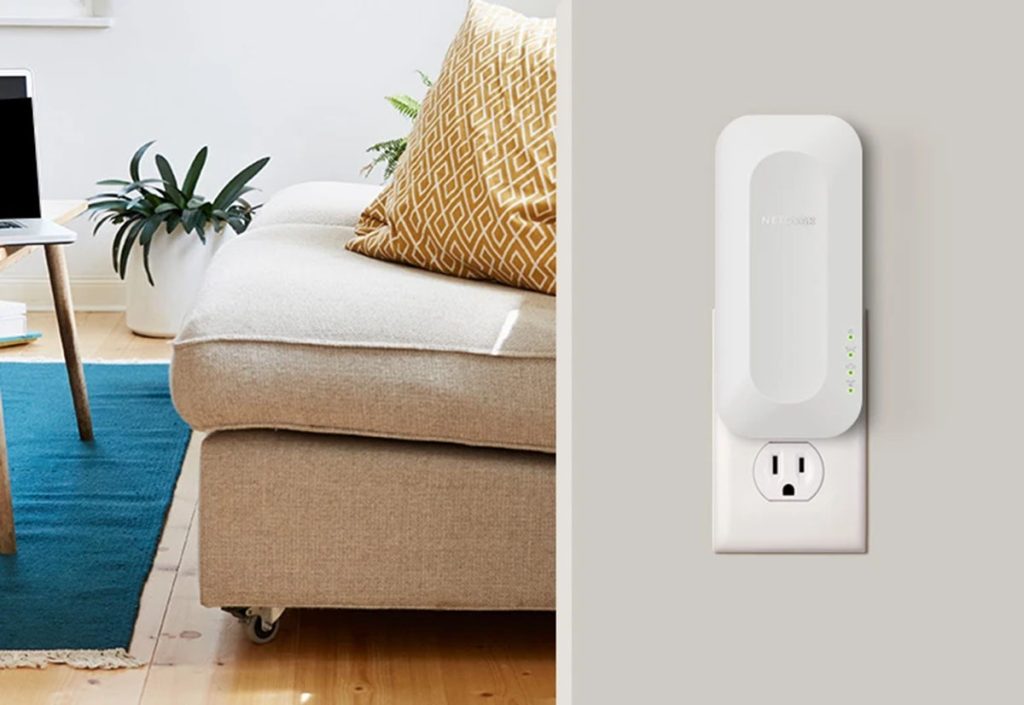
Wall-plug design. It goes straight into an outlet and sets up in minutes with the Nighthawk app or the WPS button.
A quick word on routers. As a WiFi 7 extender, the EXS27 performs best when paired with a WiFi 7 router. For more information on the technology and its benefits, see NETGEAR’s guide to WiFi 7. It still improves coverage with WiFi 6 and older routers. You just won’t hit its top speeds.
So, are WiFi range extenders worth it? For a one-room problem, usually yes. You fix the room your guests actually use, without the cost or the afternoon it takes to replace your whole network. Learn more about the EXS27, or shop the Nighthawk WiFi 7 extender and have it running before the first suitcase rolls in. You can also browse all NETGEAR range extenders.
When to Choose Mesh Instead
Choose mesh when the weak spots aren’t one room but several, or a whole floor. At that point, you’re patching a bigger problem, and a whole-home system is the cleaner fix.
Mesh makes more sense if:
You have multiple dead zones or a whole floor with weak signal.
Your home is larger or spread across several stories.
The extender should be placed somewhere halfway between the router and the guest bedroom, where the signal from the router is still okay. That is the mistake that most people make.
Most of us want to use the extender in the guest bedroom itself. “Where there is a problem, place the solution,” isn’t that how it goes? But here is the thing: the extender receives the signal from your router and transmits it to the other side. So, if you place it where the signal strength is weak, it can only transmit a weak signal.
A few placement tips:
Aim for the midpoint. A hallway outlet between the router and the guest room is often the sweet spot.
Use an open outlet. Not behind the couch, not inside a cabinet, not tucked under a desk.
Avoid signal blockers where you can. Keep it away from microwaves, cordless phone bases, and thick walls.
Let the app guide you. The Nighthawk app shows signal strength, so you can move the extender one outlet closer or farther if needed.
So, do WiFi range extenders really work? Yes, when they’re placed well. Getting the location right does more for performance than almost anything else you can do.
Set Up the EXS27 Before Guests Arrive
Set it up a few days before anyone shows up, not the night they land. It only takes a few minutes, and testing early means no surprises when the doorbell rings.
Plug it in and connect. Use the Nighthawk app for guided setup, or press the WPS button on your router and then on the extender.
Keep one WiFi name. With Smart Roaming, guests and household devices move between the router and the extender automatically.
Wire up the guest-room TV or console. Connect it to the 2.5 Gig Ethernet port for smoother streaming and gaming.
Turn on your router’s guest network. It keeps visitors separate from your main devices, like your work laptop and smart home gear. The FTC has more tips on securing your internet-connected devices at home.
Run a real test. Stream a show and make a short video call from the guest room. If both hold up, you’re ready.
Still have questions? Our WiFi extender FAQ covers more, and the quick answers below handle the most common ones.
Frequently Asked Questions About WiFi Extenders
Is a WiFi extender enough for a guest room?
Usually, yes. If your router covers most of your home well and the weak signal is limited to one or two rooms, a WiFi extender placed between the router and the guest room is often enough. If several rooms or a whole floor are weak, a mesh WiFi system is a better fit.
What is the best WiFi extender for weak WiFi?
The best WiFi extender matches your router and the area you need to cover. The NETGEAR Nighthawk EXS27 is a WiFi 7 extender that works with any router, adds up to 1,500 sq. ft. of coverage, supports up to 45 devices, and includes a 2.5 Gig Ethernet port.
Do WiFi range extenders really work?
Yes, they can be, but only if properly installed. A WiFi range extender is basically an amplifier of the signal that comes from the router. It should be installed halfway between the router and the dead zone.
Does a WiFi extender increase internet speed?
No. A WiFi extender can improve the WiFi signal and speed you get in a weak area, but it cannot increase the speed of your internet plan.
Does the EXS27 work with my router?
Yes. The EXS27 works with any router, including internet provider gateways, and is backward compatible with older WiFi standards. It delivers its best speeds when paired with a WiFi 7 router.
When should I choose mesh WiFi instead of an extender?
Choose mesh WiFi if you have several weak areas, a larger or multi-story home, many connected devices, or you already use more than one extender. Mesh systems replace your router and cover the whole home with one network.