Article Summary: This guide explores the best WiFi routers for faster speeds and better wireless performance for your whole home.
Why Replace Your ISP Router With a NETGEAR Router?
The hardware that your ISP provides is often limited and causes dropouts and poor signal strength. By switching out this limited hardware, you will experience more stable WiFi and better performance. Upgrading to a NETGEAR router gives you greater security and networking controls so you can personalize your network environment and keep your devices safe. By upgrading, you will get access to more advanced features like WiFi 7, easy mesh expansion, and smart device management. If you want to get the best home WiFi router, then you should consider switching out your ISP hardware.
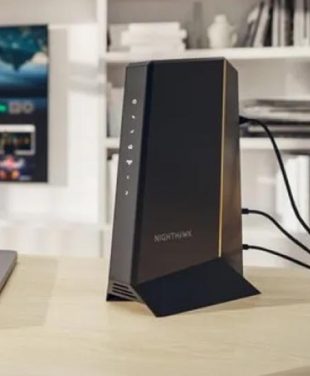
TIP: To get the most out of your router upgrading our cable modem is the first place to start. Nighthawk CM3000 is our top of the line Cable Modem available today featuring Mid/High-split technology and 2.5Gb uplink ports.
Best NETGEAR Routers for Popular Internet Providers
TIP: Sq. Ft. listed for a wireless router range is considered the “maximum” range. It’s best to consider obstacles such as walls and furniture that may impact wireless performance and reduce WiFi range. It’s recommended to target enough WiFi range to cover 2x-3x of actual home square footage.
Cox
The upgrade process for Cox internet users consists of plugging your existing cable modem into the new router. Make sure that you meet the requirements for your modem, your plan supports the speed of your router, and avoid using the Panoramic gateway to save on monthly charges.
Spectrum
Spectrum provides modems free of charge but often charges for WiFi router capabilities. You can easily connect a NETGEAR router directly to your Spectrum modem to take over wireless duties, providing a vastly superior experience and avoiding unnecessary monthly WiFi fees.
Xfinity
Customers of Xfinity often receive a leased xFi Gateway. In order to get your own NETGEAR equipment to work, you should activate Bridge Mode on the Xfinity gateway, turning off its WiFi capabilities. Otherwise, you may buy yourself an approved third-party cable modem.
AT&T
The AT&T network mainly employs proprietary gateways. In order to connect NETGEAR routers, you should access AT&T gateway settings and set IP Passthrough mode. It allows your router to take care of all routing operations without interfering with the necessary hardware from AT&T.
Fiber Internet Providers
A Fiber network uses an Optical Network Terminal (ONT) instead of a regular modem. The connection of the NETGEAR router is entirely possible. All you need is an Ethernet cable from the ONT to the router WAN port.
Got Starlink?
Check out our in-depth article on the Best Routers for Starlink Satellite Internet.

Router Compatibility by Internet Connection Type
- Cable Internet: Needs a DOCSIS-compliant cable modem. The modem is then connected to the router through Ethernet.
- Fiber Internet: Requires no modem. Fiber internet requires connecting the router to the ONT using the high-speed WAN port.
- DSL Connections: Requires a DSL modem or DSL gateway. Your router will connect to this device to distribute the network.
- Gateway-Based ISP Setups: Many ISPs provide combined modem and router units. Using a standalone router with these setups requires configuring Bridge Mode or IP Passthrough to prevent network conflicts.
How to Set Up a NETGEAR Router With Your ISP
- Connecting the modem or ONT to the NETGEAR router: Use a high-quality Ethernet cable to connect your ISP hardware to the designated WAN port on your NETGEAR device.
- Logging into router setup: Power on the devices and connect to the default NETGEAR WiFi network, then access the setup wizard via a web browser or the mobile app.
- Bridge Mode and gateway configuration when needed: If you are using a provider-supplied gateway, log into the ISP gateway portal and enable Bridge Mode (or IP Passthrough) to disable its internal routing features.
- ISP authentication requirements: Follow any on-screen prompts if your specific ISP requires a PPPoE login or MAC address cloning to authenticate the new hardware.
When you decide it is time to replace your old router, proper setup ensures seamless communication with your provider.
Best NETGEAR Router Options for Different Internet Plans
| Router |
Best For |
Compatible ISP Types |
Key Benefits |
| NETGEAR WiFi 7 Router |
Multi-Gigabit plans |
Fiber, High-Speed Cable |
Unleashes the fastest provider speeds available |
| NETGEAR Nighthawk Router |
High-bandwidth activities |
Cable, DSL, Fiber |
Replaces basic ISP equipment with advanced controls |
| NETGEAR Orbi Mesh System |
Complete property coverage |
All gateway setups |
Eliminates ISP router dead zones |
Explore further to compare NETGEAR router options or find robust large home WiFi solutions to suit your specific provider.
ISP Router vs NETGEAR Router
| Feature |
ISP Router |
NETGEAR Router |
| WiFi Performance |
Basic speeds, prone to congestion |
Optimized for maximum throughput |
| Coverage |
Limited range |
High-powered antennas |
| Security Features |
Standard firewall |
Advanced threat protection |
| Device Management |
Minimal configuration |
Granular traffic and priority controls |
| Mesh Expansion |
Requires proprietary ISP pods |
Seamless integration with dedicated mesh hardware |
| Latest WiFi Technology |
Often trails a generation behind |
First access to WiFi 7 capabilities |
Frequently Asked Questions About ISP Routers
What router works with my internet provider?
Most standalone routers work universally with any internet provider, provided you have the correct modem or ONT to establish the initial connection.
Can I replace my ISP router with a NETGEAR router?
Yes, you can upgrade your network by connecting a NETGEAR router to your provided modem or by configuring your leased gateway to function strictly as a modem. If you need guidance, learn more about choosing a WiFi 7 router for your next upgrade.
Do I need a modem with my NETGEAR router?
Yes, standard NETGEAR routers require a modem or an ONT to translate the signal from your ISP before it can be broadcast as a WiFi network.
What is bridge mode on an ISP router?
Bridge Mode refers to a feature on ISP routers where the WiFi broadcasting capability of the router is disabled. Hence, the NETGEAR router is able to handle the network independently.
Can I use a NETGEAR router with fiber internet?
Yes, NETGEAR routers are highly compatible with fiber connections. You simply plug the router directly into the provider’s ONT using the WAN port.
What is the best router for Xfinity, Spectrum, Cox, or AT&T?
The best router would depend upon your speed tier. If you have the Gigabit speed tier with any of these ISPs, it is recommended that you use the new standard router. View our router options for your home to find models optimized for high-speed ISPs.