The WiFi network serves as the backbone of pretty much every gift that will grace this year’s holiday wish lists. Whether it is a slow network or an overcrowded one, this can mean that a gift turns out to be nothing but an incredibly time-consuming download, a security camera that does not have any connection, and TV that lags while the game is on. Below, I explore the major categories of holiday technology gifts, their WiFi requirements, and a free solution that can help.
The Best Tech Gifts Need Better WiFi
Most of the best tech gifts rely on the home network to download content, stream, sync, and receive updates. The more connected devices a home adds, the more its WiFi has to handle at once.
Here is what each gift category needs from your network:
- Gaming devices: Fast downloading and low latency to ensure smooth online gaming.
- Smart home devices: A network that can handle many connections running around the clock.
- Streaming devices: Consistent bandwidth for playing high-resolution videos uninterrupted.
- Remote work technology: Reliable connections and fast uploads for webcams, screen sharing, and video chats.
- Connected gadgets: Contemporary WiFi network ensuring responsiveness of wearables and smart glasses.
Holiday gifts often arrive all at once, so a network that felt fine in November can struggle in late December. Checking your WiFi before the holidays helps every new device get off to a good start.
Best Gifts for Gamers and the WiFi They Need
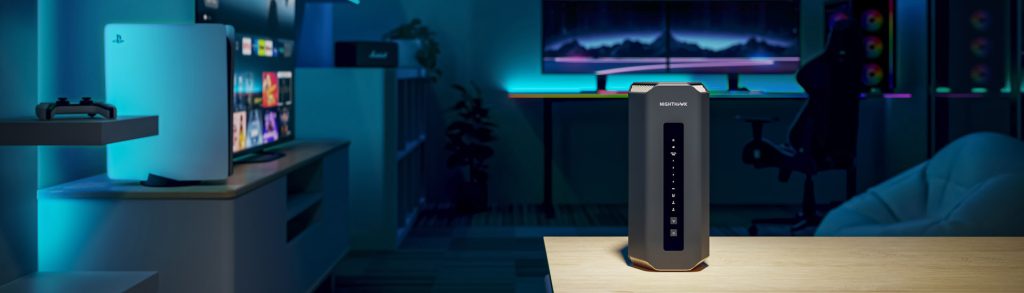
Gaming gifts will work best when there is a fast network that can download big files instantly and has low latency while gaming.
- Popular gifts: Gaming consoles, gaming PCs, and handheld gaming devices remain among the most requested holiday tech gifts.
- The connectivity challenge: New games and updates can be very large downloads, and online multiplayer is sensitive to latency and lag. When other people in the home are streaming or on video calls at the same time, gaming performance can suffer.
- Free optimization tips: Always use a wire (Ethernet cable) when using consoles and gaming computers, since a wired connection provides more reliability than a wireless one. It is recommended to set up QoS (Quality of Service) on your router, if possible.
- NETGEAR match: For households where gaming performance is a priority, a WiFi 7 Nighthawk router can deliver the speed, wired ports, and low-latency performance that current gaming setups benefit from. See our guide to choose the right NETGEAR router for your internet plan and home.
Smart Home Gifts Need Reliable Whole-Home WiFi
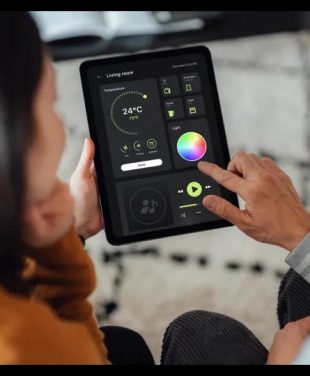
Smart home gifts work best on a network that can support many devices at once and reach every corner of the home.
- Popular gifts: Robot vacuums, security cameras, smart displays, video doorbells, smart plugs, and other smart home devices are popular holiday picks.
- The connectivity challenge: Each additional smart device means one more connection, while a large number of devices can overload an old network, which wasn’t designed to handle dozens of devices. Moreover, cameras and doorbells are usually mounted at the perimeter of the house where the WiFi signal is typically weak. There is also the security issue; each connected device is an entry point, so keeping the firmware up-to-date is essential.
- Free optimization tips: Make sure to update the firmware of your router and smart home devices as soon as the updates become available. Never use default passwords and consider creating a separate network for smart devices if your router allows it. We offer helpful guidance on securing internet-connected devices at home.
- NETGEAR match: The Orbi 780 Series is a strong fit for smart homes, with smart home features built in and mesh coverage designed to reach devices throughout the home. Pair it with NETGEAR Armor for an added layer of security across your connected devices. To compare systems, visit our guide to choose the right Orbi system.
Streaming and Home Theater Gifts
For streaming and home theatre presents to operate effectively, they require reliable connectivity.
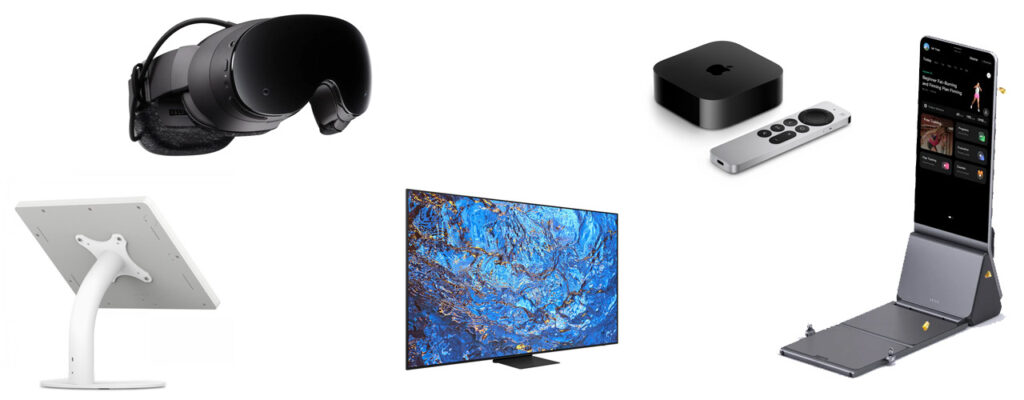
- Popular gifts: 4K and 8K televisions, streaming media players, projectors, and audio systems are popular holiday gifts for watching movies and playing games.
- The connectivity challenge: High-resolution video demands greater bandwidth than usual, and a television located downstairs or in the yard will not be located near the modem. When several people stream at once in different locations, poor signal strength and network congestion could result in buffering issues.
- Free optimization tip: Connect your TV or streaming device with Ethernet if it is close to the router, and make sure the router is placed in a central, open location rather than inside a cabinet or behind the TV.
- NETGEAR match: A mesh system with dedicated backhaul helps here. In an Orbi system, the router and satellites communicate over their own dedicated connection, which helps keep more bandwidth available for your devices and reduces buffering in rooms far from the router. Learn how mesh WiFi works to see whether it fits your home.

Smart Glasses and Connected Wearables
Smart glasses and wearables rely on low latency and modern WiFi to feel responsive.
- Popular gifts: Smart glasses, augmented reality (AR) devices, and wearables such as smartwatches and fitness trackers continue to grow in popularity.
- The connectivity challenge: AR experiences and smart glasses that stream, capture, or process content in real time are sensitive to delay. Even small amounts of lag can make these devices feel sluggish, and they often connect in whichever room you happen to be in.
- Free optimization tip: Keep the companion apps and device firmware up to date, and check that your router’s firmware is current, since updates can improve compatibility and performance with newer devices.
- NETGEAR match: WiFi 7 is designed to deliver lower latency and more reliable connections than earlier WiFi generations, making a WiFi 7 Orbi or Nighthawk system a good match for households adding AR and wearable devices.
Travel and Mobile Tech Gifts
Travel and mobile technology presents are useful for keeping in touch when the home Wi-Fi network is inaccessible.
- Popular gifts: Travel routers, hotspot devices, and connected travel items like tablets or portable streaming devices make good presents for those who frequently travel.
- The connectivity challenge: Phone tethering is an option that can come in handy, but it consumes your phone battery, uses up your phone’s resources, and may not manage multiple devices at once. Public WiFi from hotels, airports, or cafes might also be inconsistent or even insecure.
- Free optimization tip: Exercise caution while using public WiFi, do not engage in any sensitive operations with unknown networks, and always update your devices prior to traveling. Here’s useful guidance from CISA for holiday traveling with personal internet-enabled devices.
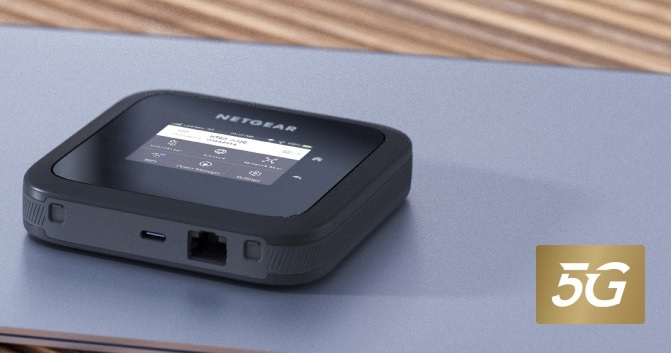
- NETGEAR match: A dedicated connectivity device, such as a Nighthawk mobile hotspot, is useful when travelers need to connect several devices at once, want to save their phone battery, or need a more consistent connection on the road than tethering provides.
Work From Home and Creator Gifts
Work-from-home and creator gifts depend on strong upload speeds and a stable connection for calls, streams, and cloud backups.
- Popular gifts: Webcams, microphones, lighting kits, and high-resolution monitors are popular gifts for remote workers and content creators.
- The connectivity challenge: Internet usage at home is mostly based on downloading, but there are a lot of services that need uploading: video calls, live broadcasting, backing up to the cloud. If you buy a new 4K web camera or transfer some big video files, you will see that your connection is not good enough for uploads.
- Free optimization tips: Run a speed test to check your upload speed, not just your download speed. Use Ethernet for your main work computer if possible, and schedule large cloud backups for times when fewer people are online.
- NETGEAR match: If upload-heavy work is slowed by your home network rather than your internet plan, a WiFi 7 router or mesh system with multi-gig ports can help keep calls and uploads steady. Our guide to choosing a NETGEAR router can help you match equipment to your plan.
Give Better WiFi: The Gift That Supports Every Device
The WiFi upgrade is the present that will help every other gadget work well. In contrast to upgrading a particular gadget, it will improve the console, the smart screen, the television, and the web camera all together.
- Orbi 780 Series. For smart homes and growing households, the Orbi 780 Series brings smart home features together with whole-home mesh coverage, making it a strong pick for families adding new connected devices this season. Explore Orbi mesh systems.
- Premium Orbi options. For larger homes, highly connected households, or faster multi-gig internet plans, the Orbi 870 Series and Orbi 970 Series offer higher-performance WiFi 7 mesh options. Use our Orbi mesh WiFi guide to compare them.
- NETGEAR router solutions. When a home is not big and when a setup is for gaming purposes only, a Nighthawk WiFi 7 router will be a good choice. Find the right fit with our guide to choose the right NETGEAR router.
Ready to upgrade before the holidays?
Should You Wait for WiFi 8?
For most households, it makes sense to upgrade to current WiFi technology now rather than wait for WiFi 8. WiFi 8 is the next generation of the WiFi standard and is still being developed through the IEEE 802.11 working group, so compatible routers and devices are not yet widely available.
There is WiFi 7 technology available right now, and it provides real benefits over previous generations in terms of speed, reduced latency, and connecting multiple devices at once. The gifts you are receiving during the holidays, as well as the devices you currently have, will work best with a modern and properly configured network. When considering an upgrade, consider what you need now: the size of your house, the internet package, and where the signal is poor.
Frequently Asked Questions About Holiday WiFi Upgrades
What are the best tech gifts for 2026?
Strong tech-gift categories for 2026 include gaming devices, smart-home products, streaming and home-theater gear, connected wearables, travel technology, creator tools, and networking upgrades that support those devices.
Do smart home devices need better WiFi?
Not always. A WiFi upgrade may help when a home has weak coverage, many connected devices, congestion, or an older network that struggles to support new smart-home equipment.
What router is best for gaming?
The choice of a suitable gaming router is dependent on the internet service, house size, number of devices, demand for wired ports, and expected wireless capabilities; a modern-day WiFi 7 Nighthawk router would make sense under those circumstances.
Should I upgrade my WiFi before buying smart home devices?
An upgrade is only needed when there are limitations with the existing network, such as dead zones, poor performance, old equipment, or inadequate bandwidth for your expected number of connected devices.
Do I need mesh WiFi for a smart home?
A mesh WiFi setup is not mandatory for all smart homes, though it can be useful in certain situations.