IN THIS ARTICLE
- The Hidden Culprit: Why Your ISP's DSL Modem is Holding You Back
- The "All-in-One" Compromise: Why Rented Equipment Underperforms
- For Whole-Home Coverage: Choosing a NETGEAR Orbi Mesh System
- For High-Performance Gaming & Streaming: Choosing a NETGEAR Nighthawk Router
- Cut the Cord on DSL with 5G Home Internet
- When Your DSL Is the Bottleneck: Introducing Fixed Wireless Access (FWA)
- Key FWA Benefits: Speed, Reliability, and Freedom from the Phone Line
- Unleash True Mobility: The Power of NETGEAR Nighthawk 5G WiFi Hotspots
- DSL Upgrade Cheat Sheet: Which Path is Right for You?
- Unleash Faster WiFi with NETGEAR
- Frequently Asked Questions (FAQs)
The Hidden Culprit: Why Your ISP's DSL Modem is Holding You Back
DSL service used to be cutting edge technology for fast internet speeds, but not anymore. If you’re still using the DSL modem provided by your ISP, it could be time for a reality check. While DSL was once a leading technology for internet connectivity and fast internet speeds, advancements in broadband have opened the door to faster, more reliable performance.
The "All-in-One" Compromise: Why Rented Equipment Underperforms
An all-in-one ISP package contains the modem, router, and internet service, often at a tempting price, but there is a downside. These package deals are cost-effective for ISPs but come with limited performance capabilities. That can mean weaker processors, less memory, and fewer antennas, resulting in slower speeds and a weaker internet connection. DSL issues include:
- DSL Modem WiFi Technology: Many DSL modems include out-of-date integrated WiFi. The latest phones, TVs, and more can be served better with improved range, security, and latency.
- Speed Limitations: DSL speeds are affected by the quality and length of your telephone line. The farther you are from your ISP, the slower your connection gets.
- Outdated Hardware: ISP-provided DSL modems are often basic models without advanced security protocols, firmware, or support for faster standards like VDSL or fiber internet.
- Asymmetric Speeds: Most DSL connections are asymmetric (ADSL), meaning your download speed is much faster than your upload speed, hampering video calls, gaming, and cloud backups.
- Limited Scalability: DSL doesn’t scale well with multiple users simultaneously streaming videos, online gaming, and video conferencing. DSL can quickly become overwhelmed.
- Better Alternatives: Cable, fiber, and 5G home internet offer significantly faster and more reliable connections. Upgrading from DSL WiFi could be a game-changer.
Supercharge Your Existing DSL with a Powerful WiFi Upgrade
There are lots of compelling reasons to consider upgrading from your existing DSL. An upgrade from Mbps to multi-gigabit speeds is a top priority, but that’s not all. Improved coverage, less congestion, and enhanced security are all achieved with an upgrade to the latest dual-band, tri-band, or quad-band NETGEAR WiFi 7 systems.
If switching from DSL isn’t an option right now, there are practical ways to boost your existing setup.
The Simple Fix: Using Your Own Router with Your DSL Modem
Using your own router can’t directly improve the core DSL modem performance, but a NETGEAR WiFi 7 router can seriously boost how that connection gets distributed across your home network. Higher throughput, lower latency, less interference, and more efficient device usage are all achieved with this simple fix.
Putting Your ISP Modem in “Bridge Mode”
Putting your modem in bridge mode turns it into a simple gateway that transfers your internet connection directly to your new router. A high-performance router offers advanced features like mesh networking, parental controls, or VPN support that may not be provided by your ISP.
For Whole-Home Coverage: Choosing a NETGEAR Orbi Mesh System
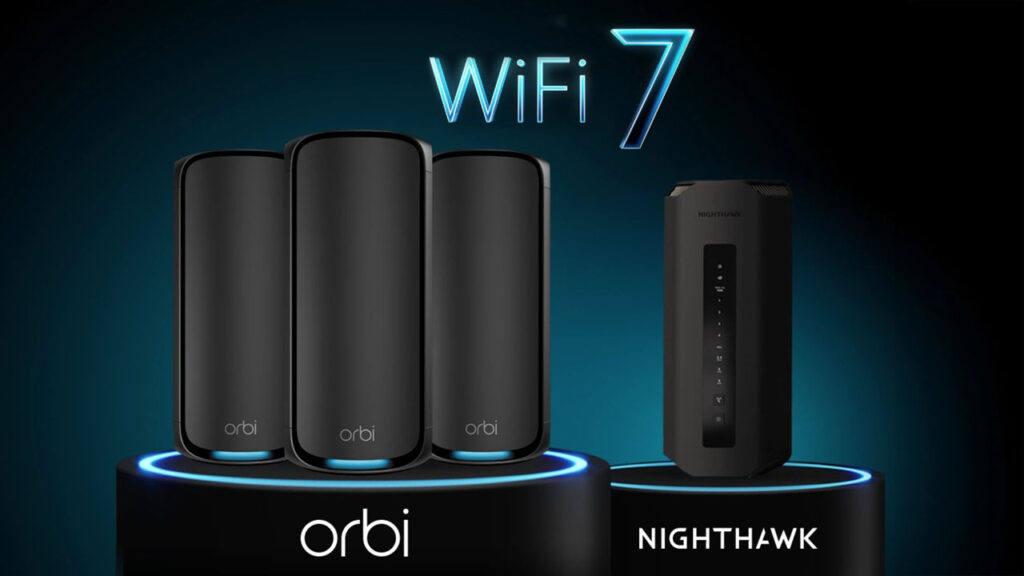
NETGEAR Orbi Mesh is high speed internet at its best. The Orbi 970 Series delivers quad-band WiFi 7 speeds up to 27Gbps for unparalleled performance, more bandwidth, and superior coverage for your whole home. This system includes Ethernet ports on the router and satellites. Orbi is the best mesh system for a house with DSL internet.
For High-Performance Gaming & Streaming: Choosing a NETGEAR Nighthawk Router
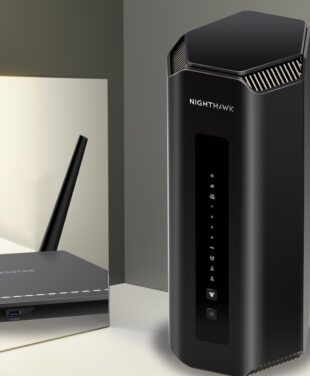
NETGEAR Nighthawk for DSL internet is a savvy option for real-time gaming and 4K/8K streaming. Considered by many to be the best router for DSL, the advanced and powerful WiFi 7 Nighthawk RS700S Router provides unrivaled speeds up to 19 Gbps.
Explore NETGEAR Nighthawk Routers
Cut the Cord on DSL with 5G Home Internet
5G home internet is wireless broadband that uses fifth generation (5G) cellular network technology to deliver internet access without the need for fiber or DSL. Instead of connecting through wires, your home uses a fixed wireless 5G router that picks up the signal from a nearby 5G tower, just like your smartphone. It’s especially useful in areas where wired connections are limited or expensive to install.
When Your DSL Is the Bottleneck: Introducing Fixed Wireless Access (FWA)
Is DSL slowing you down and holding you back? Fixed Wireless Access (FWA) could be the solution. 5G FWA can deliver speeds comparable to fiber in areas with strong 5G (Wireless) coverage and minimal network congestion.
Key FWA Benefits: Speed, Reliability, and Freedom from the Phone Line
5G Fixed Wireless Access (FWA) is shaking up the way we connect to the internet. Here are the key benefits of FWA:
- Fiber-like Speeds: 5G FWA offers broadband speeds comparable to cable modem and fiber-optic connections.
- Rapid Deployment: Unlike the slow rollout of cable infrastructure, 5G FWA can be set up in days.
- Cost-Effective Connectivity: 5G FWA is a more affordable option for both providers and users.
- Bridging the Digital Divide: FWA offers high-speed internet to rural and remote communities.
- Reliable Backup: Major enterprises like hospitals can use 5G FWA as a backup during outages.
- Scalable: 5G FWA provides the robust performance needed for modern digital ecosystems.
- Low Latency: 5G FWA users enjoy stable connections with minimal lag.
Unleash True Mobility: The Power of NETGEAR Nighthawk 5G WiFi Hotspots
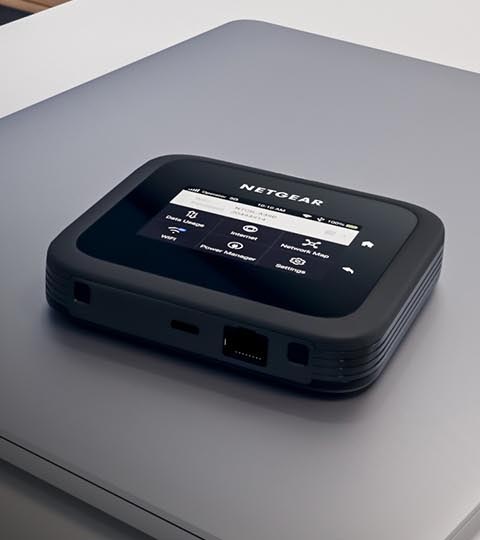
Another great NETGEAR innovation is In-Home Performance Mode for Nighthawk 5G WiFi Mobile Hotspot Routers. With this mode, a Nighthawk M6 or M6 Pro Mobile Hotspot can extend its reach up to 2000 sq ft. If yours is a smaller home or apartment you might not even need an extra router or mesh system.
DSL Upgrade Cheat Sheet: Which Path is Right for You?
Need to Know How to Improve WiFi with a DSL Connection?
Choose Path 1 if your DSL speed is adequate, but your WiFi coverage is poor. Augment your current setup by disabling your ISP router’s WiFi and adding a high-performance NETGEAR Nighthawk router or Orbi Mesh system.
Choose Path 2 introduces NETGEAR’s 5G Fixed Wireless Access (FWA) solutions or Mobile Hotspots with optional In Home Performance Mode for Hotspots as a powerful, modern alternative to abandon DSL entirely. Consider fixed wireless 5G home internet if your DSL connection is fundamentally too slow, and you have good 5G coverage.
Unleash Faster WiFi with NETGEAR
Don’t let outdated ISP equipment or a slow DSL connection dictate your online experience. Whether you choose to supercharge your current DSL connection or break free with the power of 5G, NETGEAR gives you the tools to take control of your home network. Upgrading your home network isn’t just about fixing today’s buffering — it’s about preparing your home for the connected devices of tomorrow.
Frequently Asked Questions (FAQs)
Will a new router make my actual DSL internet plan faster?
A new router won’t change the maximum speed of your DSL internet plan or ethernet cable connection, but it will improve DSL WiFi coverage with less latency, smoother streaming, and support for more devices.
Can I completely replace the DSL modem my ISP gave me with a NETGEAR one?
No – as of the publishing date of this article NETGEAR does not currently carry DSL modems. You may consider checking with your DSL provider for a list of approved 3rd party DSL modems. If you decide to change to a cable-based ISP provider NETGEAR provides products such as the latest Nighthawk CM3000 Mid/high-Split Multi-Gig 2.5Gbps Cable Modem – compatible with all major cable ISPs.
Is it difficult to set up a new router or mesh system with my existing DSL modem?
You can use your own router with your ISP DSL modem. Setting up a NETGEAR router or mesh system with your existing DSL modem is generally straightforward. Connect using your Nighthawk or Orbi app for ultimate convenience and troubleshooting. Any difficulties – try NETGEAR Support.
How do I check if 5G home internet is available in my area?
Major internet providers offer interactive maps where you can enter your address to see if 5G home internet is available. The FCC’s broadband map also provides detailed, location-specific data on internet availability, including 5G coverage. In many situations, 5G internet will perform better than DSL.
If I use my own router, can I stop paying the monthly rental fee to my ISP?
If you are able to bring your own DSL modem and pair to a NETGEAR Router you may be able to stop paying ISP modem rental fees. Many providers will let you use your own router, modem, or router/modem combo. You could potentially save hundreds of dollars on rental fees annually. Read our article on Cable Modem vs Router.
What is the difference between a Nighthawk router and an Orbi Mesh system?
Nighthawk Routers are powerful standalone devices that are perfect for medium-sized homes. Orbi Mesh Systems include the main router and router satellites that communicate with each other for seamless networking in large homes and multi-story properties.