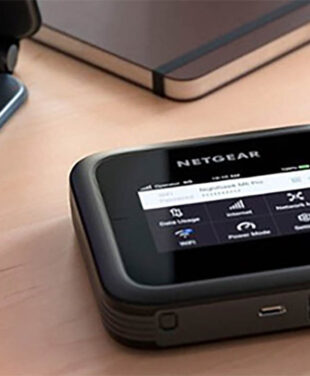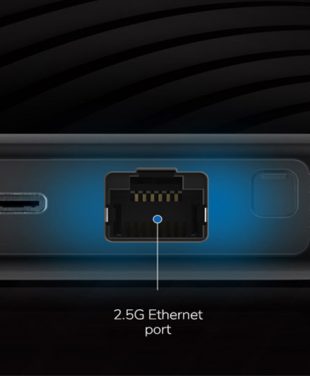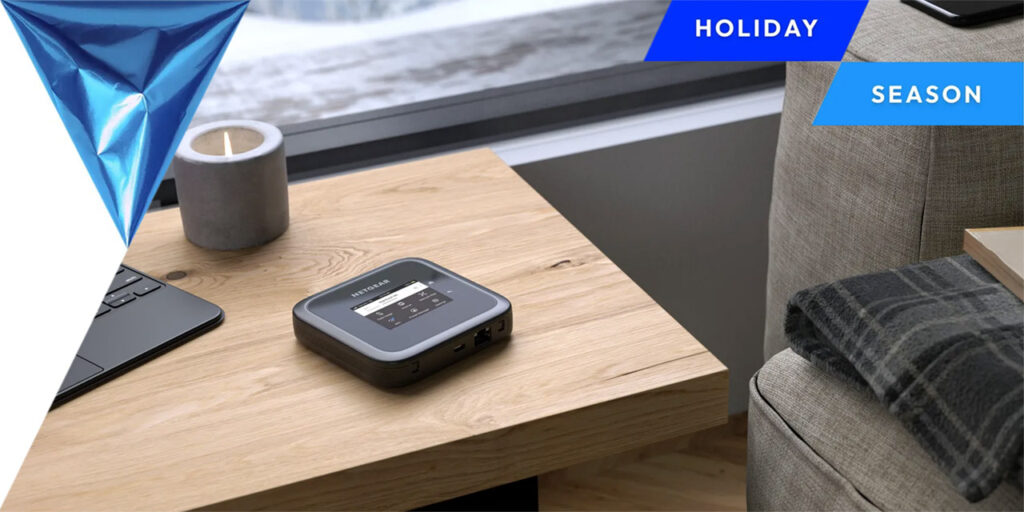
Our top pick for most travelers is the Nighthawk 5G M7 Portable WiFi Hotspot with eSIM. It pairs WiFi 7 with a physical SIM slot and eSIM support, and it can buy data plans for 140+ countries from the NETGEAR app. Below, you’ll see where the M7 fits against the carrier-specific M7 Pro and the earlier M6 models, and which gifts suit different kinds of travelers.
Shopping for someone who isn’t a frequent flyer? Browse our Tech Lovers Gift Guide, Gearhead Gift Guide or Gaming WiFi Gift Guide for broader ideas.
Best Travel Routers for 2026
The best travel router for most people in 2026 is the Nighthawk M7, because it combines WiFi 7, an unlocked design and both SIM and eSIM support in a pocket-sized device. In this guide, a travel router means a portable cellular router, or mobile hotspot, that creates a private WiFi network for your laptop, phone, tablet and other devices while you’re away from home.
| Model |
Best For |
Cellular / Carrier |
WiFi |
Devices |
Battery |
International Connectivity |
| Nighthawk M7 (MH7150) |
Most travelers, international trips |
5G/4G; unlocked; SIM + eSIM |
WiFi 7, up to 3.6 Gbps |
Up to 32 |
Up to 10 hrs |
NETGEAR eSIM plans in 140+ countries, or your own SIM/eSIM |
| Nighthawk M7 Pro (MR7400) |
AT&T customers who want top performance |
5G/4G; AT&T; physical SIM |
Tri-band WiFi 7, up to 5.8 Gbps |
Up to 64 |
Up to 13 hrs |
Roaming via your AT&T plan |
| Nighthawk M6 Pro (MR6550) |
Existing owners; buyers who need mmWave or a 2.5G Ethernet port |
5G mmWave + Sub-6; unlocked; physical SIM |
WiFi 6E, up to 3.6 Gbps |
Up to 32 |
Up to 13 hrs |
Works in 125+ countries with a compatible SIM |
| Nighthawk M6 (MR6150) |
Budget-minded buyers who find it at a retailer |
5G Sub-6; unlocked; physical SIM |
WiFi 6, up to 2.5 Gbps |
Up to 32 |
Up to 13 hrs |
Physical SIM; check band support for your destination |
Speeds are maximum rates. Real-world performance depends on coverage, carrier, plan and network congestion.
Nighthawk M7: Best Travel Router for Most Travelers
Best for: international travelers, remote workers and families who want one device that works at home and abroad.
The Nighthawk M7 is NETGEAR’s newest portable WiFi hotspot. It accepts a physical SIM, a third-party eSIM from your carrier, or a NETGEAR eSIM bought in the app. NETGEAR lists it as certified for AT&T, T-Mobile and Verizon in the US and unlocked for other compatible carriers. It weighs 240 g (0.53 lb), connects up to 32 devices and adds a firewall, WPA3 encryption and automatic firmware updates. Learn more about the M7 hotspot with eSIM.
Nighthawk M7 Pro: Best for AT&T Customers
Best for: AT&T subscribers, business travelers and groups with many devices.
The M7 Pro is a carrier-specific model sold for AT&T, not a universal unlocked pick. It supports up to 64 devices, a 6 GHz WiFi 7 band, 2.5 Gbps Ethernet and up to 13 hours of battery life. Choose it if you’re already on AT&T and want maximum capacity.
Nighthawk M6 Pro and M6: Earlier Models Still Worth Knowing
Best for: existing users, or those who are able to find these at a retail store and do not require eSIM.
Both are unlocked hotspots with a physical SIM slot, a removable battery and an Ethernet port. The Nighthawk M6 Pro offers additional mmWave 5G and WiFi 6E.
Want a deeper spec-by-spec look? See our 5G hotspot comparison and NETGEAR WiFi top picks.
Best Gifts for Travelers in 2026
The best gifts for travelers solve a real problem on the road: staying connected, staying charged, tracking bags or resting on a long flight. A mobile hotspot tops our list, but most great travel tech gifts work fine without WiFi.
| Gift |
Best For |
Why It’s Practical |
| Mobile hotspot (Nighthawk M7) |
Remote workers, families, international travelers |
Private WiFi for up to 32 devices, with eSIM data plans for trips abroad. |
| Portable power bank |
Anyone who uses their phone for maps and boarding passes |
Keeps phones, earbuds and hotspots charged during layovers and long days out. Check airline capacity limits before flying. |
| Compact travel charger |
Carry-on packers |
One multi-port charger replaces a tangle of bricks and frees up hotel outlets. |
| Luggage tracker |
Checked-bag travelers |
Helps locate bags that miss a connection or go astray at the carousel. |
| Smart luggage |
Frequent flyers and carry-on travelers |
Built-in USB charging, tracking and anti-theft locks keep devices powered and bags secure. Check airline rules, since most require a removable battery. |
| Noise-canceling headphones |
Frequent flyers and train commuters |
Cuts engine and cabin noise so travelers can rest, focus or watch a film. |
| E-reader |
Readers who hate packing heavy books |
Holds a whole library, with long battery life and a screen that’s easy to read in sunlight. |
| Compact travel camera |
Photographers and content creators |
Captures better photos and video than a phone, and pairs with a mobile hotspot to back up and share shots on the go. |
| Universal travel adapter |
International travelers |
Covers multiple plug types, often with built-in USB ports. |
| Protective tech organizer |
Business travelers and creators |
Keeps cables, chargers and small devices sorted and easy to find at security. |
Looking beyond travel? Our Tech Lovers Gift Guide covers broader gift ideas for every kind of tech fan.
Why a Travel Router Beats Public WiFi
A travel router gives you control over the network you connect to, which public WiFi can’t. Public WiFi is safer than it used to be: the FTC notes that most websites now encrypt your data, so connecting is usually safe. But on hotel, airport and café networks, you still don’t know who runs the network or who else is on it.
A private mobile hotspot for travel adds practical advantages:
- A known network name (SSID). You can log in to your own network instead of an impersonator.
- WPA3-capable local WiFi. The M7 is WPA3-ready on your local connection to the mobile hotspot.
- Fewer shared-network variables. Your devices aren’t sitting on the same local network as strangers.
- Consistent connectivity. Laptops, tablets and phones reconnect automatically wherever you travel, with no captive portals or per-device logins.
A personal hotspot isn’t a cure-all. It doesn’t stop phishing emails, malware, weak passwords or unsafe websites, and mobile networks carry their own risks. Good security habits still matter; see the security tips below and our deeper dive on hotspots vs public WiFi security.
Travel Router vs Phone Hotspot vs Public WiFi
While phone tethering will work well for light usage, travel routers are best for people who often travel and work remotely, as well as for groups of people who want to connect multiple devices.
|
Dedicated Travel Router / Mobile Hotspot |
Phone Hotspot (Tethering) |
Public WiFi |
| Best use case |
Frequent travel, remote work, families, groups |
Short sessions, one laptop, occasional trips |
Quick browsing when nothing else is available |
| Number of devices |
Many (up to 32 on the M7) |
A few; varies by phone and carrier |
Usually per device, sometimes limited |
| Phone battery impact |
None; phone stays free |
Drains phone battery quickly |
Minimal |
| Privacy / control |
You control the network name, password and settings |
You control it, but on a phone you also need for calls and navigation |
Run by the venue; shared with strangers |
| Reliability |
Depends on cellular coverage and plan |
Depends on coverage, plan and phone heat/battery |
Varies widely; congestion is common |
| Setup |
One-time setup, then devices auto-connect |
Quick toggle on the phone |
Captive portals and logins at each location |
| Data-plan requirement |
Separate SIM, eSIM or data plan |
Uses phone plan; hotspot data may be capped |
Usually free or bundled |
| International flexibility |
High with eSIM or local SIM support |
Depends on phone roaming plan |
Available but inconsistent |
A dedicated hotspot isn’t automatically faster than every phone or public network. Real-world speed depends on cellular coverage, your carrier plan, network congestion and device capability.
eSIM, SIM Cards and International Travel WiFi
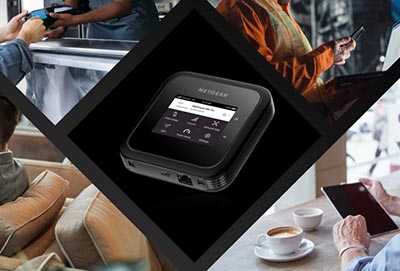
With eSIM technology, your travel router will be able to receive a data subscription through the air and be able to connect to the internet while you’re away from home without looking for a SIM card at all. In contrast, the SIM card is a physical card that is inserted into the device, whereas the eSIM is a chip that comes built-in to the device itself. The GSMA explains eSIM as the industry standard for remotely provisioning these profiles.
How each impacts travel preparations:
- Physical SIM: get a local SIM when you arrive or roam through your home network. Card switching is easy but requires that you find a shop, have a SIM card tool and manage small cards.
- eSIM: buy and activate a plan before you leave or when you land, often in minutes. You can keep several profiles on one device and switch between them.
The Nighthawk M7 supports both. You can buy a NETGEAR eSIM plan in the NETGEAR app, add a third-party eSIM from your carrier, or insert a physical SIM, subject to carrier compatibility and regional support. At the time of writing, NETGEAR lists eSIM coverage in 140+ countries across 250+ partner networks, with regional plans you can top up in the app.
Before you travel, check a few things. Data-plan prices, roaming terms, local carrier rules and 5G availability all vary by country. 5G may be limited outside major cities, and some plans fall back to 4G LTE.
Travel Tech That Needs Reliable Connectivity
There are a lot of travel devices that do not require an internet connection to work, yet there are still many situations when it is really needed:
- Video calls and remote work. Laptops and tablets need stable bandwidth for meetings, VPN access and shared files.
- Cloud backups and large uploads. Photographers and creators uploading photos or video from a trip need more than a patchy hotel network.
- Navigation and ride-hailing. Maps, transit navigation and ride-sharing applications use live data, particularly in new cities.
- Translation tools. Translation applications perform well on the Internet, although offline language packs can be useful.
- Streaming devices. Portable streaming sticks and tablets need WiFi for films and shows at the hotel.
- Multi-device family travel. Several kids’ tablets, parents’ phones and a laptop can share one hotspot instead of fighting for hotel logins.
Not everything needs your WiFi. Many smart luggage trackers use Bluetooth, crowdsourced finder networks or their own cellular connection, not the traveler’s hotspot. Likewise, noise-canceling headphones, e-readers and most earbuds work fine offline once content is downloaded.
How to Choose the Best Travel Router
When selecting the right travel router, consider your destination and the service provider you will be using, with the speed of the router being secondary to coverage and data plans. Consider the following aspects:
- Carrier compatibility: make sure that the router is either certified or compatible with your service provider and the bands used by the service provider.
- Unlocked vs carrier-specific: unlocked routers like the M7 work across multiple carriers, while carrier-specific routers like the M7 Pro are tied to one network (AT&T).
- eSIM support: makes buying international data faster and removes the need for local SIM cards.
- Destination coverage: check that your destination’s networks and bands are supported.
- Data-plan options: compare prepaid, roaming and eSIM plan costs and data caps.
- WiFi standard: WiFi 7 and WiFi 6E will offer faster local speeds for new devices.
- Battery life: all-day battery should be considered for portability.
- Connected-device limit: families and groups need a hotspot that supports more simultaneous connections.
- Wired connectivity: USB-C tethering and Ethernet are good for laptops, motorhomes and backup internet systems.
- Size and weight: pocket-sized models are easier to carry daily.
- Security features: look for WPA3, a built-in firewall and automatic firmware updates.
Best Travel Router by Traveler Type
| Traveler |
What Matters Most |
Good Fit |
| International travelers |
eSIM, unlocked, wide country coverage |
Nighthawk M7 |
| Business travelers |
Reliable connection for calls and VPN, long battery |
Nighthawk M7 or M7 Pro (AT&T) |
| Families and groups |
Many simultaneous devices |
Nighthawk M7 Pro (AT&T) or M7 |
| Creators |
Fast uploads, USB-C or Ethernet for laptops |
Nighthawk M7 Pro (AT&T) or M7 |
| RV and road-trip users |
Wired options, cradle or external antenna support |
Nighthawk M7 with cradle, or M6 Pro |
| Backup internet |
Failover to cellular when home broadband drops |
Nighthawk M7 with desktop cradle |
Pre-Purchase Checklist
- Is the router compatible with my carrier and my destination’s bands?
- Do I need an eSIM, a physical SIM, or both?
- Which data plan will I use, and what does it cost per GB?
- How many devices will connect at once?
- Is the battery life enough for my longest day away from power?
- Do I need USB-C tethering or Ethernet?
- Does it support WPA3 and automatic firmware updates?
How to Stay Secure on WiFi While Traveling
Staying secure while traveling comes down to a few habits that work on any network, whether it’s your own hotspot or a hotel’s WiFi. The FTC and CISA’s guidance on cybersecurity while traveling both recommend the basics below.
On any network:
- Update your phone, laptop, apps and browser before you leave, and turn on automatic updates.
- Use strong, unique passwords and turn on multi-factor authentication for email, banking and work accounts.
- Check that HTTPS and a lock symbol are present before logging in or making payments.
- When using public WiFi cannot be avoided, verify the name of the network with the staff and do not enable automatic connection to unknown WiFi networks.
- Be wary of phishing emails and texts, even those pretending to confirm booking or deliveries.
When a VPN helps: a VPN encrypts traffic between your device and the VPN server, which is useful on untrusted networks and often required for employer-managed remote access. It doesn’t protect you from phishing, malware or unsafe websites.
For your personal travel router:
- Change the default admin password and WiFi password during set-up.
- Use WPA3 or WPA2/WPA3 mixed.
- Update firmware, or keep automatic updates turned on.
- Turn off sharing features you don’t use, and share your WiFi password only with people you trust.
Build Your Ultimate Travel Kit for 2026
An ideal travel set consists of a reliable Internet connection and some gifts to make traveling easier. Begin by buying a mobile WiFi router such as the Nighthawk M7, then add a power bank, a compact charger and a luggage tracker to round it out. Explore more ideas in our Tech Lovers Gift Guide.
Frequently Asked Questions About Travel Routers
What is the best travel router in 2026?
The best travel router in 2026 will depend on carrier compatibility, coverage at your destination, battery life, number of devices and the need for eSIM capabilities. The choice for NETGEAR buyers can be made by comparing the current Nighthawk M7 to M7 Pro, M6 Pro and M6 models.
Is a travel router the same as a mobile hotspot?
A travel router is a broad term for a portable router used away from home, while a mobile hotspot specifically uses a cellular connection to create WiFi for nearby devices. NETGEAR Nighthawk mobile hotspots function as portable travel routers.
Do I need a travel router if my phone has a hotspot?
No, not necessarily. Tethering through the phone can be effective where only occasional use is involved. However, a travel router may suit someone who travels frequently or who wants to conserve phone battery life.
Can I use an eSIM in a travel router?
Yes, if the travel router supports eSIM. The Nighthawk M7 supports eSIM and physical SIM options, but available plans and carrier support vary by country and network.
Are mobile hotspots safer than public WiFi?
A personal mobile hotspot gives you more control over the local WiFi network than an unknown public hotspot, but you should still use strong passwords, updated software, HTTPS, and other normal security practices.
Can I use a travel router internationally?
Yes, if the router is capable of working on the frequencies of the network in the destination country and is compatible with the SIM card, eSIM, or roaming option.
What is the best travel WiFi gift for frequent travelers?
A portable mobile hotspot like the NETGEAR Nighthawk M7 is a practical gift for frequent travelers. With WiFi 7, physical SIM and eSIM support, it helps travelers connect multiple devices at home or abroad, subject to compatible cellular networks and data plans.