
Search results for: GS516
16 Items
Sort by



£162.99
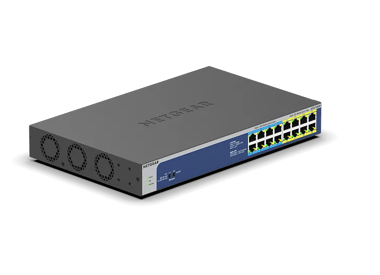
NETGEAR GS316P Unmanaged 16-Port PoE Gigabit Ethernet Switchcurrent price £162.99
£189.99
NETGEAR GS316PP Unmanaged 16-Port PoE+ Gigabit Ethernet Switchcurrent price £189.99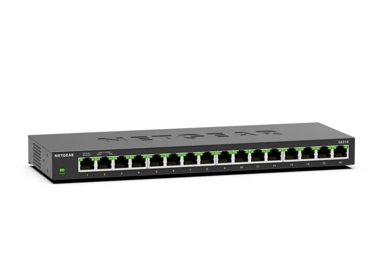

£199.99
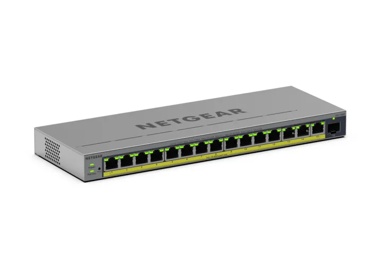
16-Port Gigabit Ethernet High-Power Unmanaged PoE+ Switch with FlexPoE (183W)current price £199.99


Showing 1-12 of 16
155 Items
Sort by
Knowledge Article
GS516TP Firmware Version 6.0.1.11(Initial Release) - NETGEAR Support
GS516TP is a brand new 16-port ProSAFE® Gigabit Ethernet Smart Switch with PoE/PD features. It can work as PD device that can get power from other PSE device through port 15 or/and port 16. Meanwhile, it can also deliver power to other PDs that are connected to its PoE ports (port 1 to 8). This release notes contains known issues and limitations for GS516TP firmware. And note that boot code 2.0.0.11 is also released together with this firmware. GS516TP support the latest Smart Control Center, pl...
Knowledge Article
GS516TP Firmware Version 6.0.1.30 - NETGEAR Support
Enhancements: To comply with California state law, the switch now requires that you change the default password after using it to access the local browser UI. Known Issues: Reboot is required when changing between Switch mode and Router mode. Dynamic VLAN assignment and DiffServ Simple Policy (differentiated services flow-based policer) are supported in Switch mode, but not in Router mode. Download Link: https://www.downloads.netgear.com/files/GDC/GS516TP/GS516TP_V6.0.1.30.zip Firmware Update In...
Knowledge Article
GS516TP Firmware Version 6.0.1.16 - NETGEAR Support
Note: It will take about 8 minutes for the first boot up after upgrade to 6.0.1.16 from previous releases 6.0.1.x, because the switch will auto-upgrade the new PoE firmware. Please wait patiently till the switch completely boot up. GS516TP support the latest Smart Control Center, please use SCC version 1.1.3.2 for switch discovery, basic configuration and FW upgrades. Fixed Issues Only one port works well with the time-range when apply same time-range to several ports. Unable to get any value fr...
Knowledge Article
What is PoE Mode for GS516UP and GS524UP Unmanaged Ultra60 PoE++ switches? - NETGEAR Support
What is PoE Mode for GS516UP and GS524UP Unmanaged Ultra60 PoE++ switches?A set of PoE Mode selectors on the front panel of your GS516UP or GS524UP switch are used to change the Power over Ethernet (PoE) mode of your unmanaged switch to pre-802.3bt and 802.3bt standard.Figure 1. PoE Mode SwitchesThe PoE Mode switches changes the ports in groups of four.Figure 2. Deploying NETGEAR Ultra60 PoE++PoE is a networking feature defined by the Institute of Electrical and Electronics Engineers (IEEE) 802....
Knowledge Article
Updating Boot Code via TFTP for GS516TP, GS728TPx, GS752TPx switches - NETGEAR Support
Some firmware upgrades require the switch to update the boot code or that some fixes require the boot code to be updated. This guide is for updating the boot code update through TFTP and not through HTTP. To do that, follow the steps below: 1. Download or get the boot code. Normally the boot code comes with the firmware when you download it. 2. Install a TFTP application. Here we will be using TFTD32. 3. Once installed, open TFTPD32. 4. Click Browse then select the folder location of the boot co...
Knowledge Article
How do jumbo frames work on smart switches GS516TP, GS728TP, GS728TPP, and GS752TP? - NETGEAR Support
The GS516TP, GS728TP, GS728TPP, and GS752TP smart switches differ in hardware from other smart switches. On these models, jumbo frames function differently than on other smart switch models: You can enable jumbo frames globally only, not per port. By default, jumbo frames are disabled and the switch supports a packet size of up to 2,048 bytes. Other switch models support a packet size of up to 1,518 bytes when Jumbo frames are disabled. When you enable jumbo frames, you cannot configure the maxi...
Knowledge Article
When should I change the PoE Mode on my GS516UP or GS524UP unmanaged switch? - NETGEAR Support
When should I change the PoE Mode on my GS516UP or GS524UP unmanaged switch?The GS516UP and GS524UP unmanaged switches are power sourcing equipment (PSE) that transmit 60W of Power over Ethernet (PoE++) to devices when connected. The devices that receive power are called powered devices (PDs). Your unmanaged switch is set to the default PoE mode 802.3bt standard. Pre-802.3bt PDs cannot operate using 802.3bt standard, which is why you must use the PoE Mode switches to change the PoE mode. The fol...
Knowledge Article
How does dynamic VLAN assignment work on smart switch models GS516TP, GS728TP, GS728TPP, and GS752TP? - NETGEAR Support
The GS516TP, GS728TP, GS728TPP, and GS752TP smart switches differ in hardware from other smart switches. On these models, routing mode rather than switching mode is enabled by default. When you change from routing mode to switching mode, or the other way around, from switching mode to routing mode, the switch reboots. Dynamic VLAN assignment functions only in switching mode. When you disable switching mode and enable routing mode, dynamic VLAN assignment is no longer supported. For information a...
Knowledge Article
How do I enable the voice VLAN on smart switch models GS516TP, GS728TP, GS728TPP, and GS752TP? - NETGEAR Support
For information about how the voice VLAN works, see the “How does the voice VLAN work on smart switch models GS516TP, GS728TP, GS728TPP, and GS752TP? To enable the voice VLAN on a GS728TP, GS728TPP, GS752TP, or GS516TP smart switch: Open a web browser. In the browser address field, type the IP address of the smart switch. The default IP address is 192.168.0.239 and the default subnet mask is 255.255.255.0. You are prompted to enter your password. Type the password in the Password field. The defa...
Knowledge Article
What are the switching and routing modes on smart switch models GS516TP, GS728TP, GS728TPP, and GS752TP? - NETGEAR Support
The GS516TP, GS728TP, GS728TPP, and GS752TP smart switches differ in hardware from other smart switches. On these models, routing mode rather than switching mode is enabled by default. When you change from routing mode to switching mode, or the other way around, from switching mode to routing mode, the switch reboots. These modes have the following restrictions: Routing mode. You can configure VLAN routing and static routing. However, if you disable routing mode and enable switching mode, VLAN r...
Knowledge Article
How do I enable dynamic VLAN assignment on smart switch models GS516TP, GS728TP, GS728TPP, and GS752TP? - NETGEAR Support
For information about how dynamic VLAN assignment works, see the “How does dynamic VLAN assignment work on smart switch models GS516TP, GS728TP, GS728TPP, and GS752TP? To enable dynamic VLAN assignment for selected ports on a GS728TP, GS728TPP, GS752TP, or GS516TP smart switch: Open a web browser. In the browser address field, type the IP address of the smart switch. The default IP address is 192.168.0.239 and the default subnet mask is 255.255.255.0. You are prompted to enter your password. Typ...
Knowledge Article
NMS300 Software Release 1.3.0.21 - NETGEAR Support
This release notes contains features and known issues for NETGEAR ProSAFE NMS 300 Network Management Software release 1.3.0.21. Key features available in this 1.3 release of NMS300 software are the following: Supports for NETGEAR ProSAFE Firewall products Supports for NETGEAR ReadyNAS & ReadyDATA products Supports for few of the newly released Switch & Wireless products The below list provides the specific device models which are now supported in NMS300 starting from this 1.3 release: FVS318N, F...
Knowledge Article
PoE pass through switches - NETGEAR Support
Power over Ethernet (PoE) pass through switches can operate as both a Powered Device (PD) and Power Sourcing Equipment (PSE). This means that the switch can be powered by PoE while simultaneously providing power by PoE to other devices such as IP phones or wireless access points. This provides great flexibility because it means that the switch can be deployed without the constraints of an AC power outlet. In a PoE pass through switch, one or more ports will be designated as PD ports and one or m...
Knowledge Article
UKCA Declarations of Conformity - NETGEAR Support
Please click on the Model to view Declarations of Conformity. Model A6100 A6150 A6210 A7000 A7500 A8000 A8500 A9000 ACC761 / ACC763 / AXLC761 / AXLC763 ACM761 / ACM762 / AXLM761 / AXLM762 AFT402 AGM731F AGM732F AGM734 APM408 / APM402 APS150W APS250W APS254W APS299W APS350W APS550W APS600W / APS1200W APS600Wv2 APS600Wv3 APS920W APS1000W APS1200Wv2 APS2000W APS2000Wv2 AXC761 AXC7610 AXC7615 AXC7620 AXC763 AXC765 AXC767 AXM761, AXM762, AXM763, AXM764, AXM765 AXM765v2 BR200 CSM4532 EAX12 EAX17 EAX20...
Knowledge Article
UK PSTI Declaration of Conformity - NETGEAR Support
On 29th April 2024, the United Kingdom’s Product Security and Telecommunications Infrastructure (UK PSTI) Act takes effect. The UK PSTI Act requires consumer networking devices to meet increased security standards with the stated goals of reducing cyber attacks and better protecting individual privacy and security. All NETGEAR products sold in the UK comply with the applicable security requirements that the UK PSTI Act defines. To view the UK PSTI Act Declaration of Conformity for a NETGEAR prod...
Knowledge Article
EU Declarations of Conformity - NETGEAR Support
Please click on the Model to view Declarations of Conformity. To access EU Declarations of Conformity for Arlo products, visit https://kb.arlo.com/000061839/EU-Declarations-of-Conformity-for-Arlo-and-VueZone. Model 6000451 A6100 A6150 A6210 A7000 A7500 A8000 A8500 A9000 ACM761 / ACM762 / AXLM761 / AXLM762 ACC761 / ACC763 / AXLC761 / AXLC763 AC785S AC790S AC810 / AC810S AFT402 AGM731F AGM732F AGM734 AirCard 797 (AC797) APM402XL APM408 / APM402 APS150W APS250W APS254W APS299W APS350W APS550W APS60...
Knowledge Article
GS116E Firmware Version 1.00.20 - NETGEAR Support
Warning: Please make sure the version of the ProSAFE Plus Utility installed on your PC is v2.2.24 or newer before upgrading the GS116E firmware. Older versions of the Plus Utility do not support the password encryption required by V1.00.19 firmware. New Features and Enhancement: Add static mRouter port support. Bug Fixes: Change the default setting of loop detection from enable to disable. Known Issues: None Limitations: None Installation Instructions Download the new firmware to a convenient pl...
Knowledge Article
GS716TP / GS716TPP Firmware Version 1.0.2.2 - NETGEAR Support
New Features and Enhancements: Registration is no longer required to access the full UI menu. It can be skipped at UI login. Insight management mode is disabled by default. Select the “NETGEAR Insight Mobile App and Insight Cloud Portal” radio button to enable Insight management mode. You can pause Insight management mode at any time to temporarily manage the switch through the device UI by selecting the “Local-Only GUI” radio button. To return to Insight management mode, select the “NETGEAR Ins...
Knowledge Article
GS716Tv3/GS724Tv4/GS748Tv5 Firmware Version 6.3.1.16 - NETGEAR Support
Fixed Issues Fixed the issue where the SFP status could randomly be turned off after a restart. Fixed the issue where the configuration file cannot be uploaded using DNS Name through HTTP. Fixed the issue where the VLAN Tag setting is not kept after reboot. Fixed the issue where the status of converted security MAC address learned from LAG is incorrectly displayed as 'Learned' in MAC table. It should be displayed as 'Static' instead. Modifications Few changes are made to pass Korea TTA test for ...
Knowledge Article
GS716TP / GS716TPP Firmware Version 1.0.2.3 - NETGEAR Support
Bug Fixes: Fixes the RADIUS reauthentication configuration where it did not clear after session timeout. Fixes an issue where the packet counter for the CPU port on the Statistics page did not work. Fixes an issue where a client device can fail to get a DHCP IP address when there is another network device connected between the switch and the client device. Security Fixes: Fixes various security vulnerability fixes and enhancements. Warnings: Read and follow these warnings before updating any fir...
Showing 1-20 of 155
346 Items
Sort by
Discussion Post
LAG/Port-trunk GS516TP to Auss router on Merlin | NETGEAR Communities
So I found out the Asus router I have supports port trunking which would allow for more bandwith for wireless clients when doing heavy data transactions on...
Discussion Post
gs516tp vlan help | NETGEAR Communities
I could use some help. Im new to setting up VLANS. I have a location were I need to send two separate VLANS over a wireless bridge. Im have...
Discussion Post
GS516TP - SInce installed I now cant see my CCTV Cameras via the main outside IP Address?? | NETGEAR Communities
Hi I changed from an unmanaged Prosafe 8 port to the GS516TP - SInce installed I now cant see my CCTV Cameras via the main outside IP...
Discussion Post
GS516T EU HTS/ECCN | NETGEAR Communities
Hi, I need to ship a GS516T network switch and need the EU HTS/ ECCN and if the switch falls under the EU dual use products.Would someone be able to...
Discussion Post
Certificate of Volatility for GS516TP | NETGEAR Communities
Where can I get a Certificate of Volatility for my GS516TP / ProSafe 16 port PoE Smart Switch?
Discussion Post
GS516T problem 802.3ad LAG/LACP - only one direction full bandwidth | NETGEAR Communities
Hi allIn reference to this post:...
Discussion Post
GS516TP IPv6 ACLs with non static /56 from ISP | NETGEAR Communities
Background - I'm redoing my home network and need a >=16 port Gigabit switch with PoE. I do have multiple subnets/VLANs and would love for the switch to...
Discussion Post
Letter of Volatility Request - GS516T | NETGEAR Communities
Hello all, I am trying to acquire a letter of volatility for the PROSAFE model GS516T 16 port switch. I noticed under the model drop down menu...
Discussion Post
GS516TP Inter VLAN access | NETGEAR Communities
I have a GS516TP Pro-Switch and the hardware below: ISP Huawai RouterLAN IP 10.0.0.1/24DHCP 10.0.0.2/170 GS516TPLAN IP 10.0.0.111Subnet Mask...
Discussion Post
Read GS516TP temperature sensor / replacing fan | NETGEAR Communities
The 40mm fan inside the GS516TP is rather loud, even if no network connections are plugged in. It appears if, although being fully PWM controlled, the fan...
Discussion Post
GS516TP Not Found using Smart Control Center | NETGEAR Communities
I am running the latest version of Smart Control Center and when I click on Network and pick discovery after a progesss bar saying it's discovering all...
Discussion Post
GS516TP VLAN HELP!!!! | NETGEAR Communities
Hello everyone, First, all my networking knowledge has been learned through trial and error and the internet. With that said, I have taken on...
Discussion Post
Netgear GS516TP / Roaming Guest Wifi / DD-WRT / OpenWRT / WNDR3700 and others | NETGEAR Communities
Hello everyone. Happy New Year, I have a Netgear WNDR3700 running DD-WRT as my main router. This router has two guest access points, one for...
Discussion Post
GS516TP - Newbie Totally lost. | NETGEAR Communities
Hi, So I just upgraded to this switch from an unmanaged 8 Gb ports Cisco. I needed more ports and power since I already have 4 IP Cams and plan on...
Discussion Post
GS516TP randomly rebooting | NETGEAR Communities
We have two GS516TP switches installed and both seem to randomly reboot. When looking at the logs one had rebooted just under 7 days at the last check, but...
Discussion Post
unable to connect to m5300v11.0 | NETGEAR Communities
good morning so i am use to working with the gs728tpp and gs516tp. i got a m5300-52g switch and i am having some trouble connecting to...
Discussion Post
How to prevent packets from being seen from devices which belong to other VLANs? | NETGEAR Communities
Hello.I configured my GS516TP switch to use VLANs. There are currently three VLANs: VLAN 10, 11, and 12, with three devices, 10.0.10.5, 10.0.11.5, and...
Discussion Post
How do I constrain multicast traffic to specific ports on GS716Tv3? | NETGEAR Communities
I can't find specific instructions to constrain multicast traffic on the GS715Tv3 smart switch. I need to force all multicast traffic to travel over a...
Discussion Post
Advice to maximise bandwidth - GS716T | NETGEAR Communities
Small business running 6 x PCs with a VOIP phone system and 2 x printers.Office has a cheap GB Tenda unmanaged switch at present connecting everything.They...
Discussion Post
GS716Tv2 with EAV features | NETGEAR Communities
Hi,I'm having a terrible time debugging numerous problems with the switch and its AVB features provided by the EAV license.First, and foremost, after running...
Showing 1-20 of 346
We couldn’t find anything for "GS516".
Showing 0-0 of 0
3 Items
Streamlining Networks with NETGEAR Solutions for Global Firm
HVS tackled complex AV networking challenges with advanced solutions from Netgear improving connectivity & efficiency. Learn how their system evolved today!
Upgrade Your Surveillance With PoE - NETGEAR Hub
Read our blog on upgrading your surveillance with PoE switches. Learn more here.
Cloud Manageable Smart Switch - NETGEAR Blog
The cloud-managed NETGEAR S3600 Series Smart Switches, join the company’s line of switches designed to meet the growing demands for faster networking that today’s businesses require.
Showing 1-3 of 3