
Search results for: GS724T
10 Items
Sort by


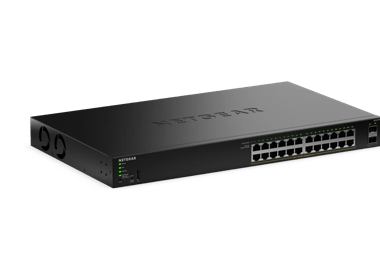


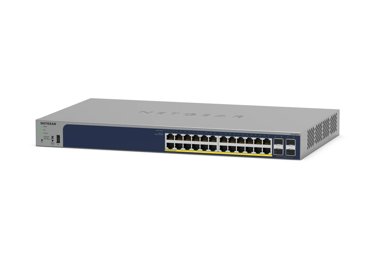


Showing 1-10 of 10
231 Items
Sort by
Knowledge Article
GS724TPv2 / GS724TPP Firmware Version 2.0.8.9 - NETGEAR Support
Enhancements: Upgrade OpenSSL to version 1.1.20 Add TLS 1.2/1.3 support Support SSH access control session New Features: Add Secure Diagnostic Mode (SDM) to allow NETGEAR Support to establish a secured connection for remote troubleshooting. This is disabled by default. Add Secure Shell (SSH) server for remote login. This is enabled by default. Lite command-line interface (CLI). To find the Lite CLI Reference Manual, visit https://www.netgear.com/support/, enter your model number in the search bo...
Knowledge Article
GS724TPv2 Firmware Version 1.1.1.3 - NETGEAR Support
GS724TPv2 supports the latest Smart Control Center, please use SCC version 1.1.3.4 for switch discovery, basic configuration and FW upgrades. New Features and Enhancements: Added IPv6 ACL (Security > ACL > Advanced > IPv6 ACL/Rules) Added IPv6 QoS (QoS > DiffServ > Advanced > IPv6 Class Configuration) Added IPv6 DHCP client (DHCPv6) (System > Management > IPv6 Network Configuration) Added Client Summary page to Security > Port Authentication > Advanced SNTP supports IPv6 (Add option "IPv6" to Se...
Knowledge Article
GS724TPv2 / GS724TPP Firmware Version 2.0.6.3 - NETGEAR Support
Security Fixes: Various security vulnerability fixes and enhancements. Warnings: Read and follow these warnings before updating GS724TPv2 or GS724TPPv1 firmware: After updating the FW to v2.0.6.3, it cannot be downgraded to the previous versions. Updating GS724TPv2 FW from v1.1.1.x to v2.0.6.x: If you are updating GS724TPv2 FW from v1.1.1.x to v2.0.6.x, make sure to follow these instructions carefully. Caution: To successfully update the firmware to v2.0.6.x from v1.1.x.x, you must perform a ser...
Knowledge Article
GS724TPv2 / GS724TPP Firmware Version 2.0.4.3 - NETGEAR Support
Bug Fixes: Fixes the RADIUS reauthentication configuration where it did not clear after session timeout. Fixes an issue where the packet counter for the CPU port on the Statistics page did not work. Fixes an issue where a client device can fail to get a DHCP IP address when there is another network device connected between the switch and the client device. Security Fixes: Fixes various security vulnerability fixes and enhancements. Warnings: HTTPS is disabled by default since firmware release v1...
Knowledge Article
GS724TPv3 / GS724TPPv3 Firmware Version 6.2.0.22 - NETGEAR Support
New Features: Supports the management of DHCP snooping and L2 relay through Insight. Security Fixes: This firmware addresses security vulnerabilities. For more information about security vulnerabilities, visit https://www.netgear.com/about/security. Known issues: Results for some ports are not displayed when you do a cable test for all ports through Insight. It might take between 10 and 15 minutes to update an IP address in the Device list on Insight after a device’s IP address is changed. The D...
Knowledge Article
GS724TPv2 / GS724TPP Firmware Version 2.0.8.12 - NETGEAR Support
Bug Fixes: Fixes an issue where you cannot exclude ports from the voice VLAN using the Insight Cloud Portal or Insight app. Warnings and Instructions: Read and follow these instructions before you update to firmware version 2.0.7.4 from an earlier version: After you update the firmware to version 2.0.7.4 or a later version, we recommend that you do not downgrade the firmware to version 2.0.6.x or an earlier version. Because HTTPS is disabled by default since firmware version 1.0.2.2, the device ...
Knowledge Article
GS724TPv3 / GS724TPPv3 Firmware Version 6.2.0.15 - NETGEAR Support
New Features: New responsive user interface (UI) that can adjust to the size of your screen Auto-Camera VLAN Auto-WiFi VLAN Known Issues: The admin page is not reachable if the switch is in a 192.168.0.0 subnet and obtains an IP other than 192.168.0.239. Workaround: Set a DHCP reservation for the switch so that it obtains the IP address 192.168.0.239. If there are multiple switches, then isolate each switch from the network, access each switch at the default IP address 192.168.0.239 and configur...
Knowledge Article
GS724TPv2 Firmware Version 1.1.1.13 - NETGEAR Support
GS724TPv2 supports the latest Smart Control Center, please use SCC version 1.1.3.4 for switch discovery, basic configuration and FW upgrades. New Features and Enhancements: Fixed the issue that too many unsupported commands are saved in configuration file. Known issues: Accessing some web GUI pages using Chrome and Internet Explorer (IE) will be slow via HTTPS. [Workaround]: Use Firefox browser or use HTTP to login. SNTP broadcast mode is not supported. [Workaround]: Use unicast mode. Unable to ...
Knowledge Article
GS724TPv3 / GS724TPPv3 Firmware Version 6.2.1.11 - NETGEAR Support
Release Date: July 7, 2025 New Features and Enhancements: Support for the UI Dark Theme Support for HTTP, instead of TFTP, to improve reliability Support for 16 allowed LLDP neighbors per port Increased the maximum supported password length to 64 characters Reduced the query response time when polling SNMP MIB Removed the Diffie-Hellman key exchange algorithms that might pose security concerns. Bug Fixes: Fixes the issue where the IP phone that has LLDP enabled cannot join the voice VLAN. Known ...
Knowledge Article
GS724TP, GS748TP Switch Firmware Version 5.2.0.9 - NETGEAR Support
Bug Fixes: Fixed the problem that log information sent to remote server does not include the source IP address. Fixed the problem that LED Mode button on the front panel does not work. Limitations: Although Management VLAN can now be changed from VLAN 1 to any other valid VLAN, egress packets still cannot be tagged with VLAN ID of 1. Known Issues: When configuring IP ACL rule, system does not reject source address to be multicast address and accepts 0.0.0.0 masking. Workaround: None. It will be ...
Knowledge Article
GS724TPv3 / GS724TPPv3 Firmware Version 6.2.1.41 - NETGEAR Support
Release Date: July 7, 2026 Bug Fixes: Fixes the issue where the switch becomes unreachable after renewing its DHCP-assigned IP address if the DHCP server is temporarily unavailable during lease renewal. Known issues: When you perform a cable test for all ports on the switch through Insight, results for some ports might not display. Workaround: Perform a cable test for a single port on the switch through Insight. After you change the IP address of the switch, it might take around 6 minutes to upd...
Knowledge Article
GS724TPv2 / GS724TPP Firmware Version 2.0.2.4 - NETGEAR Support
New Features and Enhancements: Increase the resolution for the Storm Control > Threshold setting from 10Mbit to 1Mbit to support finer-grained values (for example, you can set 5.1). Bug Fixes: Added support for Insight PoE Schedule feature when the configured schedule crosses midnight EAP packets get dropped when IGMP or MLD Snooping is enabled, which resulted in authentication failure of connected supplicant Returns wrong SNMP ifIndex of switch management port Warning: Read and follow the warni...
Knowledge Article
GS724TPS, GS748TPS, GS724TS and GS748TS Firmware Version 5.1.0.2 - NETGEAR Support
Bug Fixes: Fixed the issue with the POE configuration being lost after reboot. Firmware Download 4.31 MB Upgrading procedure Warning: Improper upgrade procedure may cause the device to become inoperable and it will need to be replaced. Device firmware cannot be downgraded to version V3.x.x.x once it has been upgraded to V5.x.x.x. Devices (GS700TS series) installed with firmware version V1.x.x.x must first be upgraded to version V3.x.x.x before attempting to upgrade them to V5.x.x.x. The boot cod...
Knowledge Article
GS724TPv2 / GS724TPP Firmware Version 2.0.8.11 - NETGEAR Support
Bug Fixes: Fixes an interoperability issue with Hikvision camera, model DS-2CD2146G2-ISUI. It may not get PoE power from the switch. Warnings: Read and follow these warnings before updating a firmware version that’s prior to 2.0.7.4: We recommend against downgrading the firmware image to 2.0.6.X or earlier version after updating to 2.0.7.4 or later versions. Because HTTPS has been disabled by default since v1.0.2.2, the device UI Home page does not display automatically after using HTTPS to upgr...
Knowledge Article
GS724TPv2 / GS724TPP Firmware Version 2.0.3.2 - NETGEAR Support
New Features and Enhancements: Adds ping and traceroute network administrative functions to the Troubleshooting page in the Insight Web Portal and app. Security Fixes: Fixes security vulnerabilities. This firmware addresses security vulnerabilities. For more information about security vulnerabilities, visit https://www.netgear.com/about/security. Bug Fixes: Fixes the issue where the DNS host configuration doesn’t accept an IPv6 address. Fixes the issue where the PoE schedule for weekly recurrenc...
Knowledge Article
GS724TPv2 Firmware Version 1.1.1.25 - NETGEAR Support
GS724TPv2 supports the latest Smart Control Center, please use SCC version 1.1.3.4 for switch discovery, basic configuration and FW upgrades. New features and modifications: Fixed the issue that PoE Timer (System > Timer Schedule > Advanced > Timer Schedule Configuration) cannot set cross midnight. One Diffserv class can now support up to six criteria (QoS > DiffServ > Advanced > Class Configuration), instead of only one. Class Summary is also added in the page. An interface can now support mult...
Knowledge Article
GS724TPv2 / GS724TPP Firmware Version 2.0.8.17 - NETGEAR Support
Enhancements: Upgrade OpenSSL to version 3.1. Bug Fixes: Fixes an issue that the system may freeze when accessing device migrates frequently from port to port. For example, wireless client roaming from one wireless AP to another AP that are connected to different ports on the same switch. Warnings and Instructions: Read and follow these instructions before you update to firmware version 2.0.7.4 from an earlier version: After you update the firmware to version 2.0.7.4 or a later version, we recom...
Knowledge Article
GS724TPv2 / GS724TPP Firmware Version 2.0.1.2 - NETGEAR Support
NOTE: This new firmware release requires product registration to unlock full access to the local browser UI. For more information, visit the NETGEAR knowledge base article at https://kb.netgear.com/000061174. New Features and Enhancements: Faster application of multiple port configuration settings through the Insight Cloud Portal and the Insight app. Bug Fixes: Port now sends properly formed IGMP queries after booting up with non-default VLAN (VLAN 1). Switch connectivity is no longer lost when ...
Knowledge Article
GS724TPv2 / GS724TPP Firmware Version 2.0.7.4 - NETGEAR Support
Security Fixes: Fixes security vulnerabilities. For more information about security vulnerabilities, visit https://www.netgear.com/about/security/. Bug Fixes: Unable to update SSL certificate via TFTP and HTTPS if logged in via HTTPS. Warnings: Read and follow these warnings before updating a firmware version that’s prior to 2.0.7.4: We recommend against downgrading the firmware image to 2.0.6.X or earlier version after updating to 2.0.7.4 or later versions. Because HTTPS has been disabled by de...
Knowledge Article
GS724TPv3 / GS724TPPv3 Firmware Version 6.2.1.40 - NETGEAR Support
Release Date: April 17, 2026 Enhancement: Increase of the time zone name to 7 characters. Restriction: Switches manufactured with this firmware or later versions do not support firmware downgrades. Note: You can still perform firmware downgrades on switches that were manufactured with older firmware versions. Bug Fixes: This firmware addresses the following bugs: Fixes the issue where whole subnet DHCP exclusion rules affect other configured DHCP pools. Fixes the issue where MAC/IP ACL rules wer...
Showing 1-20 of 231
705 Items
Sort by
Discussion Post
GS724Tv4 Backup config .. Where ? | NETGEAR Communities
Using a Netgear GS724Tv4 .. Is there a way to backup the configuration of the switch after its up and running in the event it ever has to be reconfigures or...
Discussion Post
"Voice VLAN" alternative missing for GS724Tv3 | NETGEAR Communities
I've just updated the firmware of a GS724Tv3 to 5.0.3.2. According to this kb document (pdf) that version should have the Voice VLAN feature, but in the...
Discussion Post
Invalid arps received from GS724Tv4 ProSafe 24-port Gigabit Ethernet Smart Switch | NETGEAR Communities
The switch is configured with four ports (ports 9 - 12) for VLAN 114. Port 24 is configured as a trunk port used for uplink to a router.VLAN Status114B5-K05...
Discussion Post
best option, 2 netgear Prosafe GS724T-400EUS in trunking or 1 gs748teu, | NETGEAR Communities
best option, 2 netgear Prosafe GS724T-400EUS in trunking or 1 gs748teu, do you have the same performance both options. 2 netgear prosafe 24...
Discussion Post
Please help me upgrade the firmware on GS748Tv3 and GS724T | NETGEAR Communities
In a small business environment I have 6 Netgear GS series switches of various ages. using Netgear Smart Control Center Manager...
Discussion Post
"Timeout expired, please login again. Window will be closed" message when trying to access GS724TP. | NETGEAR Communities
Hi, I use a GS724TP switch for my home network which has 17 devices connected. To easy up network management I created a HTML page with a clickable map...
Discussion Post
VMWare vswitch portgroup VLAN to GS724T | NETGEAR Communities
Hi,I'm struggling to have a GS724T switch 'untag' a VMWare vswitch portgroup tagged connection. VMWare states that the switch must be in 802.11Q vlan mode. I...
Discussion Post
GS724Tv4 AVB/MSRP Issue | NETGEAR Communities
Hello all,We've purchased a GS716T and GS724T for our internal AVB network, and are running into a bit of a problem. We're starting off with a simple test...
Discussion Post
GS724T affecting internet upload speed?? | NETGEAR Communities
Can anyone help with this please.I have BT Infinity 2 with a Home Hub 5 router/modem.I am getting excellent download speeds (70+ Mbps) but dreadful upload...
Discussion Post
GS724T not be able to set time | NETGEAR Communities
Hi,I'm trying to set the time via the webinterface, Time, SNTP Global configuration.First I tried to use the SNTP option, but because this didn't work, I...
Discussion Post
[GS724T] Ports not working | NETGEAR Communities
I have trouble that some ports are stop working. When i change the port then communication is restored. Restarting the switch is not helping, i had to do a...
Discussion Post
Native Vlan on switches GS724TS & FS728TS | NETGEAR Communities
Hi friends!!!¿How can I configure a Vlan as native Vlan on switches GS714TS and FS728TS?I need to configure Vlan 20 as native Vlan on both switches.Thanks in...
Discussion Post
Native Vlan on GS724TS & FS728TS | NETGEAR Communities
Hi friends!!!¿How can I configure a Vlan as Native Vlan on switches GS724TS and FS728TS?I need to configure Vlan 20 as native Vlan on both switches!!!!Thanks...
Discussion Post
GS724TS Questions | NETGEAR Communities
Hello:I am looking for some information from real-world experiences with the GS724TS switches.1) How well does the HDMI "stacking" work on these? Any...
Discussion Post
Netgear GS724TS Questions | NETGEAR Communities
Hello:I am looking for some information from real-world experiences with the GS724TS switches.1) How well does the HDMI "stacking" work on these? Any...
Discussion Post
GSM7328SV2 not able to uplink to GS724TPS | NETGEAR Communities
there is a GSM7328SV2 connected to GS724TPS The GSM7328SV2 is not able to ping to the GS724TPSreset to factory defaults the GSM7328SV2 and updated the...
Discussion Post
GS724Tv3 VLAN issue | NETGEAR Communities
I'm used to port based VLANs in the past and I'm trying to configure VLAN tagging and this T vs U business is not clicking my head.I have a firewall that has...
Discussion Post
GS724TP VLAN Issues | NETGEAR Communities
I just added a GS724TP to my network, it is showing the latest firmware 5.0.0.15 with the Boot Version of 1.0.0.5. This switch was added to utilize the POE...
Discussion Post
How to reset GS724TP to Factory??? | NETGEAR Communities
Come on guys you REALLY need to get on the ball with your manuals. Show me where in the manual or any "Guide" how to reset this switch to Factory Defaults...
Discussion Post
Gs724tp | NETGEAR Communities
The unit only has devices plugged into ports 1 thru 8 but shows other ports as connected in the Device View. I can not configure any of the ports at this...
Showing 1-20 of 705
4 Items
GS728TS(B) | 28-Port Gigabit Ethernet Stackable Smart Switch with 2 Copper/SFP+ and 4 Dedicated SFP+ Ports | NETGEAR Support
GS728TS(B) - 28-Port Gigabit Ethernet Stackable Smart Switch with 2 Copper/SFP+ and 4 Dedicated SFP+ Ports
S3300-28X (GS728TX) | 28-Port Gigabit Ethernet Stackable Smart Switch with 2 Copper 10G and 2 SFP+ 10G Ports | NETGEAR Support
S3300-28X (GS728TX) - 28-Port Gigabit Ethernet Stackable Smart Switch with 2 Copper 10G and 2 SFP+ 10G Ports
GS728TPS(B) | 28-Port Gigabit Ethernet PoE Stackable Smart Switch with 24 PoE Ports, 2 Copper/SFP+ and 4 Dedicated SFP+ Ports | NETGEAR Support
GS728TPS(B) - 28-Port Gigabit Ethernet PoE Stackable Smart Switch with 24 PoE Ports, 2 Copper/SFP+ and 4 Dedicated SFP+ Ports
S3300-28X-PoE+ (GS728TXP) | 28-Port Gigabit Ethernet Stackable Smart Switch with 24 PoE+ Ports, 2 Copper 10G and 2 SFP+ 10G Ports | NETGEAR Support
S3300-28X-PoE+ (GS728TXP) - 28-Port Gigabit Ethernet Stackable Smart Switch with 24 PoE+ Ports, 2 Copper 10G and 2 SFP+ 10G Ports
Showing 1-4 of 4
10 Items
NETGEAR Unveils GS724Tv6 & GS748Tv6: Future-Proof Smart Switches
Discover NETGEAR's latest smart switches, GS724Tv6 and GS748Tv6, designed for efficient, future-ready network management in growing businesses.
Manage Your Network Easier with NETGEAR Smart Switch CLI
Simplify network management with NETGEAR Smart Switch CLI. Configure, monitor, and troubleshoot your switches all from one place.
TKTEI's Network Success with NETGEAR's solutions
TKTEI improved network efficiency with NETGEAR solutions, reducing costs and downtime. Highly recommended for reliability and ease of use.
New MS305E and MS308E Multi-Gig Switches - NETGEAR Blog
NETGEAR has launched the multi-gig five port MS305E and multi-gig eight-port MS308E switches as a lightly smart managed upgrade to their unmanaged predecessors.
Campus-wide large-scale connectivity for SIMATS delivers a better university experience for students and staff - NETGEAR Blog
Campus-wide large-scale connectivity for SIMATS delivers a better university experience for students and staff
Business IT Networking Articles - NETGEAR Blog
Discover how to get the most out of your business IT network with the latest technology and best practices. Learn More.
DC Montessori School Chandigarh - Case Study - NETGEAR Blog
DCM School Chandigarh has upgraded its network with NETGEAR Business, improving speed, reliability, and security for staff and students.
Cuisine Schmidt IT Solutions - Simplify Business Processes
Schmidt cuisine enables their advisors to present new kitchen designs using tablets to provide its customers an excellent buying experience.
Introducing the NETGEAR S350 Series v2: Powerful PoE+ Smart Switches - NETGEAR Blog
The NETGEAR S350 Series v2 Gigabit PoE+ Smart Managed Essentials Switches are designed to give growing organizations enterprise-grade capabilities - without the complexity or cost that usually comes with them.
COEP's Technological University builds on its heritage of excellence with world-class campus-wide networking - NETGEAR Blog
COEPS Technological University builds on its heritage of excellence with world-class campus-wide networking
Showing 1-10 of 10