
Search results for: GS105
20 Items
Sort by


£93.99
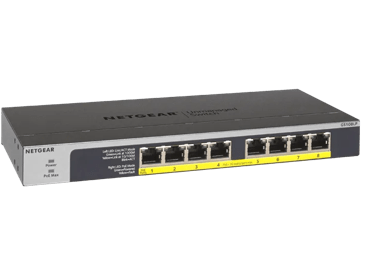
NETGEAR GS108LP Unmanaged 8-Port Gigabit Ethernet PoE/PoE+ Switchcurrent price £93.99

£74.99
5-Port Gigabit Ethernet PoE+ Easy Smart Essentials Switch (63W)current price £74.99
£17.99
5-Port Gigabit Ethernet Unmanaged Essentials Switchcurrent price £17.99
£116.99
8-Port Gigabit Ethernet High-power PoE+ Unmanaged Switch with FlexPoE (123W)current price £116.99
Showing 1-12 of 20
192 Items
Sort by
Knowledge Article
GS105Ev2 Firmware Version 1.6.0.15 - NETGEAR Support
Enhancements: You can now use the new NETGEAR Discovery Tool (NDT) or the latest NETGEAR Insight app to discover the switch in the same subnet. The NDT supports UPnP, which is now the preferred method of discovery. Warnings: Read and follow these warnings before updating your firmware: As of firmware version 1.6.0.15, the NETGEAR Switch Discovery Protocol (NSDP) that was used by the old NETGEAR Switch Discovery Tool (NSDT) is no longer supported. Instead, now use the NDT or the latest NETGEAR In...
Knowledge Article
GS105Ev2 Firmware Version 1.3.0.3 - NETGEAR Support
Bug Fixes: Fixed the problem that DHCP mode shows disabled on Web GUI even though it is actually enabled. Using the Download Link below, download and extract the new firmware to a convenient place such as your desktop. The filename after extracting is GS105Ev2_V1.3.0.3.bin Download Link: http://www.downloads.netgear.com/files/GDC/GS105EV2/GS105Ev2_V1.3.0.3.zip Last Updated:10/17/2025 | Article ID: 25658 Was this article helpful? Yes No
Knowledge Article
GS105E Firmware Version 1.01.25 - NETGEAR Support
New Features and Changes: Add a new option “any” to IGMP Snooping Static Router Port selection (System > MultiCast > IGMP Snooping). When selected, IGMP control packets are flooded to all ports. Increase the DHCP timeout time from 15 seconds to 60 seconds Modifications / Fixes: Fix the issue when IGMP Snooping and Block Unknown Multicast Address (System > MultiCast > IGMP Snooping) are disabled, the following multicast MAC addresses are not being forwarded: 01:00:5E:00:00:01, 01:00:5E:00:00:02 a...
Knowledge Article
GS105PE: PoE troubleshooting - NETGEAR Support
The GS105PE is a PoE passthrough switch which can only be powered by Power Over Ethernet (does not accept AC power). GS105PE can be powered by either IEEE 802.3af or IEEE 802.3at from either a PoE switch or a PoE injector. When powered by IEEE 802.3af: The GS105PE can power up only one Class 1/2 PoE device. When powered by IEEE 802.3at: The GS105PE can power up only one Class 0/3 PoE device or two class 1/2 devices. Note on 802.3at interop issues with certain Cisco switches: Interop problems hav...
Knowledge Article
GS105Ev2 Firmware Version 1.3.0.1 - NETGEAR Support
New Features & Enhancements: Supports Web GUI management. Using the Download Link below, download and extract the new firmware to a convenient place such as your desktop. The filename after extracting is GS105Ev2_V1.3.0.1.bin Download Link: http://www.downloads.netgear.com/files/GDC/GS105EV2/GS105Ev2_V1.3.0.1.zip Last Updated:10/17/2025 | Article ID: 25397 Was this article helpful? Yes No
Knowledge Article
GS105Ev2 Firmware Version 1.6.0.10 - NETGEAR Support
New Features: Added a control option to disable or enable file transfer via TFTP (Trivial File Transfer Protocol), under System > Management > Switch Managed Mode). Default is Disable. Security Fixes: Various security vulnerability fixes and enhancements. Download Link: https://www.downloads.netgear.com/files/GDC/GS105EV2/GS105Ev2_V1.6.0.10.zip Firmware Update Instructions: Important: Read and follow these instructions before updating your firmware. When the GS105PE is upgraded to firmware versi...
Knowledge Article
GS105PE Firmware Version 1.6.0.17 - NETGEAR Support
Bug Fixes: Fixes the issue where port 5 incorrectly adjusts PoE power requests from the powered device (PD). Fixes the issue where a subnet mask length set below 24 causes the switch to reject IP addresses using the following patterns: x.x.x.255 and x.x.x.0. Example: If the subnet mask length is IP address/22, it rejects 172.16.16.255/22 and 172.16.17.0/22. Security Fixes: This firmware addresses security vulnerabilities. For more information about security vulnerabilities, visit https://www.net...
Knowledge Article
GS105PE Firmware Version 1.4.0.9 - NETGEAR Support
New Features and Enhancements: Added the option to disable/enable Plus Utility Management under Web GUI. Bug Fixes: Fixed the interoperability issue when GS105PE is being powered by PoE+ PSE Juniper EX2200-C. The symptom is that GS105PE would initially show it is being powered by 802.3at (ie. right LED of port 5 is green color). Then, it would change to 802.3af power (ie. right LED of port 5 turns to yellow color) a few seconds later. Fixed the security vulnerability issue related to XSS (Cross-...
Knowledge Article
GS105EP / GS105EPP Firmware Version 2.0.0.3 - NETGEAR Support
Enhancements: Initial release with production enhancements Warnings: Do not use the NETGEAR Switch Discovery Tool (NSDT) to discover the device as it is no longer supported from firmware version 1.0.1.4. Use NETGEAR Discovery Tool (NDT) or the latest NETGEAR Insight App to discover the switch in the same subnet. The firmware file for models GS105EP/GS105EPP is different from the file for model GS305EP. Ensure you download and install the correct firmware for your model. Known Issues: After you u...
Knowledge Article
GS105Ev2 Firmware Version 1.6.0.4 - NETGEAR Support
Modifications: Web GUI title changes to NETGEAR GS105Ev2 Security Fixes: PSV-2018-0538 PSV-2018-0542 PSV-2018-0612 For more information about security vulnerabilities, visit https://www.netgear.com/about/security Bug Fixes: Access control list allows invalid combinations of IP and mask settings. WARNING: After GS105Ev2 is upgraded to FW version V1.6.0.3 or higher, it cannot work with Plus Utility version prior to V2.7.2. Please download the latest Plus Utility from http://www.netgear.com/support...
Knowledge Article
GS105EP / GS105EPP Firmware Version 2.0.0.1 - NETGEAR Support
Enhancements: Initial release Warnings: Do not use the NETGEAR Switch Discovery Tool (NSDT) to discover the device as it is no longer supported from firmware version 1.0.1.4. Use NETGEAR Discovery Tool (NDT) or the latest NETGEAR Insight App to discover the switch in the same subnet. The firmware file for models GS105EP/GS105EPP is different from the file for model GS305EP. Ensure you download and install the correct firmware for your model. Known Issues: After you upgrade the firmware to versio...
Knowledge Article
GS105PE Firmware Version 1.4.0.2 - NETGEAR Support
Bug Fixes: Fixed the problem where the configuration file saved from Web GUI cannot be restored via ProSAFE Plus Configuration Utility and vice versa Note: Please upgrade your ProSAFE Plus Configuration Utility to version V2.3.5 in order to use the configuration file saved using Web GUI from v1.4.0.2 firmware Limitations: Switch configuration will be kept after upgrading the firmware to v1.4.0.2, but the configuration file previously saved on the PC cannot be restored after the FW is upgraded to...
Knowledge Article
GS105Ev2 Firmware Version 1.6.0.25 - NETGEAR Support
Release Date: July 02, 2026 Bug Fixes: Fixes the issue where restoring an older firmware configuration causes the management VLAN ID to be set to an invalid value, making the switch management GUI inaccessible. Warnings: Read and follow these warnings before updating your firmware: As of firmware version 1.6.0.15, the NETGEAR Switch Discovery Protocol (NSDP) that was used by the old NETGEAR Switch Discovery Tool (NSDT) is no longer supported. Instead, now use the NDT or the latest NETGEAR Insigh...
Knowledge Article
GS105Ev2 Firmware Version 1.5.0.4 - NETGEAR Support
New Features & Enhancements: Implemented new and more secured encryption algorithm to work with new version of Plus Utility (V2.4.3 or higher). WARNING: After GS105Ev2 is upgraded to FW version V1.5.0.4 or higher, it cannot work with Plus Utility version prior to V2.4.3. Please download the latest Plus Utility from http://www.netgear.com/support/product/PCU Once GS105Ev2 FW has been upgraded to V1.5.0.4, you need to login to web GUI to upgrade boot loader. GS105Ev2 has 2 different chip versions ...
Knowledge Article
GS105Ev2 FAQs - NETGEAR Support
What is GS105Ev2? This is a 5-port Gigabit switch. It is NETGEAR’s 2nd generation of ProSAFE Plus Switch. Comparing to GS105Ev1, is there any new feature in GS105Ev2? Yes, the new features added are loop detection and automatic DoS attack prevention. Is GS105Ev2 firmware compatible with GS105Ev1? No. The firmware is not compatible between v1 and v2, and the configuration files are not compatible as well. What is a ProSAFE Plus Switch? It’s an upgrade to unmanaged switch which can only provide in...
Knowledge Article
GS105Ev2 Firmware Version 1.4.0.9 - NETGEAR Support
New Features & Enhancements: Added the option to enable/disable Plus Utility Management under Web GUI. Bug Fixes: Fixed the security vulnerability issue related to XSS (Cross-Site Scripting) and CSRF (Cross-Site request forgery) attacks.. Fixed the security vulnerability issue where the web login session ID is predictable. Limitations: Switch configuration will be kept after upgrading the firmware to v1.4.0.2, but the configuration file previously saved on the PC cannot be restored after the FW ...
Knowledge Article
GS105Ev2 Firmware Version 1.6.0.11 - NETGEAR Support
Security Fixes: Fixes security vulnerabilities. For more information about security vulnerabilities, visit https://www.netgear.com/about/security/. Download Link: https://www.downloads.netgear.com/files/GDC/GS105EV2/GS105Ev2_V1.6.0.11.zip Firmware Update Instructions: Important: Read and follow these instructions before updating your firmware. When the GS105PE is upgraded to firmware version V1.5.0.4 or higher, it cannot work with any Plus Utility version prior to V2.4.3. Please download the lat...
Knowledge Article
GS105PE Firmware Version 1.6.0.4 - NETGEAR Support
Modifications: Web GUI title changes to NETGEAR GS105PE Security Fixes: PSV-2018-0538 PSV-2018-0542 PSV-2018-0612 For more information about security vulnerabilities, visit https://www.netgear.com/about/security. Bug Fixes: Access control list allows invalid combinations of IP and mask settings. WARNING: After GS105PE is upgraded to FW version V1.6.0.3 or higher, it cannot work with Plus Utility version prior to V2.7.2. Please download the latest Plus Utility from http://www.netgear.com/support/...
Knowledge Article
GS105E Firmware Version 1.02.04 - NETGEAR Support
Warning: Please make sure the version of the ProSAFE Plus Utility installed on your PC is v2.2.25 or newer before upgrading the GS105E firmware. Older versions of the Plus Utility do not support the password encryption required by V1.02.02 and newer firmware.. New Features and Changes: None Modifications / Fixes: Fix the problem of not able to login to GS105E after upgrading its firmware from V1.01.25 to V1.02.02. Known issues: None. Limitations: None. Installation Instructions Using the Downloa...
Knowledge Article
GS105E Firmware Version 1.02.02 - NETGEAR Support
Warning: Please make sure the version of the ProSAFE Plus Utility installed on your PC is v2.2.24 or newer before upgrading the GS105E firmware. Older versions of the Plus Utility do not support the password encryption required by V1.02.02 firmware. New Features and Changes: Allow the forwarding of ICMP PING packet with size greater than 512 bytes. Add password encryption Modifications / Fixes: Change the default setting of Block Unknown Multicast from enable to disable. Known issues: None. Limi...
Showing 1-20 of 192
900 Items
Sort by
Discussion Post
Can't get GS110TP to work as simple as GS105E | NETGEAR Communities
For my work I have to check services going over utp links in different vlans. I used a GS105E with its mirror function. I can connect the GS105E without any...
Discussion Post
GS105V4 led light issue | NETGEAR Communities
All The led lights on my GS105V4 switch have just started blinking and i have lost connection on my 2 computers connected on the switch. The lights...
Discussion Post
GS105E, GS108E, and WG102, all in a VLAN - how? | NETGEAR Communities
I have a GS108E connecting 4 point of sale systems, linking to a GS105E connecting to a point of sale server and WG102 access point with 2 VLAN's on 2...
Discussion Post
GS105 Letter Of Volatility | NETGEAR Communities
Hello,Where can I find a Letter Of Volatility of a GS105GE ethernet switch ?Thanks
Discussion Post
GS105ev2 firmware breaks prosafe plus | NETGEAR Communities
The 2 latest firmwares for this model removed the switch management mode options and the Prosafe Plus Utility can't find the switch. Tried both...
Discussion Post
GS105E V2 Firmware "issue" | NETGEAR Communities
I've updated the firmware (1.6.0.21) via the Prosafe Plus utility only to find it is now not seen by said PP. I can access it via the web but I find that I...
Discussion Post
Netgear GS105e mismatch | NETGEAR Communities
Starting the cable tester it gives a mismatch (Cable Fault Distance 6 meters) at port 1. The other cables are OK. After replacing the...
Discussion Post
GS105E Statement of Volatility | NETGEAR Communities
Hello, Could I be provided with a statement of volatility for the GS105E? Thank you!
Discussion Post
GS105 troubleshooting - ports seem to not be working | NETGEAR Communities
Just bought a GS105 and it will power on (green light stays on), however, it doesn't seem to want to send/recieve anything through any of the ports. I have...
Discussion Post
5-Port Gigabit Ethernet Plus Switch (GS105Ev2) DST Error Message on Mac | NETGEAR Communities
5-Port Gigabit Ethernet Plus Switch (GS105Ev2)Switch up and running, however when I attempt to launch on (Mac mini M2 Pro) the DST comes back with message...
Discussion Post
GS105E acting like an unmanaged switch | NETGEAR Communities
Hi all,i just pulled out an old GS105E of my storage.Unfortunatley it acts more like an unmanaged switch.If I put in on my network and connect a computer it...
Discussion Post
GS105v2 Letter of Volatility | NETGEAR Communities
Hello, can I get a letter of volatility for the GS105v2 switch please? Thank you!
Discussion Post
GS105 Troubleshooting Low Upload Speed | NETGEAR Communities
Installed a new GS105 switch. Fiberoptic into house to router, connect router to switch. Laptop gets 900 Mbbs download / upload when...
Discussion Post
Gs105Ev2 | NETGEAR Communities
After 3 months of owning company bricked my switch and during the 3 month support it wouldn’t work without contacting support to let them allow access to the...
Discussion Post
Can I obtain a letter of volatility for a Netgear ProSafe 5-port Gigabit Ethernet Switch, GS105 ? | NETGEAR Communities
Can I obtain a letter of volatility for a Netgear ProSafe 5-port Gigabit Ethernet Switch, GS105 ?
Discussion Post
GS105v5 Connectivity to internet router failing intermittently | NETGEAR Communities
My unmanaged switch appears to be failing. I've started having intermittent loss of connectivity to ATT Fiber internet through its gateway. I've...
Discussion Post
Letter of Volatility GS105E GS108E | NETGEAR Communities
Hello,May I please get Letters of Volatility (LOVs) for the GS105E and GS108E? I found prior discussions but the links were only valid for 48...
Discussion Post
GS105Ev2 - Unable to access switch using a browser | NETGEAR Communities
For nearly 10 years I'm a happy user of my GS105Ev2. Now I want to log into the UI again, but (of course) did not remember any credentials. I've reset the...
Discussion Post
Certificate of Volatility for GS105v5 switch | NETGEAR Communities
Could I get a copy of the certificates of volatility and letter of volatility for the GS105v5 Netgear switch please?
Discussion Post
GS105 Certificate of Volatility | NETGEAR Communities
I need a certificate of volatility for the GS105
Showing 1-20 of 900
We couldn’t find anything for "GS105".
Showing 0-0 of 0
8 Items
Introducing GS108X 8-Port Gigabit Switch w/SFP+ 10Gb Uplink - NETGEAR Blog
Meeting the needs of scaling businesses, NETGEAR is launching its latest unmanaged switch – the GS108X, featuring a 10G SFP+ port for non-blocking uplink over longer distances.
GS108MX Switch Unveiled: Modern Business Connectivity
NETGEAR is launching its latest unmanaged switch, the GS108MX, featuring one 10G/Multi-Gigabit Ethernet port for non-blocking uplink.
Manage Your Network Easier with NETGEAR Smart Switch CLI
Simplify network management with NETGEAR Smart Switch CLI. Configure, monitor, and troubleshoot your switches all from one place.
Upgrade Your Surveillance With PoE - NETGEAR Hub
Read our blog on upgrading your surveillance with PoE switches. Learn more here.
New MS305E and MS308E Multi-Gig Switches - NETGEAR Blog
NETGEAR has launched the multi-gig five port MS305E and multi-gig eight-port MS308E switches as a lightly smart managed upgrade to their unmanaged predecessors.
10 Gig Routers - Find Multi-Gig Home Network Tips
Now is the right time to invest in a future-proofed 10 Gig Router or Multi-Gig Mesh System. Unlock exciting new home networking technology.
Business IT Networking Articles - NETGEAR Blog
Discover how to get the most out of your business IT network with the latest technology and best practices. Learn More.
New 5-Port 2.5G Switches - NETGEAR Business - NETGEAR Hub
Upgrade your network with our Multigig 25G switches. Trust us for all your business needs.
Showing 1-8 of 8