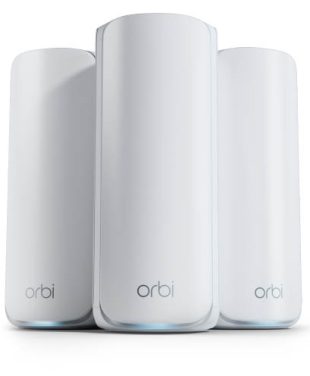
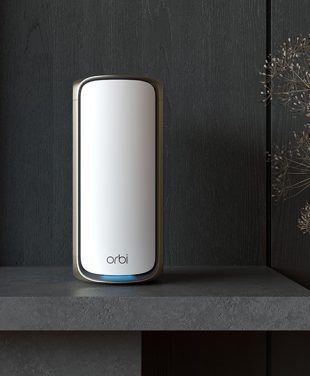
Outdoor spaces are the ones where home WiFi networks usually face the most difficulties. Exterior walls, bricks, stucco, windows with metal lining, as well as distance, are the factors that decrease the power of the signal before reaching your deck. The problem is obvious: buffering video on the patio TV, a non-operating security camera, or video chat that freezes right after stepping outside. An outdoor mesh network resolves this issue by increasing the number of coverage points where the signal becomes weak.
Ready to expand your coverage?
Why Extend WiFi Coverage Outdoors?
Extending WiFi outdoors lets you use the same devices and activities outside that already work well indoors. As more of daily life moves onto patios and into backyards, outdoor coverage has shifted from a nice-to-have to part of how a home network is expected to perform.

- Outdoor offices and workspaces. In order to use an outdoor studio, an outbuilding office, or a table on a shaded patio, it requires that video conferencing and online applications function properly. Outdoor remote work relies on the same reliability as an indoor environment.
- Streaming and entertainment areas. Outdoor TVs, projectors, and wireless speakers need a strong, consistent signal to stream without buffering, especially during movie nights or game days.
- Smart outdoor devices. Security cameras, video doorbells, smart lighting, irrigation controllers, and garage door openers all rely on WiFi at the edges of your property, which is often exactly where the signal is weakest.
- Pool and patio connectivity. Pool automation systems, poolside speakers, and guests’ phones all compete for bandwidth in one of the farthest spots from your router.
- Larger properties. Homes on bigger lots, with detached garages, guesthouses, or long driveways, often need expanded coverage that a single router can’t provide on its own.
How Outdoor Mesh WiFi Works With Your Existing Network
An outdoor mesh WiFi connects your current network through expansion of the same system rather than connecting an entirely new network to the outside. In case your system is Orbi Mesh, the process involves adding additional satellites or any other compatible gear in the area where you need access.
The satellite connects to the existing network, and thus your phone, computer, or any other device connects to both indoors and outdoors without the need to connect to a different network or enter a different password. The whole system works on one network name and network settings.
Before you buy, verify that any add-on satellite is compatible with your existing Orbi model. Orbi satellites are designed to work within specific product families, so a satellite from one series may not pair with a router from another. For a broader look at how mesh systems are structured, see our guide to Orbi mesh systems.
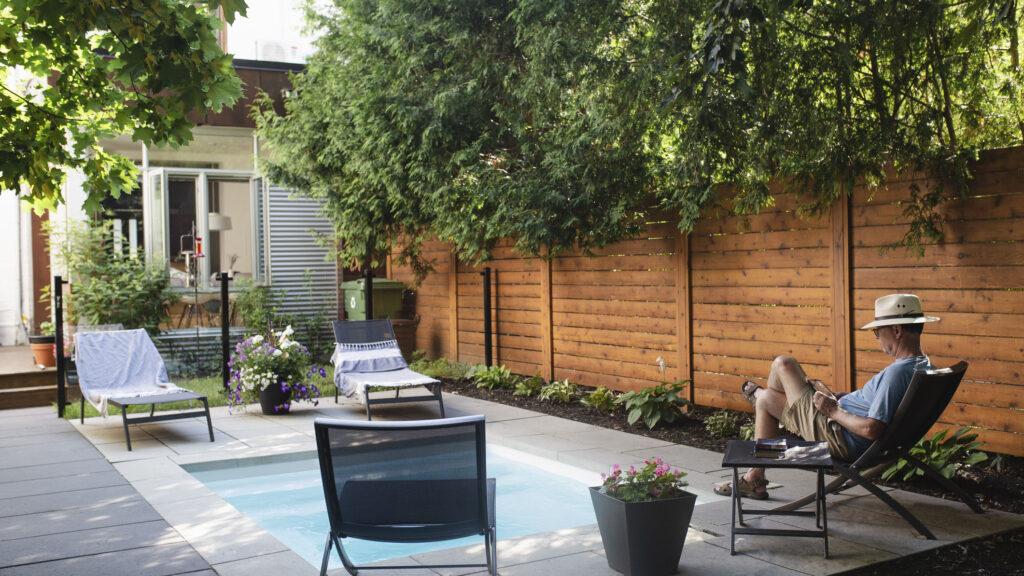
Best Orbi Solutions for Outdoor WiFi Coverage
What works best for outdoor coverage by Orbi depends on what type of Orbi system you have installed currently, the size of your property, and the distance of the outdoor areas from the router. For many people, the easiest way is just installing another Orbi satellite that will complement the system that you currently have. In case you still have an older system, then you might want to consider getting a new one.
Adding Orbi Satellites for Expanded Coverage
If you have good coverage in the interior rooms of your house with Orbi, but there is no coverage outdoors, then getting a satellite might be the fastest way for you. The best place where you can install the satellite is either inside the house close to the patio or on the exterior walls facing the yard area. Install an Orbi satellite that matches your current setup.
Choosing the Right System Based on Property Size
The size of your property will dictate the number of points of coverage that you should install. A small home with a small patio will do well with simply having a properly located router with an accompanying satellite, whereas a larger property with a detached garage or pool house might require you to have extra satellites that will be installed in the direction of these structures. If you are unsure of what to do, our guide to choosing a NETGEAR router walks through the options.
Whole-Home WiFi 7 Mesh System Options
When you choose to replace an old router or a first-generation mesh system, a whole-home WiFi 7 mesh system will offer you an entirely new base for your modern and device-filled home. The Orbi 970 series is the WiFi 7 mesh system offered by NETGEAR and created with lots of devices at hand in mind.
Find Your Best Next Step
| User Need |
Existing Setup |
Expansion Approach |
Best Next Step |
| Weak signal on the patio or deck |
Orbi mesh system |
Add a satellite on the side of the home nearest the patio |
Add a compatible Orbi satellite |
| Coverage for a detached garage or pool house |
Orbi mesh system |
Add satellites along the path to the outbuilding |
Add one or more compatible Orbi satellites |
| Buffering on outdoor TVs or speakers |
Single router, no mesh |
Replace with a mesh system to create multiple coverage points |
Explore Orbi whole-home WiFi 7 mesh systems |
| Many outdoor smart devices and cameras |
Older router or first-generation mesh |
Upgrade to handle more connected devices |
Consider the Orbi 970 Series |
| Not sure what’s causing weak outdoor WiFi |
Any setup |
Optimize placement before buying new hardware |
Review router placement tips |
Where to Place Your Mesh System for Outdoor Coverage
Where you place your router and satellites matters as much as which hardware you choose. In most cases, the goal is to get a coverage point as close to the outdoor area as practical, with as few obstructions as possible between it and the space you want to cover.
Router and Satellite Placement Considerations
Place a satellite roughly between your router and the outdoor area, in a spot where it still receives a strong connection from the router. A room with a window or glass door facing the backyard is often a good choice. Placing a satellite too far from the router can weaken its own connection, which reduces the performance it passes along outside. For more detail, see how to improve router placement.
Reducing Obstacles and Interference
Walls composed of materials such as brick, concrete, or stone reduce signals more than drywall or wooden walls. Large pieces of furniture, mirrors, fish tanks, and metal cabinets may also cause barriers. It is also necessary to avoid keeping the satellites on the floor, inside cabinets, and close to other devices that create interference.
Maximizing Outdoor Signal Reach
Indoor devices placed near an outdoor-facing point of the house and outdoor devices are two different things. The majority of Orbi satellites are made for indoor use, and putting an indoor-rated device near a patio door or window is the best way to extend coverage outdoors. Put the equipment outside only when that particular model is made, rated, and compatible with the outdoor installation because the indoor equipment exposed to rain, sun, humidity, or freezing conditions will be damaged. For the full playbook, our tips to optimize WiFi coverage cover placement in more depth.
Real-World Outdoor WiFi Benefits
Each outdoor activity depends on a different part of your network’s performance. Understanding which one matters helps you choose the right fix.
Backyard Streaming
Streaming a game or movie on an outdoor TV depends mostly on coverage and stability. A consistent signal at the viewing spot prevents buffering and drops in picture quality, which is why placing a satellite on the side of the home nearest the screen makes such a difference.
Outdoor Gatherings
As soon as people come in, many devices will connect at once. Parties and cookouts put device density to the test, and therefore, your network should have sufficient bandwidth close to the patio to accommodate multiple connections without compromising performance.
Smart Security Cameras
The cameras are typically installed on the outskirts of the property, on eaves, fences, and garages, which means that they need sufficient coverage and a reliable connection to be able to transmit video without interruptions. The upkeep of the connected devices is important too, and the FTC provides tips on securing internet-connected devices at home.
Pool Equipment Connectivity
Pool pumps, heaters, and automation controllers often sit in equipment areas far from the house. They depend on placement, since getting a coverage point close enough to reach them reliably is usually the deciding factor.
Remote Work Outdoors
Remote work from the deck or backyard office is primarily dependent on reliability. Since video conferencing and cloud applications are extremely sensitive to any lapse in internet connectivity, one must have a reliable internet connection for the outdoor office space.

Frequently Asked Questions About Outdoor Mesh WiFi
How can I extend WiFi coverage to my backyard?
To use WiFi outside in the backyard, you can move equipment closer to the walls of the house that face the backyard, remove any significant obstacles, and add a WiFi mesh satellite compatible with your current system if needed. It’s also necessary to add a WiFi mesh satellite when the current system doesn’t provide sufficient coverage.
Can mesh WiFi work outdoors?
Yes, mesh WiFi networks can provide usable WiFi coverage in the open air if the network has been set up correctly. Most people achieve better performance when they install the indoor WiFi mesh satellites near the exterior-facing windows and doors. Never install any hardware outdoors unless the product allows you to do so.
What is the best outdoor mesh WiFi system?
The best outdoor mesh WiFi system to buy would depend on various factors like the size of your property, existing devices, required coverage area, number of devices to support, and compatibility considerations. If you have purchased Orbi already, then a compatible Orbi satellite might be the easiest choice. Otherwise, an Orbi whole-home WiFi 7 mesh system, such as the Orbi 970 Series, could be a good start.
How far can outdoor WiFi reach?
Outdoor WiFi range varies depending on router and satellite placement, walls and other obstacles, interference, hardware capabilities, and the device you’re connecting. There’s no single distance that applies to every home, so check the coverage specifications for your specific Orbi model and plan placement around the areas you want to cover.
Can I add Orbi satellites to increase coverage?
Yes, it is possible to get additional coverage in Orbi systems that support this feature by adding compatible Orbi satellites. Each satellite works only with a particular Orbi product line, so you need to check whether your Orbi device is compatible with satellites first.
How do I improve outdoor WiFi signal?
You can boost your outdoor WiFi signal by repositioning your equipment, eliminating physical barriers where possible, upgrading your network equipment, and installing a satellite that is compatible with your equipment. Repositioning is free, so start there first.