Best Gifts for Gamers in 2026
The best gifts for gamers in 2026 match the platform they already play on and the way they play. A competitive PC player, a Switch 2 family, and a VR fitness fan all want very different things. Here’s a quick-picks table to help you narrow it down.
| Gift |
Best For |
Platform |
Connectivity |
Why It Stands Out |
| PlayStation 5 Pro |
PlayStation fans who want top visual quality |
PlayStation |
WiFi 7, Ethernet |
Enhanced graphics for supported games, plus WiFi 7 support |
| Nintendo Switch 2 |
Families and handheld players |
Nintendo |
WiFi 6; LAN port on dock |
Plays at home on the TV or on the go |
| Steam Deck OLED |
PC gamers who want to play anywhere |
PC (Steam) |
WiFi 6E |
Brings a Steam library to a handheld |
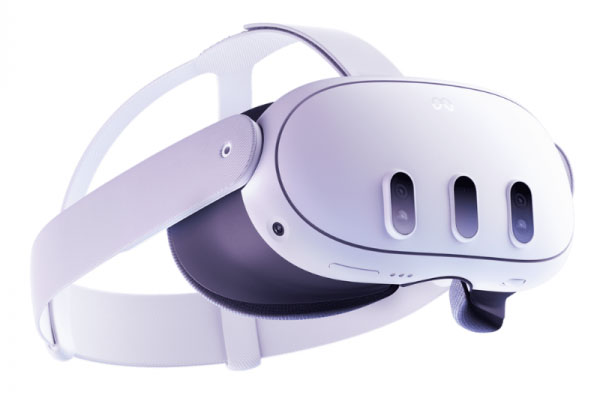
| Meta Quest 3 |
VR and mixed-reality fans |
Standalone VR; optional PC link |
WiFi 6E |
No console or PC required to start playing |
| Gaming headset |
Voice chat and immersive audio |
Check platform |
Wired, 2.4 GHz dongle, or Bluetooth |
Clearer comms and better positional audio |
| Controller upgrade |
Players who want better comfort or extra buttons |
Platform-specific |
Wired or wireless |
Back paddles and adjustable triggers on many models |
| Subscription or store gift card |
Gamers who seem to have everything |
Platform-specific |
Online |
Lets them choose their own games |
| Nighthawk RS300 WiFi 7 router |
Gamers with an aging or overloaded router |
Platform-agnostic |
Tri-band WiFi 7, 2.5 Gig ports |
A stronger home network for every device |
Hardware specs and availability can change, and some WiFi bands vary by region. Check the manufacturer’s page before you buy.
Consoles and handhelds
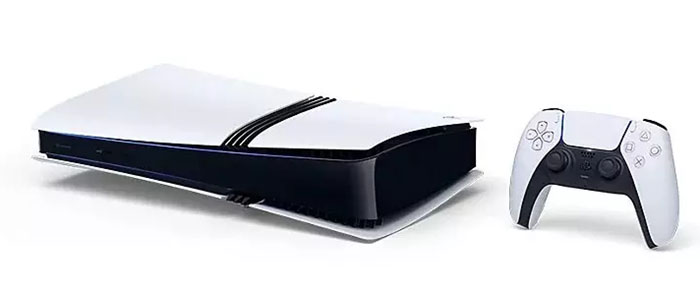
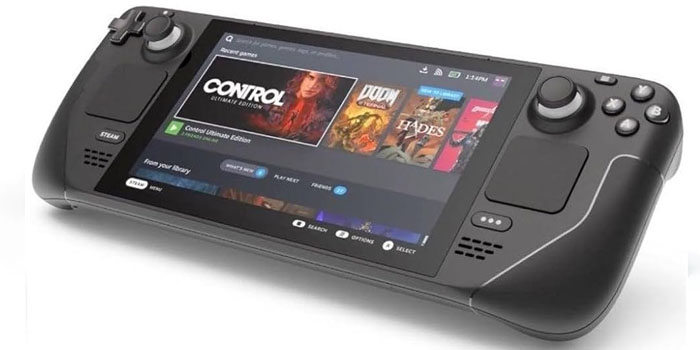
The PlayStation 5 Pro is the pick for a PlayStation player who cares about frame rates and visual detail, and it’s one of the few consoles with WiFi 7 support. The Nintendo Switch 2 is the easy choice for families and anyone who likes switching between the TV and handheld play. For PC gamers, the Steam Deck OLED puts much of their existing Steam library in a portable. Before buying a console, quietly confirm they don’t already have it, since this is the gift most likely to be duplicated.
VR and mixed reality
It is still the best choice for VR gaming, workouts, and mixed reality applications. Moreover, this device does not need any console. Speaking of the network capabilities, it is important to be precise and say that, despite what some sources state, Quest 3 is WiFi 6E, but not WiFi 7, according to Meta’s device comparison. This device works well even if connected to the WiFi 7 router, as it allows for backward compatibility. However, in case of wireless PC VR game streaming, a 6 GHz router would be beneficial.
Accessories and subscriptions
It is hard to think of better gifts than headsets, controllers, keyboards, and mice, but compatibility issues are always there. There are headsets that can be used only for voice chat with particular game consoles. The same applies to controllers, which are compatible with a particular platform. The safer choice would be a subscription or digital gift card from their preferred game platform (PlayStation, Xbox, Nintendo or Steam).
Best Gifts for Gamers by Budget
Whatever you’re spending, there’s a useful gaming gift in range. These tiers are approximate, since prices shift through the year, so check current pricing before you buy.
- Under $50: A platform gift card or subscription (platform-specific), quality Cat6 Ethernet cables for a wired console connection (platform-agnostic), or a controller charging dock (check the controller model).
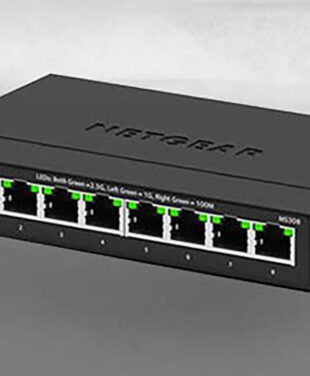
- $50 to $150: A gaming headset or extra controller (check platform), a mechanical keyboard or gaming mouse (PC and some consoles), or the MS308 Multi-Gig Switch to add wired 2.5 Gig ports near a gaming desk (platform-agnostic).
- $150 to $300: A high-refresh gaming monitor (check the console’s or PC’s output), a premium wireless headset (check platform), or the Nighthawk RS300 WiFi 7 router (platform-agnostic).
- Premium: A PlayStation 5 Pro, Nintendo Switch 2, Steam Deck OLED, or Meta Quest 3, or a whole-home upgrade like the Nighthawk RS700S or Orbi 970 Series (platform-agnostic).
Best Gaming Routers for 2026
The ideal gaming router will be the one that maintains low and steady latency in the places they are likely to use it. This will depend on the extent of coverage, number of Ethernet ports required, speed of the internet connection, capability of the devices to use the new WiFi and number of others using the same network. There is no one-size-fits-all gaming router, but this is how NETGEAR’s current WiFi 7 routers compare.
| Model |
Best For |
WiFi Standard |
Wired Ports |
Coverage |
Key Gaming Benefit |
| Nighthawk RS300 |
Mid-size homes, first WiFi 7 upgrade |
Tri-band WiFi 7 (incl. 6 GHz), up to 9.3 Gbps |
2.5 Gig internet; 2x 2.5 Gig + 2x 1 Gig LAN |
Up to 2,500 sq. ft. |
6 GHz band and 2.5 Gig LAN for a gaming PC or console |
| Nighthawk RS700S |
Competitive players on multi-gig internet |
Tri-band WiFi 7, up to 19 Gbps |
10 Gig internet; 1x 10 Gig + 4x 1 Gig LAN |
Up to 3,500 sq. ft. |
10 Gig wired path for a gaming PC; up to 200 devices |
| Orbi 770 Series |
Larger homes where the gaming room is far from the router |
Tri-band WiFi 7 mesh, up to 11 Gbps |
2.5 Gig on router and satellites |
Up to 8,000 sq. ft. (3-pack) |
Brings a stronger signal to distant rooms |
| Orbi 970 Series |
Large, busy homes with heavy gaming and streaming |
Quad-band WiFi 7 mesh, up to 27 Gbps |
10 Gig + 2.5 Gig on every unit |
Up to 10,000 sq. ft. (3-pack) |
Dedicated backhaul band and 10 Gig port at each satellite |
Speeds are maximum combined wireless signal rates for each product, not what a single console will see. Real-world performance varies with the device, internet plan, distance, interference, and building construction.
When a standalone router makes more sense: If the gaming setup is in the same room as the router, or a short distance away, a single router like the RS300 or RS700S is usually the better choice. There’s one less wireless hop, and you can plug the console or PC straight in.
When mesh makes more sense: If the gaming room is at the far end of the house or on another floor, an Orbi mesh system can deliver a much stronger signal there. Mesh isn’t automatically the lowest-latency option, though. For competitive play, the best setup is usually to plug the console or PC into the nearest satellite with an Ethernet cable. For more help choosing, see our full WiFi Top Picks comparison.
Why WiFi 7 Matters for Gaming
WiFi 7 would increase the stability and speed of in-home wireless gaming, but this is only possible if the gaming machine also has WiFi 7 capability. WiFi 7 would not help reduce the latency from your house to the game server, and it would not increase the speed of a slow internet connection eWiFi. It will, however, improve the connectivity between the router and the machine. WiFi 7 is defined as IEEE 802.11be in the IEEE 802.11 family of standards. Here’s what its main features mean for gamers:
- Multi-Link Operation (MLO): A Wi-Fi-compatible device can connect over more than one band at once, which can help keep a connection steady when one band gets busy, say, when someone starts a 4K stream mid-match. (MLO support is featured on Orbi WiFi 7 Systems)
- 320 MHz channels: Wider channels on the 6 GHz WiFi mean faster transfers with compatible devices, which helps most with large game downloads and updates.
- 4K-QAM: Packs more data into each transmission when the device is close to the router, so a console in the same room benefits most.
- 6 GHz band: Less crowded spectrum with less interference from neighbors, available on tri-band and quad-band routers and on devices that support WiFi 6E or WiFi 7.
Keep in mind that your local network is only one part of the picture. Your internet plan, your provider’s routing, the distance to the game server, and congestion outside your home all affect how a game feels online.
Ethernet vs WiFi for Gaming
Ethernet usually offers the most reliable latency, and it is the recommended solution for gaming whenever it is possible to use WiFi. WiFi 7 is able to provide an excellent gaming experience if a cable cannot be used, especially in situations where the distance between the device and the router is small.
| Factor |
Ethernet |
WiFi 7 |
| Latency consistency |
Most consistent; not affected by wireless interference |
Strong with compatible devices at close range; can vary with distance and congestion |
| Mobility |
Fixed location |
Play anywhere in range, including handhelds and VR |
| Setup |
Needs a cable run to each device |
No cables; connect and play |
| Range |
Up to about 100 meters per cable run |
Depends on walls, floors, and router placement |
| Multi-gig capability |
2.5 Gig or 10 Gig when both ends support it |
Multi-gig wireless speeds with WiFi 7 client devices |
They may be a stiff competitor or just someone who doesn’t want to experience too many glitches; whatever the case may be, a wise step to take would be to cable what needs to be wired (the desktop PCs and stationary consoles) while using the WiFi for the handhelds and VRs. It’s important to keep in mind that port setups vary from one to another.
Best Networking Gifts for Gamers
A networking upgrade is a gift every device in the house benefits from, but the right one depends on what’s actually slowing them down. Here’s how to match the gift to the setup.
Standalone routers
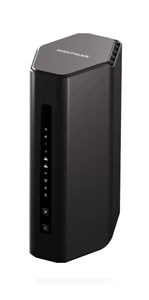
- [Nighthawk RS300](rs300): Best for mid-sizeWiFies moving to WiFi 7. The 6 GHz band and two 2.5 Gig LAN ports suit a gaming PC or console near the router.
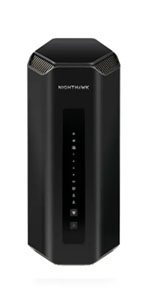
- [Nighthawk RS700S](rs700s): Best for multi-gig internet plans. Its 10 Gig internet and 10 Gig LAN ports give a high-end gaming PC a fast wired path.
Mesh WiFi systems
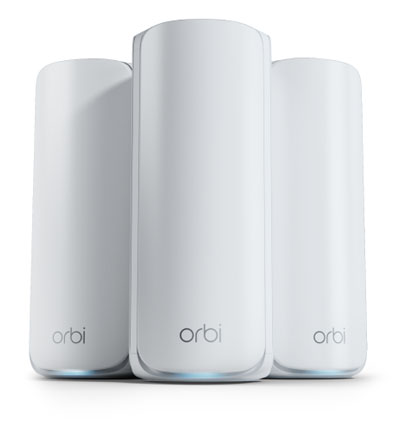
- Orbi 770 Series: RBE773 (3 pack): Best for larger homes where the gaming room is far from the modem. 2.5 Gig ports on WiFi satellites let you wire a console in that room.
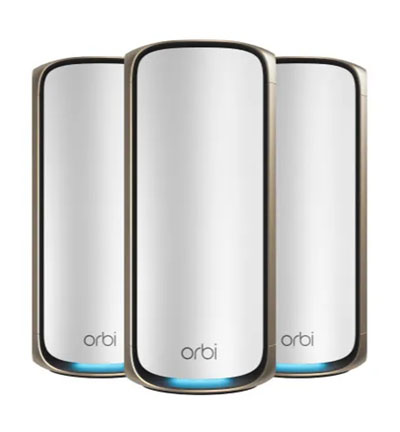
- Orbi 970 Series: RBE973SB (black 3-pack): Best for big, busy households. A dedicated backhaul band and a 10 Gig port on every unit help when several people are gaming and streaming at once.
Multi-gig switches
- [MS308 Multi-Gig Switch](MS308): Best for a gaming desk or entertainment center with more wired devices than router ports. It adds eight 2.5 Gig ports, but it doesn’t replace a router. It simply extends wired connections from one.
Modems and mobile connectivity
A cable modem upgrade, such as NETGEAR’s CM3000, will only be relevant if your internet and cable service are compatible and your existing modem is restricting your package from reaching its potential. The upgrade will not be useful with fiber or DSL, so you need to verify that with your provider. The Nighthawk M7 series mobile hotspots work well for traveling gamers.
How to Reduce Lag and Speed Up Game Downloads
To reduce lag, use Ethernet when practical, improve WiFi signal quality, reduce congestion on the network, keep router firmware up to date, and make sure the internet plan is adequate for the household. A router upgrade can help with some of these, but it won’t eliminate lag on its own.
It helps to know what’s actually causing the problem:
- Latency (ping): How long data takes to travel to the game server and back. Competitive play depends heavily on low, consistent latency.
- Bandwidth: How much data can move at once. Large game downloads and updates benefit most from more bandwidth.
- WiFi signal quality: Distance, walls, and interference can cause dropped packets and latency spikes, even on a fast plan.
- Internet speed: The plan from your provider sets the ceiling for downloads, no matter how fast your router is.
- Game-server performance: Server load and distance are outside your control entirely.
Quick checklist:
- Plug in with Ethernet for competitive play when you can.
- Move the router or a mesh satellite closer to the gaming area, and away from thick walls and other electronics.
- Connect compatible devices to the 6 GHz band for less interference.
- Schedule big downloads and cloud backups outside gaming hours.
- Keep router firmware and console software up to date.
- Check that the internet plan suits the number of people streaming and gaming at once.
How to Build a Better Gaming Setup
Beyond the console and the network, a few well-chosen upgrades can make a gaming space more comfortable and more fun. Some are safe bets for almost anyone, while others need a compatibility check first.
- Display: A high-refresh monitor or TV with low input lag. Check that it supports the resolution and refresh rate your console or PC can output.
- Audio: A headset or soundbar. Check platform support for headsets, especially for voice chat.
- Controls: Controllers, keyboards, mice, and racing wheels. Usually platform-specific, so confirm before buying.
- Comfort: A supportive chair, desk mat, or footrest. Safe gifts for almost anyone.
- Lighting: Bias lighting or smart lights. Generally safe, though app-controlled lights may need a specific ecosystem.
- Streaming and video gear: A capture card, webcam, or microphone for gamers who stream. Check that the capture card supports their console’s output.
- Storage: Extra SSD space for growing game libraries. Check the exact type their console or handheld accepts.
- Networking: A router, mesh system, or switch, as covered above. Platform-agnostic, but sized to the home.
How to Pair Gaming Consoles With WiFi 7
Any console can connect to a WiFi 7 router, but only devices that support WiFi 7 get WiFi 7 radio features. PS5 Pro supports WiFi 7. Most other current consoles and handhelds use WiFi 6E, WiFi 6, or WiFi 5, and they still connect to a WiFi 7 router through backward compatibility.
| Device |
WiFi Support |
Wired Option |
What It Means With a WiFi 7 Router |
| PlayStation 5 Pro |
WiFi 7 |
Ethernet port |
Can use WiFi 7 features where available |
| PlayStation 5 (standard) |
WiFi 6 |
Ethernet port |
Connects via backward compatibility |
| Xbox Series X|S |
WiFi 5 |
Ethernet port |
Connects via backward compatibility; Ethernet recommended |
| Nintendo Switch 2 |
WiFi 6 |
LAN port on the dock (TV mode) |
Connects via backward compatibility |
| Steam Deck OLED |
WiFi 6E |
Via USB-C dock or adapter |
Can use the 6 GHz band; no WiFi 7 features |
| Meta Quest 3 |
WiFi 6E |
None for networking |
Can use the 6 GHz band; no WiFi 7 features |
For PS5 Pro owners, placing the console within clear range of the router gives it the best chance to take advantage of WiFi 7. WiFi devices without WiFi 7: a new router canWiFill helpWiFithe old one was struggling with coverage or congestion. The device just won’t gain WiFi 7 features. For any console that stays in one place, Ethernet remains the most consistent option.
Frequently Asked Questions About Gaming WiFi
What are the best gifts for gamers in 2026?
The best gifts for gamers in 2026 include current consoles, headsets, controllers, displays, subscriptions, and network upgrades that match the gamer’s platform and setup.
What is the best gaming router in 2026?
The best gaming router depends on coverage, latency, wired-port needs, internet speed, and the number of devices sharing the network. NETGEAR buyers should compare current Nighthawk and Orbi WiFi 7 models using those factors.
Is Ethernet better than WiFi for gaming?
Ethernet generally offers the most consistent latency and is preferred for competitive gaming, while modern WiFi 7 can deliver strong performance when running cable is not practical.
Does PS5 Pro support WiFi 7?
Yes. PS5 Pro supports WiFi 7 and is also compatible with WiFi 6 and WiFi 5 routers.
Does Meta Quest 3 support WiFi 7?
No. Meta Quest 3 is WiFi 6E certified, so a WiFi 7 router can support it through backward compatibility, but the headset itself does not use WiFi 7.
How do I reduce lag while gaming?
Use Ethernet when possible, keep the gaming device close to the router for WiFi, reduce network congestion, update router firmware, and make sure WiFi and router match the household’s WiFi.