IN THIS ARTICLE
- How WPS (WiFi Protected Setup) Works
- The WPS Trade-Off: Convenience vs. Security
- The NETGEAR Way: A Safer and Smarter Onboarding
- Should You Use WPS? A Practical Guide
- How & When to Use WPS Safely (A Quick Checklist)
- When to Avoid WPS (Use the App Instead)
- Conclusion: Lock Down Your Network with NETGEAR Armor™
- FAQs
How WPS (WiFi Protected Setup) Works
 WPS is designed to facilitate quick and easy device connections to your network by temporarily bypassing password authentication. While useful in specific scenarios, its potential security flaws, such as brute-force attack risks, make it an impractical choice for long-term network management.
To enhance security, many modern routers, including NETGEAR models, have WPS turned off by default. If you need to use it, you can temporarily enable WPS, but it’s recommended to disable it again immediately after use.
The push-button method:
- Press the WPS button on your router.
- Within a short time (usually 2 minutes), you can activate WPS on your device. Some devices have a WPS button. Others simply detect the signal.
The eight-digit PIN code method:
- Your router generates a unique 8-digit WPS PIN.
- Enter the PIN on the device you want to connect.
- The device sends a request to the router using that PIN.
- If the PIN matches, the router grants access to the network.
The WPS Trade-Off: Convenience vs. Security
The WPS button makes wireless network connections for new devices convenient and easy. However, minimally secured WiFi networks and wireless routers are prone to cyberattacks from hackers and other malicious intruders. WPS offers benefits but comes with some risks.
The Benefit: The “Easy Button” for Tricky Devices
WPS streamlines the process of connecting devices with awkward on-screen keyboards, such as smart TVs and printers, or those without displays, like IoT gadgets. When using the WPS function, there is no need to share your main SSID network password or network name with houseguests for a quick connection.
The Risk: An Open Door on Your Network
The pairing window can be exploited as an access point by nearby and drive-by hackers. The static WPS method is notoriously vulnerable to brute-force attacks that can crack WPS-enabled systems in minutes.
The NETGEAR Way: A Safer and Smarter Onboarding
There is a better and more secure wireless connection alternative to using WPS. NETGEAR Nighthawk or Orbi App’s QR-code scanning is just as fast as WPS but infinitely more secure, as it creates a direct, authenticated connection without opening up the network.
Should You Use WPS? A Practical Guide
Tech experts generally advise against using WPS for secure wireless networks unless you have a very specific reason and understand the risks. Like jumper cables, WPS is useful for a quick connection boost, but is not the solution for long-term WiFi network health. WPS has a PIN system that can potentially be exploited by brute force attackers. It can also be a weak back door that allows hackers to bypass strong WiFi passwords and passphrases.
How & When to Use WPS Safely (A Quick Checklist)
- Always use the push-button method and avoid using the PIN unless necessary.
- Supervise the process: stand near the router and connect one device at a time.
- Disable WPS in your router’s settings immediately after use (just like jumper cables).
- Reserve WPS for legacy or stubborn gadgets that have no other setup option.
When to Avoid WPS (Use the App Instead)
Unless absolutely necessary, avoid using WPS for connecting devices like Apple and Android smartphones, tablets, or computers that contain personal data. The NETGEAR app/QR method is always the first and best choice for secure WiFi router and wireless device setup and connections.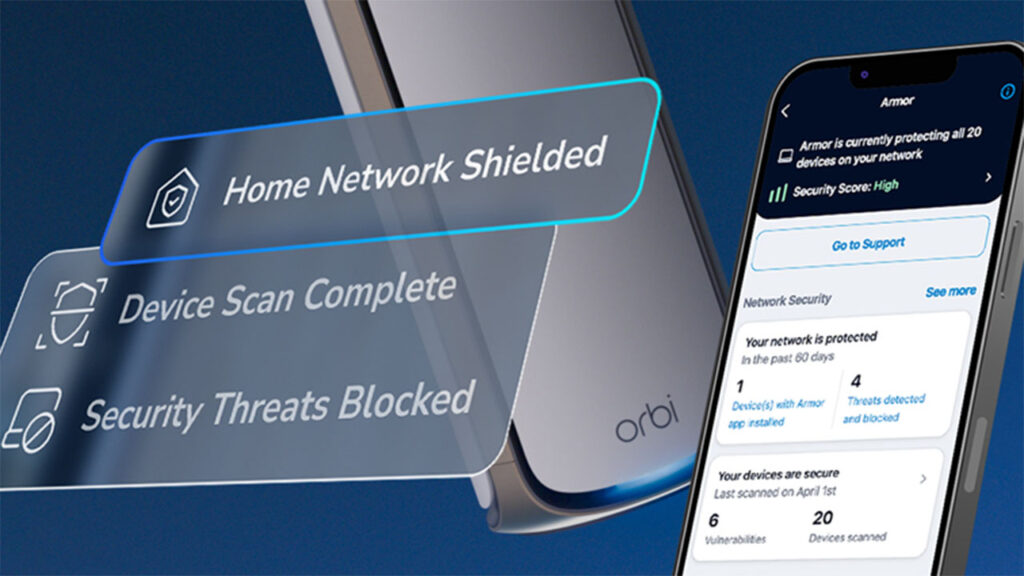
Conclusion: Lock Down Your Network with NETGEAR Armor™
The online world evolves fast. Technologies that were once essential are now outdated or ill-equipped to handle the speed and capability of modern devices. The WPS push button authentication system has its use as a handy shortcut—but shortcuts create security vulnerabilities. A smarter alternative is to pivot to the ultimate safety net—NETGEAR Armor™.
Safe online practices remain an important deterrent against hackers. Today’s most advanced routers such as NETGEAR Nighthawk Routers and NETGEAR Orbi Mesh Systems paired with NETGEAR Armor’s comprehensive security service provides constant protection for your router, devices, and operating system. Armor advantages include:
- Advanced security for all devices in your WiFi network
- Virus and malware protection
- On-the-go router security for up to 50 devices
- On-the-go VPN for up to 50 devices
- Data-breach monitoring
- Easy NETGEAR Orbi or Nighthawk app setup
- Enhanced device performance
- Ongoing firmware updates for optimal system security
NETGEAR Armor™ is the solution to cover security vulnerabilities, offering Bitdefender-powered protection against malware, phishing, and brute-force attacks for every single device on the network. It’s the “always-on” security that keeps watch 24/7, even when you use a shortcut like WPS. NETGEAR Armor syncs perfectly with WPA2 and WPA3, the latest WPA system offering significant security upgrades compared to older WEP security protocols or shared PSKs (pre-shared keys).
FAQs
Is it better to just turn WPS off completely?
For maximum security, yes. If you exclusively use your router’s app or QR code for setup, disabling WPS in your router’s settings is the safest option.
My printer seems to only connect using WPS. What should I do?
This is the perfect scenario for using WPS safely. Use the push-button method, connect the printer while you are standing nearby, and then consider disabling WPS in your router’s admin settings afterward for peace of mind.
Can NETGEAR Armor stop someone from using WPS to get on my network?
NETGEAR Armor is designed to protect your home network devices from threats like malware, phishing, and brute-force attacks, which is the primary risk of the WPS PIN code method. While it doesn’t block the WPS connection itself, it provides a critical layer of security to guard against what an attacker might do if they gain access.
To disable WPS on your NETGEAR Nighthawk or Orbi router, log in to the router’s admin interface using a web browser or the respective app. Navigate to the “Advanced” or “Wireless Settings” section, locate the WPS option, and toggle it off. Be sure to save your changes to ensure WPS remains disabled for enhanced network security.