What Is a Smart Home? Why Your WiFi Matters (2026)
You tell the speaker to dim the lights, and nothing happens. The doorbell camera takes a few seconds too long to load. The smart plug in the garage keeps showing "offline." Sound familiar?

You tell the speaker to dim the lights, and nothing happens. The doorbell camera takes a few seconds too long to load. The smart plug in the garage keeps showing "offline." Sound familiar?

A smart home is more than a pile of connected gadgets. All those devices have to talk to each other, and to you, through your home network. When that network is strong, everything feels quick and automatic. When it isn’t, your smart home starts to feel pretty dumb.
That’s why smart home WiFi matters so much. In this guide, we’ll cover what a smart home actually is, the main types of devices, how they connect, and what makes a home network ready to support all of it.
IN THIS ARTICLE
A smart home refers to a home in which appliances can be connected to the internet such that they can be managed from a distance. Rather than manually switching on an appliance using a button or dial, it can be operated through applications or other automated means.
Common examples include:
There is a distinct difference between having a couple of smart devices and a smart house. Each individual smart device is able to perform an individual function by itself. A smart home system involves a combination of all the connected devices to achieve an operation. In the example provided, when the homeowner unlocks the front door, the hallway lights switch on, and the living room gets heated. This collaboration happens through connectivity of each device.
 |
Smart home devices fall into a handful of categories, and most homes start with one or two before adding more.
| Category | Common Devices | What They Do |
|---|---|---|
| Lighting and automation | Smart bulbs, switches, plugs | Schedule, dim, or switch things on and off automatically |
| Home security | Cameras, video doorbells, smart locks, alarm systems | Watch, record, and control who gets in |
| Climate control | Smart thermostats, fans, air purifiers | Keep rooms comfortable and help manage energy use |
| Entertainment | Smart TVs, streaming devices, speakers | Stream video and music around the home |
| Smart appliances | Fridges, washers, robot vacuums | Send alerts and run on a schedule |
| Sensors and monitoring | Motion, door, leak, and temperature sensors | Detect changes and trigger alerts or routines |
| Voice assistants and hubs | Smart speakers, displays, smart home hubs | Act as the control center for other devices |
All of these are part of the Internet of Things, or IoT. IoT simply means everyday objects that connect to the internet or a local network to send and receive data. Smart home IoT devices are often small and simple, but there can be a lot of them. It’s not unusual for a home to have 20, 30, or more connected devices once you count phones, laptops, and TVs too.
Smart home devices don’t all speak the same language. They use a few different wireless technologies, and which one a device uses affects what it works with and whether it needs extra equipment.
| Technology | What It Is | What to Know |
|---|---|---|
| WiFi | The same wireless network your phone and laptop use | Connects straight to your router. Common for cameras, doorbells, plugs, and speakers. |
| Thread | A low-power wireless network built for small smart devices | Devices relay signals to each other. Needs a Thread border router, often built into a smart speaker or hub. |
| Matter | A shared standard that helps devices from different brands work together | Runs on top of WiFi, Thread, or Ethernet rather than replacing them. |
| Zigbee | A low-power wireless protocol used by many sensors and bulbs | Usually needs a compatible hub or bridge. |
| Z-Wave | A low-power wireless protocol popular for locks and security devices | Needs a Z-Wave hub. |
Key lesson: Always verify what your new purchase will connect to and whether it requires a hub. It is easier to have a piece of technology that fits into an already established ecosystem rather than another one with its own bridge and companion application.
Matter and Thread are two newer technologies designed to make smart homes less of a headache. They’re often mentioned together, but they do different jobs.
Matter is a smart home standard, managed by the Connectivity Standards Alliance, that helps devices from different brands work together. Think of it as a common language. A Matter-certified smart plug from one company should work with a Matter-compatible hub or app from another, without a pile of separate apps. Matter devices communicate over WiFi, Thread, or Ethernet.
Thread is a low-power wireless networking technology made for small smart home devices like sensors, buttons, and bulbs. Thread devices pass signals along to one another, so the network can get stronger as you add more devices. Because they use very little power, many battery-powered Thread devices can run for a long time between battery changes. A Thread network connects to the rest of your home network through a Thread border router.
In essence, Thread is what makes devices connect to each other, while Matter is what allows them to communicate. The Matter smart home could mean fewer applications, easier configuration, and greater flexibility in choosing brands. But WiFi still remains an important thing. The Matter-over-WiFi devices connect to it directly, and the Thread border router depends on it to connect Thread devices to your phone, applications, and the internet.
Regardless of whether your gadgets run on Thread, Zigbee, or Z-Wave protocols, it is your WiFi that holds all these devices together into one system. Your hubs, border routers, cameras, speakers, and even your smartphone depend on your WiFi network. These are the advantages of having a powerful WiFi network in your daily life:
In short, your smart home is only as smart as the network behind it. A weak signal turns a clever routine into a frustrating one.
A reliable smart home network comes down to five things: coverage, capacity, placement, management, and security.
Get these five right, and you’ll head off a lot of common smart home frustrations before they start.
A single router works by sending WiFi out from one spot. A mesh WiFi system uses a main router plus one or more satellites placed around the home, all working together as one network with one name.
A single router may be enough if:
Mesh WiFi may help if:
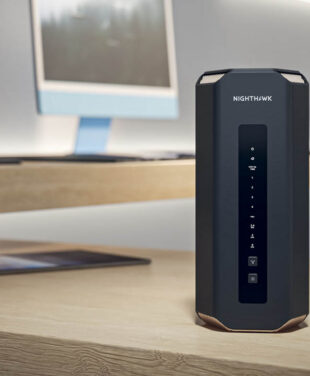
If devices at the edges of your home keep disconnecting, that’s often a coverage problem rather than a device problem. Learn more about how mesh works in our mesh WiFi resources, or explore NETGEAR home networking solutions to find the right fit for your space.
Smart home technology really shines when it takes care of small tasks effortlessly. Some of these uses are as follows:
Each of these relies on devices staying connected, often in the places WiFi struggles to reach, like the front porch, the basement, or the garage. That’s where a strong network from NETGEAR can make the difference.
A smart home is a home with devices, like lights, locks, cameras, thermostats, and speakers, that connect to a network so you can control them remotely, automate them, or have them work together.
Not all of them connect over WiFi directly. Some use Thread, Zigbee, or Z-Wave. But most smart homes still rely on WiFi, because hubs, cameras, speakers, and the apps on your phone use your home network to stay connected.
This is determined by the router itself. Old or entry-level routers may have difficulty managing the connections of more than a couple of dozen devices, whereas newer routers can accommodate much more.
Thread is a low-power wireless network that smart devices use to connect. Matter is a standard that helps devices from different brands work together. Matter devices can run over Thread, WiFi, or Ethernet.
Not always. A single router can be enough for a smaller home. Mesh WiFi can help in larger or multi-story homes, or when devices in certain areas keep losing their connection.
Place your router in a central, open spot, keep its firmware updated, remove devices you no longer use, and consider mesh WiFi if some areas of your home have a weak signal.