Effortless Home Networking: How NETGEAR Apps Put Control in Your Hands.
Home networking shouldn’t require hours of troubleshooting or technical know-how. With NETGEAR’s intuitive apps, you set up and manage even the most advanced routers with confidence—so you can skip the hassle and focus on what matters most.
See a summary of our How to Set Home Internet in the short video below:
Router Setup: Complex or Convenient?
High-performance tech often carries a stigma of complexity. Many users assume that to get multi-gig speeds or whole-home coverage, they must sacrifice ease of use or spend hours tweaking settings. Typical setup difficulties include:
Poor router placement
Cable and wiring issues
Incorrect configuration
Signal interference
Outdated generic ISP router issues
Removing the Barriers to Efficiency
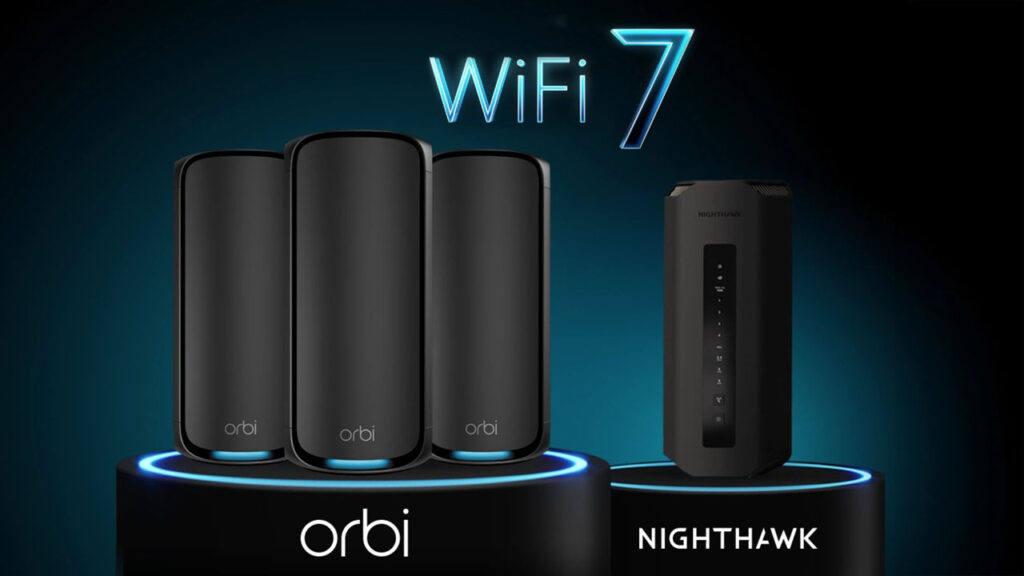
A powerful network is useless if you cannot manage it easily for optimal functionality, regardless of the price point. With NETGEAR, ease of setup is courtesy of a sophisticated design that includes user-friendly network monitoring software. As a world-leading WiFi product developer since the 1990s, NETGEAR understands the equation—and your need for fast WiFi router activation. NETGEAR Orbi and Nighthawk router management has never been easier.
The NETGEAR App Advantages
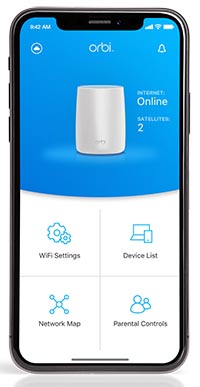
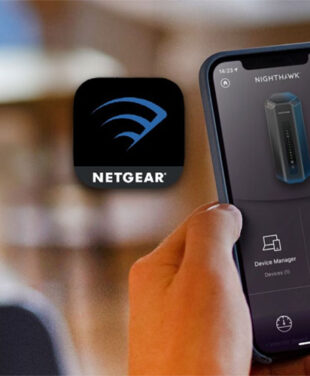
Using the NETGEAR Nighthawk App or Orbi App for router or WiFi mesh setup gives you a faster, simpler, and more intuitive installation experience. The app centralizes ISP handshakes, firmware checks, network security, speed tests, and more in one place — making ongoing network management far easier.
Here are seven key NETGEAR App advantages for your network.
1. Quick, Guided Setup
The app walks you through installation step-by-step. Most users complete setup in just a few minutes — no technical knowledge required.
2. Simple Dashboard for Network Management
View all connected devices at a glance, check network status, adjust WiFi settings, and monitor network activity in real time.
3. Pause Internet Access Instantly and Remotely
Temporarily disable internet access for specific devices from anywhere — ideal for managing kids’ screen time or reducing distractions. Includes full parental controls.
4. Built-In Internet Speed Test
Test your broadband speed directly from the app to quickly diagnose slow connections or ISP issues.
5. Integrated Security with NETGEAR Armor
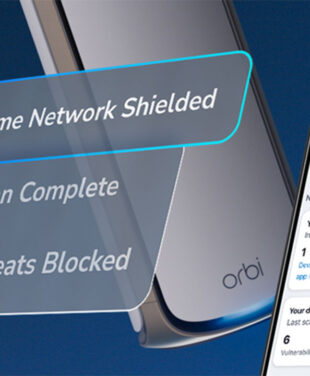
Powered by Bitdefender, NETGEAR Armor monitors and protects your devices against online threats and malicious intruders.
6. Easy Troubleshooting
The app provides quick fixes for common WiFi setup and network performance issues, with visual tools that make it easier to detect and resolve problems fast.
7. Smart Connect Support
Automatically balances devices between WiFi bands to optimize performance, prevent overload, and boost speeds across your network.
Regain Control of Your Network with NETGEAR
The average American home today contains dozens of connected devices all competing for fast, stable connections. Instead of spending time hunting for bottlenecks, let the NETGEAR Nighthawk or Orbi App take care of it — designed and built by the best in the business.
When the App Is Especially Useful
Fast and convenient setup is just the start. The app gives you ongoing mastery over your digital environment — letting you see devices, pause connections, and verify speeds instantly.
The best WiFi 7 routers and mesh systems can connect up to 200 devices concurrently. NETGEAR apps are all-in-one solutions for your home network, guest network, and smart home IoT device network. They offer:
Compatibility with Any ISP: Connect your NETGEAR router to your modem and the app recognizes the connection type automatically — no manual IP entry needed.
Real-Time Security Visibility: Active management with a clear view of every connected device. If an unknown device joins, you know immediately.
Remote Management: Monitor data usage, network vulnerabilities, and kids’ screen time from anywhere.
Automatic Intelligence: Firmware updates and security patches happen in the background or with a single tap.
The NETGEAR App for Mobile eSim Hotspots
New to NETGEAR’s app lineup is the NETGEAR App. Activate and manage your eSIM in minutes. Explore plans, track usage, and top up anytime, all from one simple app. Learn more NETGEAR App
What the NETGEAR App Means for You
The world’s fastest WiFi is also the easiest to manage with a NETGEAR home network app. You get premium performance with zero friction. The app redefines the modern smart home so you can:
Receive instant notifications
Stream without lag
Work without interruption
Game with millisecond responses
Entertain without downtime
Skip the long configuration weekend and enjoy a seamless setup experience. Download the Orbi or Nighthawk app today to see what true network control looks like.
FAQs
Is the NETGEAR app free to use?
Yes. The Nighthawk and Orbi apps are free to download and use for router setup and network management. Some advanced security features require a NETGEAR Armor subscription.
Does the NETGEAR app work with all Nighthawk and Orbi routers?
Yes. The Nighthawk and Orbi apps are compatible with NETGEAR’s current router and mesh system lineup, including WiFi 7 models.
Can I manage my home network remotely with the NETGEAR app?
Yes. The app allows you to monitor connected devices, pause internet access, run speed tests, and manage security settings from anywhere.