
Search results for: GS348
12 Items
Sort by



£89.99
8-Port Gigabit Ethernet PoE+ Easy Smart Essentials Switch (62W)current price £89.99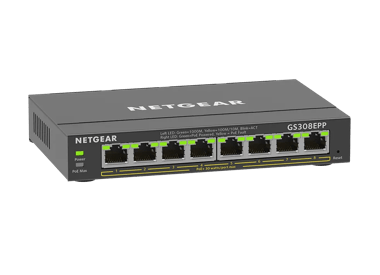
£119.99
8-Port Gigabit Ethernet Easy Smart Essentials PoE Switch (123W)current price £119.99
£22.99
8-Port Gigabit Ethernet Unmanaged Essentials Switchcurrent price £22.99
£104.99
8-Port Gigabit Ethernet Unmanaged PoE+ Essentials Switch with 8-Ports PoE+ (83W)current price £104.99


Showing 1-12 of 12
113 Items
Sort by
Knowledge Article
GS348T Firmware Version 1.0.0.17 - NETGEAR Support
New Features: This release changes the default setting for IGMP snooping from enabled to disabled. Firmware Update Instructions: Download Link: http://www.downloads.netgear.com/files/GDC/GS348T/GS348Tv1_V1.0.0.17.zip To update your product’s firmware, follow the instructions in your product’s user manual. To find your user manual, visit https://www.netgear.com/support/, enter your model number in the search box, and click the Documentation button on the product page. Last Updated:07/07/2025 | Ar...
Knowledge Article
GS348T Firmware Version 1.0.0.33 - NETGEAR Support
New Features and Enhancements: Displays login failure reason when maximum allowable sessions is reached. Increases the maximum number of ports supporting CoS Override for Voice VLAN from 8 to 24. Bug Fixes: Fixes the issue where the RADIUS shared secret is lost after updating the firmware. Firmware Update Instructions: Download Link: https://www.downloads.netgear.com/files/GDC/GS348T/GS348Tv1_V1.0.0.33.zip The released zip file contains the switch firmware and MIB files. Unzip the file to extrac...
Knowledge Article
GS348T Firmware Version 1.0.0.38 - NETGEAR Support
Security Fixes: Fixes security vulnerabilities. For more information about security vulnerabilities, visit https://www.netgear.com/about/security. Firmware Update Instructions: Download Link: https://www.downloads.netgear.com/files/GDC/GS348T/GS348Tv1_V1.0.0.38.zip The released zip file contains the switch firmware and MIB files. Unzip the file to extract the switch image for firmware updating. To update your product’s firmware, follow the instructions in your product’s user manual. To find your...
Knowledge Article
GS348T Firmware Version 1.0.0.43 - NETGEAR Support
Bug Fixes: Fixes the issue where the STP Max Age setting is lost after rebooting the switch. Fixes the issue where the setting of 'Validate IGMP IP headers' is reactivated automatically after rebooting the switch. Security Fixes: Fixes security vulnerabilities. For more information about security vulnerabilities, visit https://www.netgear.com/about/security. Warnings: Please reset password after upgrading the firmware or importing the configuration file from v1.0.0.38 or earlier version to v1.0....
Knowledge Article
GS348T Firmware Version 1.0.0.26 - NETGEAR Support
New Features and Enhancements: Default “password” must be changed when you log into the switch for the first time. To configure SNMPv3, the Authentication Protocol must be configured as MD5 or SHA. The ‘none’ option for Authentication Protocol is no longer allowed. The default setting for Smart Control Center (SCC) management changes from enabled to disabled. Note: The SCC Utility can still discover the switch. Bug Fixes: Reduces the time required to synchronize the switch with the NTP server. V...
Knowledge Article
GS324TPv2 / GS348TPv2 Firmware Version 1.0.0.9 - NETGEAR Support
Release Date: December 17, 2025. New Features: This is the initial firmware release. Known issues: When the SNTP setting is empty, the switch assigns a SNTP server automatically after reboot. Workaround: Delete the SNTP server that the switch assigned. The cable test does not work when linked at 10 Mbps speed. When changing the default password, an error might appear. Workaround: Click the OK button to dismiss the error message. Warnings: Read and follow these warnings before updating your firmw...
Knowledge Article
GS324TPv2 / GS348TPv2 Firmware Version 1.0.0.26 - NETGEAR Support
Release Date: April 27, 2026 Restriction: Switches manufactured with this firmware or later versions do not support firmware downgrades. Note: You can still perform firmware downgrades on switches that were manufactured with older firmware versions. Known issues: When the SNTP setting is empty, the switch assigns a SNTP server automatically after reboot. Workaround: Delete the SNTP server that the switch assigned. The cable test does not work when linked at 10 Mbps speed. When changing the defau...
Knowledge Article
NMS300 Software Release 1.6.0.18 - NETGEAR Support
Enhancement on 1.6.0.18: Added new support models GS308T, Smart switch GS310TP, Smart switch GS324T, Smart switch GS324TP, Smart switch GS348T, Smart switch Fantastic 4: GS728TPv2, GS728TPPv2, GS752TPv2, GS752TPP M4300-16X, M4300-24XF and M4300-48XF Supports TLS1.1 and TLS1.2 on Fantastic 4 and other existing smart switches. Provided the following security enhancement on all managed switches. Support HTTPS for web access Support SSH for backup and restore device config file Supports ReadyNAS wit...
Knowledge Article
UKCA Declarations of Conformity - NETGEAR Support
Please click on the Model to view Declarations of Conformity. Model A6100 A6150 A6210 A7000 A7500 A8000 A8500 A9000 ACC761 / ACC763 / AXLC761 / AXLC763 ACM761 / ACM762 / AXLM761 / AXLM762 AFT402 AGM731F AGM732F AGM734 APM408 / APM402 APS150W APS250W APS254W APS299W APS350W APS550W APS600W / APS1200W APS600Wv2 APS600Wv3 APS920W APS1000W APS1200Wv2 APS2000W APS2000Wv2 AXC761 AXC7610 AXC7615 AXC7620 AXC763 AXC765 AXC767 AXM761, AXM762, AXM763, AXM764, AXM765 AXM765v2 BR200 CSM4532 EAX12 EAX17 EAX20...
Security Advisory
Security Advisory for Pre-Authentication Buffer Overflow on Some Switches, PSV-2022-0016 - NETGEAR Support
Associated CVE IDs: None First published: 11/7/2022 NETGEAR has released fixes for a pre-authentication buffer overflow security vulnerability on the following product models: GS728TX fixed in firmware version 6.6.4.28 GS728TXP fixed in firmware version 6.6.4.28 GS752TX fixed in firmware version 6.6.4.28 GS752TXP fixed in firmware version 6.6.4.28 GS724Tv4 fixed in firmware version 6.3.1.43 GS748Tv5 fixed in firmware version 6.3.1.43 GS716Tv3 fixed in firmware version 6.3.1.43 GS324T fixed in fi...
Knowledge Article
EU Declarations of Conformity - NETGEAR Support
Please click on the Model to view Declarations of Conformity. To access EU Declarations of Conformity for Arlo products, visit https://kb.arlo.com/000061839/EU-Declarations-of-Conformity-for-Arlo-and-VueZone. Model 6000451 A6100 A6150 A6210 A7000 A7500 A8000 A8500 A9000 ACM761 / ACM762 / AXLM761 / AXLM762 ACC761 / ACC763 / AXLC761 / AXLC763 AC785S AC790S AC810 / AC810S AFT402 AGM731F AGM732F AGM734 AirCard 797 (AC797) APM402XL APM408 / APM402 APS150W APS250W APS254W APS299W APS350W APS550W APS60...
Knowledge Article
GS308T / GS310TP Firmware Version 1.0.0.9 - NETGEAR Support
New Features and Enhancements: Initial Release Limitation and Notes: A warning message shown below appears when first log in to the Web GUI: This is normal since self-signed certificate is used. Please click Advanced, then Proceed to link to log in, Download Link:http://www.downloads.netgear.com/files/GDC/GS308T/GS308T_GS310TP_V1.0.0.9.zip Last Updated:07/07/2025 | Article ID: 000060502 Was this article helpful? Yes No
Knowledge Article
GS308EPP Firmware Version 1.0.0.10 - NETGEAR Support
New Features: Support port mirroring from multiple ports. Warnings: Firmware files for GS308EP and GS308EPP are different. Be sure to download and install the correct firmware for your model. After upgrading to v1.0.0.7, the setting for Port LEDs on the home page will be incorrectly changed from ON to OFF, different from the actual Port LEDs on the front panel. To fix the issue, please reset the switch to factory default settings. Download Link: https://www.downloads.netgear.com/files/GDC/GS308E...
Knowledge Article
GS308T / GS310TP Firmware Version 1.0.1.2 - NETGEAR Support
New Features and Enhancements: Introduced an option to enable/disable switch discovery (SSDP/UPnP) protocol. Bug Fixes: Default IP route configuration disappears after reset Public and private certificate name string is updated in GUI Start and end time are wrong when configuring DST for European Time Zone Broadcast packets to UDP Port-123 are dropped when NTP is configured and client mode is set to ‘Unicast’ Untagged ports cannot be added to a VLAN using SNMP Cannot schedule the PoE timer when ...
Knowledge Article
GS308EPP Firmware Version 1.0.1.1 - NETGEAR Support
Bug Fixes: Fixes an interoperability issue with the Hikvision camera, model DS-2CD2146G2-ISUI and model DS-2CD2046G2-IU, in which the camera might not receive PoE power from the switch. Warnings: Read and follow these warnings before updating your firmware: The firmware files for model GS308EP and model GS308EPP are different. Be sure to download and install the correct firmware for your model. After you upgrade the firmware to version 1.0.0.7, the settings for the port LEDs on the HOME page are...
Knowledge Article
GS308EP Firmware Version 1.0.0.7 - NETGEAR Support
New Features and Enhancements: After the switch falls back to its default IP address (192.168.0.239), it continues to request a DHCP IP address every 5 minutes until: It acquires one from a DHCP server, Or, Is assigned a fixed/static IP address. Switch attempts to renew its DHCP lease when its IP address lease expires, as per RFC standards. Warnings: Firmware files for GS308EP and GS308EPP are different. Be sure to download and install the correct firmware for your model. After upgrading to v1.0...
Knowledge Article
GS308T / GS310TP Firmware Version 1.0.5.5 - NETGEAR Support
New Features: Add Secure Diagnostic Mode (SDM) to allow NETGEAR Support to establish secured connection for remote troubleshooting. This is disabled by default. Add Secure Shell (SSH) server for remote login. This is enabled by default. Lite command line interface (CLI). To find the Lite CLI Reference Manual, visit https://www.netgear.com/support/, enter your model number in the search box, and click the Documentation button on the product page. Bug Fixes: Fixes the issue when an OUI is added, t...
Knowledge Article
GS308EPP Firmware Version 1.0.0.4 - NETGEAR Support
New Features and Enhancements: Initial Release Warnings: Firmware files for GS308EP and GS308EPP are different, please use the correct fie for your model. Download Link : https://www.downloads.netgear.com/files/GDC/GS308EPP/GS308EPP_V1.0.0.4.zip Firmware Update Instructions: To update your product’s firmware, follow the instructions in your product’s user manual. To find your user manual, visit https://www.netgear.com/support/, enter your model number in the search box, and click the Documentati...
Knowledge Article
GS308EPP Firmware Version 2.0.0.11 - NETGEAR Support
Release Date:July 7, 2026 New Features and Enhancements: Support for adjusting the management VLAN to enhance network management flexibility. Note: After you update to this firmware, the switch management page is only accessible from ports in VLAN 1, which is the default management VLAN. If you are accessing the switch from a port assigned to a different VLAN, you need to switch to a VLAN 1 port to regain access. Support for manual SNTP server configuration for system time synchronization. Suppo...
Knowledge Article
GS748Tv6 Firmware Version 7.0.0.12 - NETGEAR Support
Enhancements: The NETGEAR Switch Discovery Protocol (NSDP) that is used by NETGEAR Switch Discovery Tool (NSDT) for PCs is removed. Known Issues: When an Ethernet cable encounters a problem and you run a cable test to identify the cause of the issue, it detects the issue but does not report the reason for the test failure correctly. Warnings: Read and follow these warnings before updating your firmware: Do not use the NETGEAR Switch Discovery Tool (NSDT) to discover the device as it is no longer...
Showing 1-20 of 113
407 Items
Sort by
Discussion Post
S350 Smart Switches (GS348T) - Get fiber-ports optics-info via SNMP | NETGEAR Communities
Hi Community, is it possible to get the fiber-ports optics-infos via SNMP OID readout from a S350 Smart Switches (GS348T)?If yes which OIDs / MIB...
Discussion Post
S350 GS348T - VLAN trunk - Switch to Switch not working | NETGEAR Communities
Hi All I have connected another switch on to the SFP (Port 47) on this switch and setup tagged VLAN ID on both switch trunk ports (leaving VLAN1...
Discussion Post
GS348T factory reset | NETGEAR Communities
I forgot the password to the GS348T. If I reset to factory default, I understand the default IP changes to 192.168.0.239. How do I access it with my current...
Discussion Post
GS348T VLAN issue, running but no access to switch | NETGEAR Communities
Hello, I've just bought a GS348T switch and after some test for VLAN implementation, I've found a weird behaviour of the switch. The VLAN...
Discussion Post
S350 Smart Switches (GS348T) with NETGEAR Compatible 1000BASE-BX BiDi SFP? | NETGEAR Communities
Dear Community, can anyone confirm please if the NETGEAR Compatible 1000BASE-BX BiDi SFP can operate with S350 Smart Switches (GS348T)?I got in that...
Discussion Post
GS348T switch repeatedly stuck without any reason | NETGEAR Communities
HelloThis switch has been in production since march 2021. It's setup is quite simple : it only uses VLAN segmentation (x13). So during 3 months it has been...
Discussion Post
GS348T VLAN | NETGEAR Communities
Hi there I have read from https://community.netgear.com/t5/Smart-Plus-and-Smart-Pro-Managed/GS324TP-S350-Unable-to-assign-IP-to-VLAN/m-p/2022089...
Discussion Post
SSH for GS348T | NETGEAR Communities
Hello Community, I am new managing SW Netgear.May someone clarify if the model GS348T support ssh access, or the only way to manage the switch is via...
Discussion Post
Connect two Netgear GS348T | NETGEAR Communities
I have two GS348T switches connected via trunk port, all is good there- Problem is when I connect to the Switch interface I only see one switch. How do I see...
Discussion Post
GS348T no access after port mirroring | NETGEAR Communities
Hello,my laptop is connected to port g39.After set up port mirroring to port g39 it's no more possible to connect to webadmin.If I connect to port g38 it's...
Discussion Post
issues with 2 managed switches gs348t and a gs752tpv2 | NETGEAR Communities
As the title says. I have both of these switches in a daisychain. on the GS752 I have the WAN in port 1 and port 2 goes to port 1 of the gs348. There is a...
Discussion Post
Can I turn off Energy Efficient Ethernet on a gs348? | NETGEAR Communities
I wanted the simplicity and low cost of an unmanaged switch, so I bought a GS348 for my home network. Unfortunately, I have a music server upstairs that...
Discussion Post
GS3848T Statement of Volatility | NETGEAR Communities
Would someone be able to provide me with a statement of volatility for the GS348T?Thank you.
Discussion Post
GS308EPP daisy chain | NETGEAR Communities
Hi All I have a GS348 (48port), i will add a GS324 (24port) and presume they should daisy ok? I will need an 8 Port POE switch as well-would the...
Discussion Post
Alarm Notification by email | NETGEAR Communities
Do you know if GS348T allows to send notification by email? Thanks
Discussion Post
GSM7352S and GS748TS Unit Modes? | NETGEAR Communities
We just installed a GSM7352S in our data room and replaced a unmanaged switch with a GS748TS on the 3rd floor of our office building. Is it the best to setup...
Discussion Post
ethernet leds are amber netgear prosafe GS748T | NETGEAR Communities
Hi, I hope somebody help me. We have a switch netgear ProSafe GS748T, and suddenly, the leds that indicates if any port is occupied are amber, even if the...
Discussion Post
best option, 2 netgear Prosafe GS724T-400EUS in trunking or 1 gs748teu, | NETGEAR Communities
best option, 2 netgear Prosafe GS724T-400EUS in trunking or 1 gs748teu, do you have the same performance both options. 2 netgear prosafe 24...
Discussion Post
Please help me upgrade the firmware on GS748Tv3 and GS724T | NETGEAR Communities
In a small business environment I have 6 Netgear GS series switches of various ages. using Netgear Smart Control Center Manager...
Discussion Post
Firmware Update Problem Gs748TS | NETGEAR Communities
Hello everybody,I can not run a firmware update because the static IP address can not enter.When I wear these in the form of a 192.168.xxx.xxx, is to apply...
Showing 1-20 of 407
We couldn’t find anything for "GS348".
Showing 0-0 of 0
6 Items
Introducing the NETGEAR S350 Series v2: Powerful PoE+ Smart Switches - NETGEAR Blog
The NETGEAR S350 Series v2 Gigabit PoE+ Smart Managed Essentials Switches are designed to give growing organizations enterprise-grade capabilities - without the complexity or cost that usually comes with them.
NETGEAR Unveils GS724Tv6 & GS748Tv6: Future-Proof Smart Switches
Discover NETGEAR's latest smart switches, GS724Tv6 and GS748Tv6, designed for efficient, future-ready network management in growing businesses.
Manage Your Network Easier with NETGEAR Smart Switch CLI
Simplify network management with NETGEAR Smart Switch CLI. Configure, monitor, and troubleshoot your switches all from one place.
Experience High Performance with NETGEAR's WiFi 6
Experience the future of connectivity with NETGEAR's high-performance WiFi 6, offering faster speeds, increased capacity, and improved efficiency.
New MS305E and MS308E Multi-Gig Switches - NETGEAR Blog
NETGEAR has launched the multi-gig five port MS305E and multi-gig eight-port MS308E switches as a lightly smart managed upgrade to their unmanaged predecessors.
Business IT Networking Articles - NETGEAR Blog
Discover how to get the most out of your business IT network with the latest technology and best practices. Learn More.
Showing 1-6 of 6