
Search results for: GS324TPv2
5 Items
Sort by
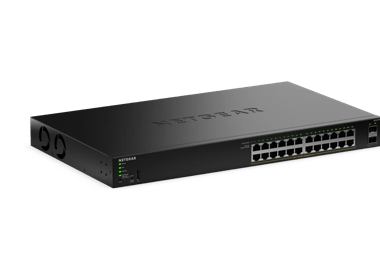
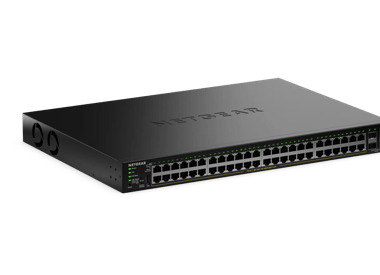
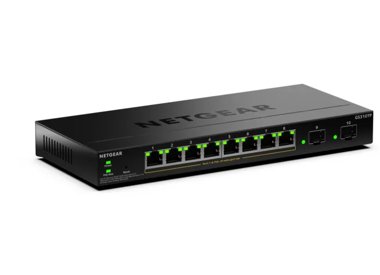


Showing 1-5 of 5
117 Items
Sort by
Knowledge Article
GS324TPv2 / GS348TPv2 Firmware Version 1.0.0.9 - NETGEAR Support
Release Date: December 17, 2025. New Features: This is the initial firmware release. Known issues: When the SNTP setting is empty, the switch assigns a SNTP server automatically after reboot. Workaround: Delete the SNTP server that the switch assigned. The cable test does not work when linked at 10 Mbps speed. When changing the default password, an error might appear. Workaround: Click the OK button to dismiss the error message. Warnings: Read and follow these warnings before updating your firmw...
Knowledge Article
GS324TPv2 / GS348TPv2 Firmware Version 1.0.0.26 - NETGEAR Support
Release Date: April 27, 2026 Restriction: Switches manufactured with this firmware or later versions do not support firmware downgrades. Note: You can still perform firmware downgrades on switches that were manufactured with older firmware versions. Known issues: When the SNTP setting is empty, the switch assigns a SNTP server automatically after reboot. Workaround: Delete the SNTP server that the switch assigned. The cable test does not work when linked at 10 Mbps speed. When changing the defau...
Knowledge Article
UKCA Declarations of Conformity - NETGEAR Support
Please click on the Model to view Declarations of Conformity. Model A6100 A6150 A6210 A7000 A7500 A8000 A8500 A9000 ACC761 / ACC763 / AXLC761 / AXLC763 ACM761 / ACM762 / AXLM761 / AXLM762 AFT402 AGM731F AGM732F AGM734 APM408 / APM402 APS150W APS250W APS254W APS299W APS350W APS550W APS600W / APS1200W APS600Wv2 APS600Wv3 APS920W APS1000W APS1200Wv2 APS2000W APS2000Wv2 AXC761 AXC7610 AXC7615 AXC7620 AXC763 AXC765 AXC767 AXM761, AXM762, AXM763, AXM764, AXM765 AXM765v2 BR200 CSM4532 EAX12 EAX17 EAX20...
Knowledge Article
UK PSTI Declaration of Conformity - NETGEAR Support
On 29th April 2024, the United Kingdom’s Product Security and Telecommunications Infrastructure (UK PSTI) Act takes effect. The UK PSTI Act requires consumer networking devices to meet increased security standards with the stated goals of reducing cyber attacks and better protecting individual privacy and security. All NETGEAR products sold in the UK comply with the applicable security requirements that the UK PSTI Act defines. To view the UK PSTI Act Declaration of Conformity for a NETGEAR prod...
Knowledge Article
EU Declarations of Conformity - NETGEAR Support
Please click on the Model to view Declarations of Conformity. To access EU Declarations of Conformity for Arlo products, visit https://kb.arlo.com/000061839/EU-Declarations-of-Conformity-for-Arlo-and-VueZone. Model 6000451 A6100 A6150 A6210 A7000 A7500 A8000 A8500 A9000 ACM761 / ACM762 / AXLM761 / AXLM762 ACC761 / ACC763 / AXLC761 / AXLC763 AC785S AC790S AC810 / AC810S AFT402 AGM731F AGM732F AGM734 AirCard 797 (AC797) APM402XL APM408 / APM402 APS150W APS250W APS254W APS299W APS350W APS550W APS60...
Knowledge Article
GS724TPv2 / GS724TPP Firmware Version 2.0.8.9 - NETGEAR Support
Enhancements: Upgrade OpenSSL to version 1.1.20 Add TLS 1.2/1.3 support Support SSH access control session New Features: Add Secure Diagnostic Mode (SDM) to allow NETGEAR Support to establish a secured connection for remote troubleshooting. This is disabled by default. Add Secure Shell (SSH) server for remote login. This is enabled by default. Lite command-line interface (CLI). To find the Lite CLI Reference Manual, visit https://www.netgear.com/support/, enter your model number in the search bo...
Knowledge Article
GS724TPv2 Firmware Version 1.1.1.3 - NETGEAR Support
GS724TPv2 supports the latest Smart Control Center, please use SCC version 1.1.3.4 for switch discovery, basic configuration and FW upgrades. New Features and Enhancements: Added IPv6 ACL (Security > ACL > Advanced > IPv6 ACL/Rules) Added IPv6 QoS (QoS > DiffServ > Advanced > IPv6 Class Configuration) Added IPv6 DHCP client (DHCPv6) (System > Management > IPv6 Network Configuration) Added Client Summary page to Security > Port Authentication > Advanced SNTP supports IPv6 (Add option "IPv6" to Se...
Knowledge Article
GS724TPv2 / GS724TPP Firmware Version 2.0.6.3 - NETGEAR Support
Security Fixes: Various security vulnerability fixes and enhancements. Warnings: Read and follow these warnings before updating GS724TPv2 or GS724TPPv1 firmware: After updating the FW to v2.0.6.3, it cannot be downgraded to the previous versions. Updating GS724TPv2 FW from v1.1.1.x to v2.0.6.x: If you are updating GS724TPv2 FW from v1.1.1.x to v2.0.6.x, make sure to follow these instructions carefully. Caution: To successfully update the firmware to v2.0.6.x from v1.1.x.x, you must perform a ser...
Knowledge Article
GS724TPv2 / GS724TPP Firmware Version 2.0.4.3 - NETGEAR Support
Bug Fixes: Fixes the RADIUS reauthentication configuration where it did not clear after session timeout. Fixes an issue where the packet counter for the CPU port on the Statistics page did not work. Fixes an issue where a client device can fail to get a DHCP IP address when there is another network device connected between the switch and the client device. Security Fixes: Fixes various security vulnerability fixes and enhancements. Warnings: HTTPS is disabled by default since firmware release v1...
Knowledge Article
GS724TPv2 / GS724TPP Firmware Version 2.0.8.12 - NETGEAR Support
Bug Fixes: Fixes an issue where you cannot exclude ports from the voice VLAN using the Insight Cloud Portal or Insight app. Warnings and Instructions: Read and follow these instructions before you update to firmware version 2.0.7.4 from an earlier version: After you update the firmware to version 2.0.7.4 or a later version, we recommend that you do not downgrade the firmware to version 2.0.6.x or an earlier version. Because HTTPS is disabled by default since firmware version 1.0.2.2, the device ...
Knowledge Article
GS724TPv2 Firmware Version 1.1.1.13 - NETGEAR Support
GS724TPv2 supports the latest Smart Control Center, please use SCC version 1.1.3.4 for switch discovery, basic configuration and FW upgrades. New Features and Enhancements: Fixed the issue that too many unsupported commands are saved in configuration file. Known issues: Accessing some web GUI pages using Chrome and Internet Explorer (IE) will be slow via HTTPS. [Workaround]: Use Firefox browser or use HTTP to login. SNTP broadcast mode is not supported. [Workaround]: Use unicast mode. Unable to ...
Knowledge Article
GS724TPv2 / GS724TPP Firmware Version 2.0.2.4 - NETGEAR Support
New Features and Enhancements: Increase the resolution for the Storm Control > Threshold setting from 10Mbit to 1Mbit to support finer-grained values (for example, you can set 5.1). Bug Fixes: Added support for Insight PoE Schedule feature when the configured schedule crosses midnight EAP packets get dropped when IGMP or MLD Snooping is enabled, which resulted in authentication failure of connected supplicant Returns wrong SNMP ifIndex of switch management port Warning: Read and follow the warni...
Knowledge Article
GS724TPv2 / GS724TPP Firmware Version 2.0.8.11 - NETGEAR Support
Bug Fixes: Fixes an interoperability issue with Hikvision camera, model DS-2CD2146G2-ISUI. It may not get PoE power from the switch. Warnings: Read and follow these warnings before updating a firmware version that’s prior to 2.0.7.4: We recommend against downgrading the firmware image to 2.0.6.X or earlier version after updating to 2.0.7.4 or later versions. Because HTTPS has been disabled by default since v1.0.2.2, the device UI Home page does not display automatically after using HTTPS to upgr...
Knowledge Article
GS724TPv2 / GS724TPP Firmware Version 2.0.3.2 - NETGEAR Support
New Features and Enhancements: Adds ping and traceroute network administrative functions to the Troubleshooting page in the Insight Web Portal and app. Security Fixes: Fixes security vulnerabilities. This firmware addresses security vulnerabilities. For more information about security vulnerabilities, visit https://www.netgear.com/about/security. Bug Fixes: Fixes the issue where the DNS host configuration doesn’t accept an IPv6 address. Fixes the issue where the PoE schedule for weekly recurrenc...
Knowledge Article
GS724TPv2 Firmware Version 1.1.1.25 - NETGEAR Support
GS724TPv2 supports the latest Smart Control Center, please use SCC version 1.1.3.4 for switch discovery, basic configuration and FW upgrades. New features and modifications: Fixed the issue that PoE Timer (System > Timer Schedule > Advanced > Timer Schedule Configuration) cannot set cross midnight. One Diffserv class can now support up to six criteria (QoS > DiffServ > Advanced > Class Configuration), instead of only one. Class Summary is also added in the page. An interface can now support mult...
Knowledge Article
GS724TPv2 / GS724TPP Firmware Version 2.0.8.17 - NETGEAR Support
Enhancements: Upgrade OpenSSL to version 3.1. Bug Fixes: Fixes an issue that the system may freeze when accessing device migrates frequently from port to port. For example, wireless client roaming from one wireless AP to another AP that are connected to different ports on the same switch. Warnings and Instructions: Read and follow these instructions before you update to firmware version 2.0.7.4 from an earlier version: After you update the firmware to version 2.0.7.4 or a later version, we recom...
Knowledge Article
GS724TPv2 / GS724TPP Firmware Version 2.0.1.2 - NETGEAR Support
NOTE: This new firmware release requires product registration to unlock full access to the local browser UI. For more information, visit the NETGEAR knowledge base article at https://kb.netgear.com/000061174. New Features and Enhancements: Faster application of multiple port configuration settings through the Insight Cloud Portal and the Insight app. Bug Fixes: Port now sends properly formed IGMP queries after booting up with non-default VLAN (VLAN 1). Switch connectivity is no longer lost when ...
Knowledge Article
GS724TPv2 / GS724TPP Firmware Version 2.0.7.4 - NETGEAR Support
Security Fixes: Fixes security vulnerabilities. For more information about security vulnerabilities, visit https://www.netgear.com/about/security/. Bug Fixes: Unable to update SSL certificate via TFTP and HTTPS if logged in via HTTPS. Warnings: Read and follow these warnings before updating a firmware version that’s prior to 2.0.7.4: We recommend against downgrading the firmware image to 2.0.6.X or earlier version after updating to 2.0.7.4 or later versions. Because HTTPS has been disabled by de...
Knowledge Article
GS724TPv2 / GS724TPP Firmware Version 2.0.2.8 - NETGEAR Support
New Features and Enhancements: Starting from firmware version 2.0.2.6, product registration is required to unlock full access to the local browser UI. You can login and access all features through the local browser UI 3 times without registering the switch through your netgear.com account. A limited feature set is available without registration. For more information, visit the NETGEAR knowledge base article at https://kb.netgear.com/000061174. Introduced an option to enable/disable switch discov...
Knowledge Article
GS724TPv2 / GS724TPP Firmware Version 2.0.8.20 - NETGEAR Support
Security Fixes: This firmware addresses security vulnerabilities. For more information about security vulnerabilities, visit https://www.netgear.com/about/security. Warnings and Instructions: Read and follow these instructions before you update to firmware version 2.0.7.4 from an earlier version: Configuration files are not compatible between firmware version 1.x.x.x and version 2.x.x.x. After you update the firmware to version 2.0.7.4 or a later version, we recommend that you do not downgrade t...
Showing 1-20 of 117
156 Items
Sort by
Discussion Post
GS752TPv2 and GS724TPv2 dont 802.1x authenticate some wpa_supplicant clients | NETGEAR Communities
Hi,i'm operating GS752TPv2 and GS724TPv2 and other managed switches. I have started to implement 802.1x port authentication, which generally works very...
Discussion Post
Configure SSL/HTTPS for GS724TPV2 and GS752TPv3 | NETGEAR Communities
Hi All, I am looking to enable HTTPS for all my Netgear Switches (GS724TPV2 and GS752TPV3). But I cannot import the self-signed certificate that I have...
Discussion Post
GS724TPv2 link issues | NETGEAR Communities
Hello,New to this forum, in hope of finding some guidance and solution to my issue,I have a GS724tpv2 switch where i have links issues, one Access point...
Discussion Post
GS724TPv2 Disconnecting from network | NETGEAR Communities
Hello, I am after some adivce with a family members network. I am not familar with NetGear switches and there GUI interface. The current setup is...
Discussion Post
Netgear GS724TPV2 ports randomly shut down but power light is on | NETGEAR Communities
So the issue I'm running into is we have an office with just 30 people or so in it and we have 2 switches which are connected via a fiber cable. So the...
Discussion Post
GS724TPv2 won't factory reset | NETGEAR Communities
I have reset before, but now it won't. I pushed in the factory reset button for 5 seconds and nothing happens (before it would flash the lights) and the...
Discussion Post
PPPoE through GS724TPV2 | NETGEAR Communities
My current setup is FTTP modem powered through a POE injector and connected to my router (pfSense).I bought a GS724TPV2 so was hoping to use this to...
Discussion Post
Netgear GS724TPv2 switch - Timer Schedule Configuration getting reset after manual restart on firmwa | NETGEAR Communities
Hi all,We have a Netgear GS724TPv2 switch with firmware version 1.1.1.25, and there is an issue where only the POE Timer Schedule Configuration is getting...
Discussion Post
GS724TPv2 | NETGEAR Communities
GS724TPv2 updateswitch has boot 1.0.0.2, firmware 1.1.1.25attempt to update the boot to 1.0.0.5 as per update instructionsGS7xxTP_AT_boot-1005.rfbfails with...
Discussion Post
GS724TPv2 web ui blank | NETGEAR Communities
I've been experiencing issues when I log into the WEB UI where I can see the menu's and sub menu's but non of the options show up. I just get a blank page....
Discussion Post
GS724TPV2 randomly losing access to web interface | NETGEAR Communities
Hello Netgear community, We have a strange issue with our GS724TPV2 switches.We recently upgraded our switches to V2 and made some changes including...
Discussion Post
GS724TPV2 - PoE Diagnostic - what is the meaning of Power Denied ,MPS Absent and Invalid Sig. | NETGEAR Communities
Hi there Can anyone tell me, what is the meaning of the followings and how it happen?1. Power Denied2. MPS Absent3. Invalid Sig. My PoE switch...
Discussion Post
Can't log into GS724TPV2 browser interface after Insight subscription lapsed | NETGEAR Communities
My trial Insight subscription has lapsed and now I can't log into the browser portal of my GS724TPV2 switch because I do not know the password. Neither...
Discussion Post
GS724TPv2 firmware update | NETGEAR Communities
Do I read this right that I cannot update the firmware on this switch that currently has version 1.1.024 since is must be at least 1.1.1.x ...
Discussion Post
GS724TPv2 OPEN PORT | NETGEAR Communities
Hi allIm beginner in this forum .Actualy i have a big problem with the GS724TPv2 i did a smal network within 24 PC using T568B standard and everything is...
Discussion Post
GS724TPv2 Link Drop Events for many of the ports | NETGEAR Communities
Hello, I am a little inexperienced with managing my own office network, but I have been trying to figure out what I can do to improve the...
Discussion Post
GS724TPv2 - 2.0 Firmware | NETGEAR Communities
Good Morning (again) I have another firmware update question.This one is for GS724TPv2, all the one I have are in 1.1.50.39, the last firmware before...
Discussion Post
RSPAN and reflector port between M4300-28G and GS724TPv2 ProSAFE | NETGEAR Communities
Hi,I'll try to setup RSPAN to monitor one port on a M4300-28G as source and to GS724TPv2 ProSAFE as destination.There also 2 intermediates...
Discussion Post
GS724TPv2 PoE+ Rebooting | NETGEAR Communities
My customer is using the GS724TPv2 to power 4x PoE+ devices. The logs show the PoE+ ports rebooting rapidly. We normally see this when a...
Discussion Post
GS724TPv2 - Firmware 2.0.6.3: SFP Module AGM731F | NETGEAR Communities
All,I've recently upgraded the firmware only on my switches from 1.1.25 > 2.0.6.3 and all went well. I have not upgraded any of the MIB versions at this...
Showing 1-20 of 156
We couldn’t find anything for "GS324TPv2".
Showing 0-0 of 0
3 Items
Introducing the NETGEAR S350 Series v2: Powerful PoE+ Smart Switches - NETGEAR Blog
The NETGEAR S350 Series v2 Gigabit PoE+ Smart Managed Essentials Switches are designed to give growing organizations enterprise-grade capabilities - without the complexity or cost that usually comes with them.
Manage Your Network Easier with NETGEAR Smart Switch CLI
Simplify network management with NETGEAR Smart Switch CLI. Configure, monitor, and troubleshoot your switches all from one place.
COEP's Technological University builds on its heritage of excellence with world-class campus-wide networking - NETGEAR Blog
COEPS Technological University builds on its heritage of excellence with world-class campus-wide networking
Showing 1-3 of 3