
Search results for: GS308P
9 Items
Sort by

£104.99
8-Port Gigabit Ethernet Unmanaged PoE+ Essentials Switch with 8-Ports PoE+ (83W)current price £104.99
£89.99
8-Port Gigabit Ethernet PoE+ Easy Smart Essentials Switch (62W)current price £89.99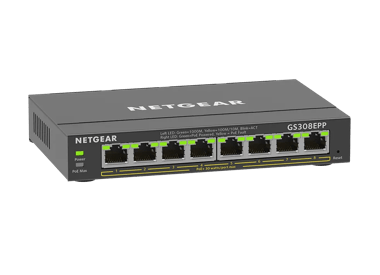
£119.99
8-Port Gigabit Ethernet Easy Smart Essentials PoE Switch (123W)current price £119.99
£22.99
8-Port Gigabit Ethernet Unmanaged Essentials Switchcurrent price £22.99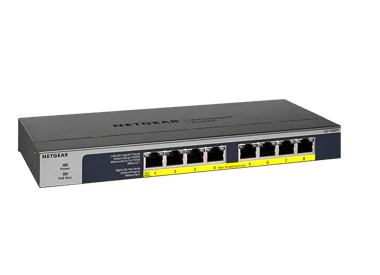
£116.99
8-Port Gigabit Ethernet High-power PoE+ Unmanaged Switch with FlexPoE (123W)current price £116.99


Showing 1-9 of 9
79 Items
Sort by
Knowledge Article
UKCA Declarations of Conformity - NETGEAR Support
Please click on the Model to view Declarations of Conformity. Model A6100 A6150 A6210 A7000 A7500 A8000 A8500 A9000 ACC761 / ACC763 / AXLC761 / AXLC763 ACM761 / ACM762 / AXLM761 / AXLM762 AFT402 AGM731F AGM732F AGM734 APM408 / APM402 APS150W APS250W APS254W APS299W APS350W APS550W APS600W / APS1200W APS600Wv2 APS600Wv3 APS920W APS1000W APS1200Wv2 APS2000W APS2000Wv2 AXC761 AXC7610 AXC7615 AXC7620 AXC763 AXC765 AXC767 AXM761, AXM762, AXM763, AXM764, AXM765 AXM765v2 BR200 CSM4532 EAX12 EAX17 EAX20...
Knowledge Article
EU Declarations of Conformity - NETGEAR Support
Please click on the Model to view Declarations of Conformity. To access EU Declarations of Conformity for Arlo products, visit https://kb.arlo.com/000061839/EU-Declarations-of-Conformity-for-Arlo-and-VueZone. Model 6000451 A6100 A6150 A6210 A7000 A7500 A8000 A8500 A9000 ACM761 / ACM762 / AXLM761 / AXLM762 ACC761 / ACC763 / AXLC761 / AXLC763 AC785S AC790S AC810 / AC810S AFT402 AGM731F AGM732F AGM734 AirCard 797 (AC797) APM402XL APM408 / APM402 APS150W APS250W APS254W APS299W APS350W APS550W APS60...
Knowledge Article
What is PoE? (Power over Ethernet) - NETGEAR Support
Power over Ethernet (PoE) is a networking feature defined by the IEEE 802.3af (PoE), 802.3at (PoE+), and 802.3bt (PoE++) standards. PoE lets Ethernet cables supply power to network devices over the existing data connection. PoE-capable devices can be power sourcing equipment (PSE), powered devices (PDs), or both. The device that transmits power is a PSE, while the device that is powered is a PD. Most PSEs are either network switches or PoE injectors intended for use with non-PoE switches. Common...
Knowledge Article
GS308Ev4 Firmware Version 1.0.1.9 - NETGEAR Support
Bug Fixes: Fixes the issue where IPv6 multicast packets were incorrectly forwarded across different VLANs. Warnings: Read and follow these warnings before updating your firmware: As of firmware version 1.0.1.3, the NETGEAR Switch Discovery Protocol (NSDP) that was used by the old NETGEAR Switch Discovery Tool (NSDT) is no longer supported. Instead, now use the NDT or the latest NETGEAR Insight app to discover the switch in the same subnet. Download Link: https://www.downloads.netgear.com/files/G...
Knowledge Article
GS108PEv3 Firmware Version 2.06.24 - NETGEAR Support
New Features: Can enable and disable the power saving mode (IEEE 802.3az) on the Switch Information page. (In the device UI, select System > Management > Switch Information.) Bug Fixes: Fixes the issue where the settings for the 802.1Q VLAN Advanced function (in the device UI, select VLAN > 802.1Q > Advanced) are missing in the German version. Known Issues: When you access the device UI, all HTTP packets are forwarded to the embedded CPU. If flow control is enabled, the throughput is impacted if...
Knowledge Article
GS308E Firmware Version 1.00.05 - NETGEAR Support
V1.00.05 has 3 firmware images. Each supports a different language for the WEB GUI: English, German, and Japanese. The supported language is identified by the suffix of image filename: EN - English. GR - German (Deutsch). JP - Japanese (日文). New Features and Modification: The default admin password must be changed to a unique password during the first login. Changes the default Management Mode (System > Management > Switch Management Mode) from Web browser and Plus Utility to Web browser only. K...
Knowledge Article
GS308EPP Firmware Version 1.0.1.1 - NETGEAR Support
Bug Fixes: Fixes an interoperability issue with the Hikvision camera, model DS-2CD2146G2-ISUI and model DS-2CD2046G2-IU, in which the camera might not receive PoE power from the switch. Warnings: Read and follow these warnings before updating your firmware: The firmware files for model GS308EP and model GS308EPP are different. Be sure to download and install the correct firmware for your model. After you upgrade the firmware to version 1.0.0.7, the settings for the port LEDs on the HOME page are...
Knowledge Article
GS308T / GS310TP Firmware Version 1.0.2.2 - NETGEAR Support
New Features and Enhancements: HTTPS is now disabled by default. When HTTPS is enabled manually, a new option allows you to disable HTTP for a more secure connection. Security Fixes: Fixes security vulnerabilities. For more information about security vulnerabilities, visit https://www.netgear.com/about/security. Bug Fixes: Fixes the issue where the DNS host configuration doesn’t accept an IPv6 address. Fixes the issue where the PoE schedule for weekly recurrence does not display correctly in the...
Knowledge Article
GS108PEv3 Firmware Version 2.06.14 - NETGEAR Support
V2.06.14 has 3 firmware images. Each supports a different language for the WEB GUI: English, German, and Japanese. The supported language is identified by the suffix of image filename: EN - English. GR - German (Deutsch). JP - Japanese (日文). Security Fixes: Various security fixes and enhancements. Known Issues: To support WEB GUI, all HTTP packets are forwarded to the embedded CPU. With Flow Control enabled, throughput will be impacted if the rate is higher than the CPU can handle. Configuration...
Knowledge Article
GS308T / GS310TP Firmware Version 1.0.0.12 - NETGEAR Support
New Features and Enhancements: The default password must be changed to a unique password after the first login. Supports RFC3621 PoE MIB. Download Link:http://www.downloads.netgear.com/files/GDC/GS308T/GS308T_GS310TP_V1.0.0.12.zip Firmware Update Instructions: To update your product’s firmware, follow the instructions in your product’s user manual. To find your user manual, visit https://www.netgear.com/support/, enter your model number in the search box, and click the Documentation button on th...
Knowledge Article
GS108PEv3 Firmware Version 2.06.16 - NETGEAR Support
New Features: Added a control option to disable or enable file transfer via TFTP (Trivial File Transfer Protocol), under System > Management > Switch Managed Mode). Default is Disable. Security Fixes: Various security vulnerability fixes and enhancements. Known Issues: To support WEB GUI, all HTTP packets are forwarded to the embedded CPU. With Flow Control enabled, throughput will be impacted if the rate is higher than the CPU can handle. Configuration obtained from the Plus Utility cannot be u...
Knowledge Article
GS308T / GS310TP Firmware Version 1.0.5.12 - NETGEAR Support
Enhancements: Updated help text to correct the explanation of the wildcard mask meaning under IPv4 ACL rule. A wildcard mask of 255.255.255.255 now indicates that none of bits are important. A wildcard of 0.0.0.0 indicates that all the bits are important. Change Syslog time stamp format, following ISO 8601. Bug Fixes: Fixes an issue that the switch bypasses 802.1x authentication if a device such as an IP phone is connected to a voice VLAN on the switch. Fixes the problem that IP configuration se...
Knowledge Article
GS308EP Firmware Version 1.0.0.4 - NETGEAR Support
New Features and Enhancements: Initial Release Warnings: Firmware files for GS308EP and GS308EPP are different, please use the correct fie for your model. Download Link : https://www.downloads.netgear.com/files/GDC/GS308EP/GS308EP_V1.0.0.4.zip Firmware Update Instructions: To update your product’s firmware, follow the instructions in your product’s user manual. To find your user manual, visit https://www.netgear.com/support/, enter your model number in the search box, and click the Documentation...
Knowledge Article
GS308E Firmware Version 1.00.01 - NETGEAR Support
New Features and Enhancements: Initial Release Download Link : https://www.downloads.netgear.com/files/GDC/GS308E/GS308E_V1.00.01.zip Last Updated:07/07/2025 | Article ID: 000060671 Was this article helpful? Yes No
Knowledge Article
GS308EP Firmware Version 1.0.0.8 - NETGEAR Support
Enhancements: Increases the counter size of Port Statistics (Diagnostic > Port Statistics) from 32 bits to 64 bits. Security Fixes: Fixes security vulnerabilities. For more information about security vulnerabilities, visit https://www.netgear.com/about/security. Warnings: Firmware files for GS308EP and GS308EPP are different. Be sure to download and install the correct firmware for your model. After upgrading to v1.0.0.7, setting for Port LEDs on the home page will be incorrectly changed from ON...
Knowledge Article
GS308Ev4 Firmware Version 1.0.1.1 - NETGEAR Support
Bug Fixes: Fixes the issue where packets that are tagged with high priority are not being treated correctly when QoS mode is set to 802.1P/DSCP (see SWITCHING > QOS). Download Links: https://www.downloads.netgear.com/files/GDC/GS308Ev4/GS308Ev4_V1.0.1.1.zip Firmware Update Instructions: To update your product’s firmware, follow the instructions in your product’s user manual. To find your user manual, visit https://www.netgear.com/support/, enter your model number in the search box, and click the...
Knowledge Article
GS308EP Firmware Version 1.0.1.1 - NETGEAR Support
Bug Fixes: Fixes an interoperability issue with the Hikvision camera, model DS-2CD2146G2-ISUI and model DS-2CD2046G2-IU, in which the camera might not receive PoE power from the switch. Warnings: Read and follow these warnings before updating your firmware: The firmware files for model GS308EP and model GS308EPP are different. Be sure to download and install the correct firmware for your model. After you upgrade the firmware to version 1.0.0.7, the settings for the port LEDs on the HOME page are...
Knowledge Article
GS108PEv3 Firmware Version 2.00.12 - NETGEAR Support
New Features and Enhancements: Implemented new and more secured encryption algorithm to work with new version of Plus Utility (V2.4.3 or higher). WARNING: After GS108PEv3 are upgraded to FW version V2.00.12 or higher, it cannot work with Plus Utility version prior to V2.4.3. Please download the latest Plus Utility from http://www.netgear.com/support/product/PCU Limitations: To support WEB GUI, all HTTP packets are forwarded to the embedded CPU. With Flow Control enabled, throughput will be impac...
Knowledge Article
GS308E Firmware Version 1.00.11 - NETGEAR Support
Security Fixes: Fixes security vulnerabilities. For more information about security vulnerabilities, visit https://www.netgear.com/about/security/. Known Issues: To support the device UI, all HTTP packets are forwarded to the embedded CPU. With Flow Control enabled, throughput can be affected if the rate is higher than the CPU can handle. Configuration settings from the Plus Utility cannot be used by the device UI, and vice versa. IGMP dynamic router port does not timeout exactly at 300 seconds....
Knowledge Article
GS108PEv2 Firmware Version 1.00.07 - NETGEAR Support
New Feature and Enhancement: None. Bug Fixes: Fix the problem with port-based VLAN where uplink ports (VLAN Group = all) stops forwarding packet to other VLAN members after a power cycle. Known Issues: None Limitations: Cable Test is designed to work specifically with Category 5 (CAT-5) cable. Incorrect test result may be shown if different type of cable is used. The accuracy of the Cable Test is within 5 meters. So, testing with cable shorter than 5 meters may yield incorrect result. When “Bloc...
Showing 1-20 of 79
334 Items
Sort by
Discussion Post
Letter of Volatility for NETGEAR GS308PP | NETGEAR Communities
Hello, My organization is currently using your Netgear GS308PP in one of our projects. We need a letter of volatility for this hardware. Where...
Discussion Post
GS308P DC Barrel Connector Size | NETGEAR Communities
Hi there,Does anyone know the size of the barrel connector on the GS308P Router? I need to add a right angle adapter to the end of the connector, and I’ve...
Discussion Post
Does GS308PP include a DHCP server ? | NETGEAR Communities
Hello NETGEAR Community, I want to connect several PoE-enabled devices to a network switch, and I got GS308PP recommended.Main Purpose: ...
Discussion Post
Need Letter of Volatility for a GS308P | NETGEAR Communities
Hi, I saw another post for this exact item, but the link has expired. I need the Letter of Volatility for a GS308P...
Discussion Post
GS308PP power adapter | NETGEAR Communities
I'm trying to find out what power adapter is supplied with the GS308PP is 90 watt or 130 watt. ThanksRick
Discussion Post
GS308T vs GS308P | NETGEAR Communities
Hi everyone,I need a small 8 gigabit port switch to expand an existing network, with VLAN support.Is there any big firmware difference between GS308T and...
Discussion Post
Switch(s) blocking traffic to router (Orange livebox 5 fibre) | NETGEAR Communities
Netgear switch GS308 & GS308PP. I've tried both new switches on my wired network and the tech from Orange say the switch is not allowing access. If I...
Discussion Post
Orbi RBR50 looses Internet several times a day | NETGEAR Communities
I have an Orbi RBR50 with 2 RBS50 satellites connected to a NG CM1000. I have Xfinity gigabit service. I have a NG GS308P installed after the...
Discussion Post
poe splitter works with GS108P but not with GS110TP | NETGEAR Communities
I have a (non netgear) POE splitter that work very well with my GS108P.But now I wanted to replace the GS108P with an GS110T, but it does not work. The POE...
Discussion Post
Three GS308E, PFSense, cannot get VLAN working on third switch | NETGEAR Communities
I'm working on getting VLAN setup in my home network. All of the switches are GS308E and have the VLAN turned on for the type "Advanced 802.1Q...
Discussion Post
PoE doesn't start_GS308EP | NETGEAR Communities
We use the GS308EP to manage 2 differents VLAN in our custom system. the port 1 is used to power on a RFID reader (FEIG MR102), the others ports are for...
Discussion Post
Broken GS308EPP web gui after reverse proxy | NETGEAR Communities
Hello community, I put my switch GS308EPP behind a reverse proxy HTTP -> HTTPS on my Synology DS923+ which works well.Unfortunately, the errors come...
Discussion Post
gs108v2 gs308ep DoS | NETGEAR Communities
I have both of those switches... The port turns off and has to be enabled to back on. The gs108v2 is connected to the gs308ep (poe is turned of on port...
Discussion Post
GS308E not working, power led blinking | NETGEAR Communities
My Netgear GS308E stopped working.When powered on, the power led and the top right led on ethernet port #8 blink.I'd be glad to get your advice.Regards
Discussion Post
Only the GS308 series loses connection from the Wi-Fi router | NETGEAR Communities
When I connect a Sony Wi-Fi router(NSD-G1000T) to Port 1 of a GS308 series switch, it receives an IP address from the DHCP server and functions as a...
Discussion Post
Can I use a GS308E with Deco Ethernet Backhaul? | NETGEAR Communities
I am looking for a small managed switch for Ethernet Backhaul on the Deco, as the wireless connections randomly disconnect. Fortunately, my friend has a...
Discussion Post
GS308EP Won't Factory Reset | NETGEAR Communities
So I have been using a GS308EP for my network for a while. I set it and forgot it and didn't leave a management port open. I'm changing my network now, so I...
Discussion Post
GS308Ev4, GS305E - Help with uplinks/downlinks | NETGEAR Communities
Could I please have some help or confirmation that I have these setup correctly? I'm weary that they are because I sometimes have trouble connecting to...
Discussion Post
What happened to GS308T ? | NETGEAR Communities
Hello I am searching for a new switch and found Netgear's "GS308T"(notice the 'T' at the end, not to be confused with any other switch with a similar...
Discussion Post
GS305EPP New Firmware But Not GS308EPP? | NETGEAR Communities
I see new firmware v2.0.04 for GS305EPP but not for GS308EPP. I would think these run the same software. Will new 2.0.0.4 firmware be...
Showing 1-20 of 334
We couldn’t find anything for "GS308P".
Showing 0-0 of 0
2 Items
Experience High Performance with NETGEAR's WiFi 6
Experience the future of connectivity with NETGEAR's high-performance WiFi 6, offering faster speeds, increased capacity, and improved efficiency.
Manage Your Network Easier with NETGEAR Smart Switch CLI
Simplify network management with NETGEAR Smart Switch CLI. Configure, monitor, and troubleshoot your switches all from one place.
Showing 1-2 of 2