
Search results for: GS116
15 Items
Sort by

£199.99
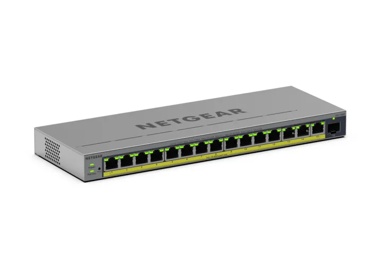
16-Port Gigabit Ethernet High-Power Unmanaged PoE+ Switch with FlexPoE (183W)current price £199.99


£162.99
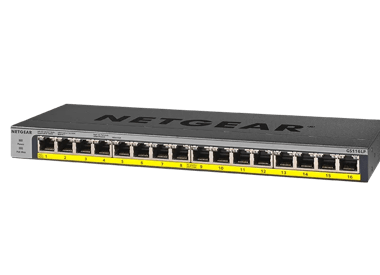
NETGEAR GS316P Unmanaged 16-Port PoE Gigabit Ethernet Switchcurrent price £162.99
£189.99
NETGEAR GS316PP Unmanaged 16-Port PoE+ Gigabit Ethernet Switchcurrent price £189.99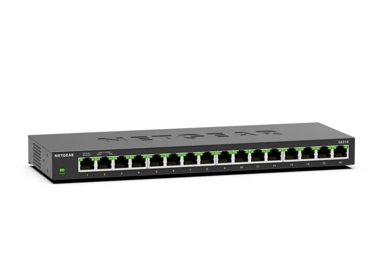

£139.99
8-Port Gigabit PoE+ Ethernet Smart Switch with 2 SFP Ports and Cloud Management (55W)current price £139.99


Showing 1-12 of 15
217 Items
Sort by
Knowledge Article
GS116E Firmware Version 1.00.20 - NETGEAR Support
Warning: Please make sure the version of the ProSAFE Plus Utility installed on your PC is v2.2.24 or newer before upgrading the GS116E firmware. Older versions of the Plus Utility do not support the password encryption required by V1.00.19 firmware. New Features and Enhancement: Add static mRouter port support. Bug Fixes: Change the default setting of loop detection from enable to disable. Known Issues: None Limitations: None Installation Instructions Download the new firmware to a convenient pl...
Knowledge Article
GS116Ev2/JGS516PE Firmware Version 2.0.1.26 - NETGEAR Support
Bug Fixes : Fixed the problem that switch configuration can be obtained through HTTP without login to the device. Fixed the problem that TCP connection cannot be established when TCP header Push (PSH) flag is set (PSH bit = 1) with TCP SYN or FIN flag is also set. Using the Download Link below, download the new firmware to a convenient place such as your desktop. Unzip the file from the zip folder and the filename after extracting is JGS516PE_GS116Ev2_V2.0.1.26.bin Download Link: http://www.down...
Knowledge Article
GS116E Firmware Version 1.00.19 - NETGEAR Support
Warning: Please make sure the version of the ProSAFE Plus Utility installed on your PC is v2.2.24 or newer before upgrading the GS116E firmware. Older versions of the Plus Utility do not support the password encryption required by V1.00.19 firmware. New Features and Enhancement: Make loop detection configurable. Allow the forwarding of ICMP PING packet with size greater than 512 bytes. Add password encryption. Bug Fixes: 1. Change the default setting of loop detection from enable to disable. Kno...
Knowledge Article
GS116E Firmware Version 1.00.21 - NETGEAR Support
Warning: Please make sure the version of the ProSAFE Plus Utility installed on your PC is v2.2.24 or newer before upgrading the GS116E firmware. Older versions of the Plus Utility do not support the password encryption required by V1.00.19 firmware. New Features and Enhancement: Fixed the issue that device does not send DHCP request to renew its IP address before DHCP lease expires. Modifications / Fixes: Change the default setting of loop detection from enable to disable. Known Issues: None Lim...
Knowledge Article
GS116Ev2/JGS516PE Firmware Version 2.0.1.17 - NETGEAR Support
New Features & Enhancements: Changed default setting of flow control from enable to disable Added online help support and registration page to WEB GUI Bug fixes: Fixed the problem of not able to login to the switch after the password is changed to “metr” or “andre123” using Plus Utility. Using the Download Link below, download the new firmware to a convenient place such as your desktop. Unzip the file from the zip folder and the filename after extracting is JGS516PE_GS116Ev2_V2.0.1.17.bin Downlo...
Knowledge Article
GS116E Firmware Version 1.00.16 - NETGEAR Support
New Features and Enhancement: None Bug Fixes: Fix the problem with port-based VLAN where uplink ports (VLAN Group = all) stops forwarding packet to other VLAN members after a power cycle. Known Issues: None Limitations: None Installation Instructions Download the new firmware to a convenient place on your local system and extract the ZIP file (e.g., C:\downloads\). Start ProSAFE Plus Configuration Utility, (included on the CD coming with your Smart Switch). If it is not installed, do so now, bef...
Knowledge Article
GS116Ev2 Firmware Version 2.0.0.31 - NETGEAR Support
Bug Fix: Fixed the problem that control packets from Plus Utility are flooded across VLANs Fixed the problem that file transfer would fail when FTP is in active mode Download and unzip the new file from NETGEAR Download Center by clicking the below URL. The filename after unzipping is GS116Ev2_V2.0.0.31.binDownload Link: http://downloadcenter.netgear.com/en/product/GS116Ev2 Last Updated:10/17/2025 | Article ID: 24498 Was this article helpful? Yes No
Knowledge Article
GS116EP/GS116EPP Firmware Version 2.0.0.3 - NETGEAR Support
Warnings: Read and follow these warnings before updating your firmware: Do not use the NETGEAR Switch Discovery Tool (NSDT) to discover the device as it is no longer supported from firmware version 1.0.4.4. Use NETGEAR Discovery Tool (NDT) or the latest NETGEAR Insight App to discover the switch at the same subnet. If you disable HTTP and a problem occurs with the HTTPS certificate of the switch, you might not be able to access the device UI. In this case, you must reset the switch to factory de...
Knowledge Article
GS116Ev2/JGS516PE Firmware Version 2.0.1.8 - NETGEAR Support
New Features: Added WEB GUI support to allow remote management over the internet. Bug fixes: When the device is configured to use dynamic DHCP IP address, no DHCP renewal request is sent after 50% of the lease time has passed. Last Updated:10/17/2025 | Article ID: 24472 Was this article helpful? Yes No
Knowledge Article
GS116Ev2/JGS516PE Firmware Version 2.0.1.24 - NETGEAR Support
New Features & Enhancements Changed the WEB GUI display format for MAC address from xx-xx-xx-xx-xx-xx to xx:xx:xx:xx:xx:xx Bug fixes: Fixed the problem that password is not encrypted in the backup configuration file. NOTE: The Plus Utility also needs to be updated to version 2.3.1 or newer. To Upgrade Using the Download Link below, download the new firmware to a convenient place such as your desktop. Unzip the file from the zip folder and the filename after extracting is JGS516PE_GS116Ev2_V2.0.1...
Knowledge Article
GS116EP/GS116EPP Firmware Version 2.0.0.1 - NETGEAR Support
Enhancements: Initial release Warnings: Do not use the NETGEAR Switch Discovery Tool (NSDT) to discover the device as it is no longer supported from firmware version 1.0.4.4. Use NETGEAR Discovery Tool (NDT) or the latest NETGEAR Insight App to discover the switch at the same subnet. If you disable HTTP and a problem occurs with the HTTPS certificate of the switch, you might not be able to access the device UI. In this case, you must reset the switch to factory default settings to regain access ...
Knowledge Article
JGS516PE / GS116Ev2 Firmware Version 2.6.0.24 - NETGEAR Support
New features and modifications: Revised some wordings on the web GUI for German language setting. After JGS516PE and GS116Ev2 are upgraded to FW version V2.6.0.21 or higher, it cannot work with Plus Utility version prior to V2.7.2. Please download the latest Plus Utility from http://www.netgear.com/support/product/PCU Upgrade Procedure Download the new firmware 2.6.0.24 from NETGEAR product support Website and store it in local PC, and remember its location in the PC’s file system. Unzip it to g...
Knowledge Article
JGS516PE / GS116Ev2 Firmware Version 2.6.0.50 - NETGEAR Support
Bug Fixes: Fixes the issue where you cannot access the device UI when it connects with OpenVPN. Download link: https://www.downloads.netgear.com/files/GDC/GS116EV2/JGS516PE_GS116Ev2_V2.6.0.50.zip Firmware Update Instructions: To update your product’s firmware, follow the instructions in your product’s user manual. To find your user manual, visit https://www.netgear.com/support/, enter your model number in the search box, and click the Documentation button on the product page. Last Updated:07/07/...
Knowledge Article
JGS516PE / GS116Ev2 Firmware Version 2.6.0.21 - NETGEAR Support
New feature and modifications: In addition to English, WEB GUI can now be displayed in German (Deutsch) or Japanese (日文). Implemented new and more secured encryption algorithm to work with newer versions of Plus Utility (V2.7.2 or higher). Implemented new access control. After JGS516PE and GS116Ev2 are upgraded to FW version V2.6.0.21 or higher, it cannot work with Plus Utility version prior to V2.7.2. Please download the latest Plus Utility from http://www.netgear.com/support/product/PCU Upgrad...
Knowledge Article
JGS516PE / GS116Ev2 Firmware Version 2.6.0.43 - NETGEAR Support
New Features and Modifications: For enhanced security, the default “password” must be changed when you log in to the switch for the first time. Changes the Switch Management Mode (System > Management > Switch Management Mode) default value from Web browser and Plus Utility to Web browser only. Security Fixes: PSV-2019-0194 For more information about security vulnerabilities, visit https://www.netgear.com/about/security. Bug Fixes: Addresses performance issue found in certain situations on firmwa...
Knowledge Article
JGS516PE / GS116Ev2 Firmware Version 2.0.1.40 - NETGEAR Support
New feature and modifications: Added a Switch Management Mode on the Web GUI to allow user to choose to manage the switch from Web browser only or from both Web browser and Plus Utility. Made power saving feature configurable. Implemented new and more secured encryption algorithm to work with new version of Plus Utility (V2.4.3 or higher). Bug fixes: Fixed the vulnerabilities of cross-site Scripting (XSS) and cross-site request forgery (CSRF) attacks. Fixed the issue where a pop-up alert "The pr...
Knowledge Article
JGS516PE / GS116Ev2 Firmware Version 2.6.0.35 - NETGEAR Support
New Features and Modifications: Added a new Port Description column to Port Status Table in the local browser interface. In the local browser interface, change page title from NETGEAR ProSAFE Plus Switch to NETGEAR JGS516PE and NETGEAR GS116Ev2. In the help section of the local browser interface, links to Documentation and Support will now open up in the same language as selected for the local browser interface. Security Fixes: PSV-2018-0542 PSV-2018-0612 Bug Fixes: Access control list does not ...
Knowledge Article
JGS516PE / GS116Ev2 Firmware Version 2.6.0.22 - NETGEAR Support
Bug Fixes: Fixes the issue where the fan failure LED may light up falsely for certain units. After JGS516PE and GS116Ev2 are upgraded to FW version V2.6.0.21 or higher, it cannot work with Plus Utility version prior to V2.7.2. Please download the latest Plus Utility from http://www.netgear.com/support/product/PCU Upgrade Procedure Download the new firmware 2.6.0.21 from NETGEAR product support Website and store it in local PC, and remember its location in the PC’s file system. Unzip it to get th...
Knowledge Article
JGS516PE / GS116Ev2 Firmware Version 2.6.0.48 - NETGEAR Support
New Features and Enhancements: Add a control option to disable or enable file transfer via TFTP (Trivial File Transfer Protocol), under System > Management > Switch Managed Mode). Default is Disable. Security Fixes: Various security vulnerability fixes and enhancements. For more information about security vulnerabilities, visit https://www.netgear.com/about/security. Download link: https://www.downloads.netgear.com/files/GDC/GS116EV2/JGS516PE_GS116Ev2_V2.6.0.48.zip Firmware Update Instructions: ...
Knowledge Article
GS316EP / GS316EPP / GS116EP / GS116EPP Firmware Version 2.0.0.5 - NETGEAR Support
Release Date: October 27, 2025 Enhancements: Changes the default behavior of the switch: IGMP Snooping is enabled by default. Block Unknown Multicast Address is disabled by default. Warnings: Read and follow these warnings before updating your firmware: Do not use the NETGEAR Switch Discovery Tool (NSDT) to discover the device as it is no longer supported from firmware version 1.0.4.4. Use NETGEAR Discovery Tool (NDT) or the latest NETGEAR Insight App to discover the switch at the same subnet. I...
Showing 1-20 of 217
498 Items
Sort by
Discussion Post
Product state of GS116E | NETGEAR Communities
Hi, I am trying to determine whether the Ethernet switch GS116E is still supported or has reached the end of its product cycle. The NETGEAR product...
Discussion Post
Sanitization Procedures for GS108X and GS116 | NETGEAR Communities
Hello, I am looking for the letter of volatility and sanitization procedures for the GS108X (8-port 1Gb Switch with 10gb SFP+ Uplink GS108X - NETGEAR)...
Discussion Post
gs116ev2 V2.6.0.50 update does not apply | NETGEAR Communities
Hi, just updating the gs116ev2 to the firmware V2.6.0.50 released recently, have unzipped it - gone to maintenance, FW update, selected the bin file (called...
Discussion Post
GS116E Replcement | NETGEAR Communities
I have a GS116E that was smoked in a lightning strike. What should I replace it with?
Discussion Post
GS116E Login Timeout | NETGEAR Communities
I've got a GS116E I'm trying to configure but i can't login. I put it on a network and logged into the gateway, found the switch's IP address, put that...
Discussion Post
GS116eV2 Accessing the Web Gui | NETGEAR Communities
To Whom It May Concern: Sometimes last year I turned on the GS116eV2, went into the settings, mess around a bit, change the static IP, change the...
Discussion Post
GS116Ev2 is throttling internet bandwidth | NETGEAR Communities
I have replace a 16 port Gigabit Ethernet Unmanaged Switch with GS116Ev2 16 port Gigabit Smart Managed Plus switch. My broadband bandwitch is...
Discussion Post
GS116Ev2 without MLD? | NETGEAR Communities
Hey, I am using an GS116Ev2. I require mutlicast "management" for IPv6 addresses. I figured that this is the Mulicast Listener Discovery (MLD) protocol. I...
Discussion Post
GS116Ev2 web gui no longer works with latest iOS 15 | NETGEAR Communities
Access to the GUI works fine with Windows browsers, however, since iOS 15.7.6? I can login but only see details on the left/menu side, the right pane is...
Discussion Post
GS116E-200NAS Letter of Volatility | NETGEAR Communities
Good Afternoon, Would it be possible to get a copy of the Letter of Volatility for the GS116E-100NAS Switch? Thank you!
Discussion Post
GS116 Letter of Volatility (LOV) Request | NETGEAR Communities
I am in need of a letter of volatility for the GS116. Thanks.
Discussion Post
GS105v5 and GS116v2 forward packets sent to "nearest bridge" address in violation of IEEE 802.1D | NETGEAR Communities
IEEE 802.1D, the standard for Ethernet switches/bridges reserves the MAC range 01:80:C2:00:00:00 – 01:80:C2:00:00:0F for special purposes (such as...
Discussion Post
Does the GS116NA have the capabilty to duplex? | NETGEAR Communities
I have a GS116NA and it is conmnected to my Synology NAS. I'm trying to use the Bond feature which would lewt me use two ethernet connections. Problem is I...
Discussion Post
GS116E Users manual | NETGEAR Communities
Where can i get a copy of the GS116E users manual? All I can find is a ProSAFE_Plus_Utility manual.
Discussion Post
Configuring GS116PP to power Echelon EX-5s 60w via PoE | NETGEAR Communities
Can a 12v 5a PoE injector/splitter kit be used on the ethernet cable going to the remote exercise bike (non-PoE) to provide power? Assuming this will...
Discussion Post
Can anyone provide a Letter of Volatility for the Netgear Prosafe 16 Port Gigabit Switch - GS116v2? | NETGEAR Communities
Discussion Post
GS116Ev2 - Network Conflict | NETGEAR Communities
Yesterday I needed to change the config on one of my switches (switch 1), somehow it didn’t do what I wanted, so I reset to default settings and configured...
Discussion Post
LAN Link Aggregation R8000p with GS116Ev2 Managed Switch | NETGEAR Communities
R8000P Router Port 1 and 2 Link Aggregation Static Mode with GS116Ev2 Managed Switch. I am unable to get this working. Changed cables, new...
Discussion Post
Netgear GS116Ev2 - Connectivity Issues | NETGEAR Communities
Have a network set up with GS308T's. Works great and using LAG with LACP. Wanted more ports so looked for a GS316T but no joy. ...
Discussion Post
Netgear managed switch GS116Ev2 error The switch and manager IP address are not in the same subnet | NETGEAR Communities
When trying to use Prosafe configuration utility I am receiving the message "The switch and manager IP address are not in the same subnet!" How do I...
Showing 1-20 of 498
We couldn’t find anything for "GS116".
Showing 0-0 of 0
5 Items
Streamlining Networks with NETGEAR Solutions for Global Firm
HVS tackled complex AV networking challenges with advanced solutions from Netgear improving connectivity & efficiency. Learn how their system evolved today!
Upgrade Your Surveillance With PoE - NETGEAR Hub
Read our blog on upgrading your surveillance with PoE switches. Learn more here.
Manage Your Network Easier with NETGEAR Smart Switch CLI
Simplify network management with NETGEAR Smart Switch CLI. Configure, monitor, and troubleshoot your switches all from one place.
GS108MX Switch Unveiled: Modern Business Connectivity
NETGEAR is launching its latest unmanaged switch, the GS108MX, featuring one 10G/Multi-Gigabit Ethernet port for non-blocking uplink.
NARL Builds a High-Availability, High-Throughput Network Powered by NETGEAR - NETGEAR Blog
Discover how NARL built a high-availability, high-throughput research network using NETGEAR MLAG to enable nonstop, petabyte-scale scientific data processing.
Showing 1-5 of 5