
Search results for: FS116
5 Items
Sort by

£199.99
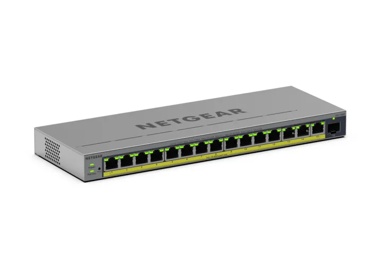
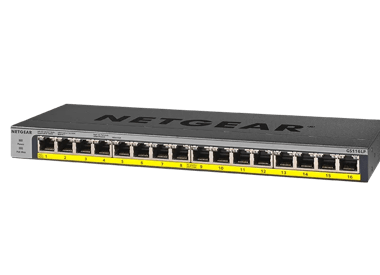
16-Port Gigabit Ethernet High-Power Unmanaged PoE+ Switch with FlexPoE (183W)current price £199.99

Showing 1-5 of 5
42 Items
Sort by
Knowledge Article
ProSAFE Plus Configuration Utility v2.2.26 - NETGEAR Support
New Features and Enhancement: None. Bug Fixes: Fix the problem of buttons overlap when using Deutsch & François language. Note to Windows 8 users: One of the components installed as part of the Plus Utility program is WinPCap. WinPCap is not supported on Windows 8. If your computer uses Windows 8, a WinPCap error message will display during installation. WinPCap is used to manage FS116E and JFS524E switches only. If you are not managing FS116E or JFS524E switches, ignore the message. If you are ...
Knowledge Article
ProSAFE Plus Configuration Utility v2.2.25 - NETGEAR Support
New Features and Enhancement: None. Bug Fixes: Fix the problem of not able to discover GS105E if GS105E is in boot-loader mode. Note to Windows 8 users: One of the components installed as part of the Plus Utility program is WinPCap. WinPCap is not supported on Windows 8. If your computer uses Windows 8, a WinPCap error message will display during installation. WinPCap is used to manage FS116E and JFS524E switches only. If you are not managing FS116E or JFS524E switches, ignore the message. If yo...
Security Advisory
Security Advisory for Insecure SOAP Access in ProSAFE Plus Configuration Utility, PSV-2017-1997 - NETGEAR Support
NETGEAR is aware of a security issue in the ProSAFE Plus Configuration Utility that allows an unauthenticated user to change settings on NETGEAR switches that the ProSAFE Plus Utility can configure. This insecure Simple Object Access Protocol (SOAP) access vulnerability can only be exploited from a computer on the local network and must be exploited while the utility is running. This vulnerability is present in the following utility versions: ProSAFE Plus Configuration Utility versions earlier t...
Knowledge Article
EU Declarations of Conformity - NETGEAR Support
Please click on the Model to view Declarations of Conformity. To access EU Declarations of Conformity for Arlo products, visit https://kb.arlo.com/000061839/EU-Declarations-of-Conformity-for-Arlo-and-VueZone. Model 6000451 A6100 A6150 A6210 A7000 A7500 A8000 A8500 A9000 ACM761 / ACM762 / AXLM761 / AXLM762 ACC761 / ACC763 / AXLC761 / AXLC763 AC785S AC790S AC810 / AC810S AFT402 AGM731F AGM732F AGM734 AirCard 797 (AC797) APM402XL APM408 / APM402 APS150W APS250W APS254W APS299W APS350W APS550W APS60...
Knowledge Article
Unable to detect the ProSAFE plus switch using the UM+ utility - NETGEAR Support
ProSAFE Plus switches are configured using the UM+ utility installed on a MS Windows based computer. When the UM+ utility starts, it will detect and display the ProSAFE Plus switches in the network. If the UM+ utility cannot detect the ProSAFE Plus switch, Make sure there is network connectivity from the computer to the ProSAFE Plus switch. Some firewall software installed on the computer may prevent the UM+ utility to detect the ProSAFE Plus switch. Try disabling the firewall software. Some sof...
Knowledge Article
GS116E Firmware Version 1.00.21 - NETGEAR Support
Warning: Please make sure the version of the ProSAFE Plus Utility installed on your PC is v2.2.24 or newer before upgrading the GS116E firmware. Older versions of the Plus Utility do not support the password encryption required by V1.00.19 firmware. New Features and Enhancement: Fixed the issue that device does not send DHCP request to renew its IP address before DHCP lease expires. Modifications / Fixes: Change the default setting of loop detection from enable to disable. Known Issues: None Lim...
Knowledge Article
GS116Ev2 Firmware Version 2.0.0.31 - NETGEAR Support
Bug Fix: Fixed the problem that control packets from Plus Utility are flooded across VLANs Fixed the problem that file transfer would fail when FTP is in active mode Download and unzip the new file from NETGEAR Download Center by clicking the below URL. The filename after unzipping is GS116Ev2_V2.0.0.31.binDownload Link: http://downloadcenter.netgear.com/en/product/GS116Ev2 Last Updated:10/17/2025 | Article ID: 24498 Was this article helpful? Yes No
Knowledge Article
GS116EP/GS116EPP Firmware Version 2.0.0.1 - NETGEAR Support
Enhancements: Initial release Warnings: Do not use the NETGEAR Switch Discovery Tool (NSDT) to discover the device as it is no longer supported from firmware version 1.0.4.4. Use NETGEAR Discovery Tool (NDT) or the latest NETGEAR Insight App to discover the switch at the same subnet. If you disable HTTP and a problem occurs with the HTTPS certificate of the switch, you might not be able to access the device UI. In this case, you must reset the switch to factory default settings to regain access ...
Knowledge Article
GS116E Firmware Version 1.00.19 - NETGEAR Support
Warning: Please make sure the version of the ProSAFE Plus Utility installed on your PC is v2.2.24 or newer before upgrading the GS116E firmware. Older versions of the Plus Utility do not support the password encryption required by V1.00.19 firmware. New Features and Enhancement: Make loop detection configurable. Allow the forwarding of ICMP PING packet with size greater than 512 bytes. Add password encryption. Bug Fixes: 1. Change the default setting of loop detection from enable to disable. Kno...
Knowledge Article
GS116EP/GS116EPP Firmware Version 2.0.0.3 - NETGEAR Support
Warnings: Read and follow these warnings before updating your firmware: Do not use the NETGEAR Switch Discovery Tool (NSDT) to discover the device as it is no longer supported from firmware version 1.0.4.4. Use NETGEAR Discovery Tool (NDT) or the latest NETGEAR Insight App to discover the switch at the same subnet. If you disable HTTP and a problem occurs with the HTTPS certificate of the switch, you might not be able to access the device UI. In this case, you must reset the switch to factory de...
Knowledge Article
GS116Ev2/JGS516PE Firmware Version 2.0.1.26 - NETGEAR Support
Bug Fixes : Fixed the problem that switch configuration can be obtained through HTTP without login to the device. Fixed the problem that TCP connection cannot be established when TCP header Push (PSH) flag is set (PSH bit = 1) with TCP SYN or FIN flag is also set. Using the Download Link below, download the new firmware to a convenient place such as your desktop. Unzip the file from the zip folder and the filename after extracting is JGS516PE_GS116Ev2_V2.0.1.26.bin Download Link: http://www.down...
Knowledge Article
GS116E Firmware Version 1.00.16 - NETGEAR Support
New Features and Enhancement: None Bug Fixes: Fix the problem with port-based VLAN where uplink ports (VLAN Group = all) stops forwarding packet to other VLAN members after a power cycle. Known Issues: None Limitations: None Installation Instructions Download the new firmware to a convenient place on your local system and extract the ZIP file (e.g., C:\downloads\). Start ProSAFE Plus Configuration Utility, (included on the CD coming with your Smart Switch). If it is not installed, do so now, bef...
Knowledge Article
GS116E Firmware Version 1.00.20 - NETGEAR Support
Warning: Please make sure the version of the ProSAFE Plus Utility installed on your PC is v2.2.24 or newer before upgrading the GS116E firmware. Older versions of the Plus Utility do not support the password encryption required by V1.00.19 firmware. New Features and Enhancement: Add static mRouter port support. Bug Fixes: Change the default setting of loop detection from enable to disable. Known Issues: None Limitations: None Installation Instructions Download the new firmware to a convenient pl...
Knowledge Article
GS116Ev2/JGS516PE Firmware Version 2.0.1.24 - NETGEAR Support
New Features & Enhancements Changed the WEB GUI display format for MAC address from xx-xx-xx-xx-xx-xx to xx:xx:xx:xx:xx:xx Bug fixes: Fixed the problem that password is not encrypted in the backup configuration file. NOTE: The Plus Utility also needs to be updated to version 2.3.1 or newer. To Upgrade Using the Download Link below, download the new firmware to a convenient place such as your desktop. Unzip the file from the zip folder and the filename after extracting is JGS516PE_GS116Ev2_V2.0.1...
Knowledge Article
GS116Ev2/JGS516PE Firmware Version 2.0.1.8 - NETGEAR Support
New Features: Added WEB GUI support to allow remote management over the internet. Bug fixes: When the device is configured to use dynamic DHCP IP address, no DHCP renewal request is sent after 50% of the lease time has passed. Last Updated:10/17/2025 | Article ID: 24472 Was this article helpful? Yes No
Knowledge Article
GS116Ev2/JGS516PE Firmware Version 2.0.1.17 - NETGEAR Support
New Features & Enhancements: Changed default setting of flow control from enable to disable Added online help support and registration page to WEB GUI Bug fixes: Fixed the problem of not able to login to the switch after the password is changed to “metr” or “andre123” using Plus Utility. Using the Download Link below, download the new firmware to a convenient place such as your desktop. Unzip the file from the zip folder and the filename after extracting is JGS516PE_GS116Ev2_V2.0.1.17.bin Downlo...
Knowledge Article
JGS516PE / GS116Ev2 Firmware Version 2.0.1.40 - NETGEAR Support
New feature and modifications: Added a Switch Management Mode on the Web GUI to allow user to choose to manage the switch from Web browser only or from both Web browser and Plus Utility. Made power saving feature configurable. Implemented new and more secured encryption algorithm to work with new version of Plus Utility (V2.4.3 or higher). Bug fixes: Fixed the vulnerabilities of cross-site Scripting (XSS) and cross-site request forgery (CSRF) attacks. Fixed the issue where a pop-up alert "The pr...
Knowledge Article
JGS516PE / GS116Ev2 Firmware Version 2.6.0.21 - NETGEAR Support
New feature and modifications: In addition to English, WEB GUI can now be displayed in German (Deutsch) or Japanese (日文). Implemented new and more secured encryption algorithm to work with newer versions of Plus Utility (V2.7.2 or higher). Implemented new access control. After JGS516PE and GS116Ev2 are upgraded to FW version V2.6.0.21 or higher, it cannot work with Plus Utility version prior to V2.7.2. Please download the latest Plus Utility from http://www.netgear.com/support/product/PCU Upgrad...
Knowledge Article
JGS516PE / GS116Ev2 Firmware Version 2.6.0.50 - NETGEAR Support
Bug Fixes: Fixes the issue where you cannot access the device UI when it connects with OpenVPN. Download link: https://www.downloads.netgear.com/files/GDC/GS116EV2/JGS516PE_GS116Ev2_V2.6.0.50.zip Firmware Update Instructions: To update your product’s firmware, follow the instructions in your product’s user manual. To find your user manual, visit https://www.netgear.com/support/, enter your model number in the search box, and click the Documentation button on the product page. Last Updated:07/07/...
Knowledge Article
JGS516PE / GS116Ev2 Firmware Version 2.6.0.24 - NETGEAR Support
New features and modifications: Revised some wordings on the web GUI for German language setting. After JGS516PE and GS116Ev2 are upgraded to FW version V2.6.0.21 or higher, it cannot work with Plus Utility version prior to V2.7.2. Please download the latest Plus Utility from http://www.netgear.com/support/product/PCU Upgrade Procedure Download the new firmware 2.6.0.24 from NETGEAR product support Website and store it in local PC, and remember its location in the PC’s file system. Unzip it to g...
Showing 1-20 of 42
135 Items
Sort by
Discussion Post
5v 5amp power supply for netgear fs116 fast ethernet switch | NETGEAR Communities
I have misplaced the power supply for my netgear fs116 fast ethernet switch. It requires 5v 5amp, but I am having trouble sourcing one. Any ideas? Also,...
Discussion Post
FS116 Letter of Volatility | NETGEAR Communities
I would like to request a Letter of Volatility for the FS116 unmanaged switch, thank you!
Discussion Post
Can FS116 be PoE compatible? | NETGEAR Communities
I am trying to connect a phone system that uses power over ethernet (PoE) but I have found out the the switch I use (FS116) does not have PoE. It says N/A on...
Discussion Post
cable modem CM400 & Fast Switch FS116 | NETGEAR Communities
Hi - We have just moved into a new house and it came with a FS116 in the basement. I've managed to get our internet set up and am using our...
Discussion Post
FS116 running at 1/2 router (Cisco EA4500) speed | NETGEAR Communities
Good morning all..I'm walt in Baton Rouge...and am hoping you can shed some light...I bought an FS116 to add ports to router about 4 months ago. just...
Discussion Post
after installing a new fs116 switch it will allow laptop to connect but not printer. | NETGEAR Communities
after installing a new fs116, my laptop will connect but none of my printers will, even connecting to the same port with the same cable that the laptop was...
Discussion Post
FS116 - does it have network information? | NETGEAR Communities
does the FS116 have netowrk data available?
Discussion Post
0x8899 broacasts / Realtek Layer 2 Protocols | NETGEAR Communities
Hello, I have a network admin and reviewing the network traffic on a client network. They have a NETGEAR ProSafe FS116P v2 switch The device is constantly...
Discussion Post
GS116Ev2 cannot find printers | NETGEAR Communities
Just replaced my Prosafe FS116 with the ProSAFE GS116Ev2. Exactly the same connections to a Virgin Media Router/Wifi and to various peripherals...
Discussion Post
MAC address fGS116 "Prosafe 16 Port Gigabit Switch" | NETGEAR Communities
How do I get the MAC address for my GS116 "Prosafe 16 Port Gigabit Switch"?
Discussion Post
Product state of GS116E | NETGEAR Communities
Hi, I am trying to determine whether the Ethernet switch GS116E is still supported or has reached the end of its product cycle. The NETGEAR product...
Discussion Post
Sanitization Procedures for GS108X and GS116 | NETGEAR Communities
Hello, I am looking for the letter of volatility and sanitization procedures for the GS108X (8-port 1Gb Switch with 10gb SFP+ Uplink GS108X - NETGEAR)...
Discussion Post
gs116ev2 V2.6.0.50 update does not apply | NETGEAR Communities
Hi, just updating the gs116ev2 to the firmware V2.6.0.50 released recently, have unzipped it - gone to maintenance, FW update, selected the bin file (called...
Discussion Post
GS116E Replcement | NETGEAR Communities
I have a GS116E that was smoked in a lightning strike. What should I replace it with?
Discussion Post
GS116E Login Timeout | NETGEAR Communities
I've got a GS116E I'm trying to configure but i can't login. I put it on a network and logged into the gateway, found the switch's IP address, put that...
Discussion Post
GS116eV2 Accessing the Web Gui | NETGEAR Communities
To Whom It May Concern: Sometimes last year I turned on the GS116eV2, went into the settings, mess around a bit, change the static IP, change the...
Discussion Post
GS116Ev2 is throttling internet bandwidth | NETGEAR Communities
I have replace a 16 port Gigabit Ethernet Unmanaged Switch with GS116Ev2 16 port Gigabit Smart Managed Plus switch. My broadband bandwitch is...
Discussion Post
GS116Ev2 without MLD? | NETGEAR Communities
Hey, I am using an GS116Ev2. I require mutlicast "management" for IPv6 addresses. I figured that this is the Mulicast Listener Discovery (MLD) protocol. I...
Discussion Post
GS116Ev2 web gui no longer works with latest iOS 15 | NETGEAR Communities
Access to the GUI works fine with Windows browsers, however, since iOS 15.7.6? I can login but only see details on the left/menu side, the right pane is...
Discussion Post
GS116E-200NAS Letter of Volatility | NETGEAR Communities
Good Afternoon, Would it be possible to get a copy of the Letter of Volatility for the GS116E-100NAS Switch? Thank you!
Showing 1-20 of 135
We couldn’t find anything for "FS116".
Showing 0-0 of 0
2 Items
Streamlining Networks with NETGEAR Solutions for Global Firm
HVS tackled complex AV networking challenges with advanced solutions from Netgear improving connectivity & efficiency. Learn how their system evolved today!
Upgrade Your Surveillance With PoE - NETGEAR Hub
Read our blog on upgrading your surveillance with PoE switches. Learn more here.
Showing 1-2 of 2