
Search results for: GS108E
15 Items
Sort by
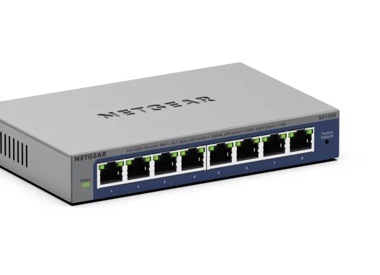

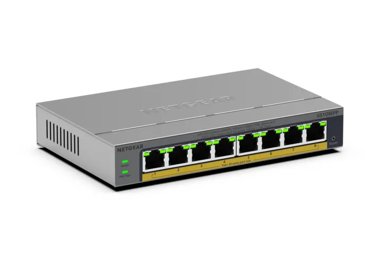
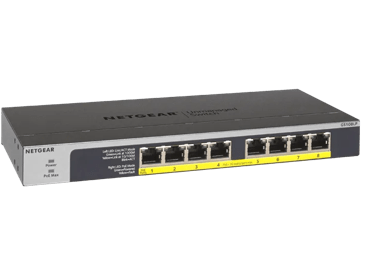
£93.99
NETGEAR GS108LP Unmanaged 8-Port Gigabit Ethernet PoE/PoE+ Switchcurrent price £93.99
£89.99
8-Port Gigabit Ethernet PoE+ Easy Smart Essentials Switch (62W)current price £89.99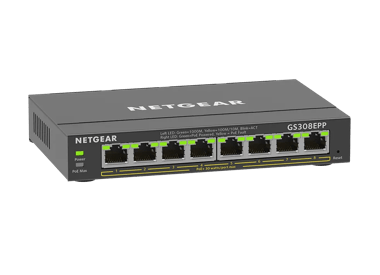
£119.99
8-Port Gigabit Ethernet Easy Smart Essentials PoE Switch (123W)current price £119.99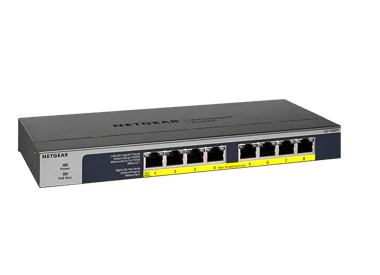
£116.99
8-Port Gigabit Ethernet High-power PoE+ Unmanaged Switch with FlexPoE (123W)current price £116.99


Showing 1-12 of 15
250 Items
Sort by
Knowledge Article
GS108E Firmware Version 1.00.10 - NETGEAR Support
Warning Please make sure the version of the ProSAFE Plus Utility installed on your PC is v2.2.24 or newer before upgrading the GS108Ev2 firmware. Older versions of the Plus Utility do not support the password encryption required by V1.00.10 firmware. New Features and Enhancements: Make loop detection configurable. Allow the forwarding of ICMP PING packet with size greater than 512 bytes. Add password encryption. Bug Fixes: Change the default setting of loop detection from enable to disable Limit...
Knowledge Article
GS108Ev3 Firmware Version 2.00.09 - NETGEAR Support
New Features and Enhancements: Added the option to disable/enable Plus Utility Management through Web GUI. Bug Fixes: Fixed the issue that regardless of current setting, port speed is changed to “Auto” (autonegotiation) and flow control is changed to “Enable” after running the cable test on a port. Fixed the security vulnerability issue related to CSRF (Cross-Site request forgery) attacks. Limitations: To support WEB GUI, all HTTP packets are forwarded to the embedded CPU. With Flow Control enab...
Knowledge Article
GS108Ev3 Firmware Version 2.00.08 - NETGEAR Support
Bug Fixes: Fixed the web GUI counter issue where Bytes Received and Bytes Sent (under System > Monitoring > Port Statistics) gets reset to zero after reaching 4294967295. Limitations: To support WEB GUI, all HTTP packets are forwarded to the embedded CPU. With Flow Control enabled, throughput will be impacted if the rate is higher than the CPU can handle. Configuration obtained from the Plus Utility cannot be used by Web GUI and vice versa. IGMP dynamic router port does not timeout exactly at 30...
Knowledge Article
GS108Ev4 Firmware Version 1.0.1.13 - NETGEAR Support
Release Date: March 30, 2026. New Features and Enhancements: Support for adjusting the management VLAN to enhance network management flexibility. Support for manual SNTP server configuration for system time synchronization. Bug Fixes: Fixes the issue where multicast traffic was incorrectly forwarded across different VLANs. Warnings: Read and follow these warnings before updating your firmware: As of firmware version 1.0.1.3, the NETGEAR Switch Discovery Protocol (NSDP) that was used by the old N...
Knowledge Article
GS108EP / GS108EPP Firmware Version 2.0.0.11 - NETGEAR Support
Release Date: June 29, 2026 New Features and Enhancements: Support for adjusting the management VLAN to enhance network management flexibility. Note: After you update to this firmware, the switch management page is only accessible from ports in VLAN 1, which is the default management VLAN. If you are accessing the switch from a port assigned to a different VLAN, you need to switch to a VLAN 1 port to regain access. Support for manual SNTP server configuration for system time synchronization. Sup...
Knowledge Article
GS108Ev4 Firmware Version 1.0.1.9 - NETGEAR Support
Bug Fixes: Fixes the issue where IPv6 multicast packets were incorrectly forwarded across different VLANs. Warnings: Read and follow these warnings before updating your firmware: As of firmware version 1.0.1.3, the NETGEAR Switch Discovery Protocol (NSDP) that was used by the old NETGEAR Switch Discovery Tool (NSDT) is no longer supported. Instead, now use the NDT or the latest NETGEAR Insight app to discover the switch in the same subnet. Download Link: https://www.downloads.netgear.com/files/G...
Knowledge Article
GS108Ev3 Firmware Version 2.06.16 - NETGEAR Support
New Features: Added a control option to disable or enable file transfer via TFTP (Trivial File Transfer Protocol), under System > Management > Switch Managed Mode). Default is Disable. Security Fixes: Various security vulnerability fixes and enhancements. Known Issues: To support WEB GUI, all HTTP packets are forwarded to the embedded CPU. With Flow Control enabled, throughput will be impacted if the rate is higher than the CPU can handle. Configuration obtained from the Plus Utility cannot be u...
Knowledge Article
GS108Ev3 Firmware Version 2.06.08 - NETGEAR Support
V2.06.08 has 3 firmware images. Each supports a different language for the WEB GUI: English, German, and Japanese: The supported language is identified by the suffix of image filename: EN - English. GR - German (Deutsch). JP - Japanese (日本語). New Feature: Add a new column to Port Status to display “Max MTU” supported by the device. Modification: Change Web GUI page title from “NETGEAR ProSAFE Plus Switch” to “NETGEAR GS108Ev3” Change production description from “ 8-Port Gigabit ProSAFE Plus Swit...
Knowledge Article
GS108Ev4 Firmware Version 1.0.1.1 - NETGEAR Support
Bug Fixes: Fixes the issue where packets that are tagged with high priority are not being treated correctly when QoS mode is set to 802.1P/DSCP (see SWITCHING > QOS). Download Links: https://www.downloads.netgear.com/files/GDC/GS108Ev4/GS108Ev4_V1.0.1.1.zip Firmware Update Instructions: To update your product’s firmware, follow the instructions in your product’s user manual. To find your user manual, visit https://www.netgear.com/support/, enter your model number in the search box, and click the...
Knowledge Article
GS108Ev3 Firmware Version 2.06.14 - NETGEAR Support
V2.06.14 has 3 firmware images. Each supports a different language for the WEB GUI: English, German, and Japanese. The supported language is identified by the suffix of image filename: EN - English. GR - German (Deutsch). JP - Japanese (日文). Security Fixes: Various security fixes and enhancements. Known Issues: To support WEB GUI, all HTTP packets are forwarded to the embedded CPU. With Flow Control enabled, throughput will be impacted if the rate is higher than the CPU can handle. Configuration...
Knowledge Article
GS108Ev2 Firmware Version 1.00.06 - NETGEAR Support
New Feature and Enhancement: None. Bug Fixes: Packets with VLAN tag are forwarded out from ports that should have the VLAN tag removed. Packets without VLAN tag are forwarded out from ports that should have the VLAN tag. Known Issues: None Limitations: Cable Test is designed to work specifically with Category 5 (CAT-5) cable. Incorrect test result may be shown if different type of cable is used. The accuracy of the Cable Test is within 5 meters. So, testing with cable shorter than 5 meters may y...
Knowledge Article
GS108Ev3 Firmware Version 2.00.03 - NETGEAR Support
New Features & Enhancements Initial Release Limitations: Configuration obtained from the Plus Utility cannot be used by Web GUI and vice versa. IGMP dynamic router port does not timeout exactly at 300 seconds. It could be anywhere from 300 to 600 seconds. IGMP host timeout is not exactly 260 seconds. It could be anywhere from 260 to 520 seconds. Using the Download Link below, download and extract the new firmware to a convenient place such as your desktop. Download Link: http://www.downloads.net...
Knowledge Article
GS108Ev3 Firmware Version 2.06.17 - NETGEAR Support
Security Fixes: Fixes security vulnerabilities. For more information about security vulnerabilities, visit https://www.netgear.com/about/security/. Known Issues: To support the device UI, all HTTP packets are forwarded to the embedded CPU. With Flow Control enabled, throughput will be impacted if the rate is higher than the CPU can handle. Configuration obtained from the Plus Utility cannot be used by device UI, and vice versa. IGMP dynamic router port does not timeout exactly at 300 seconds. It...
Knowledge Article
GS108Ev3 Firmware Version 2.06.03 - NETGEAR Support
New features and modifications: V2.06.03 has 3 firmware images. Each supports a different language for the WEB GUI: English, German, and Japanese. The supported language is identified by the postfix of image filename: EN - English. GR - German (Deutsch). JP - Japanese (日本語). Implemented new and more secured encryption algorithm to work with newer versions of Plus Utility (V2.7.2 or higher). WARNING: After GS108Ev3 are upgraded to FW version V2.06.03 or higher, it cannot work with Plus Utility ve...
Knowledge Article
GS108Ev3 Firmware Version 2.00.12 - NETGEAR Support
New Features and Enhancements: Implemented new and more secured encryption algorithm to work with new version of Plus Utility (V2.4.3 or higher). WARNING: After GS108Ev3 are upgraded to FW version V2.00.12 or higher, it cannot work with Plus Utility version prior to V2.4.3. Please download the latest Plus Utility from http://www.netgear.com/support/product/PCU Limitations: To support WEB GUI, all HTTP packets are forwarded to the embedded CPU. With Flow Control enabled, throughput will be impact...
Knowledge Article
GS108Ev3 Firmware Version 2.06.24 - NETGEAR Support
New Features: Can enable and disable the power saving mode (IEEE 802.3az) on the Switch Information page. (In the device UI, select System > Management > Switch Information.) Bug Fixes: Fixes the issue where the settings for the 802.1Q VLAN Advanced function (in the device UI, select VLAN > 802.1Q > Advanced) are missing in the German version. Known Issues: When you access the device UI, all HTTP packets are forwarded to the embedded CPU. If flow control is enabled, the throughput is impacted if...
Knowledge Article
GS108EP / GS108EPP Firmware Version 2.0.0.5 - NETGEAR Support
Enhancements: Initial release Bug fixes: Fixes the issue where the switch incorrectly forwards specific multicast traffic across different VLANs. Download Link: https://www.downloads.netgear.com/files/GDC/GS108EP/GS108EP_GS108EPP_V2.0.0.5.zip Firmware Update Instructions: To update your product’s firmware, follow the instructions in your product’s user manual. To find your user manual, visit https://www.netgear.com/support/, enter your model number in the search box, and click the Documentation ...
Knowledge Article
GS108Ev2 Firmware Version 1.00.11 - NETGEAR Support
Warning: Please make sure the version of the ProSAFE Plus Utility installed on your PC is v2.2.24 or newer before upgrading the GS108Ev2 firmware. Older versions of the Plus Utility do not support the password encryption required by V1.00.10 firmware. Bug Fixes: Fixed the issue that device broadcasts loop detection packets periodically even when the feature is disabled. Limitations: Cable Test is designed to work specifically with Category 5 (CAT-5) cable. Incorrect test result may be shown if d...
Knowledge Article
GS108Ev2 Firmware Version 1.00.12 - NETGEAR Support
Warning Please make sure the version of the ProSAFE Plus Utility installed on your PC is v2.2.24 or newer before upgrading the GS108Ev2 firmware. Older versions of the Plus Utility do not support the password encryption required by V1.00.10 firmware. Bug Fixes: Fixed the issue that device does not send DHCP request to renew its IP address before DHCP lease expires. Limitations: Cable Test is designed to work specifically with Category 5 (CAT-5) cable. Incorrect test result may be shown if differ...
Knowledge Article
GS108Ev3 Firmware Version 2.06.10 - NETGEAR Support
V2.06.10 has 3 firmware images. Each supports a different language for the WEB GUI: English, German, and Japanese. The supported language is identified by the suffix of image filename: EN - English. GR - German (Deutsch). JP - Japanese (日文). New Feature: The default admin password must be changed to a unique password after the first login. Modification: Changes the Switch Management Mode (System > Management > Switch Management Mode) default value from Web browser and Plus Utility to Web browser...
Showing 1-20 of 250
885 Items
Sort by
Discussion Post
Web firmware upgrade for GS108Ev3 failing | NETGEAR Communities
I wante to upgrade to version 2.00.05 but don't have a Windows machine handy. So I thought I'd use the web interface. After entering "loader mode" on...
Discussion Post
GS108ev3 - Utility stops responding | NETGEAR Communities
Just purhcased a GS108Ev3 switch, and I was able to open up the ProSafe Plus Config utility and select the switch to assign an IP address. The switch...
Discussion Post
GS108Ev3 Firmware Upgrade Issues | NETGEAR Communities
This is still a problem. I bought the GS108E (v3) last week. I couldn't configure the switch using 192.168.0.239 (my PC has a static IP of 192.168.0.200). I...
Discussion Post
GS108Ev3 Cannot set VLAN for management interface | NETGEAR Communities
I just purchased a GS108Ev3 because I needed some simple VLAN segregation for a small group of machines "down the hall" from my core networking equipment....
Discussion Post
Weak wifi with Netgear GS108E | NETGEAR Communities
I get a very weak download speed on wifi after I plugged in my Netgear GS108E switch. I have a 100/10 (down/up) Mbit/s fiber connection. Have tried...
Discussion Post
No Gigabit connection GS108Ev3 | NETGEAR Communities
Hi, recently I bought a GS108Ev3 to upgrade my GS105E. The problem is that I can't get a Gigabit connection on my laptop (Asus K52JC with JMicron...
Discussion Post
Steam download overloads GS108Ev3 | NETGEAR Communities
Hello everyoneI'm using two GS108Ev3 to connect my devices. I also use 2 STB that provide TV (something like Netflix but from Switzerland). The on STB...
Discussion Post
GS108E-v3 DHCP VLAN | NETGEAR Communities
I recently purchased this switch and was surprised to learn that when in DHCP client mode, it will pull an address from any device on any VLAN.I would have...
Discussion Post
GS108E only accessible over default VLAN | NETGEAR Communities
Hello, is it possible to set the IP address of the device on a tagged Vlan instead of the native Vlan?I'd like to manage the Switch from behind a trunk...
Discussion Post
GS105E, GS108E, and WG102, all in a VLAN - how? | NETGEAR Communities
I have a GS108E connecting 4 point of sale systems, linking to a GS105E connecting to a point of sale server and WG102 access point with 2 VLAN's on 2...
Discussion Post
GS108E FW upgrade OK but no GUI | NETGEAR Communities
Hi,Just upgraded my new GS108E switch and updated the firmware from 1.00.09 to 1.00.12. Upgrade went fine and at 100% the reboot message came. Switch comes...
Discussion Post
GS108E Firmware Upgrade Issues | NETGEAR Communities
Hi,I recently tried to upgrade to v1.00.06 firmware on a GS108E I had purchased. However, I have been having severe problems trying to upgrade it and I fear...
Discussion Post
Netgear GS316EP reports as GS108EV3 after factory reset | NETGEAR Communities
We have an unused Netgear GS316EP 16 port switch. During troubleshooting we were asked to factory reset the switch. After factory reset it...
Discussion Post
Switch GS108Ev3 status export control | NETGEAR Communities
Hi, What is the export control number for the switch GS108Ev3 ?It is 5A
Discussion Post
Netgear GS108E Prosafe Webinterface not responding | NETGEAR Communities
Hi, I´m trying to configure this switchtype. I have two of them in front of me, I factory resetted them. I am directly connected with my Lan Adapter to...
Discussion Post
GS108Ev3 fragmented IP packet dropping | NETGEAR Communities
Model: GS108Ev3 - 8-Port Gigabit Ethernet Smart Managed Plus SwitchFirmware: V2.06.24EN I noticed that when I fragment a SYN packet in very small...
Discussion Post
Letter of Volatility GS105E GS108E | NETGEAR Communities
Hello,May I please get Letters of Volatility (LOVs) for the GS105E and GS108E? I found prior discussions but the links were only valid for 48...
Discussion Post
GS108Ev3 defect? | NETGEAR Communities
Hi, I bought a used GS108v3 that according to the seller should be fine apart from port 1 not working, however when I connect it to power all I get are...
Discussion Post
GS108E V2 vs V3 | NETGEAR Communities
Hi,as far as I know the difference between v2 and v3 is the web-interface for configuration.But how can I tell if a switch is v2 or v3?I may buy a used one...
Discussion Post
Advice on managing old GS108PEv2 and GS108Ev3 switches? | NETGEAR Communities
My homelab is populated with much older 2nd hand Netgear ProSAFE switches, specifically 2 GS108PEv2 and 3 GS108Ev3. My understanding is that these need...
Showing 1-20 of 885
We couldn’t find anything for "GS108E".
Showing 0-0 of 0
10 Items
Introducing GS108X 8-Port Gigabit Switch w/SFP+ 10Gb Uplink - NETGEAR Blog
Meeting the needs of scaling businesses, NETGEAR is launching its latest unmanaged switch – the GS108X, featuring a 10G SFP+ port for non-blocking uplink over longer distances.
GS108MX Switch Unveiled: Modern Business Connectivity
NETGEAR is launching its latest unmanaged switch, the GS108MX, featuring one 10G/Multi-Gigabit Ethernet port for non-blocking uplink.
Manage Your Network Easier with NETGEAR Smart Switch CLI
Simplify network management with NETGEAR Smart Switch CLI. Configure, monitor, and troubleshoot your switches all from one place.
Upgrade Your Surveillance With PoE - NETGEAR Hub
Read our blog on upgrading your surveillance with PoE switches. Learn more here.
New MS305E and MS308E Multi-Gig Switches - NETGEAR Blog
NETGEAR has launched the multi-gig five port MS305E and multi-gig eight-port MS308E switches as a lightly smart managed upgrade to their unmanaged predecessors.
10 Gig Routers - Find Multi-Gig Home Network Tips
Now is the right time to invest in a future-proofed 10 Gig Router or Multi-Gig Mesh System. Unlock exciting new home networking technology.
Business IT Networking Articles - NETGEAR Blog
Discover how to get the most out of your business IT network with the latest technology and best practices. Learn More.
NETGEAR: Empowering Small and Medium Businesses to Stay Connected
Discover how NETGEAR is helping small and medium businesses stay connected with robust, efficient networking solutions tailored to their needs.
NETGEAR's Dual Band WiFi 6: Redefining Connectivity
Discover how NETGEAR's Dual Band WiFi 6 is redefining connectivity, offering faster speeds, increased capacity, and improved efficiency.
How NETGEAR Transformed IT for Greenfield School
Discover how Greenfield Primary School modernized its network with the Total Network Solution, including WiFi 6 from NETGEAR Business, improving staff and students' speed, reliability, and security.
Showing 1-10 of 10