Best WiFi 7 Router for Gaming & Streaming: Nighthawk RS300 vs RS700S
If you have gamers or streamers in the house, then you'll want the Nighthawk RS300. This router offers tri-band WiFi 7, a 2.5 Gig Internet port, 2.5 Gbps & 1 Gbps Ethernet ports. That way, you can run your console or gaming PC wired while the rest of your family streams online via WiFi. For those with more demanding requirements, the Nighthawk RS700S represents the high-end option.
Gaming and streaming create different needs for a home network. For online gaming, it is important to have low and steady latency, along with a stable connection, while streaming will require adequate and steady bandwidth. Having a properly set up router could help in managing the various devices using the home network, but performance will depend on your internet connection and devices.
A router cannot fix a slow internet plan or a distant game server. It can reduce lag and buffering caused by WiFi congestion and weak in-home coverage.
Multi-gig internet plans, larger homes up to about 3,500 sq. ft., heavy multi-device households
Ready for smoother gaming and streaming? Shop the Nighthawk RS300, our best value WiFi 7 router.
Why WiFi 7 Helps Gaming and Streaming
WiFi 7 gives busy homes more room to game and stream at the same time, with less congestion when many devices are active.
Lower latency, less congestion: WiFi 7 is designed to keep your network responsive when phones, TVs, consoles, and laptops are all online at once.
The 6 GHz band: Gaming devices that have 6 GHz WiFi capabilities are able to use this extra frequency, which has less congestion compared to 2.4 GHz and 5 GHz. But not all gaming consoles have the ability to use 6 GHz.
More capacity: Tri-band WiFi 7 leaves room for simultaneous 4K streaming, game downloads, and voice chat.
Backward compatibility: WiFi 7 routers also support older WiFi devices. These devices can connect using their supported WiFi standards and bands, although they will not gain all the capabilities available to WiFi 7-compatible hardware.
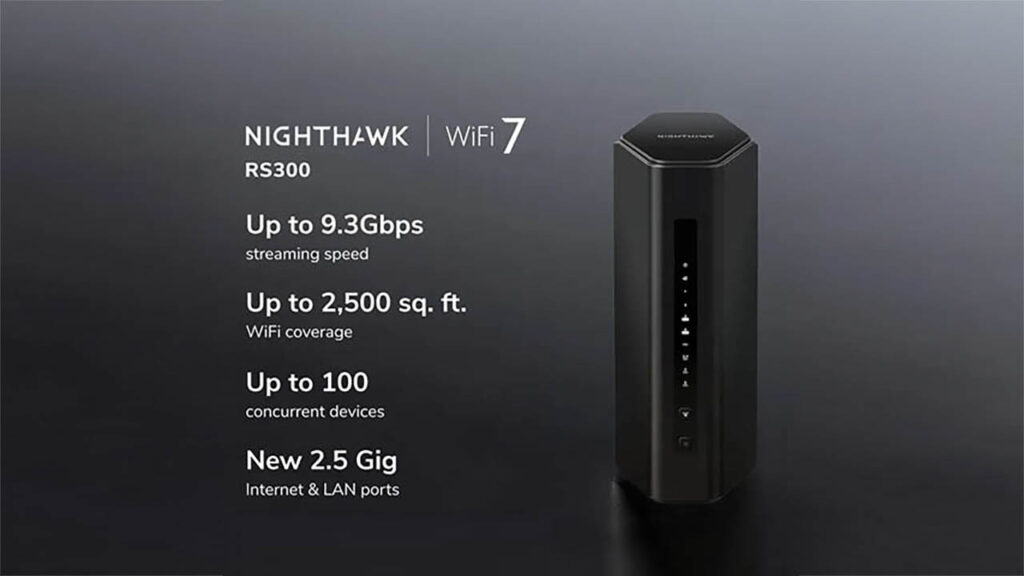
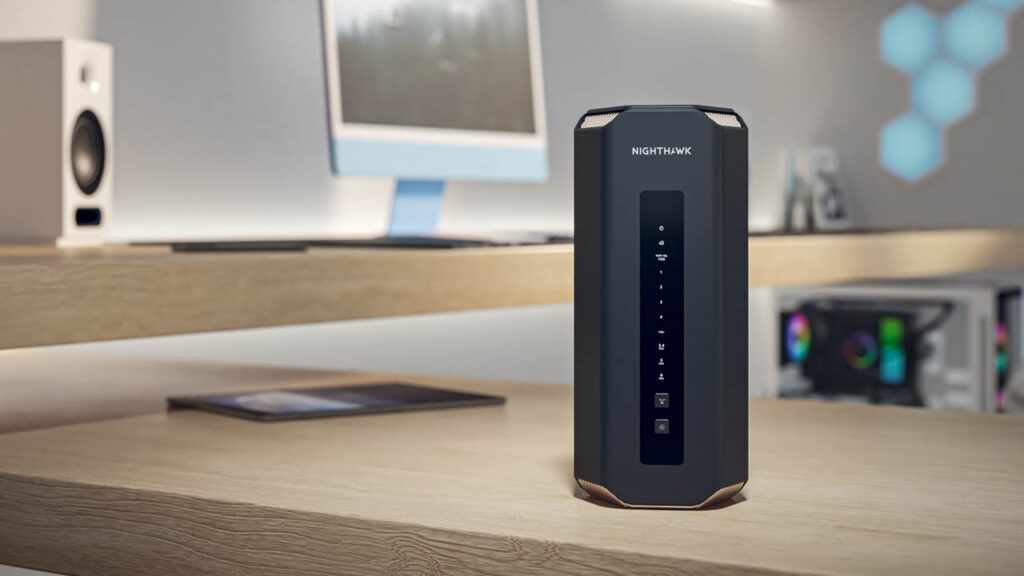
The Nighthawk RS300 is the perfect WiFi 7 router for gamers looking to get their game on with top-notch gaming and streaming performance with tri-band WiFi 7 and Ethernet connectivity at a moderate price point.
For gaming, you need low latency without interference from other activities like streaming movies and downloading data in the house. This router supports up to 100 devices and covers up to 2,500 sq. ft. Its 2.5 Gbps and 1 Gbps Ethernet ports let you wire a console and a gaming PC for the most stable connection, while phones, TVs, and tablets share tri-band WiFi 7.
Nighthawk RS300 Key Specs
Tri-band WiFi 7 (BE9300) with speeds up to 9.3 Gbps
Coverage up to 2,500 sq. ft. and up to 100 connected devices
5 Gig internet port, two 2.5 Gig LAN ports, two Gigabit LAN ports, and USB 3.0
WPA3 security, automatic firmware updates, and Guest networks
Best for: Households with internet plans up to 2.5 Gig, one or two gamers, and several people streaming at once. Get the Nighthawk RS300 overview.
Consider stepping up to the Nighthawk RS700S if you have an internet connection over 2.5 Gig, a larger home, or a congested network with lots of gamers, streamers, and smart gadgets.
Multi-gig internet plans and busy households need more headroom than a mid-range router provides. The RS700S doubles device capacity to 200, extends coverage to 3,500 sq. ft., and adds 10 Gig internet and LAN ports so the router doesn’t hold back a multi-gig plan. It also lets you prioritize devices such as gaming PCs and TVs.
Nighthawk RS700S Key Specs
Tri-band WiFi 7 (BE19000) with speeds up to 19 Gbps
Coverage up to 3,500 sq. ft. and up to 200 connected devices
10 Gig internet port and 10 Gig LAN port, plus four Gigabit LAN ports and USB 3.0
Quad-core 2.6 GHz processor and eight internal antennas
Device prioritization for gaming PCs and TVs
Best for: Internet plans faster than 2.5 Gig, larger homes, households with several gamers and streamers, and 10 Gig wired devices. Meet the Nighthawk RS700S.
Speeds are maximum wireless signal rates. Actual throughput varies with your internet plan, devices, distance from the router, and network conditions.
Best Router Setup for PS5 and Other Consoles
The best setup for a PS5 is a wired Ethernet connection to one of your router’s LAN ports. When a cable is not practical, a strong WiFi 7 connection is the next best option.
The PS5 and PS5 Slim support WiFi 6, and the PS5 Pro supports WiFi 7 where permitted. All models connect to a WiFi 7 router. To get the most consistent connection:
Wire it if you can. Connect the console to a LAN port with an Ethernet cable for the lowest, most consistent latency. On the RS300, use a 2.5 Gig LAN port.
Place the router well. If you use WiFi, keep the router in the open and as close to the console as practical, not inside a cabinet or behind the TV.
Use 6 GHz where available. Connect compatible consoles and PCs to the 6 GHz network for less interference.
Stay up to date. Keep router firmware and console system software current.
The same steps apply to Xbox consoles and gaming PCs: connect via Ethernet first, then use the strongest, least-crowded WiFi band your device supports.
How to Reduce Lag and Buffering
A few simple changes can cut lag and buffering on most home networks.
Use Ethernet for consoles, gaming PCs, and streaming boxes where possible.
Check your internet plan’s upload and download speeds, and make sure your modem’s port speed matches.
Move the router to a central, elevated spot away from walls, metal, and large appliances.
Put smart home devices on the separate IoT network to keep your main network clear.
Restart and update your router regularly.
Keep in mind that latency also depends on your internet provider and how far you are from the game server. A router cannot change either, but it can make sure your home network isn’t the bottleneck.
Which Router Should You Buy?
Choose the RS300 for most homes and the RS700S for multi-gig, high-traffic homes. Weigh these factors:
Internet plan speed: Plans above 2.5 Gig point to the RS700S and its 10 Gig internet port.
Home size: The RS300 covers up to 2,500 sq. ft.; the RS700S covers up to 3,500 sq. ft.
Number of users and devices: Several gamers and streamers, plus many smart devices, favor the RS700S.
Wired devices: The RS300’s two 2.5 Gig LAN ports suit most consoles and PCs. 10 Gig devices need the RS700S.
Budget: The RS300 delivers tri-band WiFi 7 at a mid-range price.
The verdict: The Nighthawk RS300 is the best WiFi 7 router for gaming and streaming in most homes. Upgrade to the Nighthawk RS700S for multi-gig internet and heavy use. For very large or multi-story homes, a single router may not reach every room, so compare router vs. mesh WiFi before you buy.
Router or Mesh WiFi? Find the Right Fit for Your Home
Wondering if one router will be enough to cover all areas in your house? The Nighthawk router gives focused WiFi coverage from one spot, and this is suitable for either an apartment or small to medium-sized houses. Orbi mesh routers give WiFi coverage using routers and satellites.
Frequently Asked Questions About Gaming and Streaming Routers
What is the best router for gaming and streaming?
In most homes, the best router for gaming or streaming is the NETGEAR Nighthawk RS300, with tri-band WiFi 7 and 2.5 Gig internet and LAN ports (for a more premium option, choose the NETGEAR Nighthawk RS700S).
Is the Nighthawk RS300 good for gaming?
Yes. The Nighthawk RS300 offers tri-band WiFi 7 with speeds up to 9.3 Gbps, supports up to 100 devices, and includes two 2.5 Gig LAN ports, so you can wire a console or gaming PC while others stream on WiFi.
What is the difference between the RS300 and RS700S?
The RS700S has higher WiFi 7 speeds (up to 19 Gbps vs 9.3 Gbps), more coverage (up to 3,500 vs 2,500 sq. ft.), support for twice as many devices (200 vs 100), and 10 Gig internet and LAN ports. The RS300 uses 2.5 Gig ports and costs less.
Does WiFi 7 reduce latency for gaming?
WiFi 7 was developed to reduce latency and congestion on your home network, especially if you have multiple devices connected. Your overall latency depends on your internet service provider, distance to the game server, and whether you’re wired or wireless.
Does the PS5 support WiFi 7?
The PS5 Pro supports WiFi 7 in regions where it is permitted. The standard PS5 and PS5 Slim support WiFi 6. All PS5 models can connect to a WiFi 7 router because WiFi 7 is backward compatible.
Do I need a 10 Gig port for gaming?
Usually not. A 10 Gig port matters if your internet plan is faster than 2.5 Gig or you move large files between wired devices. For most gaming and streaming, a 2.5 Gig internet port like the RS300’s is enough.
Should I get a router or a mesh system for gaming?
A single router like the Nighthawk RS300 or RS700S is a strong fit if you can place it near your gaming and streaming devices. If you need strong WiFi across a very large or multi-story home, an Orbi mesh system may be the better choice. Compare router vs. mesh WiFi to find the right fit.