What is an Ethernet Cable?
An Ethernet cable is a physical wire that connects devices like computers, routers, and modems to a network, enabling fast and reliable data transmission. Standard RJ-45 Ethernet cables resemble a wider version of an old-fashioned telephone cord.
The role of Ethernet cables in a local area network (LAN) includes:
- Physical Connectivity: Ethernet cables connect devices at the physical layer, plugging into Ethernet ports on computers, routers, mesh satellites, switches, printers, modem WAN ports & fiber ONT devices.
- Data Transmission: They carry signals through copper wire twisted pairs, reducing interference and ensuring efficient communication between devices.
- Network Stability: Ethernet network wired connections are less prone to signal loss, interference, or congestion, making them ideal for high-demand tasks like gaming, video streaming, or large file transfers.
- Speed & Bandwidth: Different categories of Ethernet cables (Cat5e, Cat6, Cat6a, Cat7) support varying speeds from 1 Gbps up to 10 Gbps, enabling scalability as business or home network demands grow.
- Security: Wired connections are harder to intercept compared to wireless signals, adding an extra layer of protection for sensitive data.
Ethernet was developed in the 1970s and standardized in 1983 as IEEE 802.3. It has since evolved to support higher bit rates, more devices, and longer cable lengths while maintaining backward compatibility. Most homes use copper Ethernet cables, but fiber optic and coaxial options exist for faster or more advanced setups.
How Do Ethernet Cables Work?
Ethernet cables typically contain eight wires, organized into four pairs to minimize crosstalk and ensure stable data transmission. The most common type of Ethernet connector used in local area networks is the RJ45 connector, for devices like computers, routers, and Ethernet switches.
Ethernet (wired) connections offer high speed, stability, and security, while wireless (WiFi) connections rely on radio waves, providing mobility, convenience, and flexibility. However, the latest NETGEAR WiFi 7 routers and whole-home WiFi mesh systems deliver wireless speeds comparable to the best multi-gigabit Ethernet connections.
Types of Ethernet Cables
Various types of Ethernet cables look the same and have the same RJ-45 Connector, however, their internal attributes can affect their performance characteristics.
| Cable Type | Max Speed | Bandwidth | Max Run Length | Best For |
| Cat5 | 100 Mbps | 100 MHz | 100m (330 ft) | Basic use (May reach 1gb on short runs) |
| Cat5e | 1 Gbps | 100 MHz | 100m (330 ft) | Residential networking, small offices |
| Cat6 | 1 Gbps | 250 MHz | 55m (180 ft) | Gaming, streaming, offices |
| Cat6a | 10 Gbps | 500 MHz | 100m (330 ft) | Advanced office networks |
| Cat7 | 10 Gbps | 600 MHz | 100m (330 ft) | High-speed networks, server rooms |
| Cat8 | 40 Gbps | 2 GHz | 30m (100 ft) | Data centers, high-performance setups |
Advantages of Using Ethernet Cables
Ethernet connections are considered best for speed, stability, and security, although LANs with multiple devices generally use a hybrid approach: Ethernet for stationary devices and WiFi for mobile ones.
Advantages of Ethernet cable connections include:
- Speed: Often faster than WiFi, with consistent performance.
- Stability: Virtually immune to signal interference or crossover, ensuring reliable connections.
- Security: Harder to intercept compared to wireless networks.
- Low Latency: Ideal for gaming, video conferencing, and real-time applications.
- Compatibility: Works with most modern devices and networking equipment.
Ethernet vs. WiFi: Which Is Better?
Use this pros-and-cons table to help decide which system is best for your needs.
| Feature | Ethernet | WiFi |
| Speed | Faster | Slower, varies by signal |
| Mobility | Limited (wired) | High (wireless) |
| Security | More secure | Prone to hacking / Interference |
| Installation | Requires cables & Ports | Easy setup |
How Ethernet Cables Work with NETGEAR Products
NETGEAR’s innovative solutions are designed to optimize both Ethernet and WiFi connectivity, delivering unmatched performance for every network need and powering your connected world. Explore our best-in-class products:
- Switches: Expand wired connections for homes and businesses. NETGEAR PoE Switches even allow you to power devices like Enterprise Wireless Access Points.
- Routers: Nighthawk Routers with Ethernet ports for high-speed WAN and LAN connections. Ideal for streaming TVs, PCs, or gaming consoles — and they help free up wireless bandwidth for WiFi-only devices.
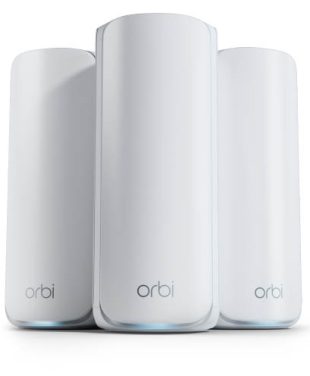
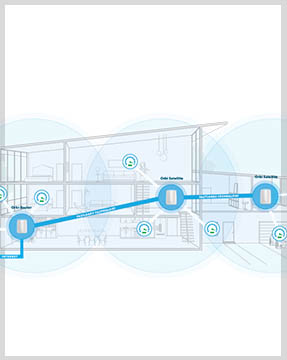
- Mesh Systems: Orbi Whole-Home Mesh Systems with optional wired Ethernet backhaul for interference-free performance and long range. Extremely useful in large multi-story homes or detached structures.
- Cable Modems: Your router connects to your modem’s WAN port with an Ethernet cable. Using a longer, high-quality cable lets you place the router in the best spot for coverage. Check out the CM3000 Series for the fastest cable modem internet speeds.
How to Choose the Right Ethernet Cable
To choose the right Ethernet cable, focus on three main factors:
- 1. Category: Speed and bandwidth capability.
- 2. Jacket Type: Determined by the installation environment.
- 3. Shielding: Provides protection against interference.
For most home setups, Cat5e or Cat6 Ethernet cables offer more than enough performance. Higher categories like Cat6a or Cat8 are better suited for faster networks or future-proofing.
Conclusion
Ethernet cables are essential for creating a reliable and high-performance LAN, especially when paired with WiFi for a hybrid network. Upgrade your setup with NETGEAR Ethernet products to experience the ultimate in speed, stability, and security.
Upgrade your network with NETGEAR’s powerful Ethernet-compatible switches, routers, and modems. Engineered for speed and built to keep you ahead, they’re the perfect solution for a seamless, connected future.
FAQs
What is an Ethernet cable, and how does it work?
An Ethernet cable connects devices like computers and routers to a network for fast, stable, and secure data transmission. It uses wires to minimize interference and ensure reliable communication.
What are the advantages of using Ethernet over WiFi?
Ethernet is faster, more stable, and more secure than WiFi. It also has low latency, making it ideal for gaming, streaming, and video calls.
What are the different types of Ethernet cables, and which one should I choose?
Ethernet cables range from Cat5e (1 Gbps) to Cat8 (40 Gbps). For most homes, Cat5e or Cat6 is sufficient, while Cat6a or higher is better for advanced setups.
How do Ethernet cables work with NETGEAR products?
NETGEAR products like switches, routers, and mesh systems optimize Ethernet connections for speed, stability, and performance in both home and business networks.
Can Ethernet and WiFi work together in a network?
Yes, Ethernet provides stability for stationary devices, while WiFi offers mobility for wireless devices, creating a seamless hybrid network.