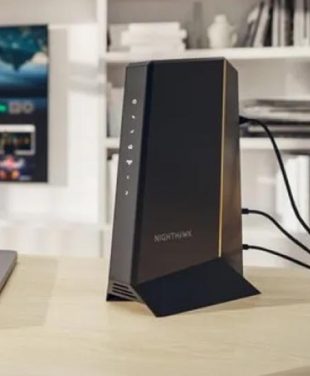
Pictured Above: Xfinity Compatible Modem Nighthawk CM3000 with Mid/High-Split by NETGEAR
Why You Should Replace Your Xfinity Modem
Stop Renting, Start Saving
Monthly rental fees can add up to hundreds of dollars a year. Stop renting and start saving by replacing your legacy modem with a powerful NETGEAR CM3000 Modem and save up to $300 a year in ISP rental fees.
TIP: Check with Your Internet Service Provider (ISP) to confirm on your bill what your current equipment fees are.
Unlock the Multi-Gig Speeds You Already Pay For
ISP-provided gateways are often repurposed or built to be “good enough,” not necessarily “high-performance”. The latest NETGEAR Modems include DOCSIS 3.1 with mid/high-split technology that can unlock Comcast/Xfinity’s fastest download and upload speeds — crucial for video conferencing, gaming, and content creation.
Future-Proof Your Home for Tomorrow’s Internet
Xfinity is rolling out multi-gig internet plans. Owning a modem like the CM3000 ensures your network future-proofing foundation is ready for tomorrow’s internet and won’t need to be replaced again in the near future.
The Nighthawk CM3000: The Ultimate Modem for Xfinity's Fastest Plans
Specifically engineered for today’s fastest cable internet speeds, the CM3000 mid/high-split DOCSIS® 3.1 cable modem delivers up to 2.5Gbps of download speeds and up to 1Gbps of upload speeds. Your modem is an important link in the chain for high-speed internet connections.
Engineered for Xfinity’s Next-Gen Network
The CM3000 Modem’s mid/high-split DOCSIS 3.1 technology is designed to be perfectly compatible with Xfinity’s next-gen network upgrades for symmetrical speeds for all compatible devices. Learn more about CM3000 Mid/High-Split Technology.
Experience True Multi-Gigabit Speed
2.5Gbps download speeds of the CM3000 Modem makes flawless 4K/8K streaming and gaming entirely possible. Up to 1Gbps upload speeds mean your video calls and game streaming are crystal clear and uploading large files takes seconds, not minutes.
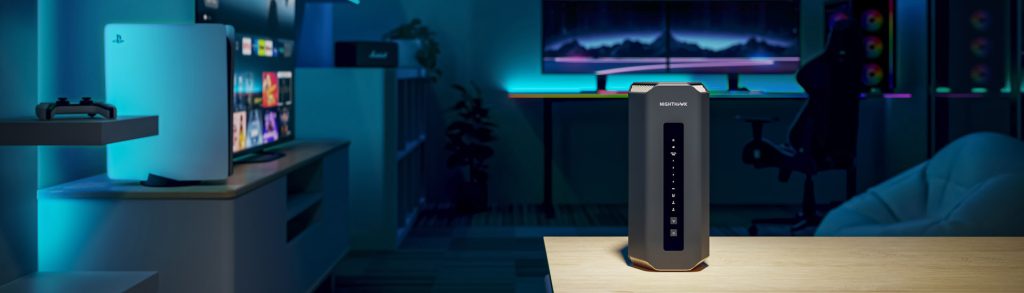
The Key to a Flawless Network: Pair Your Modem with a Powerful Router
Did you know most rented ISP modems are actually gateways, combining a modem and WiFi in one device? While convenient, these gateways often lack the power to keep up with today’s high-speed internet demands. You wouldn’t put a Ferrari engine in a golf cart—you’d never experience its true speed. The same goes for your home network: an outdated or underpowered modem can bottleneck your connection and limit performance.
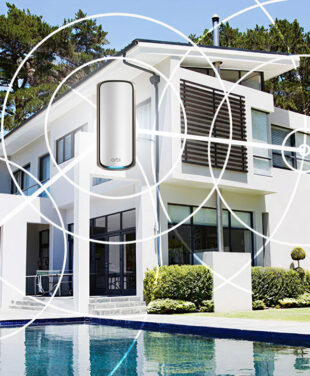
The modem is the foundation of your network. For the ultimate in speed and reliability, pair your standalone CM3000 Cable Modem with the award-winning NETGEAR WiFi 7 Nighthawk Router or an Orbi WiFi Mesh System for large homes. This powerful combination ensures seamless, high-speed coverage for large homes. Learn more in our Connecting a Modem vs. Router article.
Pro Tip: Future proof your network! Having a separate modem and WiFi router allows you to upgrade them individually as new technology or WiFi demands emerge.
How to Replace Your Xfinity Modem in 3 Simple Steps
NETGEAR makes it easy to replace your Xfinity modem and connect a new modem to your Xfinity service in 3 simple steps.
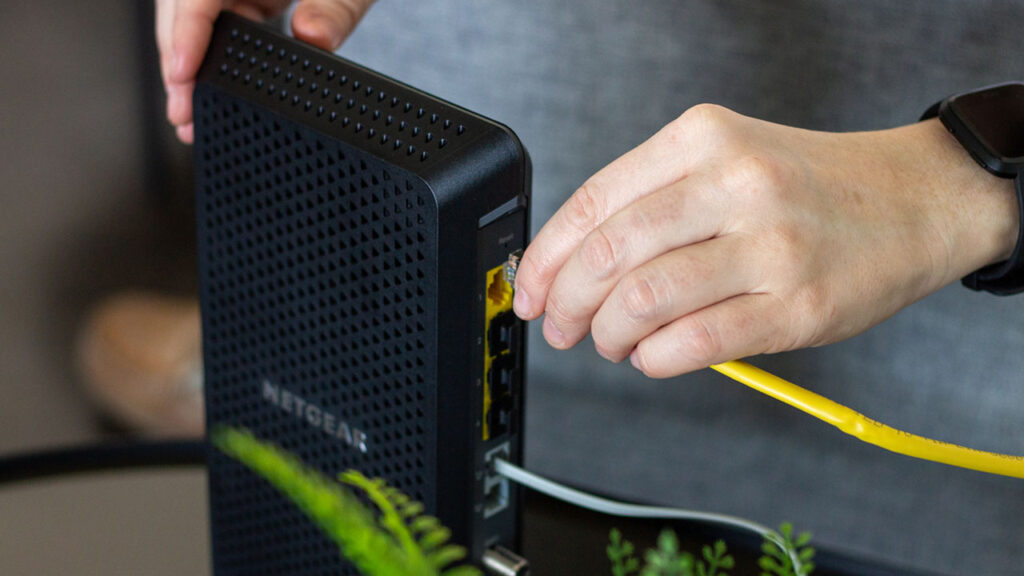
- 1. Connect your new modem with the WAN Ethernet port and power adapter.
- 2. Activate your new modem using the Xfinity app or a web portal in an automated, self-service process.
- 3. Connect Your WiFi Router to bring your powerful new network online.
Note: If you have an Xfinity Voice plan, ensure you select a modem with voice capabilities, see our FAQ’s below.
Conclusion
Don’t let a rented or outdated modem with slow speeds be the weak link in your digital life. Owning your own high-performance modem is the single most effective way to save money, take control of your network, and unlock the multi-gigabit speeds you may already pay Xfinity for. By building your network on a powerful foundation like the NETGEAR Nighthawk CM3000 and pairing it with a best-in-class Orbi or Nighthawk system, you’re not just fixing a problem—you’re building a future-proofed superfast home network.
Ready to build a better network with Multi-Gig WiFi and Ethernet speeds?
Is it difficult to install my own modem with Xfinity?
Not at all. Xfinity has a simple, self-service activation process. You just need to plug in the modem and follow the instructions in the Xfinity app. You typically don’t even need to call customer service.
Why do Xfinity customers upgrade?
Xfinity internet customers who are currently renting the xFi Gateway cable modem router combo, or those who own an older DOCSIS 3.0 or early 3.1 modem may feel their internet is not as fast as the plan they pay for. In most cases, pairing Xfinity internet with a NETGEAR CM3000 Modem is the solution.
How do I know if the NETGEAR CM3000 is compatible with my Xfinity plan?
The CM3000 is specifically engineered for Xfinity customer’s fastest multi-gigabit internet tiers, including their newest download and upload plans. The CM3000 is just one of NETGEAR’s approved modems that are certified by Xfinity to work on their network and unlock full Xfinity speeds.
Do I need a new router if I buy a new modem?
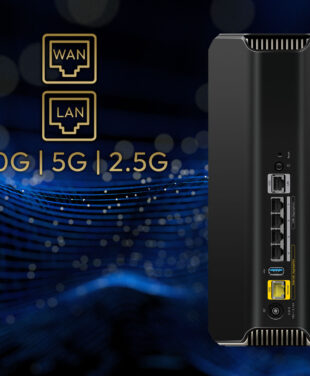
To get the full benefit of a multi-gig modem like the CM3000, you need a router with a multi-gig WAN port (2.5G or higher) to access higher speed tiers. Using an older router with a slower port will limit your home network’s speed and performance. We highly recommend pairing it with a NETGEAR WiFi 6E or WiFi 7 Nighthawk router or Orbi system for ultimate compatibility and the fastest speeds available.
Can I use the CM3000 if I have Xfinity Voice (home phone) service?
The Nighthawk CM3000 is a data-only modem and is not compatible with Xfinity’s voice service. If you have a voice bundle, you will need a specific voice-capable modem, like our Nighthawk CM2050V, another great Xfinity compatible modem.