
Search results for: MS510TX
4 Items
Sort by


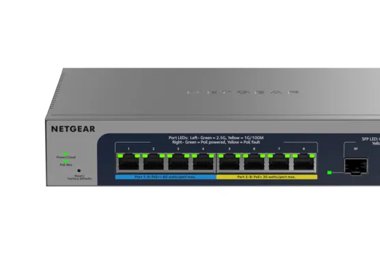
NETGEAR 8-Port Ultra60 PoE++ Multi-Gigabit Smart Managed Switch with 2 10G SFP+ Ports
MS110TXUP
- 10 ports
- PoE++ (802.3bt)
- 1.5kg
Showing 1-4 of 4
47 Items
Sort by
Knowledge Article
MS510TX / MS510TXPP Firmware Version 6.7.0.52 - NETGEAR Support
Bug Fixes: Under Switching > Multicast > Static Multicast Address > Multicast Group Membership, can’t successfully change Interface Status from Excluded to Static or Forbidden. Password with 4 or more repeating characters seems to be accepted when changing the default password. However, the switch will reject the login with this new password. Unable to import private key successfully for SSL certificate under Security > Access > HTTPS > Certificate Management page Known Issues: The local device ...
Knowledge Article
MS510TX / MS510TXPP Firmware Version 6.7.0.30 - NETGEAR Support
Fixed issues and enhancements GUI login password is not encrypted. SNMPv3 password is displayed in plain text in the configuration file. The secret password is showing up as clear text in the configuration file on RADIUS/TACACS server. IPv4 traffic is dropped even when the configured QoS rule is for Ethernet IPv6. Dynamic LAG status is incorrectly displayed as up when LACP protocol is not up and running with peer device. The Remarking CoS function of Voice VLAN still works after disabling the re...
Knowledge Article
MS510TX / MS510TXPP Firmware Version 6.7.0.50 - NETGEAR Support
New Features and Enhancements: To comply with new California privacy law, remove ‘None’ option from authentication protocol for SNMPv3 (System > SNMP > SNMPv3 > User Configuration). Default is now ‘MD5’. Bug Fixes: When link speed of port 1 is 10Mbps or 100Mbps, port 5 cannot link at 2.5Gbps. Fails to provide IEEE 802.3at PoE power to Ruckus Access Point - R750. Known Issues: The local browser UI displays the incorrect number of configured IPv6 routes. Multicast forwarding entries are not cleare...
Knowledge Article
MS510TX / MS510TXPP Firmware Version 6.7.0.42 - NETGEAR Support
New Features and Enhancements: To comply with California state law, the local browser UI now requires that you change the default admin password after using it to access the switch. Added a new option under Security > Management Security > SCC Control to disable or enable the Smart Control Center (SCC). It is set to Disable by default. (Note: If you cannot see this new option, refresh your browser or clear its temporary internet files/cache. The SCC Utility can still discover the switch even if ...
Knowledge Article
MS510TX / MS510TXPP Firmware Version 6.7.0.27 - NETGEAR Support
The MS510TX/MS510TXPP provides 4 multi-Gigabit Ethernet and 4 1G Ethernet RJ-45 copper ports with one dedicated 10G RJ-45 copper uplink port and one dedicated SFP+ fiber uplink port that supports 10G and 1G. Two of the four multispeed ports support 5G, 2.5G, and 1G. The other two multispeed ports support 2.5G and 1G. The 10G RJ-45 copper uplink port also supports 5G, 2.5G and 1G. Model MS510TXPP supports Power over Ethernet plus (PoE+) on all four multispeed ports and four 1G ports. It can suppl...
Knowledge Article
MS510TX / MS510TXPP Firmware Version 6.7.0.37 - NETGEAR Support
Bug Fixes: Boot code version displays incorrectly on System > Management > System Information page. Default Management VLAN 1 remains effective even after changing the management VLAN ID to a number other than VLAN 1. This only occurs under these conditions: Assign a static IP address Select a management VLAN ID other than VLAN 1 Use a DHCP server to connect a port in VLAN 1 to a network Switch reboots when configuring CoS Interface Shaping Rate (QoS > CoS > Advanced > CoS Interface Configuratio...
Knowledge Article
MS510TX / MS510TXPP Firmware Version 6.7.0.51 - NETGEAR Support
Security Fixes: Fixes security vulnerabilities. For more information about security vulnerabilities, visit https://www.netgear.com/about/security. Known Issues: The local device UI displays the incorrect number of configured IPv6 routes. Multicast forwarding entries are not cleared immediately after the port is shut down. When using an AGM734 SFP transceiver on port 10 to connect to a peer that is powered off, the link flaps every 60 seconds. When configuring management VLAN other than VLAN 1, t...
Knowledge Article
MS510TXM / MS510TXUP Firmware Version 1.1.0.7 - NETGEAR Support
New Features and Enhancements: New responsive user interface (UI) that can adjust to the size of your screen Addition of bidirectional synchronization of the configuration settings between NETGEAR Insight and the device UI Addition of online checks for new firmware updates Update to the Dashboard page in the device UI NETGEAR Insight management mode is now enabled by default Bug Fixes: Fixes the issue where the switch cannot communicate with virtual interfaces if the Ethernet source MAC address ...
Knowledge Article
MS510TXM / MS510TXUP Firmware Version 1.1.1.7 - NETGEAR Support
New Features and Enhancements : Support for the UI Dark Theme. Increase of the password length to 64 characters. Replacement of all TFTP methods with HTTP. Bug Fixes: Fixes the issue where the management VLAN ID may be overwritten with the default value on a trunk port when you manage the switch through Insight. Warnings : Read and follow these warnings before updating the firmware: Do not use the NETGEAR Switch Discovery Tool (NSDT) to discover the switch because it is no longer supported since...
Knowledge Article
MS510TXM / MS510TXUP Firmware Version 1.1.1.8 - NETGEAR Support
Bug Fixes: Fixes the issue where connecting a computer to an IP phone’s LAN port causes the switch to remove the voice VLAN, resulting in a 30 second loss of call audio. Warnings: Read and follow these warnings before updating the firmware: Do not use the NETGEAR Switch Discovery Tool (NSDT) to discover the switch because it is no longer supported since firmware version 1.1.0.8. Use the NETGEAR Discovery Tool (NDT) or the latest NETGEAR Insight App to discover the switch. Because HTTPS is disabl...
Knowledge Article
MS510TXM / MS510TXUP Firmware Version 1.0.5.17 - NETGEAR Support
New Features: Supports the management of DHCP snooping and L2 relay through Insight. Bug Fixes: Fixes the issue where you cannot configure an IPv6 unique local address (ULA) for the device. Security Fixes: This firmware addresses security vulnerabilities. For more information about security vulnerabilities, visit https://www.netgear.com/about/security. Warnings: Read and follow these warnings before updating the firmware: Because HTTPS is disabled by default since firmware release 1.0.1.5, the d...
Knowledge Article
MS510TXM / MS510TXUP Firmware Version 1.0.4.2 - NETGEAR Support
Bug Fixes: Jumbo frames cannot be routed among different route interfaces. Security Fixes: Various security vulnerability fixes and enhancements. Warnings: Read and follow these warnings before updating a firmware: Because HTTPS has been disabled by default since v1.0.1.5, the device UI Home page does not display automatically after using HTTPS to upgrade to this firmware version. Workaround: Open a new web browser tab and type the switch’s IP address to access the Home page. Download Link: http...
Knowledge Article
MS510TXM / MS510TXUP Firmware Version 1.0.1.3 - NETGEAR Support
Enhancements: Registration is no longer required for access to the full device UI menu. When the management mode is set to Direct Connect to Web Browser Interface (Local LAN Only), remote access to this option is disabled for enhanced security. You must log into the device UI to manually enable Insight Remote/Cloud management mode. HTTPS is now disabled by default. When HTTPS is enabled manually, a new option allows you to disable HTTP for a more secure connection. Warnings: Before updating your...
Knowledge Article
MS510TXM / MS510TXUP Firmware Version 1.0.1.5 - NETGEAR Support
New Features and Enhancements: Supports full Insight management through the web portal and apps. Warnings: Before updating your firmware, be aware of the following: Since HTTPS is disabled by default in v1.0.1.5, the device UI Home page does not display automatically after using HTTPS to update to this firmware version from v1.0.0.20. Open a new web browser tab and type the switch’s IP address to access the Home page. When the management mode is set to Direct Connect to Web Browser Interface (Lo...
Knowledge Article
MS510TXM / MS510TXUP Firmware Version 1.0.5.15 - NETGEAR Support
Bug Fixes: Fixes the issue where the PoE timer schedule configuration is lost after the switch is rebooted. Enhancement: When you change to the NETGEAR Insight mode for the first time, the device IP address and VLAN settings are now kept instead of being reset to default values. Security Fixes: This firmware addresses security vulnerabilities. For more information about security vulnerabilities, visit https://www.netgear.com/about/security. Warnings: Read and follow these warnings before updatin...
Knowledge Article
MS510TXM / MS510TXUP Firmware Version 1.1.0.8 - NETGEAR Support
Features and Enhancements: You can now use the new NETGEAR Discovery Tool (NDT) or the latest NETGEAR Insight app to discover the switch in the same subnet. The NDT supports UPnP, which is the preferred method of discovery. Warnings: Do not use the NETGEAR Switch Discovery Tool (NSDT) to discover the switch because it is no longer supported since firmware version 1.1.0.8. Use the NETGEAR Discovery Tool (NDT) or the latest NETGEAR Insight App to discover the switch. Because HTTPS is disabled by d...
Knowledge Article
MS510TXM / MS510TXUP Firmware Version 1.0.2.2 - NETGEAR Support
New Features and Enhancements: Insight management mode is disabled by default. Select the “NETGEAR Insight Mobile App and Insight Cloud Portal” radio button to enable Insight management mode. You can pause Insight management mode at any time to temporarily manage the switch through the device UI by selecting the “Local-Only GUI” radio button. To return to Insight management mode, select the “NETGEAR Insight Mobile App and Insight Cloud Portal” radio button in the device UI. If you want to comple...
Knowledge Article
MS510TXM / MS510TXUP Firmware Version 1.1.1.9 - NETGEAR Support
Release Date: February 2, 2026 Bug Fixes: Fixes the issue where the port range configuration in the ACL does not work. Warnings: Read and follow these warnings before updating the firmware: Do not use the NETGEAR Switch Discovery Tool (NSDT) to discover the switch because it is no longer supported since firmware version 1.1.0.8. Use the NETGEAR Discovery Tool (NDT) or the latest NETGEAR Insight App to discover the switch. Because HTTPS is disabled by default since firmware version 1.0.1.5, the d...
Knowledge Article
MS510TXM / MS510TXUP Firmware Version 1.0.5.23 - NETGEAR Support
Bug Fixes: Fixes the issue where a switch that is running firmware version 1.0.5.21 becomes inaccessible after a few days. You cannot access the switch through either the device UI or the Insight Cloud Portal. Firmware version 1.0.5.23 also includes the following bug fixes from version 1.0.5.21: Fixes the issue where you might not be able to access the device UI after the switch’s IP address is changed or renewed multiple times. Fixes the issue where Precision Time Protocol (PTP) packets are not...
Knowledge Article
MS510TXM / MS510TXUP Firmware Version 1.0.2.3 - NETGEAR Support
Bug Fixes: Fixes the RADIUS reauthentication configuration where it did not clear after session timeout. Fixes an issue where the packet counter for the CPU port on the Statistics page did not work. Fixes an issue where a client device can fail to get a DHCP IP address when there is another network device connected between the switch and the client device. Security Fixes: Fixes various security vulnerability fixes and enhancements. Warnings: Read and follow these warnings before updating a firmw...
Showing 1-20 of 47
90 Items
Sort by
Discussion Post
MS510TXPP reboot loop | NETGEAR Communities
I'm expecting to be out of luck here but my MS510TXPP has just failed and even though I'm within the 2 year warranty period, I now see that I needed to...
Discussion Post
MS510TXM - Private VLAN Promiscuous Port Issue | NETGEAR Communities
Hello, I am following the directions on how to properly setup a promiscuous port on a private vlan that allows communication between the two associated...
Discussion Post
MS510TXUP - loosing access after switch reboot (can't ping, but connected devices visible) | NETGEAR Communities
Hi all, I have quite a lot of MS510TXUP units deployed, and I'm repeatedly seeing this issue. Setup: PCs --(cat6)-- M4300-8X8F --(fibre)--...
Discussion Post
MS510TXUP Firmware 1.1.1.7 SNTP servers deleted after each reboot | NETGEAR Communities
After rebooting MS510TXUP with Firmware 1.1.1.7, all SNTP server are being erased and the device will not be able to pull time information until it is...
Discussion Post
MS510TXPP Throughput Issue | NETGEAR Communities
Hello all, I have a pair of MS510TXPPs, each connected to a router via 10G SFP, and 300Mbps internet, and for a long time all was well - one MS510TX was...
Discussion Post
Cant get Managment VLAN to stick on a MS510TXUP | NETGEAR Communities
I cant get Managment VLAN to stick on a MS510TXUP.I try to change the Managment VLAN from default 1 to 9 on System / Managment / IP Configuration. I get the...
Discussion Post
STP Incompatibility Between Netgear XS708T and MS510TXUP | NETGEAR Communities
HiI'm encountering a peculiar issue while trying to configure LAG (Link Aggregation Group) in my network, and I'm hoping someone here can help me figure it...
Discussion Post
MS510TXPP - critical vulnerability on latest 6.7.0.52 firmware | NETGEAR Communities
The Netgear MS510TXPP switch is vulnerable to CVE-2019-16645 on the latest 6.7.0.52 firmware. There has not been a new firmware released for this device...
Discussion Post
Unable to set SFP+ port to 10Gb negotiation on MS510TX | NETGEAR Communities
Hi, Since the peer device only support manual link speed.Is there any way to configue the MS510TX switch to 10Gb? Thanks,
Discussion Post
MS510TXM LAN port randomly turning off | NETGEAR Communities
Hi- I've had the #MS510TXM for two years. This problem has existed from the beginning, but it would happen once/twice a year, gradually since then it's...
Discussion Post
Re: Faulty performance specs on MS510TXUP ? | NETGEAR Communities
An addition... Most competitive brands have 10 times or more packet forward rate than this (related to the same amount of aggregated ports total...
Discussion Post
Faulty performance specs on MS510TXUP ? | NETGEAR Communities
Hi I think of buying a MS510TXUP switch. But the spec says it has only 14.8 Mpps packet forwarding rate. That would at 64byte packets give a...
Discussion Post
MS510TXUP Firmware | NETGEAR Communities
Checking and we can see an update for MS510TXUP 1.1.0.8 but no information is showing
Discussion Post
MS510TXUP, firmware V1.1.0.7: Port speed issue | NETGEAR Communities
Hi all,it's my first post here.I've two MS510TXUP and after the latest update (V.1.1.0.7) I think something changed on port speed autosensing. One port for...
Discussion Post
MS510TXPP Only Allows 8 MAC Addresses For VLAN | NETGEAR Communities
I have a MS510TXPP that I'm trying to use to segregate some traffic using VLANs. I have a switch connected to it that has a mix of multiple devices that need...
Discussion Post
MS510txm, firmware V1.1.0.7 - anyone with issues? | NETGEAR Communities
Has anyone that updated their switch(es) to this new firmware found issues with it? For e.g. any of the following:1. Upon updating, the switch decided...
Discussion Post
MS510TXUP doesn't communicate with VRRP routers | NETGEAR Communities
Hi, I have noticed that the switch cannot communicate with any VRRP router.I mean any device with a MAC address of 00-00-5E-00-01-XX.The switch simply...
Discussion Post
Frequent and massive packet loss from MS510TXM | NETGEAR Communities
I've been getting massive packet loss from my MS510TXM. This seems to be a relatively frequent occurrence. I've upgraded to the latest firmware,...
Discussion Post
MS510TXPP - locked myself out of admin UI | NETGEAR Communities
So, I had the brilliant idea of disabling HTTP access to my switch, because in 2024 there just isn't a reason to use HTTP for anything. Since there...
Discussion Post
MS510TXUP confused about VLAN for Guest Network | NETGEAR Communities
I have 3 WAX630E AP's connected to this switch, which connects to my firewall appliance. I am trying to setup a VLAN for guest network. I have...
Showing 1-20 of 90
We couldn’t find anything for "MS510TX".
Showing 0-0 of 0
8 Items
Manage Your Network Easier with NETGEAR Smart Switch CLI
Simplify network management with NETGEAR Smart Switch CLI. Configure, monitor, and troubleshoot your switches all from one place.
NETGEAR's Dual Band WiFi 6: Redefining Connectivity
Discover how NETGEAR's Dual Band WiFi 6 is redefining connectivity, offering faster speeds, increased capacity, and improved efficiency.
NETGEAR Launches New WiFi 7 Access Point
NETGEAR introduces the WBE710 access point, the newest addition to its WiFi 7 business access point lineup.
Wireless Design Service for SMB & WiFi 6 AP WAX625 - NETGEAR Business
Optimize your wireless network design with Wireless Design Service WAX625. Get expert advice and custom design for a robust wireless solution.
Wireless Design Service & WiFi 6 AP for SMB - NETGEAR Hub
Improve your SMB's WiFi with our wireless design service and WiFi 6 AP WAX625. Get fast, reliable, and secure wireless coverage today.
Higashi Holdings Choosing NETGEAR to Support Business Continuity and Growth - NETGEAR Blog
Higashi Holdings partners with NETGEAR to enhance business continuity and drive growth with secure, reliable, and future-ready networking solutions.
Tri-band WiFi 6E Access Point - Enhancing Wireless Networks
Learn about the Tri-band WiFi 6E Access Point and how it's enhancing wireless networks. NETGEAR offers cutting-edge solutions for your connectivity needs.
東ホールディングス – 事業継続と成長を支えるネットギアの選択 - NETGEAR Blog
東ホールディングスは、事業の継続性を強化し、成長を推進するために、セキュアで信頼性が高く、将来に対応可能なネットワーキングソリューションを提供するNETGEARとパートナーシップを締結しました。
Showing 1-8 of 8