
Search results for: MS308E
7 Items
Sort by

Multi-Gigabit Ethernet Easy Smart Managed Essentials Switch (MS308E)
MS308E
- 8 Ports
- Desktop/Wallmount
- Multigig

Multi-Gigabit Ethernet Easy Smart Managed Essentials Switch (MS305E)
MS305E
- 5 Ports
- Desktop/Wallmount
- Multigig


Multi-Gigabit Ethernet Easy Smart Managed Switch (MS108EUP)
MS108EUP
- 8 Ports
- PoE++
- Desktop/Wall-mount
- Multigig

£89.99
8-Port Gigabit Ethernet PoE+ Easy Smart Essentials Switch (62W)current price £89.99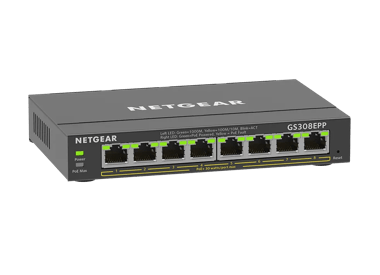
£119.99
8-Port Gigabit Ethernet Easy Smart Essentials PoE Switch (123W)current price £119.99
Showing 1-7 of 7
48 Items
Sort by
Knowledge Article
MS308E Firmware Version 1.0.0.9 - NETGEAR Support
Release Date: February 28, 2026 Bug Fixes: Fixed an issue where the device could not be accessed via a domain name (DNS) URL. Users can now successfully log in to the GUI using the configured domain name. Warnings: Read and follow these warnings before updating your firmware: Warning: If you disable HTTP and a problem occurs with the HTTPS certificate of the switch, you might not be able to access the device UI. In this case, you must reset the switch to factory default settings to regain access...
Knowledge Article
MS308E Firmware Version 1.0.0.8 - NETGEAR Support
Bug Fixes: Fixes the issue where Link Aggregation (LAG) stops working when a LAG member is disconnected. Fixes the issue where IPv6 multicast packets were incorrectly forwarded across different VLANs. Warnings: Read and follow these warnings before updating your firmware: Warning: If you disable HTTP and a problem occurs with the HTTPS certificate of the switch, you might not be able to access the device UI. In this case, you must reset the switch to factory default settings to regain access to ...
Knowledge Article
MS308E Firmware Version 1.0.0.5 - NETGEAR Support
Bug Fixes: Fixes the issue where the description of SNTP configuration items is incorrect. Fixes the issue where packets cannot be forwarded after you power on the device. Warnings: Read and follow these warnings before updating your firmware: Warning: If you disable HTTP and a problem occurs with the HTTPS certificate of the switch, you might not be able to access the device UI. In this case, you must reset the switch to factory default settings to regain access to the device UI. Download Link:...
Knowledge Article
UK PSTI Declaration of Conformity - NETGEAR Support
On 29th April 2024, the United Kingdom’s Product Security and Telecommunications Infrastructure (UK PSTI) Act takes effect. The UK PSTI Act requires consumer networking devices to meet increased security standards with the stated goals of reducing cyber attacks and better protecting individual privacy and security. All NETGEAR products sold in the UK comply with the applicable security requirements that the UK PSTI Act defines. To view the UK PSTI Act Declaration of Conformity for a NETGEAR prod...
Knowledge Article
EU Declarations of Conformity - NETGEAR Support
Please click on the Model to view Declarations of Conformity. To access EU Declarations of Conformity for Arlo products, visit https://kb.arlo.com/000061839/EU-Declarations-of-Conformity-for-Arlo-and-VueZone. Model 6000451 A6100 A6150 A6210 A7000 A7500 A8000 A8500 A9000 ACM761 / ACM762 / AXLM761 / AXLM762 ACC761 / ACC763 / AXLC761 / AXLC763 AC785S AC790S AC810 / AC810S AFT402 AGM731F AGM732F AGM734 AirCard 797 (AC797) APM402XL APM408 / APM402 APS150W APS250W APS254W APS299W APS350W APS550W APS60...
Knowledge Article
UKCA Declarations of Conformity - NETGEAR Support
Please click on the Model to view Declarations of Conformity. Model A6100 A6150 A6210 A7000 A7500 A8000 A8500 A9000 ACC761 / ACC763 / AXLC761 / AXLC763 ACM761 / ACM762 / AXLM761 / AXLM762 AFT402 AGM731F AGM732F AGM734 APM408 / APM402 APS150W APS250W APS254W APS299W APS350W APS550W APS600W / APS1200W APS600Wv2 APS600Wv3 APS920W APS1000W APS1200Wv2 APS2000W APS2000Wv2 AXC761 AXC7610 AXC7615 AXC7620 AXC763 AXC765 AXC767 AXM761, AXM762, AXM763, AXM764, AXM765 AXM765v2 BR200 CSM4532 EAX12 EAX17 EAX20...
Knowledge Article
MS108EUP Firmware Version 1.0.0.7 - NETGEAR Support
Initial Release: This is the initial release of this firmware. Download Link: https://www.downloads.netgear.com/files/GDC/MS108EUP/MS108EUP_V1.0.0.7.zip Firmware Update Instructions: To update your product’s firmware, follow the instructions in your product’s user manual. To find your user manual, visit https://www.netgear.com/support/, enter your model number in the search box, and click the Documentation button on the product page. Last Updated:10/17/2025 | Article ID: 000064401 Was this artic...
Knowledge Article
MS108EUP Firmware Version 1.0.2.2 - NETGEAR Support
Enhancements: Energy-Efficient Ethernet is now disabled by default. The interoperability between the switch and other devices at 2.5G speed is improved. We reduced the wait time after sending an ARP query to confirm that an assigned DHCP IP address is not used by other devices in the network. Bug fixes: Fixes an issue where the switch reboots if it receives an invalid LLDP packet. Download Link: https://www.downloads.netgear.com/files/GDC/MS108EUP/MS108EUP_V1.0.2.2.zip Firmware Update Instructio...
Knowledge Article
MS305E Firmware Version 1.0.0.5 - NETGEAR Support
Bug Fixes: Fixes the issue where the description of SNTP configuration items is incorrect. Fixes the issue where packets cannot be forwarded after you power on the device. Warnings: Read and follow these warnings before updating your firmware: Warning: If you disable HTTP and a problem occurs with the HTTPS certificate of the switch, you might not be able to access the device UI. In this case, you must reset the switch to factory default settings to regain access to the device UI. Download Link:...
Knowledge Article
MS108EUP Firmware Version 1.0.2.7 - NETGEAR Support
Release Date: October 20, 2025 Enhancements: Changes the default behavior of the switch: IGMP Snooping is enabled by default. Block Unknown Multicast Address is disabled by default. Warnings: Read and follow these warnings before updating your firmware: Do not use the NETGEAR Switch Discovery Tool (NSDT) to discover the device as it is no longer supported from firmware version 1.0.2.5. Use NETGEAR Discovery Tool (NDT) or the latest NETGEAR Insight App to discover the switch in the same subnet. D...
Knowledge Article
MS108EUP Firmware Version 1.0.2.9 - NETGEAR Support
Release Date: December 1, 2025 Enhancements: Updates to the Power Limit Type menu (POE > SETTING > EDIT > Power Limit Type): Addition of “User” and “None” to Power Limit Type menu in the Power over Ethernet (PoE) page. The default power limit type is “Class”. Warnings: Read and follow these warnings before updating your firmware: Do not use the NETGEAR Switch Discovery Tool (NSDT) to discover the device as it is no longer supported from firmware version 1.0.2.5. Use NETGEAR Discovery Tool (NDT) ...
Knowledge Article
MS305E Firmware Version 1.0.0.9 - NETGEAR Support
Release Date: February 25, 2026. Bug Fixes: Fixes the issue where you cannot access the device through a domain name (DNS) URL. Users can now successfully log in to the GUI using the configured domain name. Warnings: Read and follow these warnings before updating your firmware: Warning: If you disable HTTP and a problem occurs with the HTTPS certificate of the switch, you might not be able to access the device UI. In this case, you must reset the switch to factory default settings to regain acce...
Knowledge Article
MS305E Firmware Version 1.0.0.8 - NETGEAR Support
Bug Fixes: Fixes the issue where Link Aggregation (LAG) stops working when a LAG member is disconnected. Fixes the issue where IPv6 multicast packets were incorrectly forwarded across different VLANs. Warnings: Read and follow these warnings before updating your firmware: Warning: If you disable HTTP and a problem occurs with the HTTPS certificate of the switch, you might not be able to access the device UI. In this case, you must reset the switch to factory default settings to regain access to ...
Knowledge Article
MS108EUP Firmware Version 1.0.1.9 - NETGEAR Support
Enhancements: IGMP snooping is now disabled by default. Support for a new PoE option of "Longer Detection Time" for some powered devices (PDs) that require longer detection time such as Hikvision camera model DS-2CD2146G2-ISUI or model DS-2CD2046G2-IU. Bug Fixes: Fixes the issue where you cannot upload a PEM certificate file for HTTPS access if the file is in DOS format. Download Link: https://www.downloads.netgear.com/files/GDC/MS108EUP/MS108EUP_V1.0.1.9.zip Firmware Update Instructions: To upd...
Knowledge Article
MS108EUP Firmware Version 1.0.1.5 - NETGEAR Support
New Features: Includes a management VLAN feature, which allows only devices in the same VLAN to establish an IP connection to the switch. Includes an Auto-Camera VLAN feature. A port is automatically added to the Auto-Camera VLAN if traffic received on the port is listed on the Organizational Unique Identifier (OUI) for IP cameras. The CoS value of Auto-Camera VLAN can also be specified. Includes an Auto-WiFi VLAN feature. A port is automatically added to the Auto-WiFi VLAN if traffic received o...
Knowledge Article
MS108EUP Firmware Version 1.0.2.5 - NETGEAR Support
Enhancements: You can use Universal Plug and Play (UPnP) protocol to discover the device. Warnings: Read and follow these warnings before updating your firmware: Do not use the NETGEAR Switch Discovery Tool (NSDT) to discover the device as it is no longer supported from firmware version 1.0.2.5. Use NETGEAR Discovery Tool (NDT) or the latest NETGEAR Insight App to discover the switch in the same subnet. Download Link: https://www.downloads.netgear.com/files/GDC/MS108EUP/MS108EUP_V1.0.2.5.zip Fir...
Knowledge Article
MS108EUP Firmware Version 1.0.1.6 - NETGEAR Support
New Features: Support port mirroring from multiple ports. Download Link: https://www.downloads.netgear.com/files/GDC/MS108EUP/MS108EUP_V1.0.1.6.zip Firmware Update Instructions: To update your product’s firmware, follow the instructions in your product’s user manual. To find your user manual, visit https://www.netgear.com/support/, enter your model number in the search box, and click the Documentation button on the product page. Last Updated:10/17/2025 | Article ID: 000065007 Was this article he...
Knowledge Article
GS308Ev4 Firmware Version 1.0.1.9 - NETGEAR Support
Bug Fixes: Fixes the issue where IPv6 multicast packets were incorrectly forwarded across different VLANs. Warnings: Read and follow these warnings before updating your firmware: As of firmware version 1.0.1.3, the NETGEAR Switch Discovery Protocol (NSDP) that was used by the old NETGEAR Switch Discovery Tool (NSDT) is no longer supported. Instead, now use the NDT or the latest NETGEAR Insight app to discover the switch in the same subnet. Download Link: https://www.downloads.netgear.com/files/G...
Knowledge Article
GS308E Firmware Version 1.00.05 - NETGEAR Support
V1.00.05 has 3 firmware images. Each supports a different language for the WEB GUI: English, German, and Japanese. The supported language is identified by the suffix of image filename: EN - English. GR - German (Deutsch). JP - Japanese (日文). New Features and Modification: The default admin password must be changed to a unique password during the first login. Changes the default Management Mode (System > Management > Switch Management Mode) from Web browser and Plus Utility to Web browser only. K...
Knowledge Article
GS308EPP Firmware Version 1.0.1.1 - NETGEAR Support
Bug Fixes: Fixes an interoperability issue with the Hikvision camera, model DS-2CD2146G2-ISUI and model DS-2CD2046G2-IU, in which the camera might not receive PoE power from the switch. Warnings: Read and follow these warnings before updating your firmware: The firmware files for model GS308EP and model GS308EPP are different. Be sure to download and install the correct firmware for your model. After you upgrade the firmware to version 1.0.0.7, the settings for the port LEDs on the HOME page are...
Showing 1-20 of 48
162 Items
Sort by
Discussion Post
MS308E not providing internet after reboot/power cycle | NETGEAR Communities
As the title says, i always have to do a factory reset if we have a power outage or when i load a configuration backup and it reboots, on the latest firmware...
Discussion Post
Frame Type Configuration for MS308E | NETGEAR Communities
The Netgear 8-Port 2.5G Multi-Gigabit Ethernet Easy Smart Managed Essentials MS308E advertises it supports jumbo frames of 9000 MTU, however I cannot...
Discussion Post
Connecting two switches MS308E | NETGEAR Communities
Hi. Hoping this is simple question. When connecting two Netgear MS308E managed switches together, should I use a crossover cable or standard cable ?
Discussion Post
MS108EUP not supporting LLDP in a good way? | NETGEAR Communities
Hi, I am working quite a bit with hardware and software POE negotiation, and my view of the 802.3 standard is that the switch should announce it's LLDP...
Discussion Post
[MS108EUP] - SNMP Protocol Integration | NETGEAR Communities
Hello everyone,there is a possibility to integrate the SNMP Protocol inside the MS108EUP Managed Switch? Thank you so much
Discussion Post
MS305E Invalid password when accessed through DNS name instead of IP | NETGEAR Communities
I just configured a new MS305E.When I access the UI through it's IP address (http://10.10.1.5), everything works correctly.When I access the UI through a DNS...
Discussion Post
WAX220 Power Orange and Blinking Only When Plugged Into MS108EUP? | NETGEAR Communities
I have 2 WAX220 access points that seem to be functioning, they show connected clients. However when either of the WAX220 units are plugged into my new...
Discussion Post
MS108EUP / LLDP Capabilities | NETGEAR Communities
I am working with an , currently testing with embedded hardware that makes use of the 802.3bt standard. The LLDP negotiation happens as expected and...
Discussion Post
MS108EUP Move management interface to a specific VLAN | NETGEAR Communities
Hi everyone, I have the switch MS108EUP and I have been trying to make the management interface accessible from a basic VLAN without success. Do you know how...
Discussion Post
MS108EUP Dual Uplinks | NETGEAR Communities
Does the MS108EUP support dual uplinks? I am wondering if I can split the switch in half, first half (4 ports) would manage two vlans with one uplink and the...
Discussion Post
MS108EUP - replacement PSU / Power Adaptor | NETGEAR Communities
Hi, apologies in advance - it seems to be impossible to put this thread into the correct category, as only 5 (wrong) choices are presented when posting.In...
Discussion Post
MS108EUP Switch Limited Support | NETGEAR Communities
I recently got a managed MS108EUP switch. When I add it to my insight account it says "Limited Support" and I have to go through the web interface to change...
Discussion Post
MS108EUP fails to pass/provide DHCP | NETGEAR Communities
I have a Multi-gig managed switch (MS108EUP) that is servicing my home network. It is connected to a pfsense appliance and, at the moment, the switch is...
Discussion Post
MS108EUP splitters for Non-PoE units? | NETGEAR Communities
Hi,I am about to order the MS108EUP, but have a question regarding voltage and splitters. I am planning to use a pair of PoE splitters to power two non-PoE...
Discussion Post
2.5gbe switch MS108EUP broke after 4 days | NETGEAR Communities
I bought a Netgear 2.5gbe switch MS108EUP and it completely died after 4 days of use, that's very shocking from a product that claims lifetime warranty. My...
Discussion Post
Newbi help needed with VLAN performance MS108EUP and GS110EMX | NETGEAR Communities
Just updated my home network by adding a NETGEAR MS108EUP and GS110EMX so I can have 2 VLAN's connecting my basement and upper floor with both my internet...
Discussion Post
Three GS308E, PFSense, cannot get VLAN working on third switch | NETGEAR Communities
I'm working on getting VLAN setup in my home network. All of the switches are GS308E and have the VLAN turned on for the type "Advanced 802.1Q...
Discussion Post
PoE doesn't start_GS308EP | NETGEAR Communities
We use the GS308EP to manage 2 differents VLAN in our custom system. the port 1 is used to power on a RFID reader (FEIG MR102), the others ports are for...
Discussion Post
Broken GS308EPP web gui after reverse proxy | NETGEAR Communities
Hello community, I put my switch GS308EPP behind a reverse proxy HTTP -> HTTPS on my Synology DS923+ which works well.Unfortunately, the errors come...
Discussion Post
gs108v2 gs308ep DoS | NETGEAR Communities
I have both of those switches... The port turns off and has to be enabled to back on. The gs108v2 is connected to the gs308ep (poe is turned of on port...
Showing 1-20 of 162
We couldn’t find anything for "MS308E".
Showing 0-0 of 0
10 Items
New MS305E and MS308E Multi-Gig Switches - NETGEAR Blog
NETGEAR has launched the multi-gig five port MS305E and multi-gig eight-port MS308E switches as a lightly smart managed upgrade to their unmanaged predecessors.
Introducing the NETGEAR XS724EMv2 Switch: Smarter, Faster, and Built for the Future - NETGEAR Blog
NETGEAR maintains its leadership in multi-gigabit switching technology with the introduction of the XS724EMv2 24-Port 10G/Multi-Gigabit Easy Smart Managed Switch.
Business IT Networking Articles - NETGEAR Blog
Discover how to get the most out of your business IT network with the latest technology and best practices. Learn More.
Switch Management Types Explained - NETGEAR Blog
NETGEAR Switches are primarily designed around Management Style, so it’s important to understand the capabilities and use cases for each switch management style.
Introducing the 8-Port 2.5gb Multi Gig Switch MS308 - NETGEAR Blog
To meet these growing needs of networks, NETGEAR is expanding its portfolio of next generation multi-gig switches with the introduction of the new MS308 8-port 2.5G Multi-gig Switch.
NETGEAR: Empowering Small and Medium Businesses to Stay Connected
Discover how NETGEAR is helping small and medium businesses stay connected with robust, efficient networking solutions tailored to their needs.
NETGEAR's Dual Band WiFi 6: Redefining Connectivity
Discover how NETGEAR's Dual Band WiFi 6 is redefining connectivity, offering faster speeds, increased capacity, and improved efficiency.
NETGEAR Unveils GS724Tv6 & GS748Tv6: Future-Proof Smart Switches
Discover NETGEAR's latest smart switches, GS724Tv6 and GS748Tv6, designed for efficient, future-ready network management in growing businesses.
How NETGEAR Transformed IT for Greenfield School
Discover how Greenfield Primary School modernized its network with the Total Network Solution, including WiFi 6 from NETGEAR Business, improving staff and students' speed, reliability, and security.
Gaming WiFi Gift Guide - Perfect Tech for Gamers
Find the ideal tech gifts for gamers with NETGEAR's Gaming WiFi Gift Guide. Explore top picks to boost gaming speed and enhance online performance.
Showing 1-10 of 10