
Search results for: GS324P
4 Items
Sort by
£249.99
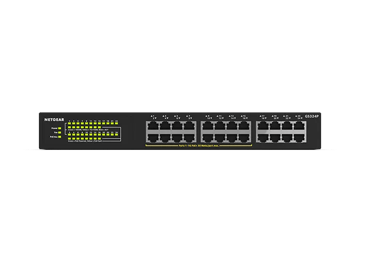
NETGEAR GS324P Unmanaged 24-Port PoE Gigabit Ethernet Switchcurrent price £249.99


Showing 1-4 of 4
18 Items
Sort by
Knowledge Article
UKCA Declarations of Conformity - NETGEAR Support
Please click on the Model to view Declarations of Conformity. Model A6100 A6150 A6210 A7000 A7500 A8000 A8500 A9000 ACC761 / ACC763 / AXLC761 / AXLC763 ACM761 / ACM762 / AXLM761 / AXLM762 AFT402 AGM731F AGM732F AGM734 APM408 / APM402 APS150W APS250W APS254W APS299W APS350W APS550W APS600W / APS1200W APS600Wv2 APS600Wv3 APS920W APS1000W APS1200Wv2 APS2000W APS2000Wv2 AXC761 AXC7610 AXC7615 AXC7620 AXC763 AXC765 AXC767 AXM761, AXM762, AXM763, AXM764, AXM765 AXM765v2 BR200 CSM4532 EAX12 EAX17 EAX20...
Knowledge Article
EU Declarations of Conformity - NETGEAR Support
Please click on the Model to view Declarations of Conformity. To access EU Declarations of Conformity for Arlo products, visit https://kb.arlo.com/000061839/EU-Declarations-of-Conformity-for-Arlo-and-VueZone. Model 6000451 A6100 A6150 A6210 A7000 A7500 A8000 A8500 A9000 ACM761 / ACM762 / AXLM761 / AXLM762 ACC761 / ACC763 / AXLC761 / AXLC763 AC785S AC790S AC810 / AC810S AFT402 AGM731F AGM732F AGM734 AirCard 797 (AC797) APM402XL APM408 / APM402 APS150W APS250W APS254W APS299W APS350W APS550W APS60...
Knowledge Article
GS324T / GS324TP Firmware Version 1.0.0.43 - NETGEAR Support
Bug Fixes: Fixes the issue where the STP Max Age setting is lost after rebooting the switch. Fixes the issue where the setting of 'Validate IGMP IP headers' is reactivated automatically after rebooting the switch. Warnings: Please reset password after upgrading the firmware or importing the configuration file from v1.0.0.38 or earlier version to v1.0.0.43 or a newer version. Please reset password every time if you switch the firmware and boot the device between v1.0.0.38 or earlier and v1.0.0.43...
Knowledge Article
GS324TPv2 / GS348TPv2 Firmware Version 1.0.0.9 - NETGEAR Support
Release Date: December 17, 2025. New Features: This is the initial firmware release. Known issues: When the SNTP setting is empty, the switch assigns a SNTP server automatically after reboot. Workaround: Delete the SNTP server that the switch assigned. The cable test does not work when linked at 10 Mbps speed. When changing the default password, an error might appear. Workaround: Click the OK button to dismiss the error message. Warnings: Read and follow these warnings before updating your firmw...
Knowledge Article
GS324TPv2 / GS348TPv2 Firmware Version 1.0.0.26 - NETGEAR Support
Release Date: April 27, 2026 Restriction: Switches manufactured with this firmware or later versions do not support firmware downgrades. Note: You can still perform firmware downgrades on switches that were manufactured with older firmware versions. Known issues: When the SNTP setting is empty, the switch assigns a SNTP server automatically after reboot. Workaround: Delete the SNTP server that the switch assigned. The cable test does not work when linked at 10 Mbps speed. When changing the defau...
Knowledge Article
GS324T / GS324TP Firmware Version 1.0.0.17 - NETGEAR Support
New Features: This release changes the default setting for IGMP snooping from enabled to disabled. Firmware Update Instructions: Download Link : http://www.downloads.netgear.com/files/GDC/GS324T/GS324T_GS324TP_V1.0.0.17.zip To update your product’s firmware, follow the instructions in your product’s user manual. To find your user manual, visit https://www.netgear.com/support/, enter your model number in the search box, and click the Documentation button on the product page. The released zip cont...
Knowledge Article
GS324T / GS324TP Firmware Version 1.0.0.34 - NETGEAR Support
New Features and Enhancements: Modifies fan behavior so that the fan now activates at low speed at a lower temperature threshold. Displays login failure reason when maximum allowable sessions is reached. Bug Fixes: Fixes the issue where the RADIUS shared secret is lost after updating the firmware. Firmware Update Instructions: Download Link : https://www.downloads.netgear.com/files/GDC/GS324T/GS324Tv1_GS324TPv1_V1.0.0.34.zip The released zip file contains the switch firmware and MIB files. Unzip...
Knowledge Article
GS324T / GS324TP Firmware Version 1.0.0.30 - NETGEAR Support
New Features and Enhancements: Reduced fan noise. Increased the maximum number of ports supporting CoS Override for Voice VLAN from 8 to 24. Firmware Update Instructions: Download Link : http://www.downloads.netgear.com/files/GDC/GS324T/GS324T_GS324TP_V1.0.0.30.zip To update your product’s firmware, follow the instructions in your product’s user manual. To find your user manual, visit https://www.netgear.com/support/, enter your model number in the search box, and click the Documentation button ...
Knowledge Article
GS324T / GS324TP Firmware Version 1.0.0.27 - NETGEAR Support
New Features and Enhancements: Cable diagnostic. Notes: To configure SNMPv3, Authentication Protocol must be configured as MD5 or SHA. The ‘none’ option for Authentication Protocol is no longer allowed. The default setting for Smart Control Center (SCC) management changes from enabled to disabled. Note: The SCC Utility can still discover the switch. Default “password” must be changed when you log into the switch for the first time. Firmware Update Instructions: Download Link : http://www.downloa...
Knowledge Article
GS324T / GS324TP Firmware Version 1.0.0.38 - NETGEAR Support
Enhancements: You can assign the management VLAN as the voice VLAN, and vice versa. Security Fixes: Fixes security vulnerabilities. For more information about security vulnerabilities, visit https://www.netgear.com/about/security. Bug Fixes: Fixes the issue where the DiffServ policy CoS 802.1P priority level can't be set higher than 3. Fixes the issue in German language mode where the PoE timer schedule can't be set to a date in the month of March. Fixes the issue where an access rule profile na...
Knowledge Article
GS324 FAQs - NETGEAR Support
What are key features on the GS324? 24 copper 10/100/1000Mbps RJ-45 Ethernet ports LEDs for Power/Port Speed/Link and Activity Auto MDI/MDI-X (Autosense) 3x Flow Control 1p QoS and DSCP IEEE 802.3az Energy Efficient Ethernet (EEE) compliance Rack mountable Wall mountable Operating temperature: 0° to 40° C (32° to 104° F) What is IEEE 802.3az Energy Efficient Ethernet (EEE) compliance? 802.3az is an IEEE (Institute of Electrical and Electronics Engineers) standard, which allows for less power con...
Knowledge Article
GS324T / GS324TP Firmware Version 1.0.0.44 - NETGEAR Support
Enhancements: Addition of 1 Gbps option to speed selection for SFP ports. You can access this setting in the Port Configuration page of the device UI (Switching > Ports > Port Configuration). Bug Fixes: Fixes the issue where the multicast router setting is not retained after you reboot the switch Warnings: Read and follow the instructions before updating your firmware: Reset the password after you upgrade the firmware or import the configuration file from v1.0.0.38 or an earlier version to v1.0....
Knowledge Article
GS324T / GS324TP Firmware Version 1.0.0.26 - NETGEAR Support
New Features and Enhancements: Default “password” must be changed when you log into the switch for the first time. To configure SNMPv3, Authentication Protocol must be configured as MD5 or SHA. The ‘none’ option for Authentication Protocol is no longer allowed. The default setting for Smart Control Center (SCC) management changes from enabled to disabled. Note: The SCC Utility can still discover the switch. Bug Fixes: Reduces the time required to synchronize the switch with the NTP server. Now d...
Knowledge Article
When do the fans in my NETGEAR GS724TPP or GS324TP switch run? - NETGEAR Support
The fans in your NETGEAR GS724TPP or GS324TP switch run under the following conditions: When the device temperature is 153°F (67°C) or above, the fans run for 30 seconds, then run in Auto mode. When the Power over Ethernet (PoE) load is 28W or higher and the device temperature is below 153°F (67°C), the fans immediately run in Auto mode. In Auto mode, the fans run until PoE load is below 28W and the device temperature is below 135°F (57°C). Last Updated:07/07/2025 | Article ID: 000062847 Was thi...
Knowledge Article
NMS300 Software Release 1.6.0.18 - NETGEAR Support
Enhancement on 1.6.0.18: Added new support models GS308T, Smart switch GS310TP, Smart switch GS324T, Smart switch GS324TP, Smart switch GS348T, Smart switch Fantastic 4: GS728TPv2, GS728TPPv2, GS752TPv2, GS752TPP M4300-16X, M4300-24XF and M4300-48XF Supports TLS1.1 and TLS1.2 on Fantastic 4 and other existing smart switches. Provided the following security enhancement on all managed switches. Support HTTPS for web access Support SSH for backup and restore device config file Supports ReadyNAS wit...
Knowledge Article
NETGEAR Unmanaged Switch Series Comparison Matrix - NETGEAR Support
NETGEAR produces a wide variety of unmanaged switches. Use the following table to see the differences between NETGEAR's unmanaged switch product lines. Category SOHO Business Series 200 600 300 100 500 Device Image Enclosure Plastic Plastic Metal Metal Metal Port Status LED Location Front Front On-port RJ-45 On-port RJ-45 On-port RJ-45 Operating Temperature Mostly 0-40 C Mostly 0-40 C Mostly 0-40 C Mostly 0-50 C Mostly 0-50 C PoE No No Yes some versions Yes some versions No Speed Gigabit Etherne...
Security Advisory
Security Advisory for Pre-Authentication Buffer Overflow on Some Switches, PSV-2022-0016 - NETGEAR Support
Associated CVE IDs: None First published: 11/7/2022 NETGEAR has released fixes for a pre-authentication buffer overflow security vulnerability on the following product models: GS728TX fixed in firmware version 6.6.4.28 GS728TXP fixed in firmware version 6.6.4.28 GS752TX fixed in firmware version 6.6.4.28 GS752TXP fixed in firmware version 6.6.4.28 GS724Tv4 fixed in firmware version 6.3.1.43 GS748Tv5 fixed in firmware version 6.3.1.43 GS716Tv3 fixed in firmware version 6.3.1.43 GS324T fixed in fi...
Knowledge Article
UK PSTI Declaration of Conformity - NETGEAR Support
On 29th April 2024, the United Kingdom’s Product Security and Telecommunications Infrastructure (UK PSTI) Act takes effect. The UK PSTI Act requires consumer networking devices to meet increased security standards with the stated goals of reducing cyber attacks and better protecting individual privacy and security. All NETGEAR products sold in the UK comply with the applicable security requirements that the UK PSTI Act defines. To view the UK PSTI Act Declaration of Conformity for a NETGEAR prod...
Showing 1-18 of 18
104 Items
Sort by
Discussion Post
Certificate of Volatility for GS324PP | NETGEAR Communities
Good morning, Could I please get the Certificate of Volatility for GS324PP please? Thank you!! Lance
Discussion Post
Certificate of Volatility for GS324PP | NETGEAR Communities
Good morning,Could I please get the Certificate of Volatility for GS324PP please? Thank you
Discussion Post
Fan Noise for GS324PP | NETGEAR Communities
Hi, we're about to purchase a GS324PP and would like to know the fan noise. I've looked through all of the docs that I could find. The noise level...
Discussion Post
Fan Noise GS324P | NETGEAR Communities
Looking for 24 port switch with at least 8 POE+ ports. But I see that many units have fans. Can anyone confirm that the fan on the GS324P or other...
Discussion Post
JGS524PE vs GS324P | NETGEAR Communities
Need to decide between JGS524PE vs GS324P. The watage and number of PoE ports seem to be the main difference but the price difference does not seem...
Discussion Post
Choosing between GS524PP and GS324PP | NETGEAR Communities
I want to upgrade to a 24-port unmanaged POE+ switch, but I can't decide between GS524PP and GS324PP - they seem to be all but identical.I've compared the...
Discussion Post
Deeper rack mount ears | NETGEAR Communities
Hello,I have a customer with a GS324P switch and I need to be able to mount it a few inches deeper in their server rack. Does Netgear make rack ears that...
Discussion Post
Connection issues in GS324TP | NETGEAR Communities
Hi all,I have a GS324TP model which is causing me a terrible headache. Connecting devices through the switch it goes really slow. I went to the simple...
Discussion Post
Netgear Switch GS324TP PoE not working | NETGEAR Communities
For several days I have been in trouble with my GS324TP (5,5 year old). I first noticed that Alexa (located in 2nd floor) stopped connecting to my wifi (we...
Discussion Post
GS324TP S350 - losing Link | NETGEAR Communities
Hi all, I'm using a GS324TP S350 for 4,5 years now, until now without any problems. A couple of day ago the switch startet to lose link to different...
Discussion Post
GS324TP S350 Switch are SFP modules "fiber only"? | NETGEAR Communities
I have a GS324TP S350, it has been working fine for the last 2 years. I recently acquired a new piece of equipment (a NAS) which has 2 2.5Gb ethernet...
Discussion Post
GS324TP shutdown by DOS attack notification | NETGEAR Communities
Hello, I have the GS324TP and used it well before. After updating to Win 10 or upgrading to Win 11, when I restart the PC and don't...
Discussion Post
S350 Series GS324TP | NETGEAR Communities
Home LAN basically as shown in diagram. Has been working well for a couple of years using an unmanaged 8-port Linksys (LGS108P).8-ports no longer enough, so...
Discussion Post
GS324TP upstream port deactivates | NETGEAR Communities
Hello Everyone, I have had a GS324TP 24 port smarth switch (POE+) for a couple years now. No problems with it until last couple...
Discussion Post
GS324TP- Speeds are bad when plugged into switch. Help? | NETGEAR Communities
The model is GS324TP The switch isn't pulling the proper download speeds. I have tested the speeds from my router with the same cable (so router...
Discussion Post
Screws to mountain brackets to the switch GS324TP | NETGEAR Communities
Hiwant to mount the existing brackets to the Switch GS324TP .. but lost the screwsWhat screws are needed?CheersBernd
Discussion Post
GS324TP POE Status = "Disabled" | NETGEAR Communities
I recently "lost" POE capabilities in ports 1-8 on my GS324TP POE switch. It worked fine before. I have rebooted, and power cycled numerous...
Discussion Post
Differences in specs of GS324 and JGS524 | NETGEAR Communities
There are two 24-port unmanaged gigabit switches (at least): The GS324 is gray and a little narrower than the JGS524, which is blue. What are the...
Discussion Post
Switch Discovery Tool doesnt find Netgear gs324tp | NETGEAR Communities
Appreciate any help anybody can offer. I have a gs324tp attached to a new Meraki MX75 router provided to me this week by BT for a newly installed leased...
Discussion Post
Netgear GS324T switch Setup for data transmission | NETGEAR Communities
Hello, Im trying to setup my GS432T switch to receive and transmit Raw data from 5 different sets of data acquisition equipment that I have connected...
Showing 1-20 of 104
We couldn’t find anything for "GS324P".
Showing 0-0 of 0
2 Items
Introducing the NETGEAR S350 Series v2: Powerful PoE+ Smart Switches - NETGEAR Blog
The NETGEAR S350 Series v2 Gigabit PoE+ Smart Managed Essentials Switches are designed to give growing organizations enterprise-grade capabilities - without the complexity or cost that usually comes with them.
COEP's Technological University builds on its heritage of excellence with world-class campus-wide networking - NETGEAR Blog
COEPS Technological University builds on its heritage of excellence with world-class campus-wide networking
Showing 1-2 of 2