
Search results for: GS308E
13 Items
Sort by


£89.99
8-Port Gigabit Ethernet PoE+ Easy Smart Essentials Switch (62W)current price £89.99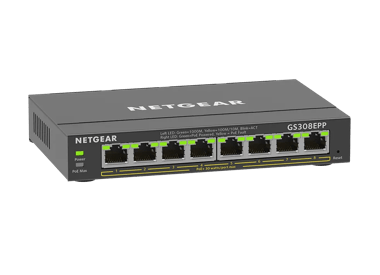
£119.99
8-Port Gigabit Ethernet Easy Smart Essentials PoE Switch (123W)current price £119.99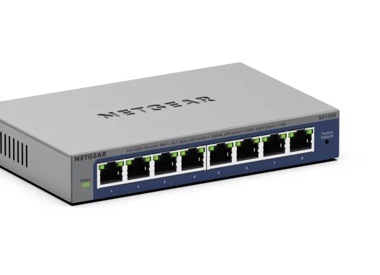

£74.99
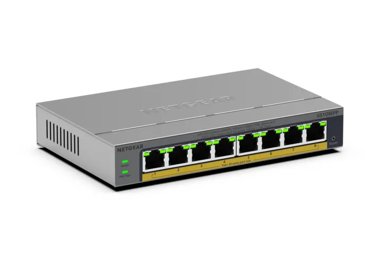
5-Port Gigabit Ethernet PoE+ Easy Smart Essentials Switch (63W)current price £74.99
£22.99
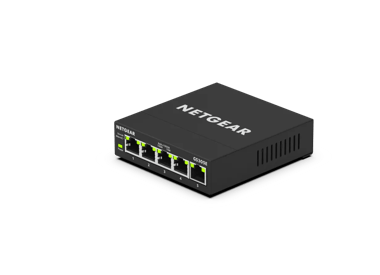
8-Port Gigabit Ethernet Unmanaged Essentials Switchcurrent price £22.99
£104.99
8-Port Gigabit Ethernet Unmanaged PoE+ Essentials Switch with 8-Ports PoE+ (83W)current price £104.99


Showing 1-12 of 13
167 Items
Sort by
Knowledge Article
GS308E Firmware Version 1.00.08 - NETGEAR Support
V1.00.08 has 3 firmware images. Each supports a different language for the WEB GUI: English, German, and Japanese. The supported language is identified by the suffix of image filename: EN - English. GR - German (Deutsch). JP - Japanese (日文). Security Issues: Various security fixes and enhancements. Known Issues: To support WEB GUI, all HTTP packets are forwarded to the embedded CPU. With Flow Control enabled, throughput will be impacted if the rate is higher than the CPU can handle. Configuratio...
Knowledge Article
GS308E Firmware Version 1.00.10 - NETGEAR Support
New Features: Added a control option to disable or enable file transfer via TFTP (Trivial File Transfer Protocol), under System > Management > Switch Managed Mode. Default is Disable. Security Fixes: Various security fixes vulnerability and enhancements. Known Issues: To support the device UI, all HTTP packets are forwarded to the embedded CPU. With Flow Control enabled, throughput can be affected if the rate is higher than the CPU can handle. Configuration settings from the Plus Utility cannot ...
Knowledge Article
GS308E Firmware Version 1.00.05 - NETGEAR Support
V1.00.05 has 3 firmware images. Each supports a different language for the WEB GUI: English, German, and Japanese. The supported language is identified by the suffix of image filename: EN - English. GR - German (Deutsch). JP - Japanese (日文). New Features and Modification: The default admin password must be changed to a unique password during the first login. Changes the default Management Mode (System > Management > Switch Management Mode) from Web browser and Plus Utility to Web browser only. K...
Knowledge Article
GS308E Firmware Version 1.00.11 - NETGEAR Support
Security Fixes: Fixes security vulnerabilities. For more information about security vulnerabilities, visit https://www.netgear.com/about/security/. Known Issues: To support the device UI, all HTTP packets are forwarded to the embedded CPU. With Flow Control enabled, throughput can be affected if the rate is higher than the CPU can handle. Configuration settings from the Plus Utility cannot be used by the device UI, and vice versa. IGMP dynamic router port does not timeout exactly at 300 seconds....
Knowledge Article
GS308E Firmware Version 1.00.01 - NETGEAR Support
New Features and Enhancements: Initial Release Download Link : https://www.downloads.netgear.com/files/GDC/GS308E/GS308E_V1.00.01.zip Last Updated:07/07/2025 | Article ID: 000060671 Was this article helpful? Yes No
Knowledge Article
GS308E Firmware Version 1.00.03 - NETGEAR Support
V1.00.03 has 3 firmware images. Each supports a different language for the WEB GUI: English, German, and Japanese. The supported language is identified by the suffix of image filename: EN - English. GR - German (Deutsch). JP - Japanese (日文). New Features and Modification: Add a new column to Port Status to display “Max MTU” supported by the device. Change Web GUI page title from “NETGEAR ProSAFE Plus Switch” to “NETGEAR GS308E” Change production description from “ 8-Port Gigabit ProSAFE Plus Swi...
Knowledge Article
GS308EPP Firmware Version 1.0.0.10 - NETGEAR Support
New Features: Support port mirroring from multiple ports. Warnings: Firmware files for GS308EP and GS308EPP are different. Be sure to download and install the correct firmware for your model. After upgrading to v1.0.0.7, the setting for Port LEDs on the home page will be incorrectly changed from ON to OFF, different from the actual Port LEDs on the front panel. To fix the issue, please reset the switch to factory default settings. Download Link: https://www.downloads.netgear.com/files/GDC/GS308E...
Knowledge Article
GS308EPP Firmware Version 1.0.1.1 - NETGEAR Support
Bug Fixes: Fixes an interoperability issue with the Hikvision camera, model DS-2CD2146G2-ISUI and model DS-2CD2046G2-IU, in which the camera might not receive PoE power from the switch. Warnings: Read and follow these warnings before updating your firmware: The firmware files for model GS308EP and model GS308EPP are different. Be sure to download and install the correct firmware for your model. After you upgrade the firmware to version 1.0.0.7, the settings for the port LEDs on the HOME page are...
Knowledge Article
GS308EP Firmware Version 1.0.0.7 - NETGEAR Support
New Features and Enhancements: After the switch falls back to its default IP address (192.168.0.239), it continues to request a DHCP IP address every 5 minutes until: It acquires one from a DHCP server, Or, Is assigned a fixed/static IP address. Switch attempts to renew its DHCP lease when its IP address lease expires, as per RFC standards. Warnings: Firmware files for GS308EP and GS308EPP are different. Be sure to download and install the correct firmware for your model. After upgrading to v1.0...
Knowledge Article
GS308EPP Firmware Version 1.0.0.4 - NETGEAR Support
New Features and Enhancements: Initial Release Warnings: Firmware files for GS308EP and GS308EPP are different, please use the correct fie for your model. Download Link : https://www.downloads.netgear.com/files/GDC/GS308EPP/GS308EPP_V1.0.0.4.zip Firmware Update Instructions: To update your product’s firmware, follow the instructions in your product’s user manual. To find your user manual, visit https://www.netgear.com/support/, enter your model number in the search box, and click the Documentati...
Knowledge Article
GS308EPP Firmware Version 2.0.0.11 - NETGEAR Support
Release Date:July 7, 2026 New Features and Enhancements: Support for adjusting the management VLAN to enhance network management flexibility. Note: After you update to this firmware, the switch management page is only accessible from ports in VLAN 1, which is the default management VLAN. If you are accessing the switch from a port assigned to a different VLAN, you need to switch to a VLAN 1 port to regain access. Support for manual SNTP server configuration for system time synchronization. Suppo...
Knowledge Article
GS308EP Firmware Version 1.0.0.4 - NETGEAR Support
New Features and Enhancements: Initial Release Warnings: Firmware files for GS308EP and GS308EPP are different, please use the correct fie for your model. Download Link : https://www.downloads.netgear.com/files/GDC/GS308EP/GS308EP_V1.0.0.4.zip Firmware Update Instructions: To update your product’s firmware, follow the instructions in your product’s user manual. To find your user manual, visit https://www.netgear.com/support/, enter your model number in the search box, and click the Documentation...
Knowledge Article
GS308EP Firmware Version 2.0.0.5 - NETGEAR Support
Bug fixes: Fixes the issue where the switch incorrectly forwards specific multicast traffic across different VLANs. Known Issues: After you upgrade the firmware to version 1.0.0.7, the Home page in the device UI incorrectly displays the port LED settings as OFF, while the physical port LEDs on the front panel display as ON. Workaround: To fix this issue, reset the switch to the factory default settings. Download Link: https://www.downloads.netgear.com/files/GDC/GS308EP/GS308EP_V2.0.0.5.zip Firmw...
Knowledge Article
GS308EP Firmware Version 1.0.0.6 - NETGEAR Support
New Features and Enhancements: Added an option on the device UI to disable or enable the uninterrupted PoE feature. Add a “REFRESH” button to the PoE port status feature on the device UI. Displays different colors for different link speeds when the port status is “UP” on the HOME page: Green =>1000Mbits, Yellow=>10/100Mbits. Warnings: Firmware files for GS308EP and GS308EPP are different. Be sure to download and install the correct firmware for your model. Download Link : https://www.downloads.n...
Knowledge Article
GS308EPP Firmware Version 1.0.0.7 - NETGEAR Support
New Features and Enhancements: After the switch falls back to its default IP address (192.168.0.239), it continues to request a DHCP IP address every 5 minutes until: It acquires one from a DHCP server, Or, Is assigned a fixed/static IP address. Switch attempts to renew its DHCP lease when its IP address lease expires, as per RFC standards. Warnings: Firmware files for GS308EP and GS308EPP are different. Be sure to download and install the correct firmware for your model. After upgrading to v1.0...
Knowledge Article
GS308EP Firmware Version 1.0.1.4 - NETGEAR Support
Enhancement: You can use Universal Plug and Play (UPnP) protocol to discover the device. Warnings: Read and follow these warnings before updating your firmware: Do not use the NETGEAR Switch Discovery Tool (NSDT) to discover the device as it is no longer supported from firmware version 1.0.1.4. Use NETGEAR Discovery Tool (NDT) or the latest NETGEAR Insight App to discover the switch in the same subnet. The firmware files for models GS308EP and model GS308EPP are different. Ensure you download an...
Knowledge Article
GS308Ev4 Firmware Version 1.0.1.9 - NETGEAR Support
Bug Fixes: Fixes the issue where IPv6 multicast packets were incorrectly forwarded across different VLANs. Warnings: Read and follow these warnings before updating your firmware: As of firmware version 1.0.1.3, the NETGEAR Switch Discovery Protocol (NSDP) that was used by the old NETGEAR Switch Discovery Tool (NSDT) is no longer supported. Instead, now use the NDT or the latest NETGEAR Insight app to discover the switch in the same subnet. Download Link: https://www.downloads.netgear.com/files/G...
Knowledge Article
GS308EPP Firmware Version 1.0.0.6 - NETGEAR Support
New Features and Enhancements: Added an option on the device UI to disable or enable the uninterrupted PoE feature. Add a “REFRESH” button to the PoE port status feature on the device UI. Displays different colors for different link speeds when the port status is “UP” on the HOME page: Green =>1000Mbits, Yellow=>10/100Mbits. Warnings: Firmware files for GS308EP and GS308EPP are different. Be sure to download and install the correct firmware for your model. Download Link : https://www.downloads.n...
Knowledge Article
GS308EP Firmware Version 1.0.0.10 - NETGEAR Support
New Features: Support port mirroring from multiple ports. Warnings: Firmware files for GS308EP and GS308EPP are different. Be sure to download and install the correct firmware for your model. After upgrading to v1.0.0.7, setting for Port LEDs on the home page will be incorrectly changed from ON to OFF, different from the actual Port LEDs on the front panel. To fix the issue, please reset the switch to factory default settings. Download Link: https://www.downloads.netgear.com/files/GDC/GS308EP/GS...
Knowledge Article
GS308Ev4 Firmware Version 1.0.1.3 - NETGEAR Support
Enhancements: You can now use the new NETGEAR Discovery Tool (NDT) or the latest NETGEAR Insight app to discover the switch in the same subnet. The NDT supports UPnP, which is now the preferred method of discovery. Warnings: Read and follow these warnings before updating your firmware: As of firmware version 1.0.1.3, the NETGEAR Switch Discovery Protocol (NSDP) that was used by the old NETGEAR Switch Discovery Tool (NSDT) is no longer supported. Instead, now use the NDT or the latest NETGEAR Ins...
Showing 1-20 of 167
473 Items
Sort by
Discussion Post
Three GS308E, PFSense, cannot get VLAN working on third switch | NETGEAR Communities
I'm working on getting VLAN setup in my home network. All of the switches are GS308E and have the VLAN turned on for the type "Advanced 802.1Q...
Discussion Post
PoE doesn't start_GS308EP | NETGEAR Communities
We use the GS308EP to manage 2 differents VLAN in our custom system. the port 1 is used to power on a RFID reader (FEIG MR102), the others ports are for...
Discussion Post
Broken GS308EPP web gui after reverse proxy | NETGEAR Communities
Hello community, I put my switch GS308EPP behind a reverse proxy HTTP -> HTTPS on my Synology DS923+ which works well.Unfortunately, the errors come...
Discussion Post
gs108v2 gs308ep DoS | NETGEAR Communities
I have both of those switches... The port turns off and has to be enabled to back on. The gs108v2 is connected to the gs308ep (poe is turned of on port...
Discussion Post
GS308E not working, power led blinking | NETGEAR Communities
My Netgear GS308E stopped working.When powered on, the power led and the top right led on ethernet port #8 blink.I'd be glad to get your advice.Regards
Discussion Post
Can I use a GS308E with Deco Ethernet Backhaul? | NETGEAR Communities
I am looking for a small managed switch for Ethernet Backhaul on the Deco, as the wireless connections randomly disconnect. Fortunately, my friend has a...
Discussion Post
GS308EP Won't Factory Reset | NETGEAR Communities
So I have been using a GS308EP for my network for a while. I set it and forgot it and didn't leave a management port open. I'm changing my network now, so I...
Discussion Post
GS308Ev4, GS305E - Help with uplinks/downlinks | NETGEAR Communities
Could I please have some help or confirmation that I have these setup correctly? I'm weary that they are because I sometimes have trouble connecting to...
Discussion Post
GS305EPP New Firmware But Not GS308EPP? | NETGEAR Communities
I see new firmware v2.0.04 for GS305EPP but not for GS308EPP. I would think these run the same software. Will new 2.0.0.4 firmware be...
Discussion Post
Netgear GS308EP | NETGEAR Communities
Morning all from UK.Just purchased my first ever switch and decided to go for one with POE as I want to eventually run a couple of security cameras.I've only...
Discussion Post
Re: Unable to sign into GS308E | NETGEAR Communities
I'm having some issues with this product. I recently purchased it and set it up last week. But as soon as I set it up via the admin page and...
Discussion Post
SSDP multicast leakage across VLAN on GS308EP | NETGEAR Communities
SetupSwitch is in Advanced 802.1Q VLAN modePort 1-6 connected to VLAN 1. Port 1-6 untagged, port 7-8 exclude.Port 7-8 connected to VLAN 2. Port 1-6 exclude,...
Discussion Post
Multiple GS308EPP switches and vlan | NETGEAR Communities
Hi All, I am trying to configure vlan traffice to travel true 4 switches. Now i configured vlan and this is working on my first switch. But for the...
Discussion Post
GS308EPP PoE & REOLINK PoE doorbell | NETGEAR Communities
GS308EPP:Port (PoE) doesent work regardless on the PoE setting with my NEW PoE Reolink doorbell (V3) -->IEEE 802.3afWhat is strange is the fact that the...
Discussion Post
Can I use GS308E unmanaged? | NETGEAR Communities
Hello I have bought about 15EA NETGEAR GS308E about 3 years ago I didn't know that GS308E was for managed switch (confused with GS308...
Discussion Post
Mac based Vlan on a GS308Ev4 | NETGEAR Communities
Hi can anyone advise if I can set up mac or ip address VLANs on the GS308?
Discussion Post
GS308Ev4 Tagged traffic issue | NETGEAR Communities
Hi all. Let´s start with a 2025 best wishes.I´m new to this type of switch and Vlans as a whole. Bare with me.I think best is to describe my setup so that it...
Discussion Post
Newbie to VLANs - GS308Ev4 | NETGEAR Communities
All Before I get into any detail around what I want to achieve long term, I have a very basic question.... please bear with, as first time I am trying...
Discussion Post
GS308e - Port Status - Colour Question | NETGEAR Communities
Hi, probably a basic question, but one I cant find an answer to.... in the Port Status section in the admin GUI for the 308e, where it is showing...
Discussion Post
Showing 1-20 of 473
We couldn’t find anything for "GS308E".
Showing 0-0 of 0
6 Items
Manage Your Network Easier with NETGEAR Smart Switch CLI
Simplify network management with NETGEAR Smart Switch CLI. Configure, monitor, and troubleshoot your switches all from one place.
Experience High Performance with NETGEAR's WiFi 6
Experience the future of connectivity with NETGEAR's high-performance WiFi 6, offering faster speeds, increased capacity, and improved efficiency.
New MS305E and MS308E Multi-Gig Switches - NETGEAR Blog
NETGEAR has launched the multi-gig five port MS305E and multi-gig eight-port MS308E switches as a lightly smart managed upgrade to their unmanaged predecessors.
Introducing the NETGEAR XS724EMv2 Switch: Smarter, Faster, and Built for the Future - NETGEAR Blog
NETGEAR maintains its leadership in multi-gigabit switching technology with the introduction of the XS724EMv2 24-Port 10G/Multi-Gigabit Easy Smart Managed Switch.
Business IT Networking Articles - NETGEAR Blog
Discover how to get the most out of your business IT network with the latest technology and best practices. Learn More.
Switch Management Types Explained - NETGEAR Blog
NETGEAR Switches are primarily designed around Management Style, so it’s important to understand the capabilities and use cases for each switch management style.
Showing 1-6 of 6