
Search results for: GS305P
8 Items
Sort by


£74.99
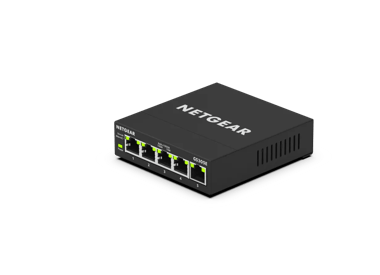
5-Port Gigabit Ethernet PoE+ Easy Smart Essentials Switch (63W)current price £74.99
£17.99
5-Port Gigabit Ethernet Unmanaged Essentials Switchcurrent price £17.99
£104.99
8-Port Gigabit Ethernet Unmanaged PoE+ Essentials Switch with 8-Ports PoE+ (83W)current price £104.99


Showing 1-8 of 8
62 Items
Sort by
Knowledge Article
UKCA Declarations of Conformity - NETGEAR Support
Please click on the Model to view Declarations of Conformity. Model A6100 A6150 A6210 A7000 A7500 A8000 A8500 A9000 ACC761 / ACC763 / AXLC761 / AXLC763 ACM761 / ACM762 / AXLM761 / AXLM762 AFT402 AGM731F AGM732F AGM734 APM408 / APM402 APS150W APS250W APS254W APS299W APS350W APS550W APS600W / APS1200W APS600Wv2 APS600Wv3 APS920W APS1000W APS1200Wv2 APS2000W APS2000Wv2 AXC761 AXC7610 AXC7615 AXC7620 AXC763 AXC765 AXC767 AXM761, AXM762, AXM763, AXM764, AXM765 AXM765v2 BR200 CSM4532 EAX12 EAX17 EAX20...
Knowledge Article
EU Declarations of Conformity - NETGEAR Support
Please click on the Model to view Declarations of Conformity. To access EU Declarations of Conformity for Arlo products, visit https://kb.arlo.com/000061839/EU-Declarations-of-Conformity-for-Arlo-and-VueZone. Model 6000451 A6100 A6150 A6210 A7000 A7500 A8000 A8500 A9000 ACM761 / ACM762 / AXLM761 / AXLM762 ACC761 / ACC763 / AXLC761 / AXLC763 AC785S AC790S AC810 / AC810S AFT402 AGM731F AGM732F AGM734 AirCard 797 (AC797) APM402XL APM408 / APM402 APS150W APS250W APS254W APS299W APS350W APS550W APS60...
Knowledge Article
GS305E Firmware Version 1.0.0.5 - NETGEAR Support
New Features : The default admin password must be changed to a unique password after the first login. Modification: Changes the Switch Management Mode (System > Management > Switch Management Mode) default value from Web browser and Plus Utility to Web browser only. Download Link : https://www.downloads.netgear.com/files/GDC/GS305E/GS305E_V1.0.0.5.zip Firmware Update Instructions: To update your product’s firmware, follow the instructions in your product’s user manual. To find your user manual, ...
Knowledge Article
GS305E Firmware Version 1.0.0.9 - NETGEAR Support
New Features: Added a control option to disable or enable file transfer via TFTP (Trivial File Transfer Protocol), under System > Management > Switch Managed Mode). Default is Disable. Security Fixes: Various security vulnerability fixes and enhancements. Download Link: https://www.downloads.netgear.com/files/GDC/GS305E/GS305E_V1.0.0.9.zip Firmware Update Instructions: To update your product’s firmware, follow the instructions in your product’s user manual. To find your user manual, visit https:...
Knowledge Article
GS105PE Firmware Version 1.3.0.3 - NETGEAR Support
New Features & Enhancements: Fixed the problem that DHCP mode shows disabled on Web GUI even though it is actually enabled. Using the Download Link below, download and extract the new firmware to a convenient place such as your desktop. The filename after extracting is GS105PE_V1.3.0.3.bin Download Link: http://www.downloads.netgear.com/files/GDC/GS105PE/GS105PE_V1.3.0.3.zip Last Updated:10/17/2025 | Article ID: 25659 Was this article helpful? Yes No
Knowledge Article
GS105PE: PoE troubleshooting - NETGEAR Support
The GS105PE is a PoE passthrough switch which can only be powered by Power Over Ethernet (does not accept AC power). GS105PE can be powered by either IEEE 802.3af or IEEE 802.3at from either a PoE switch or a PoE injector. When powered by IEEE 802.3af: The GS105PE can power up only one Class 1/2 PoE device. When powered by IEEE 802.3at: The GS105PE can power up only one Class 0/3 PoE device or two class 1/2 devices. Note on 802.3at interop issues with certain Cisco switches: Interop problems hav...
Knowledge Article
GS305EP Firmware Version 1.0.1.1 - NETGEAR Support
Bug Fixes: Fixes an interoperability issue with the Hikvision camera, model DS-2CD2146G2-ISUI and model DS-2CD2046G2-IU, in which the camera might not receive PoE power from the switch. Warnings: Read and follow these warnings before updating your firmware: The firmware files for model GS305EP and model GS305EPP are different. Be sure to download and install the correct firmware for your model. After you upgrade the firmware to version 1.0.0.7, the settings for the port LEDs on the HOME page are...
Knowledge Article
GS105PE Firmware Version 1.6.0.3 - NETGEAR Support
New feature and Modifications: In addition to English, WEB GUI can now be displayed in German (Deutsch) or Japanese (日本語). Implemented new and more secured encryption algorithm to work with newer versions of Plus Utility (V2.7.2 or higher). Implemented new access control WARNING: After GS105PE is upgraded to FW version V1.6.0.3 or higher, it cannot work with Plus Utility version prior to V2.7.2. Please download the latest Plus Utility from http://www.netgear.com/support/product/PCU Upgrade Proce...
Knowledge Article
GS305EP Firmware Version 2.0.0.4 - NETGEAR Support
Warnings: Read and follow these warnings before updating your firmware: Do not use the NETGEAR Switch Discovery Tool (NSDT) to discover the device as it is no longer supported from firmware version 1.0.1.4. Use NETGEAR Discovery Tool (NDT) or the latest NETGEAR Insight App to discover the switch in the same subnet. The firmware for models GS305EP is different from the firmware for models GS105EP, GS105EPP, and GS305EPP. Download and install the correct firmware for your model. Known Issues: Fixe...
Knowledge Article
GS105PE Firmware Version 1.3.0.1 - NETGEAR Support
New Features & Enhancements: Supports Web GUI management. Using the Download Link below, download and extract the new firmware to a convenient place such as your desktop. The filename after extracting is GS105PE_V1.3.0.1.bin Download Link: http://www.downloads.netgear.com/files/GDC/GS105PE/GS105PE_V1.3.0.1.zip Last Updated:10/17/2025 | Article ID: 25396 Was this article helpful? Yes No
Knowledge Article
GS305E Firmware Version 1.0.0.25 - NETGEAR Support
Release Date: March 30, 2026. New Features and Enhancements: Support for adjusting the management VLAN to enhance network management flexibility. Bug Fixes: Fixes the issue where multicast traffic was incorrectly forwarded across different VLANs. Warnings: Read and follow these warnings before updating your firmware: As of firmware version 1.0.0.16, the NETGEAR Switch Discovery Protocol (NSDP) that was used by the old NETGEAR Switch Discovery Tool (NSDT) is no longer supported. Instead, now use ...
Knowledge Article
GS305E Firmware Version 1.0.0.11 - NETGEAR Support
Security Fixes: Fixes security vulnerabilities. For more information about security vulnerabilities, visit https://www.netgear.com/about/security/. Download Link: https://www.downloads.netgear.com/files/GDC/GS305E/GS305E_V1.0.0.11.zip Firmware Update Instructions: To update your product’s firmware, follow the instructions in your product’s user manual. To find your user manual, visit https://www.netgear.com/support/, enter your model number in the search box, and click the Documentation button o...
Knowledge Article
GS305E Firmware Version 1.0.0.3 (Multi-Language Support) - NETGEAR Support
New Features and Enhancements: In addition to English, WEB GUI can now be displayed in German (Deutsch) or Japanese. Web GUI title changed to NETGEAR GS305E. Security Fixes: PSV-2018-0538 PSV-2018-0542 PSV-2018-0612 Bug Fixes: Access control list allows invalid combinations of IP and mask settings Download Link : https://www.downloads.netgear.com/files/GDC/GS305E/GS305E_V1.0.0.3.zip Firmware Update Instructions: To update your product’s firmware, follow the instructions in your product’s user ma...
Knowledge Article
GS105PE Firmware Version 1.6.0.6 - NETGEAR Support
New Features: The default admin password must be changed to a unique password after the first login. Modifications: Changes the Switch Management Mode (System > Management > Switch Management Mode) default value from Web browser and Plus Utility to Web browser only. Download Link: http://www.downloads.netgear.com/files/GDC/GS105PE/GS105PE_V1.6.0.6.zip Firmware Update Instructions: Important: Read and follow these instructions before updating your firmware. After GS105PE is upgraded to FW version...
Knowledge Article
GS305EPP Firmware Version 2.0.0.4 - NETGEAR Support
Warnings: Read and follow these warnings before updating your firmware: Do not use the NETGEAR Switch Discovery Tool (NSDT) to discover the device as it is no longer supported from firmware version 1.0.1.4. Use NETGEAR Discovery Tool (NDT) or the latest NETGEAR Insight App to discover the switch in the same subnet. The firmware for models GS105EP, GS105EPP, and GS305EPP is different from the firmware for model GS305EP. Download and install the correct firmware for your model. Known Issues: Fixes...
Knowledge Article
GS305EP Firmware Version 1.0.0.7 - NETGEAR Support
New Features and Enhancements: When the switch falls back to its default IP address (192.168.0.239), it continues to request a DHCP IP address every 5 minutes until: It acquires one from a DHCP server, Or, Is assigned a fixed/static IP address. Switch now attempts to renew its DHCP lease when its IP address lease time expires, as per the RFC standard. Warnings: Firmware files for GS305EP and GS305EPP are different. Be sure to download and install the correct firmware for your model. After upgrad...
Knowledge Article
GS305E Firmware Version 1.0.0.1 - NETGEAR Support
New Features and Enhancements: Initial Release Download Link : https://www.downloads.netgear.com/files/GDC/GS305E/GS305E_V1.0.0.1.zip Last Updated:07/07/2025 | Article ID: 000060670 Was this article helpful? Yes No
Knowledge Article
GS105PE Firmware Version 1.4.0.6 - NETGEAR Support
New Features and Enhancements: Added the option to disable/enable power saving mode. Bug Fixes: Changed the Flow Control (System > Status > Switch Status) default setting from enabled to disabled. Fixed the problem where the port 1 will link at 100M instead of 1000M after upgrading the firmware to version v1.4.0.2. Fixed the PoE interoperability issue with certain PoE+ PSE or injector devices like Meraki MS220-8P, Intellinet 560566, and HP JG350A. GS105PE will initially show it is being powered ...
Knowledge Article
GS305EP Firmware Version 1.0.0.10 - NETGEAR Support
New Features: Support port mirroring from multiple ports. Warnings: Read and follow these warnings before updating your firmware: Firmware files for GS305EP and GS305EPP are different. Be sure to download and install the correct firmware for your model. After upgrading to v1.0.0.7, the setting for Port LEDs on the home page will be incorrectly changed from ON to OFF, different from the actual Port LEDs on the front panel. To fix the issue, please reset the switch to factory default settings. Dow...
Knowledge Article
GS305EPP Firmware Version 2.0.0.10 - NETGEAR Support
Release Date: July 7, 2026 New Features and Enhancements: Support for adjusting the management VLAN to enhance network management flexibility. Note: After you update to this firmware, the switch management page is only accessible from ports in VLAN 1, which is the default management VLAN. If you are accessing the switch from a port assigned to a different VLAN, you need to switch to a VLAN 1 port to regain access. Support for manual SNTP server configuration for system time synchronization. Supp...
Showing 1-20 of 62
130 Items
Sort by
Discussion Post
GS305P no PoE | NETGEAR Communities
I have a GS305P and I’m trying to use it to connect / power 2 x Wireless Access Points. However it isn’t showing that it’s providing PoE on either of the WAP...
Discussion Post
GS305Pv2 PoE compatibility with Ubiqiti Aircube AC | NETGEAR Communities
I am not getting any PoE to the Aircube. Aircube works fine on its power adapter. Are they incompatible?
Discussion Post
GS305P bocks connection to Internet | NETGEAR Communities
Unable to connect through this unmanaged switch. Direct to Comcast modem is ok. The switch is used for a 4 camera surveillance system on Windows 10.
Discussion Post
GS305PV3 PoE and Optical Terminal Network ONT PoE | NETGEAR Communities
I have a question that might be crazy but my fiber optic to my house is not near any power supply so I do not know how to power the ONT without new...
Discussion Post
Letter of Volatility GS305Pv2 | NETGEAR Communities
Hello, Can you send me the Letter of Volatility GS305Pv2?
Discussion Post
Connecting two GS305P to extend network | NETGEAR Communities
Hey all,I think this is possible, but I want to avoid any diminishing return this may cause as I want to keep my ping low for gaming. I want to extend my...
Discussion Post
Buzzing noise on IP camera connected to GS305P | NETGEAR Communities
I'm running a new Netgear GS305P to power a Reolink IP POE camera. Whenever the camera is touched by a hand or a few drops of water (waterproof camera) there...
Discussion Post
Is it safe to connect non-PoE devices to the GS305P switch? | NETGEAR Communities
Is it safe (for all the devices) to connect both types of devices: PoE & non-PoE to the GS305P switch ? (e.g. PCs, Laptops, no-PoE hubs, etc)
Discussion Post
Does Netgear have a 8 port PoE extender/passthrough? | NETGEAR Communities
I have a GS108Tv2 powered by GS305P. I've only found the 5 port GS105PE. However, I ask because D-Link apparently has an 8 port PoE DGS-1100-8P Rev B...
Discussion Post
Buying the additional power updater | NETGEAR Communities
Hello there,does someone know where I can purchase an additional power adapter for GS305P? Thanks for your help.BorisGS305P
Discussion Post
GS108T power usage and PoE class | NETGEAR Communities
Hello, I would to connect and power my switches this way main router -> GS305P or GS305PP -> GS105PE ...
Discussion Post
Does the GS305EP provide DHCP addresses | NETGEAR Communities
I was pretty excited to get my new switch, and I immediately updated the firmware. I intend to create a small standalone offline network for events. With...
Discussion Post
GS308Ev4, GS305E - Help with uplinks/downlinks | NETGEAR Communities
Could I please have some help or confirmation that I have these setup correctly? I'm weary that they are because I sometimes have trouble connecting to...
Discussion Post
Can I use GS305E / GS305EP to Implement the Diagrammed Subnet Design ? | NETGEAR Communities
Thanks in advance for any helpful comments.
Discussion Post
GS305E mobile WiFi loss of connection. | NETGEAR Communities
Newbie alert, hello everyone. I have a simple set up from a router to the GS305E switching device which is hard wired by Ethernet 40metres away....
Discussion Post
GS305EPP New Firmware But Not GS308EPP? | NETGEAR Communities
I see new firmware v2.0.04 for GS305EPP but not for GS308EPP. I would think these run the same software. Will new 2.0.0.4 firmware be...
Discussion Post
ProSafe GS305E: Can I block IP addresses with this? | NETGEAR Communities
Can I block IP Addresses with this device? If you have suggestions on how to go about that, I'd appreciate that as well.NETGEAR ProSafe GS305EFirmware:...
Discussion Post
GS305E Trunking tagged and untagged vlans | NETGEAR Communities
Hi there. I recently purchased a GS308EPP. In basic 802.1Q mode, I temporarily used it to connect:- (V)lan 1 (default Lan): still a few...
Discussion Post
GS305E no led's light up | NETGEAR Communities
So my GS305E worked perfectly but now only the Power led lights up (very dim) and one other LED on port 4. This is when powered up only, no lan cables...
Discussion Post
GS305E Static IP | NETGEAR Communities
I'm trying to assign a static IP to my GS305E. Seems it won't allow me to use a 10.1.1.x address, but it will allow a 192.168.x.x address. Why should this...
Showing 1-20 of 130
We couldn’t find anything for "GS305P".
Showing 0-0 of 0
1 Item
Experience High Performance with NETGEAR's WiFi 6
Experience the future of connectivity with NETGEAR's high-performance WiFi 6, offering faster speeds, increased capacity, and improved efficiency.
Showing 1-1 of 1