
Search results for: GS305EP
8 Items
Sort by

£74.99
5-Port Gigabit Ethernet PoE+ Easy Smart Essentials Switch (63W)current price £74.99

£89.99
8-Port Gigabit Ethernet PoE+ Easy Smart Essentials Switch (62W)current price £89.99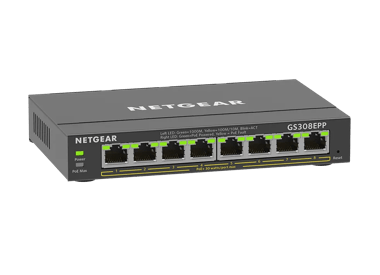
£119.99
8-Port Gigabit Ethernet Easy Smart Essentials PoE Switch (123W)current price £119.99


Showing 1-8 of 8
56 Items
Sort by
Knowledge Article
GS305EP Firmware Version 2.0.0.4 - NETGEAR Support
Warnings: Read and follow these warnings before updating your firmware: Do not use the NETGEAR Switch Discovery Tool (NSDT) to discover the device as it is no longer supported from firmware version 1.0.1.4. Use NETGEAR Discovery Tool (NDT) or the latest NETGEAR Insight App to discover the switch in the same subnet. The firmware for models GS305EP is different from the firmware for models GS105EP, GS105EPP, and GS305EPP. Download and install the correct firmware for your model. Known Issues: Fixe...
Knowledge Article
GS305EP Firmware Version 1.0.0.7 - NETGEAR Support
New Features and Enhancements: When the switch falls back to its default IP address (192.168.0.239), it continues to request a DHCP IP address every 5 minutes until: It acquires one from a DHCP server, Or, Is assigned a fixed/static IP address. Switch now attempts to renew its DHCP lease when its IP address lease time expires, as per the RFC standard. Warnings: Firmware files for GS305EP and GS305EPP are different. Be sure to download and install the correct firmware for your model. After upgrad...
Knowledge Article
GS305EP Firmware Version 1.0.0.8 - NETGEAR Support
Enhancements: Increase the counter size of Port Statistics (Diagnostic > Port Statistics) from 32 bits to 64 bits. Security Fixes: Fixes security vulnerabilities. For more information about security vulnerabilities, visit https://www.netgear.com/about/security. Warnings: Read and follow these warnings before updating your firmware: Firmware files for GS305EP and GS305EPP are different. Be sure to download and install the correct firmware for your model. After upgrading to v1.0.0.7, the setting f...
Knowledge Article
GS305EP Firmware Version 1.0.1.4 - NETGEAR Support
Enhancement: You can use Universal Plug and Play (UPnP) protocol to discover the device. Warnings: Read and follow these warnings before updating your firmware: Do not use the NETGEAR Switch Discovery Tool (NSDT) to discover the device as it is no longer supported from firmware version 1.0.1.4. Use NETGEAR Discovery Tool (NDT) or the latest NETGEAR Insight App to discover the switch in the same subnet. The firmware files for models GS305EP and model GS305EPP are different. Ensure you download an...
Knowledge Article
GS305EP Firmware Version 1.0.0.6 - NETGEAR Support
New Features and Enhancements: Added an option on the device UI to disable or enable the uninterrupted PoE feature. Add a “REFRESH” button to the PoE port status feature on the device UI. Displays different colors for different link speeds when the port status is “UP” on the HOME page: Green =>1000Mbits, Yellow=>10/100Mbits. Warnings: Firmware files for GS305EP and GS305EPP are different. Be sure to download and install the correct firmware for your model. Download Link : https://www.downloads.n...
Knowledge Article
GS305EP Firmware Version 1.0.0.5 - NETGEAR Support
Bug Fixes: When moving from one local browser UI page to another, nonsensical strings may display in place of words. At the login page, the show password icon may disappear even when the cursor is in the password field. Warnings: Firmware files for GS305EP and GS305EPP are different. Be sure to install the correct firmware for your model. Download Link : https://www.downloads.netgear.com/files/GDC/GS305EP/GS305EP_V1.0.0.5.zip Firmware Update Instructions: To update your product’s firmware, follo...
Knowledge Article
GS305EP Firmware Version 1.0.0.10 - NETGEAR Support
New Features: Support port mirroring from multiple ports. Warnings: Read and follow these warnings before updating your firmware: Firmware files for GS305EP and GS305EPP are different. Be sure to download and install the correct firmware for your model. After upgrading to v1.0.0.7, the setting for Port LEDs on the home page will be incorrectly changed from ON to OFF, different from the actual Port LEDs on the front panel. To fix the issue, please reset the switch to factory default settings. Dow...
Knowledge Article
GS305EP Firmware Version 1.0.1.1 - NETGEAR Support
Bug Fixes: Fixes an interoperability issue with the Hikvision camera, model DS-2CD2146G2-ISUI and model DS-2CD2046G2-IU, in which the camera might not receive PoE power from the switch. Warnings: Read and follow these warnings before updating your firmware: The firmware files for model GS305EP and model GS305EPP are different. Be sure to download and install the correct firmware for your model. After you upgrade the firmware to version 1.0.0.7, the settings for the port LEDs on the HOME page are...
Knowledge Article
GS305EP Firmware Version 2.0.0.10 - NETGEAR Support
Release Date: June 29, 2026 New Features and Enhancements: Support for adjusting the management VLAN to enhance network management flexibility. Note: After you update to this firmware, the switch management page is only accessible from ports in VLAN 1, which is the default management VLAN. If you are accessing the switch from a port assigned to a different VLAN, you need to switch to a VLAN 1 port to regain access. Support for manual SNTP server configuration for system time synchronization. Sup...
Knowledge Article
GS305EPP Firmware Version 1.0.0.7 - NETGEAR Support
New Features and Enhancements: When the switch falls back to its default IP address (192.168.0.239), it continues to request a DHCP IP address every 5 minutes until: It acquires one from a DHCP server, Or, Is assigned a fixed/static IP address. Switch now attempts to renew its DHCP lease when its IP address lease time expires, as per the RFC standard. Warnings: Firmware files for GS305EP and GS305EPP are different. Be sure to download and install the correct firmware for your model. After upgrad...
Knowledge Article
GS305EPP Firmware Version 1.0.0.8 - NETGEAR Support
Enhancements: Increase the counter size of Port Statistics (Diagnostic > Port Statistics) from 32 bits to 64 bits. Security Fixes: Fixes security vulnerabilities. For more information about security vulnerabilities, visit https://www.netgear.com/about/security. Warnings: Read and follow these warnings before updating your firmware: Firmware files for GS305EP and GS305EPP are different. Be sure to download and install the correct firmware for your model. After upgrading to v1.0.0.7, the setting f...
Knowledge Article
GS305EPP Firmware Version 2.0.0.10 - NETGEAR Support
Release Date: July 7, 2026 New Features and Enhancements: Support for adjusting the management VLAN to enhance network management flexibility. Note: After you update to this firmware, the switch management page is only accessible from ports in VLAN 1, which is the default management VLAN. If you are accessing the switch from a port assigned to a different VLAN, you need to switch to a VLAN 1 port to regain access. Support for manual SNTP server configuration for system time synchronization. Supp...
Knowledge Article
GS305EPP Firmware Version 1.0.0.10 - NETGEAR Support
Enhancements: Support port mirroring from multiple ports. Warnings: Read and follow these warnings before updating your firmware: Firmware files for GS305EP and GS305EPP are different. Be sure to download and install the correct firmware for your model. After upgrading to v1.0.0.7, the setting for Port LEDs on the home page will be incorrectly changed from ON to OFF, different from the actual Port LEDs on the front panel. To fix the issue, please reset the switch to factory default settings. Dow...
Knowledge Article
GS305EPP Firmware Version 1.0.0.5 - NETGEAR Support
Bug Fixes: When moving from one local browser UI page to another, nonsensical strings may display in place of words. At the login page, the show password icon may disappear even when the cursor is in the password field. Warnings: Firmware files for GS305EP and GS305EPP are different. Be sure to install the correct firmware for your model. Download Link : https://www.downloads.netgear.com/files/GDC/GS305EPP/GS305EPP_V1.0.0.5.zip Firmware Update Instructions: To update your product’s firmware, fol...
Knowledge Article
GS305EPP Firmware Version 1.0.1.1 - NETGEAR Support
Bug Fixes: Fixes an interoperability issue with the Hikvision camera, model DS-2CD2146G2-ISUI and model DS-2CD2046G2-IU, in which the camera might not receive PoE power from the switch. Warnings: Read and follow these warnings before updating your firmware: The firmware files for model GS305EP and model GS305EPP are different. Be sure to download and install the correct firmware for your model. After you upgrade the firmware to version 1.0.0.7, the settings for the port LEDs on the HOME page are...
Knowledge Article
GS305EPP Firmware Version 2.0.0.4 - NETGEAR Support
Warnings: Read and follow these warnings before updating your firmware: Do not use the NETGEAR Switch Discovery Tool (NSDT) to discover the device as it is no longer supported from firmware version 1.0.1.4. Use NETGEAR Discovery Tool (NDT) or the latest NETGEAR Insight App to discover the switch in the same subnet. The firmware for models GS105EP, GS105EPP, and GS305EPP is different from the firmware for model GS305EP. Download and install the correct firmware for your model. Known Issues: Fixes...
Knowledge Article
GS305EPP Firmware Version 1.0.0.6 - NETGEAR Support
New Features and Enhancements: Added an option on the device UI to disable or enable the uninterrupted PoE feature. Add a “REFRESH” button to the PoE port status feature on the device UI. Displays different colors for different link speeds when the port status is “UP” on the HOME page: Green =>1000Mbits, Yellow=>10/100Mbits. Warnings: Firmware files for GS305EP and GS305EPP are different. Be sure to download and install the correct firmware for your model. Download Link : https://www.downloads.n...
Knowledge Article
GS305EPP Firmware Version 1.0.1.4 - NETGEAR Support
Enhancement: You can use Universal Plug and Play (UPnP) protocol to discover the device. Warnings: Read and follow these warnings before updating your firmware: Do not use the NETGEAR Switch Discovery Tool (NSDT) to discover the device as it is no longer supported from firmware version 1.0.1.4. Use NETGEAR Discovery Tool (NDT) or the latest NETGEAR Insight App to discover the switch in the same subnet. The firmware files for models GS305EP and model GS305EPP are different. Ensure you download an...
Knowledge Article
Wrong Power Cord Supplied with GS305EP, GS305EPP, GS308EP, GS308EPP, GS316EP, and GS316EPP (EU and UK Models) - NETGEAR Support
Issue A small number of GS305EP, GS305EPP, GS308EP, GS308EPP, GS316EP, and GS316EPP switches sold in Europe and the UK were shipped with the wrong power cord. Some units received a UK-style power cord (3 flat pins) in place of the EU/continental Europe cord (2 round pins), and some UK units received the reverse. The switch and its external power adapter are not affected, only the C13 mains power cord supplied in the box is incorrect. How to identify the wrong cord EU models (-100PES) should be s...
Knowledge Article
GS105EP / GS105EPP Firmware Version 2.0.0.4 - NETGEAR Support
Warnings: Read and follow these warnings before updating your firmware: Do not use the NETGEAR Switch Discovery Tool (NSDT) to discover the device as it is no longer supported from firmware version 1.0.1.4. Use NETGEAR Discovery Tool (NDT) or the latest NETGEAR Insight App to discover the switch in the same subnet. The firmware for models GS105EP, GS105EPP, and GS305EPP is different from the firmware for model GS305EP. Download and install the correct firmware for your model. Known Issues: Fixes...
Showing 1-20 of 56
120 Items
Sort by
Discussion Post
Does the GS305EP provide DHCP addresses | NETGEAR Communities
I was pretty excited to get my new switch, and I immediately updated the firmware. I intend to create a small standalone offline network for events. With...
Discussion Post
Can I use GS305E / GS305EP to Implement the Diagrammed Subnet Design ? | NETGEAR Communities
Thanks in advance for any helpful comments.
Discussion Post
GS305EPP New Firmware But Not GS308EPP? | NETGEAR Communities
I see new firmware v2.0.04 for GS305EPP but not for GS308EPP. I would think these run the same software. Will new 2.0.0.4 firmware be...
Discussion Post
GS305EP -is what I want to do possible? | NETGEAR Communities
I have a GS305EP (default config, trunk port 5) with 2 Yaeling POE phones attached (ports 1 and 4). VLAN 50 is set at the phones, and these packets are...
Discussion Post
GS305EP. Assign a port to a VLAN | NETGEAR Communities
I have a working Router Mikrotik) where my VLANs are defined and handled. I have a VLAN for security (60), and I can wirelessly connect to this, and get an...
Discussion Post
GS305EPP Port 4 Not Forwarding DHCP | NETGEAR Communities
My GS305EPP is not forwarding DHCP on Port from Firewalla Gold. Port 3 is configured in PVID exactly the same and the QNAP DHCP gets an address...
Discussion Post
GS305EP Switch's Management Interface Cyclically Goes Offline | NETGEAR Communities
We have four GS305EP switches deployed with static IP addresses. The devices attached to the switches work fine. The switches are not ping-able, hence...
Discussion Post
GS305EPP - latency or no reply when pinging the IP address of my switch | NETGEAR Communities
Hello Community,I am utilizing various managed switches from Netgear, among which are three GS305EPP models. For monitoring purposes, I have been pinging...
Discussion Post
GS305EP not connecting | NETGEAR Communities
Picked up a used GS305EP switch off eBay and it does not seem to be working correctly. It does power up (green power LED) and it will power an IP camera...
Discussion Post
GS305EP and 802.1X access control | NETGEAR Communities
Hello, I'm trying to configure 802.1X access control on a GS305EP switch.According to this page it should be available. But the...
Discussion Post
GS305EP blown | NETGEAR Communities
I’ve had a GS305EP powering 2 Unifi APs (PoE+) since July 2022. Last night it caused my power to trip out, and when I reset the breaker it’s completely dead...
Discussion Post
GS305EP | NETGEAR Communities
Hi,I want to config GS305EP Switch to do the following:Port 5 receives VLAN 12 and 919Port 1 should use VLAN 12 (Access Point)Port 2-4 should use VLAN 919...
Discussion Post
GS305EP no connection to LAN devices | NETGEAR Communities
Dear Community,I have a brand new GS305EP.It is connected to a cascaded other Netgear Switch in the network.I can access and configure the new GS305EP switch...
Discussion Post
GS305EP trunk ALL | NETGEAR Communities
I have a GS305EP PoE managed switch. First of all, the switch GUI looks different from what I'm used to from other Netgear managed switches.My question...
Discussion Post
GS305EPP Management VLAN | NETGEAR Communities
Hi there!I am trying to configure the GS305EPP in a way that i can integrate it into my management vlan. (this is where the switch should send its...
Discussion Post
GS305EP | NETGEAR Communities
Hello, First timer here, so please be gentle ! This switch (GS305EP) - i have read a lot of the technical documents, but wanted to be absolutely...
Discussion Post
GS305EPP compatibility issues? | NETGEAR Communities
Hello,my home setup currently involves a GS108PE in the basement that powers two switches (GS108Tv2 & GS105PE) in the attic via PoE. There is about 15m...
Discussion Post
Propagating VLANs on a GS305EP managed switch | NETGEAR Communities
Hi, I have a Draytek 2765 and Netgear GS305EP. I am having difficulties in propgating my VLANs onto the switch. Any assisatnce or pointers would...
Discussion Post
GS305EP Maximum number of VLANs | NETGEAR Communities
There is a bug on this switch GUI, you cannot create more than 5 VLANs, if you do create a 6th:Operation is not allowed. You have reached the maximum number...
Discussion Post
GS305EP Power | NETGEAR Communities
Can I hook my GS305EP to DC power? If so, what are the specs I need to hook it up?
Showing 1-20 of 120
We couldn’t find anything for "GS305EP".
Showing 0-0 of 0
We couldn’t find anything for "GS305EP".
Showing 0-0 of 0