
Search results for: GS105EP
8 Items
Sort by


£74.99
5-Port Gigabit Ethernet PoE+ Easy Smart Essentials Switch (63W)current price £74.99
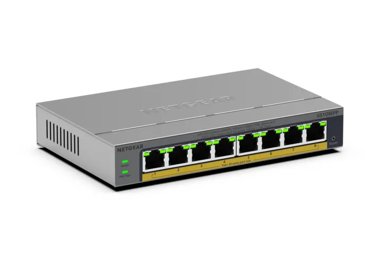


Showing 1-8 of 8
76 Items
Sort by
Knowledge Article
GS105EP / GS105EPP Firmware Version 2.0.0.3 - NETGEAR Support
Enhancements: Initial release with production enhancements Warnings: Do not use the NETGEAR Switch Discovery Tool (NSDT) to discover the device as it is no longer supported from firmware version 1.0.1.4. Use NETGEAR Discovery Tool (NDT) or the latest NETGEAR Insight App to discover the switch in the same subnet. The firmware file for models GS105EP/GS105EPP is different from the file for model GS305EP. Ensure you download and install the correct firmware for your model. Known Issues: After you u...
Knowledge Article
GS105EP / GS105EPP Firmware Version 2.0.0.1 - NETGEAR Support
Enhancements: Initial release Warnings: Do not use the NETGEAR Switch Discovery Tool (NSDT) to discover the device as it is no longer supported from firmware version 1.0.1.4. Use NETGEAR Discovery Tool (NDT) or the latest NETGEAR Insight App to discover the switch in the same subnet. The firmware file for models GS105EP/GS105EPP is different from the file for model GS305EP. Ensure you download and install the correct firmware for your model. Known Issues: After you upgrade the firmware to versio...
Knowledge Article
GS105EP / GS105EPP Firmware Version 2.0.0.4 - NETGEAR Support
Warnings: Read and follow these warnings before updating your firmware: Do not use the NETGEAR Switch Discovery Tool (NSDT) to discover the device as it is no longer supported from firmware version 1.0.1.4. Use NETGEAR Discovery Tool (NDT) or the latest NETGEAR Insight App to discover the switch in the same subnet. The firmware for models GS105EP, GS105EPP, and GS305EPP is different from the firmware for model GS305EP. Download and install the correct firmware for your model. Known Issues: Fixes...
Knowledge Article
GS105EP / GS105EPP Firmware Version 2.0.0.10 - NETGEAR Support
Release Date: June 29, 2026 New Features and Enhancements: Support for adjusting the management VLAN to enhance network management flexibility. Note: After you update to this firmware, the switch management page is only accessible from ports in VLAN 1, which is the default management VLAN. If you are accessing the switch from a port assigned to a different VLAN, you need to switch to a VLAN 1 port to regain access. Support for manual SNTP server configuration for system time synchronization. Sup...
Knowledge Article
GS305EPP Firmware Version 2.0.0.4 - NETGEAR Support
Warnings: Read and follow these warnings before updating your firmware: Do not use the NETGEAR Switch Discovery Tool (NSDT) to discover the device as it is no longer supported from firmware version 1.0.1.4. Use NETGEAR Discovery Tool (NDT) or the latest NETGEAR Insight App to discover the switch in the same subnet. The firmware for models GS105EP, GS105EPP, and GS305EPP is different from the firmware for model GS305EP. Download and install the correct firmware for your model. Known Issues: Fixes...
Knowledge Article
GS305EP Firmware Version 2.0.0.4 - NETGEAR Support
Warnings: Read and follow these warnings before updating your firmware: Do not use the NETGEAR Switch Discovery Tool (NSDT) to discover the device as it is no longer supported from firmware version 1.0.1.4. Use NETGEAR Discovery Tool (NDT) or the latest NETGEAR Insight App to discover the switch in the same subnet. The firmware for models GS305EP is different from the firmware for models GS105EP, GS105EPP, and GS305EPP. Download and install the correct firmware for your model. Known Issues: Fixe...
Knowledge Article
UKCA Declarations of Conformity - NETGEAR Support
Please click on the Model to view Declarations of Conformity. Model A6100 A6150 A6210 A7000 A7500 A8000 A8500 A9000 ACC761 / ACC763 / AXLC761 / AXLC763 ACM761 / ACM762 / AXLM761 / AXLM762 AFT402 AGM731F AGM732F AGM734 APM408 / APM402 APS150W APS250W APS254W APS299W APS350W APS550W APS600W / APS1200W APS600Wv2 APS600Wv3 APS920W APS1000W APS1200Wv2 APS2000W APS2000Wv2 AXC761 AXC7610 AXC7615 AXC7620 AXC763 AXC765 AXC767 AXM761, AXM762, AXM763, AXM764, AXM765 AXM765v2 BR200 CSM4532 EAX12 EAX17 EAX20...
Knowledge Article
UK PSTI Declaration of Conformity - NETGEAR Support
On 29th April 2024, the United Kingdom’s Product Security and Telecommunications Infrastructure (UK PSTI) Act takes effect. The UK PSTI Act requires consumer networking devices to meet increased security standards with the stated goals of reducing cyber attacks and better protecting individual privacy and security. All NETGEAR products sold in the UK comply with the applicable security requirements that the UK PSTI Act defines. To view the UK PSTI Act Declaration of Conformity for a NETGEAR prod...
Knowledge Article
EU Declarations of Conformity - NETGEAR Support
Please click on the Model to view Declarations of Conformity. To access EU Declarations of Conformity for Arlo products, visit https://kb.arlo.com/000061839/EU-Declarations-of-Conformity-for-Arlo-and-VueZone. Model 6000451 A6100 A6150 A6210 A7000 A7500 A8000 A8500 A9000 ACM761 / ACM762 / AXLM761 / AXLM762 ACC761 / ACC763 / AXLC761 / AXLC763 AC785S AC790S AC810 / AC810S AFT402 AGM731F AGM732F AGM734 AirCard 797 (AC797) APM402XL APM408 / APM402 APS150W APS250W APS254W APS299W APS350W APS550W APS60...
Knowledge Article
GS305EPP Firmware Version 2.0.0.10 - NETGEAR Support
Release Date: July 7, 2026 New Features and Enhancements: Support for adjusting the management VLAN to enhance network management flexibility. Note: After you update to this firmware, the switch management page is only accessible from ports in VLAN 1, which is the default management VLAN. If you are accessing the switch from a port assigned to a different VLAN, you need to switch to a VLAN 1 port to regain access. Support for manual SNTP server configuration for system time synchronization. Supp...
Knowledge Article
GS305EP Firmware Version 2.0.0.10 - NETGEAR Support
Release Date: June 29, 2026 New Features and Enhancements: Support for adjusting the management VLAN to enhance network management flexibility. Note: After you update to this firmware, the switch management page is only accessible from ports in VLAN 1, which is the default management VLAN. If you are accessing the switch from a port assigned to a different VLAN, you need to switch to a VLAN 1 port to regain access. Support for manual SNTP server configuration for system time synchronization. Sup...
Knowledge Article
GS105Ev2 Firmware Version 1.6.0.15 - NETGEAR Support
Enhancements: You can now use the new NETGEAR Discovery Tool (NDT) or the latest NETGEAR Insight app to discover the switch in the same subnet. The NDT supports UPnP, which is now the preferred method of discovery. Warnings: Read and follow these warnings before updating your firmware: As of firmware version 1.6.0.15, the NETGEAR Switch Discovery Protocol (NSDP) that was used by the old NETGEAR Switch Discovery Tool (NSDT) is no longer supported. Instead, now use the NDT or the latest NETGEAR In...
Knowledge Article
GS105Ev2 Firmware Version 1.3.0.3 - NETGEAR Support
Bug Fixes: Fixed the problem that DHCP mode shows disabled on Web GUI even though it is actually enabled. Using the Download Link below, download and extract the new firmware to a convenient place such as your desktop. The filename after extracting is GS105Ev2_V1.3.0.3.bin Download Link: http://www.downloads.netgear.com/files/GDC/GS105EV2/GS105Ev2_V1.3.0.3.zip Last Updated:10/17/2025 | Article ID: 25658 Was this article helpful? Yes No
Knowledge Article
GS305EP Firmware Version 1.0.0.7 - NETGEAR Support
New Features and Enhancements: When the switch falls back to its default IP address (192.168.0.239), it continues to request a DHCP IP address every 5 minutes until: It acquires one from a DHCP server, Or, Is assigned a fixed/static IP address. Switch now attempts to renew its DHCP lease when its IP address lease time expires, as per the RFC standard. Warnings: Firmware files for GS305EP and GS305EPP are different. Be sure to download and install the correct firmware for your model. After upgrad...
Knowledge Article
GS105E Firmware Version 1.01.25 - NETGEAR Support
New Features and Changes: Add a new option “any” to IGMP Snooping Static Router Port selection (System > MultiCast > IGMP Snooping). When selected, IGMP control packets are flooded to all ports. Increase the DHCP timeout time from 15 seconds to 60 seconds Modifications / Fixes: Fix the issue when IGMP Snooping and Block Unknown Multicast Address (System > MultiCast > IGMP Snooping) are disabled, the following multicast MAC addresses are not being forwarded: 01:00:5E:00:00:01, 01:00:5E:00:00:02 a...
Knowledge Article
GS305EPP Firmware Version 1.0.0.7 - NETGEAR Support
New Features and Enhancements: When the switch falls back to its default IP address (192.168.0.239), it continues to request a DHCP IP address every 5 minutes until: It acquires one from a DHCP server, Or, Is assigned a fixed/static IP address. Switch now attempts to renew its DHCP lease when its IP address lease time expires, as per the RFC standard. Warnings: Firmware files for GS305EP and GS305EPP are different. Be sure to download and install the correct firmware for your model. After upgrad...
Knowledge Article
GS105PE: PoE troubleshooting - NETGEAR Support
The GS105PE is a PoE passthrough switch which can only be powered by Power Over Ethernet (does not accept AC power). GS105PE can be powered by either IEEE 802.3af or IEEE 802.3at from either a PoE switch or a PoE injector. When powered by IEEE 802.3af: The GS105PE can power up only one Class 1/2 PoE device. When powered by IEEE 802.3at: The GS105PE can power up only one Class 0/3 PoE device or two class 1/2 devices. Note on 802.3at interop issues with certain Cisco switches: Interop problems hav...
Knowledge Article
GS105Ev2 Firmware Version 1.3.0.1 - NETGEAR Support
New Features & Enhancements: Supports Web GUI management. Using the Download Link below, download and extract the new firmware to a convenient place such as your desktop. The filename after extracting is GS105Ev2_V1.3.0.1.bin Download Link: http://www.downloads.netgear.com/files/GDC/GS105EV2/GS105Ev2_V1.3.0.1.zip Last Updated:10/17/2025 | Article ID: 25397 Was this article helpful? Yes No
Knowledge Article
GS305EPP Firmware Version 1.0.0.8 - NETGEAR Support
Enhancements: Increase the counter size of Port Statistics (Diagnostic > Port Statistics) from 32 bits to 64 bits. Security Fixes: Fixes security vulnerabilities. For more information about security vulnerabilities, visit https://www.netgear.com/about/security. Warnings: Read and follow these warnings before updating your firmware: Firmware files for GS305EP and GS305EPP are different. Be sure to download and install the correct firmware for your model. After upgrading to v1.0.0.7, the setting f...
Knowledge Article
GS305EPP Firmware Version 1.0.0.10 - NETGEAR Support
Enhancements: Support port mirroring from multiple ports. Warnings: Read and follow these warnings before updating your firmware: Firmware files for GS305EP and GS305EPP are different. Be sure to download and install the correct firmware for your model. After upgrading to v1.0.0.7, the setting for Port LEDs on the home page will be incorrectly changed from ON to OFF, different from the actual Port LEDs on the front panel. To fix the issue, please reset the switch to factory default settings. Dow...
Showing 1-20 of 76
171 Items
Sort by
Discussion Post
GS110TP/GS105EPE - Set up VLAN with Trunk | NETGEAR Communities
Hi, i'm trying to configure a vlan trunk over three switches.core switch is a unifi usw-24p on port 20 -> is a gs105Epe on port 3 of the gs105pe (uplink...
Discussion Post
Can't get GS110TP to work as simple as GS105E | NETGEAR Communities
For my work I have to check services going over utp links in different vlans. I used a GS105E with its mirror function. I can connect the GS105E without any...
Discussion Post
GS105E, GS108E, and WG102, all in a VLAN - how? | NETGEAR Communities
I have a GS108E connecting 4 point of sale systems, linking to a GS105E connecting to a point of sale server and WG102 access point with 2 VLAN's on 2...
Discussion Post
GS105ev2 firmware breaks prosafe plus | NETGEAR Communities
The 2 latest firmwares for this model removed the switch management mode options and the Prosafe Plus Utility can't find the switch. Tried both...
Discussion Post
Does the GS305EP provide DHCP addresses | NETGEAR Communities
I was pretty excited to get my new switch, and I immediately updated the firmware. I intend to create a small standalone offline network for events. With...
Discussion Post
GS105E V2 Firmware "issue" | NETGEAR Communities
I've updated the firmware (1.6.0.21) via the Prosafe Plus utility only to find it is now not seen by said PP. I can access it via the web but I find that I...
Discussion Post
Can I use GS305E / GS305EP to Implement the Diagrammed Subnet Design ? | NETGEAR Communities
Thanks in advance for any helpful comments.
Discussion Post
Netgear GS105e mismatch | NETGEAR Communities
Starting the cable tester it gives a mismatch (Cable Fault Distance 6 meters) at port 1. The other cables are OK. After replacing the...
Discussion Post
GS105E Statement of Volatility | NETGEAR Communities
Hello, Could I be provided with a statement of volatility for the GS105E? Thank you!
Discussion Post
GS305EPP New Firmware But Not GS308EPP? | NETGEAR Communities
I see new firmware v2.0.04 for GS305EPP but not for GS308EPP. I would think these run the same software. Will new 2.0.0.4 firmware be...
Discussion Post
5-Port Gigabit Ethernet Plus Switch (GS105Ev2) DST Error Message on Mac | NETGEAR Communities
5-Port Gigabit Ethernet Plus Switch (GS105Ev2)Switch up and running, however when I attempt to launch on (Mac mini M2 Pro) the DST comes back with message...
Discussion Post
GS105E acting like an unmanaged switch | NETGEAR Communities
Hi all,i just pulled out an old GS105E of my storage.Unfortunatley it acts more like an unmanaged switch.If I put in on my network and connect a computer it...
Discussion Post
Gs105Ev2 | NETGEAR Communities
After 3 months of owning company bricked my switch and during the 3 month support it wouldn’t work without contacting support to let them allow access to the...
Discussion Post
GS305EP -is what I want to do possible? | NETGEAR Communities
I have a GS305EP (default config, trunk port 5) with 2 Yaeling POE phones attached (ports 1 and 4). VLAN 50 is set at the phones, and these packets are...
Discussion Post
GS305EP. Assign a port to a VLAN | NETGEAR Communities
I have a working Router Mikrotik) where my VLANs are defined and handled. I have a VLAN for security (60), and I can wirelessly connect to this, and get an...
Discussion Post
Letter of Volatility GS105E GS108E | NETGEAR Communities
Hello,May I please get Letters of Volatility (LOVs) for the GS105E and GS108E? I found prior discussions but the links were only valid for 48...
Discussion Post
GS305EPP Port 4 Not Forwarding DHCP | NETGEAR Communities
My GS305EPP is not forwarding DHCP on Port from Firewalla Gold. Port 3 is configured in PVID exactly the same and the QNAP DHCP gets an address...
Discussion Post
GS105Ev2 - Unable to access switch using a browser | NETGEAR Communities
For nearly 10 years I'm a happy user of my GS105Ev2. Now I want to log into the UI again, but (of course) did not remember any credentials. I've reset the...
Discussion Post
GS105Ev2 Update Firmware Beyond V 1.2.0.5 | NETGEAR Communities
I have an unused GS105Ev2 Plus Switch that I have been playing with. On an apparently misguided whim, I downloaded and flashed the original V1.2.0.5...
Discussion Post
Stripping/Tagging ISP VLAN on GS105Ev2 | NETGEAR Communities
Hi all, I am considering purchasing a GS105Ev2 managed switch. I want to check it will meet my needs. My new Internet Service Provide...
Showing 1-20 of 171
We couldn’t find anything for "GS105EP".
Showing 0-0 of 0
We couldn’t find anything for "GS105EP".
Showing 0-0 of 0