
Search results for: GS728TPP
9 Items
Sort by
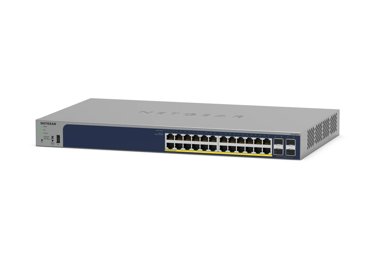


Showing 1-9 of 9
226 Items
Sort by
Knowledge Article
GS728TPv2 / GS728TPPv2 / GS752TPv2 / GS752TPP Firmware Version 6.0.3.3 - NETGEAR Support
MPORTANT CHANGES NOTE: This new firmware release requires product registration to unlock full access to the local browser UI. For more information, visit the NETGEAR knowledge base article at https://kb.netgear.com/000061174. New Features and Enhancements: Faster application of multiple port configuration settings through the Insight Cloud Portal and the Insight app. Bug Fixes: Port now sends properly formed IGMP queries after booting up with non-default VLAN (VLAN 1). Switch connectivity is no ...
Knowledge Article
GS728TPv2 / GS728TPPv2 / GS752TPv2 / GS752TPP Firmware Version 6.0.6.2 - NETGEAR Support
New Features and Enhancements: Registration is no longer required to access the full UI menu. It can be skipped at UI login. Insight management mode is disabled by default. Select the “NETGEAR Insight Mobile App and Insight Cloud Portal” radio button to enable Insight management mode. You can pause Insight management mode at any time to temporarily manage the switch through the device UI by selecting the “Local-Only GUI” radio button. To return to Insight management mode, select the “NETGEAR Ins...
Knowledge Article
GS728TPv3 / GS728TPPv3 / GS752TPv3 / GS752TPPv3 Firmware Version 6.2.1.41 - NETGEAR Support
Release Date: July 7, 2026 Bug Fixes: Fixes the issue where the switch becomes unreachable after renewing its DHCP-assigned IP address if the DHCP server is temporarily unavailable during lease renewal. Known issues: When you perform a cable test for all ports on the switch through Insight, the results for some ports might not display. Workaround: perform a cable test for a single port on the switch through Insight. After you change the IP address of the switch, it might take around 6 minutes to...
Knowledge Article
GS728TPv2 / GS728TPPv2 / GS752TPv2 / GS752TPP Firmware Version 6.0.0.48 - NETGEAR Support
Security Fixes: PSV-2019-0059 PSV-2019-0066 Bug Fixes: [LLDP-MED] LLDP Network Policy Not being send to Polycom VVX401 phones correctly [IGMP snooping] Multicast stream is interrupted for around 1-2 seconds when a device leaves a Multicast group [ACL] Implicit deny is not working when configuring MAC address Access Control List [SNMP] Uptime reported via SNMP gets reset after around 49 days [SNMP] SNMP service hangs up after 1-2 days Known Issues: [File management] Copy image fail [Workaround]: ...
Knowledge Article
GS728TPv3 / GS728TPPv3 / GS752TPv3 / GS752TPPv3 Firmware version 6.2.1.11 - NETGEAR Support
Release Date: July 7, 2025 New Features and Enhancements: Support for the UI Dark Theme Support for DHCP servers and DHCP relays. Support for HTTP, instead of TFTP, to improve reliability Support for 16 allowed LLDP neighbors per port Increased the maximum supported password length to 64 characters Reduced the query response time when polling SNMP MIB Removed the Diffie-Hellman key exchange algorithms that might pose security concerns. Bug Fixes: Fixes the issue where the GS752TPv3 and GS752TPPv...
Knowledge Article
GS728TP/GS728TPP/GS752TP Firmware Version 6.0.1.29 - NETGEAR Support
New Features and Enhancements: To comply with California state law, the switch now requires that you change the default password after using it to access the local browser UI. Security Fixes: PSV-2019-0059 For more information about security vulnerabilities, visit https://www.netgear.com/about/security. Bug Fixes: System Up Time now continues to count past 248 days. Switch now correctly enforces password length limit of 20 characters. Limitations Reboot is required when changing between Switch m...
Knowledge Article
GS728TPv3 / GS728TPPv3 / GS752TPv3 / GS752TPPv3 Firmware Version 6.2.0.19 - NETGEAR Support
Enhancement: When you change to the NETGEAR Insight mode for the first time, the device IP address and VLAN settings are now kept instead of being reset to default values. Bug fixes: The switch cannot be accessed if DHCP server assigns an IP in the range of 192.168.0.x. The switch cannot be accessed after assigning a static IP through Insight. Known issues: Some port results are not displayed when doing all ports Cable Test via Insight. It will take around 10~15 minutes to update IP address at D...
Knowledge Article
GS728TPv2 / GS728TPPv2 / GS752TPv2 / GS752TPP Firmware Version 6.0.0.31 - NETGEAR Support
GS728TPv2, GS728TPPv2, GS752TPv2, GS752TPP supports the latest Smart Control Center, please use SCC version 1.1.3.4 for switch discovery, basic configuration and FW upgrades. New features and enhancements: Initial Release Notes: The USB storage device that you attach to the USB port must comply with the following requirements: - The USB device must support USB 2.0. - The USB device must support the FAT32 or VFAT file system. The NTFS file system is not supported.. Known issue: The device does no...
Knowledge Article
GS728TPv2 / GS728TPPv2 / GS752TPv2 / GS752TPP Firmware Version 6.0.9.3 - NETGEAR Support
Bug Fixes: Fixes the issue on the System > Device View page where the power LED of the device is not shown lit. Security Fixes: Fixes security vulnerabilities. For more information about security vulnerabilities, visit https://www.netgear.com/about/security. Warnings: Read and follow these warnings before updating a firmware version that’s prior to 6.0.9.1: We recommend against downgrading the firmware image to 6.0.8.x or earlier version after updating to 6.0.9.1 or later versions. Since HTTPS i...
Knowledge Article
GS728TPv3 / GS728TPPv3 / GS752TPv3 / GS752TPPv3 Firmware Version 6.2.1.40 - NETGEAR Support
Release Date: April 17, 2026 Enhancement: Increase of the time zone name to 7 characters. Restriction: Switches manufactured with this firmware or later versions do not support firmware downgrades. Note: You can still perform firmware downgrades on switches that were manufactured with older firmware versions. Bug Fixes: This firmware addresses the following bugs: Fixes the issue where whole subnet DHCP exclusion rules affect other configured DHCP pools. Fixes the issue where MAC/IP ACL rules wer...
Knowledge Article
GS728TPv3 / GS728TPPv3 / GS752TPv3 / GS752TPPv3 Firmware Version 6.2.0.25 - NETGEAR Support
New features: Support for the Protected Port feature through Insight cloud management. Known issues: Results for some ports are not displayed when you do a cable test for all ports through Insight. It might take between 10 and 15 minutes to update an IP address in the Device list on Insight after a device’s IP address is changed. The DHCP binding table is emptied after a port link goes down and comes back up. Download Link: https://www.downloads.netgear.com/files/GDC/GS728TPPv3/GS728TPv3_GS728TP...
Knowledge Article
GS728TPv2 / GS728TPPv2 / GS752TPv2 / GS752TPP Firmware Version 6.0.10.10 - NETGEAR Support
New Features: Add Secure Diagnostic Mode (SDM) to allow NETGEAR Support to establish a secured connection for remote troubleshooting. This is disabled by default. Bug Fixes: Fixes the issue when an OUI is added, the last two hexadecimal are changed to E0 instead of the entered value. Changes: After HTTPS is enabled, accessing the device UI via HTTP is not redirected to HTTPS. Warnings: Read and follow these warnings before updating a firmware version: We recommend against downgrading the firmwar...
Knowledge Article
GS728TPv2 / GS728TPPv2 / GS752TPv2 / GS752TPP Firmware Version 6.0.0.37 - NETGEAR Support
GS728TPv2, GS728TPPv2, GS752TPv2, GS752TPP supports the latest Smart Control Center, please use SCC version 1.1.3.4 for switch discovery, basic configuration and FW upgrades. New features and enhancements: Improved German and Japanese translation for Web GUI and context help.. Changed MVR VLAN setting behavior to be consistent as other NETGEAR smart switches. Fixed Issues: Device may run out of memory if there is a frequent renewal of DHCP IPv6 address. Can't set the PVID of a port when the lang...
Knowledge Article
GS728TPv3 / GS728TPPv3 / GS752TPv3 / GS752TPPv3 Firmware Version 6.2.0.24 - NETGEAR Support
Bug Fixes: Fixes the issue where the switch stops forwarding all multicast control packets after any of the ARP table entries ages out. Known issues: Results for some ports are not displayed when you do a cable test for all ports through Insight. It might take between 10 and 15 minutes to update an IP address in the Device list on Insight after a device’s IP address is changed. The DHCP binding table is emptied after a port link goes down and comes back up. Download Link: https://www.downloads.n...
Knowledge Article
GS728TPv3 / GS728TPPv3 / GS752TPv3 / GS752TPPv3 Firmware Version 6.2.1.13 - NETGEAR Support
Bug Fixes: Fixes the issue where connecting a computer to an IP phone’s LAN port causes the switch to remove the voice VLAN, resulting in a 30 second loss of call audio. Known issues: When you perform a cable test for all ports on the switch through Insight, the results for some ports may not display. After you change the IP address of the switch, it may take 10 to 15 minutes to update the IP address in the Device list on Insight. After a port link fails and comes back up, the DHCP binding table...
Knowledge Article
GS728TPv2 / GS728TPPv2 / GS752TPv2 / GS752TPP Firmware Version 6.0.10.26 - NETGEAR Support
New Features and Enhancements: The maximum number of LLDP (Link Layer Discovery Protocol) neighbors supported by the switch has been increased. This enhancement improves compatibility in environments with high device density and ensures more comprehensive network topology discovery. Bug Fix: Fixes the issue where the switch could go offline in Insight when using a Layer 3 VLAN. The update ensures the switch stays connected in this setup. Warnings: Read and follow these warnings before you update...
Knowledge Article
GS728TPv2 / GS728TPPv2 / GS752TPv2 / GS752TPP Firmware Version 6.0.4.4 - NETGEAR Support
IMPORTANT CHANGES: Firmware version 6.0.4.4 requires product registration to unlock full access to the local browser UI. A limited feature set is available without registration. For more information, visit the NETGEAR knowledge base article at https://kb.netgear.com/000061174. New Features and Enhancements: Increase the resolution for the Storm Control > Threshold setting from 10Mbit to 1Mbit to support finer-grained values (for example, you can set 5.1). Bug Fixes: Added support for Insight PoE...
Knowledge Article
GS728TPv2 / GS728TPPv2 / GS752TPv2 / GS752TPP Firmware Version 6.0.8.2 - NETGEAR Support
Security Fixes: Various security vulnerability fixes and enhancements. Warnings: Read and follow these warnings before updating a firmware version that’s prior to 6.0.1.XX: Since HTTPS is disabled by default in v6.0.6.2, the device UI Home page does not display automatically after using HTTPS to update to this firmware version. Open a new web browser tab and type the switch’s IP address to access the Home page. Default community string “Private” and “Public” for SNMPv1/v2 are not available in ne...
Knowledge Article
GS728TPv2 / GS728TPPv2 / GS752TPv2 / GS752TPP Firmware Version 6.0.4.6 - NETGEAR Support
New Features and Enhancements: You can login and access all features through the local browser UI 3 times without registering the switch through your netgear.com account. A limited feature set is available without registration. For more information, visit the NETGEAR knowledge base article at https://kb.netgear.com/000061174. Bug Fixes: PoE scheduler in the local browser UI fails to schedule across midnight Syslog service can fails when logging severity is set to ‘debug’ When setting recurring E...
Knowledge Article
GS728TP/GS728TPP/GS752TP Firmware Version 6.0.1.24 - NETGEAR Support
Modifications: This firmware supports new version of IC (PHY). Implement POE recover mechanism to enhance PoE IOT functionality. Remove default SNMP community "private" and “public” to minimize security vulnerability. Fixed issues: Switch crashes when receiving IPv6 router advertisement packet whose ‘retrans timer’ field is set to 64ms. SNMP Engine ID is not unique with different GS728TP/TPP/GS752TP units. Known issues None. Limitations Reboot is required when switching between ‘Switch’ mode and...
Showing 1-20 of 226
400 Items
Sort by
Discussion Post
Does GS728TPPv2 have a limit on number of mac addresses in a mac address-based VLAN? | NETGEAR Communities
I'm looking for a switch with POE and mac address-based VLAN capabilities and came across the GS728TPPv2. I want to put my smart home devices in a...
Discussion Post
Issue with PoE Interface on GS728TPPv2 | NETGEAR Communities
Hello everyone, I'm experiencing a persistent issue with the PoE interface on my NETGEAR GS728TPPv2 switch.The interface seems to be constantly loading...
Discussion Post
ProSAFE 24-Port Gigabit PoE+ Smart Switch with 4 SFP Ports (GS728TPPv2) | NETGEAR Communities
i got this for my security cam system and I'm trying to know what port will give it internet so i can set it up it in the link/act mode and can find it...
Discussion Post
gs728tpp not working with wireless access point | NETGEAR Communities
I'm trying to get a wax214v2 WAP working with a gs728tpp switch, but it's not working. Devices on connected to the WAP have no access to the internet. Wired...
Discussion Post
GS316EPP VLAN trunk to GS728TPPv2 | NETGEAR Communities
Trying to setup vlans to isolate SKYQ boxes from the main network (getting all sorts of issues, and it seems common). I have a Vigor router connected...
Discussion Post
GS728TPP Switch | NETGEAR Communities
I have a Netgear GS728TPP switch getting data via fiber from another GS728TPP. The switch keeps freezing. There is no overpower warning. When I reset the...
Discussion Post
GS728TPPv2 how to trunking SonicWALL VLAN | NETGEAR Communities
HI Support we have the remote station use SonicWALL TZ500 + GS728TPPv2 could switch setup on customer site. We all set up on SonicWALL TZ500, the...
Discussion Post
GS728TPPV2 POE Loading | NETGEAR Communities
Can find others with this same problem but no solution, does one exist now? Updated firmware to 6.0.10.14 but still the same in all...
Discussion Post
SNMP GS728TPPV2 | NETGEAR Communities
Hello all,I would like to add GS728TPPV2 Switches into SNMP Monitoring. Unfortunately I did only find at System > SNMP > Supported...
Discussion Post
Sanitization Procedures for GS728TPP‐200NAS | NETGEAR Communities
Hello, I am looking for sanitzation procedures / letter of volatility for GS728TPP‐200NAS.
Discussion Post
Native vlan change on blank switch gs728tpp | NETGEAR Communities
Hi,I have a set of new switches to configure for a site update which require the complete removal of vlan 1 and setting the native vlan to vlan 100 and...
Discussion Post
GS728TPP fails to communicate using AMF735 SFP modules | NETGEAR Communities
I have a Netgear GS728TPP (FW v6.0.9.3) that needs to communicate with a 100mbit device over a short multimode fiber connection. The Netgear switch will not...
Discussion Post
Letter of Volatility for GS728TPP‐200NAS | NETGEAR Communities
I am looking for a letter of volatility for GS728TPP‐200NAS.
Discussion Post
GS728TPPv2 working with Nest Mesh Router issues | NETGEAR Communities
We have internet service with Google Fiber. We are using a NEST MESH router with 3 additional mesh points. When we try to connect the internet to one of...
Discussion Post
Netgear GS728TPP-200EUS - Consumption mode avalilable? Please help. | NETGEAR Communities
Hello,I have a question about Consumption Mode and Classification Mode in GS727TPP-200EU.Does the GS728TPP switch have the option to enable Consumption Mode...
Discussion Post
GS728TPPv2 M4100-24PoE+ Port PVID question with two vlans | NETGEAR Communities
I have set up two vlans with different subnets with dhcp and dns enabled on my UTM. These are both set on one port on the UTM.When I connect this port...
Discussion Post
Configure vlan security Netgear GS728TPPv2 M4100-24PoE+ | NETGEAR Communities
I have run out of ports on my UTM which defines each subnet. Is it possible to have two different subnets share a vLan.My problem is that each subnet...
Discussion Post
Vlan Routing to Internet GS728TPPv2 | NETGEAR Communities
Hi all! I really need you help with my issue, I have one GS728TPPv2 with SW 6.0.6.3 version And my issue is something like in this...
Discussion Post
GS728TPPv2 PoE Configuration Loading page | NETGEAR Communities
The PoE Configuraiton page and Advanced page just keeps loading. PoE itself appears to be working. Just can't load the configuration page. Other pages are...
Discussion Post
vlan membership GS728tpp | NETGEAR Communities
good morning all i am trying to creat 2 vlans a school staff student guest and mobile. but whrn i create them and set the vkan member ship i...
Showing 1-20 of 400
6 Items
GS728TPS(B) | 28-Port Gigabit Ethernet PoE Stackable Smart Switch with 24 PoE Ports, 2 Copper/SFP+ and 4 Dedicated SFP+ Ports | NETGEAR Support
GS728TPS(B) - 28-Port Gigabit Ethernet PoE Stackable Smart Switch with 24 PoE Ports, 2 Copper/SFP+ and 4 Dedicated SFP+ Ports
S3300-28X-PoE+ (GS728TXP) | 28-Port Gigabit Ethernet Stackable Smart Switch with 24 PoE+ Ports, 2 Copper 10G and 2 SFP+ 10G Ports | NETGEAR Support
S3300-28X-PoE+ (GS728TXP) - 28-Port Gigabit Ethernet Stackable Smart Switch with 24 PoE+ Ports, 2 Copper 10G and 2 SFP+ 10G Ports
GS728TS(B) | 28-Port Gigabit Ethernet Stackable Smart Switch with 2 Copper/SFP+ and 4 Dedicated SFP+ Ports | NETGEAR Support
GS728TS(B) - 28-Port Gigabit Ethernet Stackable Smart Switch with 2 Copper/SFP+ and 4 Dedicated SFP+ Ports
S3300-28X (GS728TX) | 28-Port Gigabit Ethernet Stackable Smart Switch with 2 Copper 10G and 2 SFP+ 10G Ports | NETGEAR Support
S3300-28X (GS728TX) - 28-Port Gigabit Ethernet Stackable Smart Switch with 2 Copper 10G and 2 SFP+ 10G Ports
FS728TPv2 | 28-Port 10/100 Fast Ethernet Smart Switch with 24 PoE Ports, 2 Gigabit Copper plus 2 Gigabit Copper/SFP Combo Ports | NETGEAR Support
FS728TPv2 - 28-Port 10/100 Fast Ethernet Smart Switch with 24 PoE Ports, 2 Gigabit Copper plus 2 Gigabit Copper/SFP Combo Ports
FS728TPv1 | 28-Port 10/100 Fast Ethernet Smart Switch with 24 PoE Ports, 2 Gigabit Copper plus 2 Gigabit Copper/SFP Combo Ports | NETGEAR Support
FS728TPv1 - 28-Port 10/100 Fast Ethernet Smart Switch with 24 PoE Ports, 2 Gigabit Copper plus 2 Gigabit Copper/SFP Combo Ports
Showing 1-6 of 6
6 Items
Manage Your Network Easier with NETGEAR Smart Switch CLI
Simplify network management with NETGEAR Smart Switch CLI. Configure, monitor, and troubleshoot your switches all from one place.
Campus-wide large-scale connectivity for SIMATS delivers a better university experience for students and staff - NETGEAR Blog
Campus-wide large-scale connectivity for SIMATS delivers a better university experience for students and staff
DC Montessori School Chandigarh - Case Study - NETGEAR Blog
DCM School Chandigarh has upgraded its network with NETGEAR Business, improving speed, reliability, and security for staff and students.
Cuisine Schmidt IT Solutions - Simplify Business Processes
Schmidt cuisine enables their advisors to present new kitchen designs using tablets to provide its customers an excellent buying experience.
TKTEI's Network Success with NETGEAR's solutions
TKTEI improved network efficiency with NETGEAR solutions, reducing costs and downtime. Highly recommended for reliability and ease of use.
IT Supervision Solutions - Enhance Network Management
Partnering for reliable, high-speed, and secure connectivity based on the NETGEAR Total Network Solution
Showing 1-6 of 6