
Search results for: GS108PE
4 Items
Sort by
£116.99
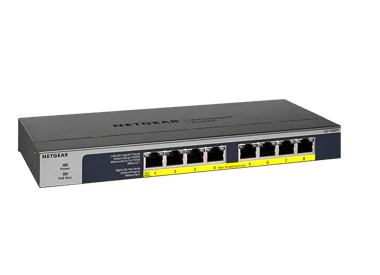
8-Port Gigabit Ethernet High-power PoE+ Unmanaged Switch with FlexPoE (123W)current price £116.99
Showing 1-4 of 4
74 Items
Sort by
Knowledge Article
GS108PEv3 Firmware Version 2.06.08 - NETGEAR Support
V2.06.08 has 3 firmware images. Each supports a different language for the WEB GUI: English, German, and Japanese. The supported language is identified by the suffix of image filename: EN - English. GR - German (Deutsch). JP - Japanese (日文). New Feature: Add a new column to Port Status to display “Max MTU” supported by the device. Modification: Change Web GUI page title from “NETGEAR ProSAFE Plus Switch” to “NETGEAR GS108PEv3” Change production description from “ 8-Port Gigabit ProSAFE PLUS Swit...
Knowledge Article
GS108PEv3 Firmware Version 2.06.16 - NETGEAR Support
New Features: Added a control option to disable or enable file transfer via TFTP (Trivial File Transfer Protocol), under System > Management > Switch Managed Mode). Default is Disable. Security Fixes: Various security vulnerability fixes and enhancements. Known Issues: To support WEB GUI, all HTTP packets are forwarded to the embedded CPU. With Flow Control enabled, throughput will be impacted if the rate is higher than the CPU can handle. Configuration obtained from the Plus Utility cannot be u...
Knowledge Article
GS108PEv3 Firmware Version 2.00.12 - NETGEAR Support
New Features and Enhancements: Implemented new and more secured encryption algorithm to work with new version of Plus Utility (V2.4.3 or higher). WARNING: After GS108PEv3 are upgraded to FW version V2.00.12 or higher, it cannot work with Plus Utility version prior to V2.4.3. Please download the latest Plus Utility from http://www.netgear.com/support/product/PCU Limitations: To support WEB GUI, all HTTP packets are forwarded to the embedded CPU. With Flow Control enabled, throughput will be impac...
Knowledge Article
GS108PEv3 Firmware Version 2.00.07 - NETGEAR Support
Bug Fixes: Fixed the problem where it always displays the test result for port 7 even when a different port is selected for Cable Tester, under System > Monitoring > Cable Tester page. Limitations: To support WEB GUI, all HTTP packets are forwarded to the embedded CPU. With Flow Control enabled, throughput will be impacted if the rate is higher than the CPU can handle. Configuration obtained from the Plus Utility cannot be used by Web GUI and vice versa. IGMP dynamic router port does not timeout...
Knowledge Article
GS108PEv3 Firmware Version 2.00.05 - NETGEAR Support
Bug Fixes: Made Flow Control configurable and its default setting is changed from enable to disable. Limitations: To support WEB GUI, all HTTP packets are forwarded to the embedded CPU. With Flow Control enabled, throughput will be impacted if the rate is higher than the CPU can handle. Configuration obtained from the Plus Utility cannot be used by Web GUI and vice versa. IGMP dynamic router port does not timeout exactly at 300 seconds. It could be anywhere from 300 to 600 seconds. IGMP host tim...
Knowledge Article
GS108PEv2 Firmware Version 1.00.07 - NETGEAR Support
New Feature and Enhancement: None. Bug Fixes: Fix the problem with port-based VLAN where uplink ports (VLAN Group = all) stops forwarding packet to other VLAN members after a power cycle. Known Issues: None Limitations: Cable Test is designed to work specifically with Category 5 (CAT-5) cable. Incorrect test result may be shown if different type of cable is used. The accuracy of the Cable Test is within 5 meters. So, testing with cable shorter than 5 meters may yield incorrect result. When “Bloc...
Knowledge Article
GS108PEv3 Firmware Version 2.06.03 - NETGEAR Support
New feature and modifications: V2.06.03 has 3 firmware images. Each supports a different language for the WEB GUI: English, German, and Japanese. The supported language is identified by the postfix of image filename: EN - English. GR - German (Deutsch). JP - Japanese (日本語). Implemented new and more secured encryption algorithm to work with newer versions of Plus Utility (V2.7.2 or higher). WARNING: After GS108PEv3 are upgraded to FW version V2.06.03 or higher, it cannot work with Plus Utility ve...
Knowledge Article
GS108PEv2 Firmware Version 1.00.12 - NETGEAR Support
Warning: Please make sure the version of the ProSAFE Plus Utility installed on your PC is v2.2.24 or newer before upgrading the GS108PEv2 firmware. Older versions of the Plus Utility do not support the password encryption required by V1.00.10 firmware. Bug Fixes: Fixed the issue that device does not send DHCP request to renew its IP address before DHCP lease expires. Known Issues: None Limitations: Cable Test is designed to work specifically with Category 5 (CAT-5) cable. Incorrect test result m...
Knowledge Article
GS108PEv2 Firmware Version 1.00.06 - NETGEAR Support
New Feature and Enhancement: None. Bug Fixes: Packets with VLAN tag are forwarded out from ports that should have the VLAN tag removed. Packets without VLAN tag are forwarded out from ports that should have the VLAN tag. Known Issues: None Limitations: Cable Test is designed to work specifically with Category 5 (CAT-5) cable. Incorrect test result may be shown if different type of cable is used. The accuracy of the Cable Test is within 5 meters. So, testing with cable shorter than 5 meters may y...
Knowledge Article
GS108PEv2 Firmware Version 1.00.10 - NETGEAR Support
Warning: Please make sure the version of the ProSAFE Plus Utility installed on your PC is v2.2.24 or newer before upgrading the GS108PEv2 firmware. Older versions of the Plus Utility do not support the password encryption required by V1.00.10 firmware. New Feature and Enhancement: Make loop detection configurable. Allow the forwarding of ICMP PING packet with size greater than 512 bytes. Add password encryption Bug Fixes: Change the default setting of loop detection from enable to disable. Known...
Knowledge Article
GS108PEv3 Firmware Version 2.00.03 - NETGEAR Support
New Features & Enhancements: Initial Release Limitations: Configuration obtained from the Plus Utility cannot be used by Web GUI and vice versa. IGMP dynamic router port does not timeout exactly at 300 seconds. It could be anywhere from 300 to 600 seconds. IGMP host timeout is not exactly 260 seconds. It could be anywhere from 260 to 520 seconds. Using the Download Link below, download and extract the new firmware to a convenient place such as your desktop. Download Link: http://www.downloads.ne...
Knowledge Article
GS108PEv3 Firmware Version 2.00.08 - NETGEAR Support
Bug Fixes: Fixed the web GUI counter issue where Bytes Received and Bytes Sent (under System > Monitoring > Port Statistics) gets reset to zero after reaching 4294967295. Limitations: To support WEB GUI, all HTTP packets are forwarded to the embedded CPU. With Flow Control enabled, throughput will be impacted if the rate is higher than the CPU can handle. Configuration obtained from the Plus Utility cannot be used by Web GUI and vice versa. IGMP dynamic router port does not timeout exactly at 30...
Knowledge Article
GS108PEv3 Firmware Version 2.06.24 - NETGEAR Support
New Features: Can enable and disable the power saving mode (IEEE 802.3az) on the Switch Information page. (In the device UI, select System > Management > Switch Information.) Bug Fixes: Fixes the issue where the settings for the 802.1Q VLAN Advanced function (in the device UI, select VLAN > 802.1Q > Advanced) are missing in the German version. Known Issues: When you access the device UI, all HTTP packets are forwarded to the embedded CPU. If flow control is enabled, the throughput is impacted if...
Knowledge Article
GS108PEv3 Firmware Version 2.00.09 - NETGEAR Support
New Features and Enhancements: Added the option to disable/enable Plus Utility Management through Web GUI. Bug Fixes: Fixed the issue that regardless of current setting, port speed is changed to “Auto” (autonegotiation) and flow control is changed to “Enable” after running the cable test on a port. Fixed the security vulnerability issue related to CSRF (Cross-Site request forgery) attacks. Limitations: To support WEB GUI, all HTTP packets are forwarded to the embedded CPU. With Flow Control enab...
Knowledge Article
GS108PEv3 Firmware Version 2.06.10 - NETGEAR Support
V2.06.10 has 3 firmware images. Each supports a different language for the WEB GUI: English, German, and Japanese. The supported language is identified by the suffix of image filename: EN - English. GR - German (Deutsch). JP - Japanese (日文). New Feature: The default admin password must be changed to a unique password after the first login. Modification: Changes the Switch Management Mode (System > Management > Switch Management Mode) default value from Web browser and Plus Utility to Web browser...
Knowledge Article
GS108PEv2 Firmware Version 1.00.11 - NETGEAR Support
Warning: Please make sure the version of the ProSAFE Plus Utility installed on your PC is v2.2.24 or newer before upgrading the GS108PEv2 firmware. Older versions of the Plus Utility do not support the password encryption required by V1.00.10 firmware. Bug Fixes: Fixed the issue that device broadcasts loop detection packets periodically even when the feature is disabled. Known Issues: None Limitations: Cable Test is designed to work specifically with Category 5 (CAT-5) cable. Incorrect test resu...
Knowledge Article
GS108PEv3 Firmware Version 2.06.14 - NETGEAR Support
V2.06.14 has 3 firmware images. Each supports a different language for the WEB GUI: English, German, and Japanese. The supported language is identified by the suffix of image filename: EN - English. GR - German (Deutsch). JP - Japanese (日文). Security Fixes: Various security fixes and enhancements. Known Issues: To support WEB GUI, all HTTP packets are forwarded to the embedded CPU. With Flow Control enabled, throughput will be impacted if the rate is higher than the CPU can handle. Configuration...
Knowledge Article
Which NETGEAR Smart Managed Plus Switches offer firmware in multiple languages? - NETGEAR Support
The following NETGEAR Smart Managed Plus Switches offer firmware in German and Japanese: GS108Ev3 GS108PEv3 GS116Ev2 GSS116E JGS516PE JGS524Ev2 JGS524PE XS708Ev2 XS716E For more information, see the following knowledge base articles: How can I change my user interface to Japanese or German for my NETGEAR Smart Managed Plus Switch that requires localized firmware? How can I change my user interface to Japanese or German for my NETGEAR Smart Managed Plus Switch that supports multi-language firmwar...
Security Advisory
Security Advisory for Sensitive Information Disclosure on Some Switches, PSV-2018-0612 - NETGEAR Support
Associated CVE IDs: None NETGEAR has released fixes for a sensitive information disclosure security vulnerability on the following product models: FS728TLP, running firmware versions prior to 1.0.1.26 GS105Ev2, running firmware versions prior to 1.6.0.4 GS105PE, running firmware versions prior to 1.6.0.4 GS108Ev3, running firmware versions prior to 2.06.08 GS108PEv3, running firmware versions prior to 2.06.08 GS110EMX, running firmware versions prior to 1.0.1.4 GS116Ev2, running firmware version...
Knowledge Article
UKCA Declarations of Conformity - NETGEAR Support
Please click on the Model to view Declarations of Conformity. Model A6100 A6150 A6210 A7000 A7500 A8000 A8500 A9000 ACC761 / ACC763 / AXLC761 / AXLC763 ACM761 / ACM762 / AXLM761 / AXLM762 AFT402 AGM731F AGM732F AGM734 APM408 / APM402 APS150W APS250W APS254W APS299W APS350W APS550W APS600W / APS1200W APS600Wv2 APS600Wv3 APS920W APS1000W APS1200Wv2 APS2000W APS2000Wv2 AXC761 AXC7610 AXC7615 AXC7620 AXC763 AXC765 AXC767 AXM761, AXM762, AXM763, AXM764, AXM765 AXM765v2 BR200 CSM4532 EAX12 EAX17 EAX20...
Showing 1-20 of 74
317 Items
Sort by
Discussion Post
Netgear GS108PE - Port blinking without cable, no network connection | NETGEAR Communities
Hello I am using the Netgear GS108PEv3.The switch runs 24/7.The connection of the switch hangs 2-3 times a year.Sometimes only on one port, like just...
Discussion Post
Visio Stencil for GS108PEv3 | NETGEAR Communities
Hello, Do you know where can I get FREE Visio Stencil for 8-port Switch GS108PEv3 model? Thanks in advance,Marco
Discussion Post
Changing MTU Size on a GS108PEv3 | NETGEAR Communities
How do I change the MTU size on a GS108PEv3 managed switch? Neither the web browser nor the ProSafe Plus app allow me to change the MTU size on any of...
Discussion Post
Advice on managing old GS108PEv2 and GS108Ev3 switches? | NETGEAR Communities
My homelab is populated with much older 2nd hand Netgear ProSAFE switches, specifically 2 GS108PEv2 and 3 GS108Ev3. My understanding is that these need...
Discussion Post
GS108PEv3 VLAN compatibility with GS728TPv2 backbone | NETGEAR Communities
I'm in the planning stage of adding VLANs to a network that currently does not have VLANs implemented. The backbone is two fiber-connected Netgear...
Discussion Post
GS108PEv3 Network Name change | NETGEAR Communities
I have a question so I have setup both switches and now the pics that they are connected to are showing ethernet connection 2 and 8. Now does mean that the...
Discussion Post
GS108PEV3 IP address still default on DHCP Network | NETGEAR Communities
This switch connects to a JGS516PE which in turn is connected to the DHCP server in the form of Wi-Fi router provided by the ISP. The 16 port switch gets a...
Discussion Post
GS108PEv3 PVID Configuration Missing | NETGEAR Communities
I have a NetGear GS108PEv3 switch that I have been using "wide open" for a while. I recently got myself some VLAN capable hardware and wanted to get things...
Discussion Post
Fix this in a firmware update for the GS108PEV3? | NETGEAR Communities
When people have originated posts here about not being able to reach the GS108PEV3 eight-port managed switch with PoE at its assumed IP address, I have...
Discussion Post
Can’t reach GS108PEv3 management interface (static IP) | NETGEAR Communities
I have a ProSAFE Gigabit Plus Switch with PoE (GS108PEv3). I followed suggestions to give it a fixed IP address and turn DHCP off. Previously, I had it...
Discussion Post
GS108PE vs GS110TP | NETGEAR Communities
What are the differences between the 2 switches that I have listed above?
Discussion Post
GS108PE vs GS110TP | NETGEAR Communities
What are the differences between the 2 switches that I have listed above?
Discussion Post
GS108PEv3 web GUI not reachable | NETGEAR Communities
I have set up a couple of GS108PEv3 switches on LANs for two different clients. I have configured them through their web GUIs. The problem is that after...
Discussion Post
GS108PEv3 issues with management network and tagging vlans. | NETGEAR Communities
I am currently having issues with a newly purchased GS108PEv3 and accessing the management interface while having multiple tagged vlans.. General...
Discussion Post
VPN access GS108PEv3 | NETGEAR Communities
Hi!with all newer versions than GS108PEv3_V2.06.10GR, VPN access to the switch isn't possibble.GS108PEv3_V2.06.10GR is the only firmware that works with...
Discussion Post
Problems with PoE power budget on GS108PEv3 switch? | NETGEAR Communities
I have a GS108PEv3 PoE managed switch, which I am using to power three EnGenius EWS357APv3 APs. My WiFi is acting up every so often. My clients try...
Discussion Post
GS108PE FCC ID | NETGEAR Communities
What is the FCC ID for GS108PEv3? Thanks in advance!
Discussion Post
GS108PEv3 vlan management port | NETGEAR Communities
Hi!I have set up a vlan configuration to have access to 7 vlans with my computer, what works fine so far. My computer uses a intel ethernet card and is on...
Discussion Post
GS108Pe v3 interrupted during firmware upgrade and no longer provides access to GUI | NETGEAR Communities
Hi folks,I have looked at a number of threads on a similar subject and sort of received an answer.1/. the device still works as an unmanaged switch2/. reset...
Discussion Post
ProSafe GS108PEv3 firmware nightmare | NETGEAR Communities
I've been reading the various posts here regarding the ProSafe GS108PEv3 and the issues so many users seem to be having with firmware upgrades. My...
Showing 1-20 of 317
We couldn’t find anything for "GS108PE".
Showing 0-0 of 0
We couldn’t find anything for "GS108PE".
Showing 0-0 of 0