
Search results for: GS110TPv3
3 Items
Sort by

£139.99
8-Port Gigabit PoE+ Ethernet Smart Switch with 2 SFP Ports and Cloud Management (55W)current price £139.99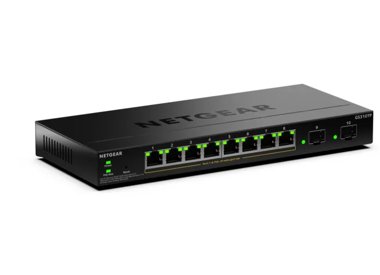

Showing 1-3 of 3
78 Items
Sort by
Knowledge Article
GS108Tv3 / GS110TPv3 Firmware Version 7.0.0.16 - NETGEAR Support
New Features and Enhancements: Initial Release Known Issues: Netgear account Single Sign On would be redirected to local login page if internet connection is not stable, suggest changing device password to avoid unauthorized login with default password Uploading configuration file through Smart Control Center cannot be turned off, suggest changing device default password to avoid unintended configuration settings being uploaded. Download Link: http://www.downloads.netgear.com/files/GDC/GS108Tv3/...
Knowledge Article
GS108Tv3 / GS110TPv3 / GS110TPP Firmware Version 7.0.9.20 - NETGEAR Support
Bug Fixes: Fixes the issue where the device UI might become inaccessible when the IP address is changed. Fixes the issue where you cannot configure IPv6 addresses in the range of unique local addresses (fc00::/7). Security Fixes: This firmware addresses security vulnerabilities. For more information about security vulnerabilities, visit https://www.netgear.com/about/security. Warnings: Read and follow these warnings before you update a firmware version that’s earlier than version 7.0.8.4 to vers...
Knowledge Article
GS108Tv3 / GS110TPv3 / GS110TPP Firmware Version 7.0.1.25 - NETGEAR Support
IMPORTANT CHANGES NOTE: This new firmware release will require product registration to unlock full access to the local management GUI. To learn the access restriction, visit the NETGEAR knowledge base article at https://kb.netgear.com/000061174 New Features and Enhancements: Device auto reclaim support from Insight app and cloud portal Bug Fixes: IGMP snooping is enabled automatically after a reset, regardless of its current setting. Download Link: http://www.downloads.netgear.com/files/GDC/GS10...
Knowledge Article
GS108Tv3 / GS110TPv3 / GS110TPP Firmware Version 7.0.6.3 - NETGEAR Support
Bug Fixes: Fixes the RADIUS reauthentication configuration where it did not clear after session timeout. Fixes an issue where the packet counter for the CPU port on the Statistics page did not work. Fixes an issue where a client device can fail to get a DHCP IP address when there is another network device connected between the switch and the client device. Fixes an issue that GS110TPv3 SFP LED status in Device View is incorrect. Security Fixes: Fixes various security vulnerability fixes and enha...
Knowledge Article
GS108Tv3 / GS110TPv3 / GS110TPP Firmware Version 7.0.9.5 - NETGEAR Support
New Features: This firmware provides the following new features for GS108Tv3 and GS110TPv3: Add Secure Diagnostic Mode (SDM) to allow NETGEAR Support to establish a secured connection for remote troubleshooting. This is disabled by default. Add Secure Shell (SSH) server for remote login. This is enabled by default. Lite command-line interface (CLI). To find the Lite CLI Reference Manual, visit https://www.netgear.com/support/, enter your model number in the search box, and click the Documentatio...
Knowledge Article
GS108Tv3 / GS110TPv3 / GS110TPP Firmware Version 7.0.7.2 - NETGEAR Support
Security Fixes: Various security vulnerability fixes and enhancements. Warnings: Read and follow these warnings before updating a firmware version that’s prior to 7.0.1.XX: Because HTTPS has been disabled by default since v7.0.6.2, the device UI Home page does not display automatically after using HTTPS to update to this firmware version. Open a new web browser tab and type the switch’s IP address to access the Home page. Default community string “Private” and “Public” for SNMPv1/v2 are not avai...
Knowledge Article
GS108Tv3 / GS110TPv3 / GS110TPP Firmware Version 7.0.9.19 - NETGEAR Support
Enhancements: Change the time stamp of syslog to follow ISO 8601 format. Upgrade OpenSSL to version 3.1. Security Fixes: This firmware addresses security vulnerabilities. For more information about security vulnerabilities, visit https://www.netgear.com/about/security. Bug Fixes: Fixes an issue that the system may freeze when accessing device migrates frequently from port to port. For example, wireless client roaming from one wireless AP to another AP that are connected to different ports on the...
Knowledge Article
GS108Tv3 / GS110TPv3 / GS110TPP Firmware Version 7.0.9.9 - NETGEAR Support
Enhancements: Upgrade OpenSSL to version 1.1.20 Add TLS 1.2/1.3 support Support SSH access control session . Bug Fixes: Power Timer Schedule does not work for certain time zones Switch does not send SNMP linkUp or linkDown traps Client cannot receive an IP address when using an 802.1Q trunk (GARP) VLAN assigned through a RADIUS server SNMP traps show community string with double quotes SSH incorrectly starts again after a reboot regardless of the previous setting Security Fixes: Addresses securi...
Knowledge Article
GS108Tv3 / GS110TPv3 / GS110TPP Firmware Version 7.0.5.2 - NETGEAR Support
New Features and Enhancements: Added ping and traceroute network administrative functions to the Troubleshooting page in the Insight Web Portal and app. Security Fixes: Fixes security vulnerabilities. This firmware addresses security vulnerabilities. For more information about security vulnerabilities, visit https://www.netgear.com/about/security. Bug Fixes: Fixes the issue where the DNS host configuration doesn’t accept an IPv6 address. Fixes the issue where the PoE schedule for weekly recurren...
Knowledge Article
GS108Tv3 / GS110TPv3 / GS110TPP Firmware Version 7.0.9.22 - NETGEAR Support
Bug Fixes: Fixes the issue where the SSL certificate fails to upload to the switch for the HTTPS session Fixes the issue where the LLDP packet that contains PoE information (For example, IEEE 802.3 power through MDI TLV) is incorrectly sent from non-PSE ports Security Fixes: This firmware addresses security vulnerabilities. For more information about security vulnerabilities, visit https://www.netgear.com/about/security. Warnings: Read and follow these warnings before you update a firmware versi...
Knowledge Article
GS108Tv3 / GS110TPv3 / GS110TPP Firmware Version 7.0.8.4 - NETGEAR Support
Bug Fixes: Unable to update SSL certificate via TFTP and HTTPS if logged in via HTTPS. Security Fixes: Fixes security vulnerabilities. For more information about security vulnerabilities, visit https://www.netgear.com/about/security/. Warnings: Read and follow these warnings before updating a firmware version that’s prior to 7.0.8.4: We recommend against downgrading the firmware image to 7.0.7.X or earlier version after updating to 7.0.8.4 or later versions. Because HTTPS has been disabled by de...
Knowledge Article
GS108Tv3 / GS110TPv3 / GS110TPP Firmware Version 7.0.9.17 - NETGEAR Support
Enhancements: Updated help text to correct the explanation of the wildcard mask meaning under IPv4 ACL rule. A wildcard mask of 255.255.255.255 now indicates that none of bits are important. A wildcard of 0.0.0.0 indicates that all the bits are important. When changing to Insight mode for the first time, device IP and VLAN settings are kept, no longer reset to default values. Security Fixes: This firmware addresses security vulnerabilities. For more information about security vulnerabilities, vi...
Knowledge Article
GS108Tv3 / GS110TPv3 / GS110TPP Firmware Version 7.0.3.3 - NETGEAR Support
IMPORTANT CHANGES NOTE: This new firmware release requires product registration to unlock full access to the local browser UI. For more information, visit the NETGEAR knowledge base article at https://kb.netgear.com/000061174. New Features and Enhancements: Faster application of multiple port configuration settings through the Insight Cloud Portal and the Insight app. Bug Fixes: Port now sends properly formed IGMP queries after booting up with non-default VLAN (VLAN 1). Switch connectivity is no...
Knowledge Article
GS108Tv3 / GS110TPv3 / GS110TPP Firmware Version 7.0.4.4 - NETGEAR Support
IMPORTANT CHANGES Firmware version 7.0.4.4 requires product registration to unlock full access to the local browser UI. A limited feature set is available without registration. For more information, visit the NETGEAR knowledge base article at https://kb.netgear.com/000061174. New Features and Enhancements: Increase the resolution for the Storm Control > Threshold setting from 10Mbit to 1Mbit to support finer-grained values (for example, you can set 5.1). Bug Fixes: Added support for Insight PoE ...
Knowledge Article
GS108Tv3 / GS110TPv3 / GS110TPP Firmware Version 7.0.4.6 - NETGEAR Support
New Features and Enhancements: You can login and access all features through the local browser UI 3 times without registering the switch through your netgear.com account. A limited feature set is available without registration. For more information, visit the NETGEAR knowledge base article at https://kb.netgear.com/000061174. Bug Fixes: PoE scheduler in the local browser UI fails to schedule across midnight Syslog service can fails when logging severity is set to ‘debug’ When setting recurring E...
Knowledge Article
GS108Tv3 / GS110TPv3 / GS110TPP Firmware Version 7.1.1.17 - NETGEAR Support
Release Date: June 1, 2026 Bug Fixes: Fixes the issue where static MAC address entries set for port security disappear or display on the wrong port, allowing unauthorized devices to connect or blocking legitimate ones. Fixes the issue where port speed and duplex settings do not apply correctly when using the Japanese device UI. This causes the port to remain at “Auto duplex”, even after you save a specific setting. Fixes the issue where uploading an SSL certificate fails due to inconsistent beha...
Knowledge Article
GS108Tv3 / GS110TPv3 / GS110TPP Firmware Version 7.1.1.12 - NETGEAR Support
New Features and Enhancements: Support for the UI dark theme Bug Fixes: Fixed an issue where the “Auto Edge” setting under CTS port configuration was unexpectedly changed to “Enabled” after a reboot. Fixed an issue that prevented changing the Management VLAN, resulting in a popup error message. Security Fixes: This firmware addresses security vulnerabilities. For more information about security vulnerabilities, visit https://www.netgear.com/about/security. Warnings: Read and follow these warning...
Knowledge Article
GS108Tv3 / GS110TPv3 / GS110TPP Firmware Version 7.0.9.12 - NETGEAR Support
Enhancements: Upgrades Insight Agent to version 6.9.0.60900034 Security Fixes: This firmware addresses security vulnerabilities. For more information about security vulnerabilities, visit https://www.netgear.com/about/security. Warnings: Read and follow these warnings before you update a firmware version that’s earlier than version 7.0.8.4 to version 7.0.8.4 or a later version: After you update the version to 7.0.8.4 or a later version, we recommend that you do not downgrade to version to 7.0.7....
Knowledge Article
GS108Tv3 / GS110TPv3 / GS110TPP Firmware Version 7.0.4.8 - NETGEAR Support
New Features and Enhancements: Starting from firmware version 7.0.4.4, product registration is required to unlock full access to the local browser UI. You can login and access all features through the local browser UI 3 times without registering the switch through your netgear.com account. A limited feature set is available without registration. For more information, visit the NETGEAR knowledge base article at https://kb.netgear.com/000061174. Introduced an option to enable/disable switch discov...
Knowledge Article
GS108Tv3 / GS110TPv3 / GS110TPP Firmware Version 7.0.1.20 - NETGEAR Support
IMPORTANT CHANGES NOTE: This new firmware release will require product registration to unlock full access to the local management GUI. To learn the access restriction, visit the NETGEAR knowledge base article at https://kb.netgear.com/000061174 New Features and Enhancements: Updated GS108Tv3 and GS110TPv3 to support features that are part of 5.6 release for Insight Manager. Added MAC Address Bypass (MAB) feature for GS108Tv3 and GS110TPv3 Device will reset to Insight default configuration after ...
Showing 1-20 of 78
136 Items
Sort by
Discussion Post
GS110TPV3 | NETGEAR Communities
Hello, if I turn off port (for example) g8 (gs110tpv3) in the PoE power configuration section, will the device connected to that port still negotiate...
Discussion Post
backup GS110TPv3 | NETGEAR Communities
II’d like to know if it’s possible to set up an automatic daily backup for my Netgear GS110TPv3 switch. I know how to manually save the configuration file,...
Discussion Post
GS110TPv3 Static IP Help | NETGEAR Communities
Please forgive my lack of networking knowledge while I try to work out if I have the necessary hardware to do this. I have a GS110TPv3 smart...
Discussion Post
Disable IGMP snooping on single port in a VLAN GS110TPV3 | NETGEAR Communities
I have a VLAN that requires most devices to receive multicast streams. One device on the VLAN does not support IGMP snooping and will not work properly with...
Discussion Post
"Skin" Web Interface on GS110TPV3? | NETGEAR Communities
I have 3 of these switches, one at each of 3 different locations, and the setups are similar for each, but not identical. Is there a way to edit some...
Discussion Post
GS110TPV3 Device security on port level ? | NETGEAR Communities
Hello everyone, I have recently installed POE IP Camera’s outside of my home. Leaving me with accessible network cables outside my primary hackers...
Discussion Post
GS110TPv3 VLAN Isolation | NETGEAR Communities
I have limited networking knowledge but I am looking to purchase a switch that has the capability to isolate traffic on different ports. This is an outline...
Discussion Post
2 Internet Connections with GS110TPV3 | NETGEAR Communities
Hello, I have 2 internet connections and I would like to setup for failover and hoping someone can help me out. I have 2 RJ45 SFP modules plugged in to...
Discussion Post
Trying to Access Admin Page for GS110TPv3 | NETGEAR Communities
So I changed to static IP to a IP address trying to sperate the IP address. Little did I know I changed it to the same as our Wireless access point and now I...
Discussion Post
Simple configuration to prioritize one port for GS110TPv3 | NETGEAR Communities
I have a very simple request - need to configure three ports on a GS110TPv3 Port 1 will be connected to the phone systemPort 2 will be connected to...
Discussion Post
GS110TPv3 Giving me hell | NETGEAR Communities
Right so this is going to be a doozy but lets focus on one problem for now. I have three switches that have been nothing but headaches for the past few...
Discussion Post
how to access web UI on GS110TPv3 | NETGEAR Communities
New GS110TPv3 out of the box. The instructions say to enter the IP address into a browser. I get an IP address via DHCP (as shown in my mac's Network...
Discussion Post
Short Netgear GS110TPv3 | NETGEAR Communities
i have connected a CC Camera to port g2, but i see message Short. i am very new to Manage Switches, and i don't understand this.. What does below mean? does...
Discussion Post
GS110TP V1/V2/V3 - This GS110TPV3 is not registred for the current user, please login with the regis | NETGEAR Communities
"This GS110TPV3 is not registred for the current user, please login with the registred user. For more details check support website." Need urgent assist...
Discussion Post
Netgear GS110TPv3 SNMP | NETGEAR Communities
With the older GS110TP switches it was possible to update the firmware on the switches using SNMP. Using the ng_switching MIB I believe. The new...
Discussion Post
Switch GS110TPv3 + SFP RJ45 adapter | NETGEAR Communities
Hello.Please tell me how to activate the SFP adapter in this switch model. It does not want to work without shamanic dances.
Discussion Post
GS110TPv3 f/w 7.0.4.8 - SNMP PoE reading per port | NETGEAR Communities
Hi AllIs there an OID to measure the power utilisation per port on this switch?I've downloaded the standard mib v7071, imported using the Paessler utility...
Discussion Post
GS110Tp V3 shuts down for no reason | NETGEAR Communities
GS110TPV3Firmware Version V7.0.6.3. Having problems with the switch freezing up.I have a Fibre ring with 11X GS110TP v3, 2X Gs728Tp V2 and...
Discussion Post
GS110TPv3 POE doesn't work any more | NETGEAR Communities
Hi all, My switch is stuck on a firmware update the problem is that my POE is not working any more.i 've tried to do a hard reset, manually uploaded a...
Discussion Post
Netgear GS110TPv3 port disabled automatically regularly | NETGEAR Communities
Hello,I have recently purchased NegGear GS110TPv3 switch for ISP connectivity. Below is the setup How I throught he cable routing: ...
Showing 1-20 of 136
We couldn’t find anything for "GS110TPv3".
Showing 0-0 of 0
3 Items
Manage Your Network Easier with NETGEAR Smart Switch CLI
Simplify network management with NETGEAR Smart Switch CLI. Configure, monitor, and troubleshoot your switches all from one place.
Introducing the NETGEAR S350 Series v2: Powerful PoE+ Smart Switches - NETGEAR Blog
The NETGEAR S350 Series v2 Gigabit PoE+ Smart Managed Essentials Switches are designed to give growing organizations enterprise-grade capabilities - without the complexity or cost that usually comes with them.
NARL Builds a High-Availability, High-Throughput Network Powered by NETGEAR - NETGEAR Blog
Discover how NARL built a high-availability, high-throughput research network using NETGEAR MLAG to enable nonstop, petabyte-scale scientific data processing.
Showing 1-3 of 3