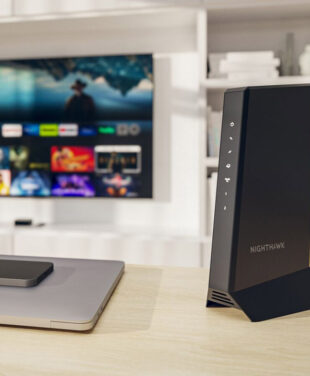
The Best NETGEAR Modem for Spectrum: Your 2026 Guide to Upgrading Your Modem Speed
You pay for Spectrum's fast internet, but is your daily online experience living up to what you expect?

You pay for Spectrum's fast internet, but is your daily online experience living up to what you expect?
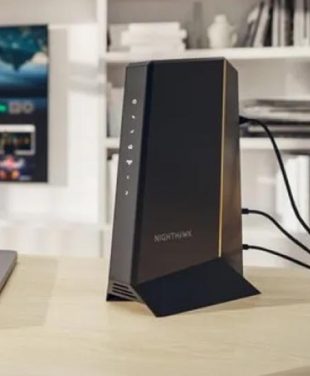
Pictured Above: Spectrum Compatible Modem Nighthawk CM3000 with Mid/High-Split by NETGEAR
The speed you experience depends on your ISP plan, modem, router, and the devices you use. Too often, the modem goes unnoticed, but it plays a central role in how well your network performs. This guide will help you find the best NETGEAR modem for Spectrum, showing how a simple upgrade can give you greater control and help you get the performance you’re paying for.
IN THIS ARTICLE
Spectrum supplies a modem at no extra cost, but charges about $5 per month if you opt for their WiFi router. By choosing your own NETGEAR CM3000 Modem and pairing it with a reliable router, you avoid that monthly fee and gain better control over your home network’s performance. It’s an easy way to improve your internet experience and save roughly $60 each year compared to using Spectrum’s standard setup.
TIP: Check with your Internet Service Provider (ISP) to confirm on your bill what your current equipment fees are.
ISP-provided gateways are usually designed to meet basic needs, rather than deliver top-level performance. Whether you’re on Spectrum’s 300 Mbps, 500 Mbps, or 1 Gbps plans, having a modem that matches your plan’s capabilities is essential. Because Spectrum runs on a hybrid fiber-coaxial (HFC) network, upgrading to a recent NETGEAR modem with DOCSIS 3.1 and mid/high-split technology (available in select areas) allows you to get the fastest download and upload speeds available—important for activities like video conferencing, gaming, and large file uploads. Note: Actual speeds depend on your Spectrum plan and local network upgrade.
Spectrum’s no-contract plans and ongoing network upgrades (where available) mean your service can keep improving over time. By choosing a modem like the CM3000, you set your home up with technology designed to handle future speed increases and changing requirements, so you’re ready as Spectrum continues to advance its network to support newer technologies.
Built for reliable, high-speed service, the CM3000 mid/high-split DOCSIS® 3.1 cable modem supports up to 2.5Gbps download speeds and up to 1Gbps upload speeds, making it a strong Spectrum compatible modem for demanding internet use. (Check with your Spectrum ISP to see what upload and download speed tiers are available in your area).
The CM3000 modem uses mid/high-split DOCSIS 3.1 technology, built to support Spectrum’s latest network upgrades and help you get the most consistent speeds available for your home setup. Learn more about CM3000 Mid/High-Split Technology.
With support for up to 2.5Gbps download and 1Gbps upload speeds, the CM3000 modem helps you make the most of your Spectrum plan. This means you can stream in 4K or 8K, take part in online gaming without noticeable lag, and handle large file uploads or video calls smoothly and efficiently.

Most standard ISP setups use gateways, which combine a modem and WiFi into a single device. While this setup is convenient, it often falls short in terms of performance and flexibility compared to using a separate, dedicated modem and router.
For reliable speed and strong coverage, pair your standalone CM3000 Cable Modem with the NETGEAR Nighthawk WiFi 7 Router or, for larger homes, an Orbi WiFi Mesh System. This setup gives you consistent, high-quality WiFi across your space and the flexibility to choose equipment that fits your needs. Learn more in our Connecting a Modem vs. Router article.
Pro Tip: Looking ahead, having a separate modem and WiFi router means you can upgrade each component on your own schedule, making it easier to keep your network up to date as technology changes.
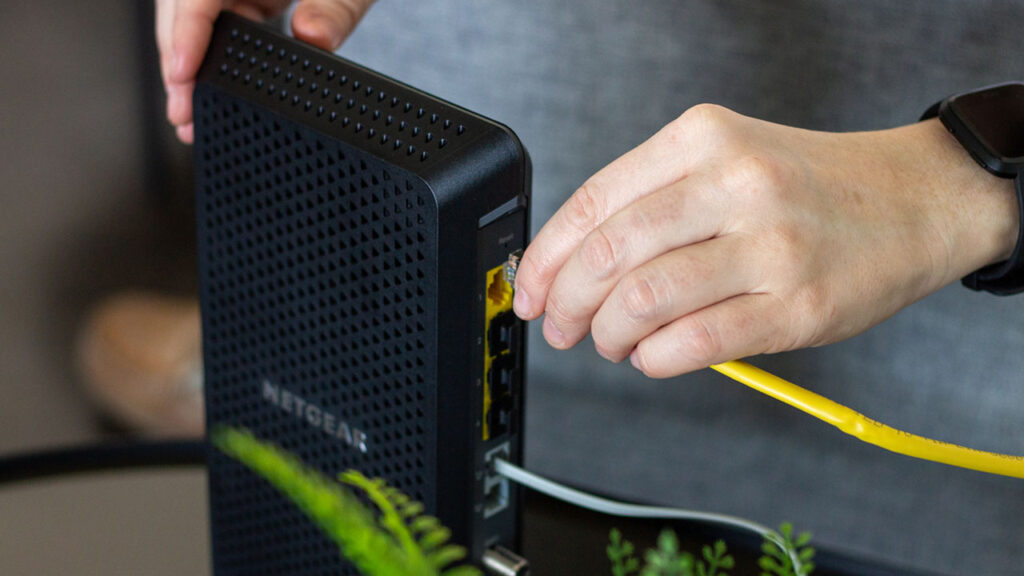
NETGEAR makes it straightforward to replace your equipment and connect a new modem to your Spectrum (Charter) service in three simple steps:
Note: If you have a Spectrum Voice plan, ensure you select an eMTA modem with voice capabilities. See our FAQ’s below.
Don’t let a standard modem hold back your connection. Owning your own reliable equipment gives you more control, steady performance, and confidence that you’re getting the speeds you pay Spectrum for. With a solid foundation like the NETGEAR Nighthawk CM3000—the best modem for Spectrum—paired with a trusted Orbi or Nighthawk router, you build a network that’s ready for what’s next.
Not at all. Spectrum offers a straightforward activation process. Simply connect your new modem to power and the coaxial cable, then visit spectrum.net/selfinstall to bring your network online. If you prefer to speak with someone, you can also activate your new equipment by calling Spectrum customer support directly.
While Spectrum provides a basic modem for free, customers who want better network performance or wish to avoid the $5 monthly WiFi router fee often choose to use their own hardware. If you are using standard-issue equipment or an older DOCSIS 3.0 modem, you might not experience the actual speeds of your 500 Mbps or 1 Gbps plan. Upgrading to a dedicated, high-performance DOCSIS 3.1 device like the NETGEAR CM3000 Modem is a practical solution to maximize your connection.
The CM3000 is engineered to handle Spectrum’s fastest multi-gigabit internet tiers. It fully supports DOCSIS 3.1 technology, which is the standard required to unlock maximum download and upload speeds on their network. By using an approved, high-capacity modem, you ensure your home network rests on a reliable foundation. See spectrum approved modems. The NETGEAR CM3000 listed Approved Modems: Non-symmetrical Spectrum Internet tiers up to 1G.
To get the full benefit of a multi-gig modem like the CM3000, you need a router with a multi-gig WAN port (2.5G or higher) to access higher speed tiers. Using an older router with a slower port will limit your home network’s speed and performance. We highly recommend pairing it with a NETGEAR WiFi 6E or WiFi 7 Nighthawk router or Orbi system for ultimate compatibility and the fastest speeds available.
The Nighthawk CM3000 is a data-only modem and does not support Spectrum Voice service. If you use a Spectrum home phone bundle, you will need an eMTA (Embedded Multimedia Terminal Adapter) modem with specific voice capabilities to keep your phone lines active.