
Search results for: GS908E
6 Items
Sort by
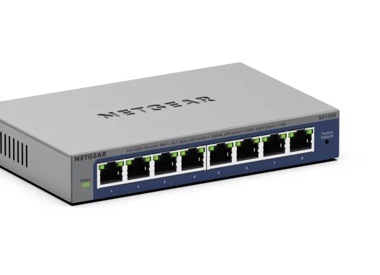

£89.99
8-Port Gigabit Ethernet PoE+ Easy Smart Essentials Switch (62W)current price £89.99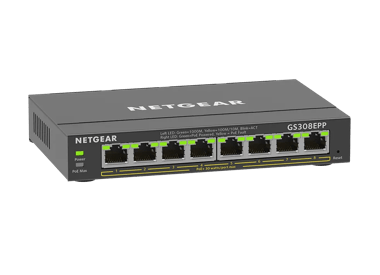
£119.99
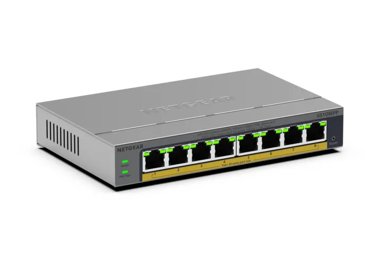
8-Port Gigabit Ethernet Easy Smart Essentials PoE Switch (123W)current price £119.99

Showing 1-6 of 6
113 Items
Sort by
Knowledge Article
GS908E Firmware Version 1.0.0.2 - NETGEAR Support
Issues Fixed: Unable to perform firmware update successfully when using device running Android 7.1.1. Upgrade Procedure: Download the new firmware 1.0.0.2 from the NETGEAR product support Website and store it on a local PC, remembering its location in the PC’s file system. Unzip it to get the switch firmware image GS908E_V1.0.0.2.bin. Download Link : http://www.downloads.netgear.com/files/GDC/GS908E/GS908E_V1.0.0.2.zip HTTP is the only method to update the new firmware from the PC to the switch....
Knowledge Article
GS908E Firmware Version 1.7.0.3 - NETGEAR Support
Modifications: Changed Web GUI title to NETGEAR GS908E Security Fixes: PSV-2018-0538 PSV-2018-0542 PSV-2018-0612 For more information about security vulnerabilities, visit https://www.netgear.com/about/security. Bug Fixes: Invalid combinations of IP and mask are accepted with access control list Firmware Update Instructions: Download Link : http://www.downloads.netgear.com/files/GDC/GS908E/GS908E_V1.7.0.3.zip To update your product’s firmware, follow the instructions in your product’s user manua...
Knowledge Article
GS908E Firmware Version 1.7.0.2 - NETGEAR Support
New feature and modifications:: In addition to English, WEB GUI can now be displayed in German (Deutsch) or Japanese. Implemented new access control Upgrade Procedure: Download the new firmware 1.7.0.2 from the NETGEAR product support Website and store it on a local PC, remembering its location in the PC’s file system. Unzip it to get the switch firmware image GS908E_V1.7.0.2.bin. Download Link : http://www.downloads.netgear.com/files/GDC/GS908E/GS908E_V1.7.0.2.zip HTTP is the only method to upd...
Knowledge Article
GS908E Firmware Version 1.0.0.3 - NETGEAR Support
Enhancements: The power LED now blinks when reset button is pressed. Issues Fixed: When LAG enabled, PVID cannot be set on a port which not a member of the LAG. Upgrade Procedure: Download the new firmware 1.0.0.3 from the NETGEAR product support Website and store it on a local PC, remembering its location in the PC’s file system. Unzip it to get the switch firmware image GS908E_V1.0.0.3.bin. Download Link : http://www.downloads.netgear.com/files/GDC/GS908E/GS908E_V1.0.0.3.zip HTTP is the only m...
Knowledge Article
How can I change the language of my GS908E Smart Managed Plus Switch user interface? - NETGEAR Support
Change Your GS908E Smart Managed Plus Switch GUI to Another LanguageThe most recent firmware for your GS908E Smart Managed Plus Switch can display its user interface in multiple languages, like English, German or Japanese. You can change the display language at any time.To change your user interface language:Open a web browser from a computer that is connected to the same network as the switch or is connected to the switch directly through an Ethernet cable.Enter the IP address that is assigned ...
Knowledge Article
How do I set up a LAG between a GS908E Smart Managed Plus Switch and a QNAP NAS? - NETGEAR Support
Link aggregation (LAG) between two network devices allows your devices to treat multiple Ethernet links as if they were a single link to increase bandwidth or provide fault tolerance. For more information about link aggregation, see What are link aggregation and LACP and how can I use them in my network? This article explains how to set up link aggregation between a GS908E Smart Managed Plus Switch and a QNAP NAS (QTS version 4.3.3.0209). Set up LAG on the GS908E switch. Open a web browser on a ...
Knowledge Article
How do I set up a LAG between a GS908E Smart Managed Plus Switch and a Synology NAS? - NETGEAR Support
Link aggregation (LAG) between two network devices allows your devices to treat multiple Ethernet links as if they were a single link to increase bandwidth or provide fault tolerance. For more information about link aggregation, see What are link aggregation and LACP and how can I use them in my network? This article explains how to set up link aggregation between a GS908E Smart Managed Plus Switch and a Synology NAS (DSM version 6.2-23511). Set up LAG on the GS908E switch. Open a web browser on...
Knowledge Article
What cable management features do the NETGEAR GS908 and GS908E switches offer? - NETGEAR Support
GS908 and GS908E switches offer several integrated cable management features to help you tidy your network equipment with style and avoid tangled cables: Shaped holes. The GS908 and GS908E have innovative shaped holes to keep your cables from moving around. Universal cable management. The GS908 and GS908E are designed to support different types of Ethernet cables, USB cables, and power adapter cables. Concealment and easy access. The top of the cable management compartment flips up and stays ope...
Knowledge Article
What types of VLANs can I create on my NETGEAR GS908E switch? - NETGEAR Support
Virtual local area networks (VLANs) are made up of networked devices that are grouped logically into separate networks. You can group ports on a switch to create a virtual network made up of the devices connected to the ports. You can group ports in VLANs using either port-based or 802.1Q criteria: Port-based VLANs. Assign ports to virtual networks. Ports with the same VLAN ID are placed in the same VLAN. This feature provides an easy way to partition a network into private subnetworks. 802.1Q V...
Knowledge Article
How do I create and manage 802.1Q VLANs on my NETGEAR GS908E switch? - NETGEAR Support
You must activate the 802.1Q-based VLAN mode (also referred to as the advanced VLAN mode) before you can add and manage 802.1Q-based VLANs, manage PVIDs, and set the voice VLAN. Click a topic from the following list to skip to that topic: Activate the 802.1Q-Based VLAN Mode Create an 802.1Q-Based VLAN Change an 802.1Q-Based VLAN Delete an 802.1Q-Based VLAN Specify a Port PVID for an 802.1Q-Based VLAN Set an Existing 802.1Q-Based VLAN as the Voice VLAN and Adjust the CoS Value Change the OUI Tabl...
Knowledge Article
How do I create and manage port-based VLANs on my NETGEAR GS908E switch? - NETGEAR Support
You must activate the port-based VLAN mode (also referred to as the basic VLAN mode) before you can add and manage port-based VLANs. Click a topic from the following list to skip to that topic: Activate the Port-Based VLAN Mode Create a Port-Based VLAN Change a Port-Based VLAN Delete a Port-Based VLAN Activate the Port-Based VLAN Mode By default, all types of VLANs are disabled on the switch. Before you can add and manage port-based VLANs, you must activate the port-based VLAN mode. This mode is...
Knowledge Article
How do I manage Auto-Diagnostics and clear events or problems on my GS908E switch? - NETGEAR Support
Auto-diagnostics consists of the following monitoring options, all of which are enabled by default: Identify blocked ports. The switch can automatically identify a blocked port that is caused by a loop condition. If this condition occurs, the Power LED lights or blinks solid amber and the icon for the affected port on the AUTO-DIAGNOSTICS page shows blue. If the condition is resolved, the Power LED is reset automatically. Regardless of whether the condition is resolved, you can clear the event o...
Security Advisory
Security Advisory for Pre-Authentication Buffer Overflow on Some Switches, PSV-2018-0538 - NETGEAR Support
Associated CVE IDs: None NETGEAR has released fixes for a pre-authentication buffer overflow security vulnerability on the following product models: GS105Ev2, running firmware versions prior to 1.6.0.4 GS105PE, running firmware versions prior to 1.6.0.4 GS408EPP, running firmware versions prior to 1.0.0.15 GS808E, running firmware versions prior to 1.7.0.7 GS908E, running firmware versions prior to 1.7.0.3 GSS108E, running firmware versions prior to 1.6.0.4 GSS108EPP, running firmware versions p...
Security Advisory
Security Advisory for Sensitive Information Disclosure on Some Switches, PSV-2018-0612 - NETGEAR Support
Associated CVE IDs: None NETGEAR has released fixes for a sensitive information disclosure security vulnerability on the following product models: FS728TLP, running firmware versions prior to 1.0.1.26 GS105Ev2, running firmware versions prior to 1.6.0.4 GS105PE, running firmware versions prior to 1.6.0.4 GS108Ev3, running firmware versions prior to 2.06.08 GS108PEv3, running firmware versions prior to 2.06.08 GS110EMX, running firmware versions prior to 1.0.1.4 GS116Ev2, running firmware version...
Security Advisory
Security Advisory for Missing Function Level Access Control on Some Switches, PSV-2018-0542 - NETGEAR Support
Associated CVE IDs: None NETGEAR has released fixes for a missing function level access control security vulnerability on the following product models: FS728TLP, running firmware versions prior to 1.0.1.26 GS105Ev2, running firmware versions prior to 1.6.0.4 GS105PE, running firmware versions prior to 1.6.0.4 GS108Ev3, running firmware versions prior to 2.06.08 GS108PEv3, running firmware versions prior to 2.06.08 GS110EMX, running firmware versions prior to 1.0.1.4 GS116Ev2, running firmware ve...
Knowledge Article
EU Declarations of Conformity - NETGEAR Support
Please click on the Model to view Declarations of Conformity. To access EU Declarations of Conformity for Arlo products, visit https://kb.arlo.com/000061839/EU-Declarations-of-Conformity-for-Arlo-and-VueZone. Model 6000451 A6100 A6150 A6210 A7000 A7500 A8000 A8500 A9000 ACM761 / ACM762 / AXLM761 / AXLM762 ACC761 / ACC763 / AXLC761 / AXLC763 AC785S AC790S AC810 / AC810S AFT402 AGM731F AGM732F AGM734 AirCard 797 (AC797) APM402XL APM408 / APM402 APS150W APS250W APS254W APS299W APS350W APS550W APS60...
Knowledge Article
What is a switch? An introduction - NETGEAR Support
A switch is used in a wired network to connect to other devices using Ethernet cables. The switch allows each connected device to talk to the others. Wireless-only networks do not use switches because devices such as wireless routers and adapters communicate directly with one another. Although you can use the ports on the back of a router or modem to connect a few Ethernet devices together, switches offer a number of advantages: Switches allow you to connect dozens of devices. Switches keep traf...
Knowledge Article
GS308EPP Firmware Version 1.0.0.10 - NETGEAR Support
New Features: Support port mirroring from multiple ports. Warnings: Firmware files for GS308EP and GS308EPP are different. Be sure to download and install the correct firmware for your model. After upgrading to v1.0.0.7, the setting for Port LEDs on the home page will be incorrectly changed from ON to OFF, different from the actual Port LEDs on the front panel. To fix the issue, please reset the switch to factory default settings. Download Link: https://www.downloads.netgear.com/files/GDC/GS308E...
Knowledge Article
GS308EPP Firmware Version 1.0.1.1 - NETGEAR Support
Bug Fixes: Fixes an interoperability issue with the Hikvision camera, model DS-2CD2146G2-ISUI and model DS-2CD2046G2-IU, in which the camera might not receive PoE power from the switch. Warnings: Read and follow these warnings before updating your firmware: The firmware files for model GS308EP and model GS308EPP are different. Be sure to download and install the correct firmware for your model. After you upgrade the firmware to version 1.0.0.7, the settings for the port LEDs on the HOME page are...
Knowledge Article
GS108Ev3 Firmware Version 2.00.05 - NETGEAR Support
Bug Fixes: Made Flow Control configurable and its default setting is changed from enable to disable. Limitations: To support WEB GUI, all HTTP packets are forwarded to the embedded CPU. With Flow Control enabled, throughput will be impacted if the rate is higher than the CPU can handle. Configuration obtained from the Plus Utility cannot be used by Web GUI and vice versa. IGMP dynamic router port does not timeout exactly at 300 seconds. It could be anywhere from 300 to 600 seconds. IGMP host tim...
Showing 1-20 of 113
344 Items
Sort by
Discussion Post
Help setting VLANs on Netgear GS908E switch? Not receive an IP in the correct VLAN tagged IP range | NETGEAR Communities
I'm trying to set up VLAN tags on a Netgear GS908E switch. But I'm either not understanding or getting something very wrong. Here's a network diagram....
Discussion Post
GS908E I can access when I connect via cable but can not even ping from a wireless connection | NETGEAR Communities
Firmware is the latest version 1.7.0.3 I have also factory reset multiple times and have no problems accessing the device via direct cable and have no...
Discussion Post
GS908E - where is firmaware file ?? | NETGEAR Communities
Hi, Just bought a GS908E managed switch to add to my network .Checked if there was a firmaware update - there was - but no bin file only...
Discussion Post
GS908E USB power ports whine | NETGEAR Communities
Using the USB power ports on my GS908E. Both/either port(s) whine when I plug in a device (raspi zero w, wyze camera, usb fan). Whine stops when I...
Discussion Post
GS908E logs you out of admin web interface as soon as you logon | NETGEAR Communities
New GS908E. When I attempt to login to the web UI the switch accepts the password, I briefly see the admin screen, then get thrown back to the login page...
Discussion Post
Management VLAN GS908E | NETGEAR Communities
Does this device allow me to move the management VLAN from 1 to XX. At the mo, i cannot remove VLAN 1.... from all ports.... Using Port 1 as a...
Discussion Post
Is a GS908E a Managed Switch? | NETGEAR Communities
The box says "......Smart Managed Plus Switch" but on the,NETGEAR-Product-Registration-FAQ it is listed under Unmanaged switch (87). And what...
Discussion Post
Orbi Netgear GS908E-100PES Backhaul Connection | NETGEAR Communities
Hello, everybody,I have been using the Orbi Set (RBK23-100PES) for a few days now, i.e. router + 3x satellite.Because of reinforced concrete walls and...
Discussion Post
GS908E switch problem : orange led and impossible to reach admin page | NETGEAR Communities
Hi everybody,I've got problems with my brand new GS908E administrable switch :- the front led is orange instead of blue- it's impossible to access to the...
Discussion Post
Wrong purchase date for registration | NETGEAR Communities
Hi,Today I registered my GS908E switch and chose the wrong purchase date. How can I correct it?
Discussion Post
Web firmware upgrade for GS108Ev3 failing | NETGEAR Communities
I wante to upgrade to version 2.00.05 but don't have a Windows machine handy. So I thought I'd use the web interface. After entering "loader mode" on...
Discussion Post
GS108ev3 - Utility stops responding | NETGEAR Communities
Just purhcased a GS108Ev3 switch, and I was able to open up the ProSafe Plus Config utility and select the switch to assign an IP address. The switch...
Discussion Post
GS108Ev3 Firmware Upgrade Issues | NETGEAR Communities
This is still a problem. I bought the GS108E (v3) last week. I couldn't configure the switch using 192.168.0.239 (my PC has a static IP of 192.168.0.200). I...
Discussion Post
GS108Ev3 Cannot set VLAN for management interface | NETGEAR Communities
I just purchased a GS108Ev3 because I needed some simple VLAN segregation for a small group of machines "down the hall" from my core networking equipment....
Discussion Post
Weak wifi with Netgear GS108E | NETGEAR Communities
I get a very weak download speed on wifi after I plugged in my Netgear GS108E switch. I have a 100/10 (down/up) Mbit/s fiber connection. Have tried...
Discussion Post
No Gigabit connection GS108Ev3 | NETGEAR Communities
Hi, recently I bought a GS108Ev3 to upgrade my GS105E. The problem is that I can't get a Gigabit connection on my laptop (Asus K52JC with JMicron...
Discussion Post
Steam download overloads GS108Ev3 | NETGEAR Communities
Hello everyoneI'm using two GS108Ev3 to connect my devices. I also use 2 STB that provide TV (something like Netflix but from Switzerland). The on STB...
Discussion Post
GS108E-v3 DHCP VLAN | NETGEAR Communities
I recently purchased this switch and was surprised to learn that when in DHCP client mode, it will pull an address from any device on any VLAN.I would have...
Discussion Post
GS108E only accessible over default VLAN | NETGEAR Communities
Hello, is it possible to set the IP address of the device on a tagged Vlan instead of the native Vlan?I'd like to manage the Switch from behind a trunk...
Discussion Post
GS105E, GS108E, and WG102, all in a VLAN - how? | NETGEAR Communities
I have a GS108E connecting 4 point of sale systems, linking to a GS105E connecting to a point of sale server and WG102 access point with 2 VLAN's on 2...
Showing 1-20 of 344
We couldn’t find anything for "GS908E".
Showing 0-0 of 0
We couldn’t find anything for "GS908E".
Showing 0-0 of 0