
Search results for: GS752TPv2
4 Items
Sort by


Showing 1-4 of 4
152 Items
Sort by
Knowledge Article
GS728TPv2 / GS728TPPv2 / GS752TPv2 / GS752TPP Firmware Version 6.0.3.3 - NETGEAR Support
MPORTANT CHANGES NOTE: This new firmware release requires product registration to unlock full access to the local browser UI. For more information, visit the NETGEAR knowledge base article at https://kb.netgear.com/000061174. New Features and Enhancements: Faster application of multiple port configuration settings through the Insight Cloud Portal and the Insight app. Bug Fixes: Port now sends properly formed IGMP queries after booting up with non-default VLAN (VLAN 1). Switch connectivity is no ...
Knowledge Article
GS728TPv2 / GS728TPPv2 / GS752TPv2 / GS752TPP Firmware Version 6.0.6.2 - NETGEAR Support
New Features and Enhancements: Registration is no longer required to access the full UI menu. It can be skipped at UI login. Insight management mode is disabled by default. Select the “NETGEAR Insight Mobile App and Insight Cloud Portal” radio button to enable Insight management mode. You can pause Insight management mode at any time to temporarily manage the switch through the device UI by selecting the “Local-Only GUI” radio button. To return to Insight management mode, select the “NETGEAR Ins...
Knowledge Article
GS728TPv2 / GS728TPPv2 / GS752TPv2 / GS752TPP Firmware Version 6.0.0.48 - NETGEAR Support
Security Fixes: PSV-2019-0059 PSV-2019-0066 Bug Fixes: [LLDP-MED] LLDP Network Policy Not being send to Polycom VVX401 phones correctly [IGMP snooping] Multicast stream is interrupted for around 1-2 seconds when a device leaves a Multicast group [ACL] Implicit deny is not working when configuring MAC address Access Control List [SNMP] Uptime reported via SNMP gets reset after around 49 days [SNMP] SNMP service hangs up after 1-2 days Known Issues: [File management] Copy image fail [Workaround]: ...
Knowledge Article
GS728TPv2 / GS728TPPv2 / GS752TPv2 / GS752TPP Firmware Version 6.0.0.31 - NETGEAR Support
GS728TPv2, GS728TPPv2, GS752TPv2, GS752TPP supports the latest Smart Control Center, please use SCC version 1.1.3.4 for switch discovery, basic configuration and FW upgrades. New features and enhancements: Initial Release Notes: The USB storage device that you attach to the USB port must comply with the following requirements: - The USB device must support USB 2.0. - The USB device must support the FAT32 or VFAT file system. The NTFS file system is not supported.. Known issue: The device does no...
Knowledge Article
GS728TPv2 / GS728TPPv2 / GS752TPv2 / GS752TPP Firmware Version 6.0.9.3 - NETGEAR Support
Bug Fixes: Fixes the issue on the System > Device View page where the power LED of the device is not shown lit. Security Fixes: Fixes security vulnerabilities. For more information about security vulnerabilities, visit https://www.netgear.com/about/security. Warnings: Read and follow these warnings before updating a firmware version that’s prior to 6.0.9.1: We recommend against downgrading the firmware image to 6.0.8.x or earlier version after updating to 6.0.9.1 or later versions. Since HTTPS i...
Knowledge Article
GS728TPv2 / GS728TPPv2 / GS752TPv2 / GS752TPP Firmware Version 6.0.10.10 - NETGEAR Support
New Features: Add Secure Diagnostic Mode (SDM) to allow NETGEAR Support to establish a secured connection for remote troubleshooting. This is disabled by default. Bug Fixes: Fixes the issue when an OUI is added, the last two hexadecimal are changed to E0 instead of the entered value. Changes: After HTTPS is enabled, accessing the device UI via HTTP is not redirected to HTTPS. Warnings: Read and follow these warnings before updating a firmware version: We recommend against downgrading the firmwar...
Knowledge Article
GS728TPv2 / GS728TPPv2 / GS752TPv2 / GS752TPP Firmware Version 6.0.0.37 - NETGEAR Support
GS728TPv2, GS728TPPv2, GS752TPv2, GS752TPP supports the latest Smart Control Center, please use SCC version 1.1.3.4 for switch discovery, basic configuration and FW upgrades. New features and enhancements: Improved German and Japanese translation for Web GUI and context help.. Changed MVR VLAN setting behavior to be consistent as other NETGEAR smart switches. Fixed Issues: Device may run out of memory if there is a frequent renewal of DHCP IPv6 address. Can't set the PVID of a port when the lang...
Knowledge Article
GS728TPv2 / GS728TPPv2 / GS752TPv2 / GS752TPP Firmware Version 6.0.10.26 - NETGEAR Support
New Features and Enhancements: The maximum number of LLDP (Link Layer Discovery Protocol) neighbors supported by the switch has been increased. This enhancement improves compatibility in environments with high device density and ensures more comprehensive network topology discovery. Bug Fix: Fixes the issue where the switch could go offline in Insight when using a Layer 3 VLAN. The update ensures the switch stays connected in this setup. Warnings: Read and follow these warnings before you update...
Knowledge Article
GS728TPv2 / GS728TPPv2 / GS752TPv2 / GS752TPP Firmware Version 6.0.4.4 - NETGEAR Support
IMPORTANT CHANGES: Firmware version 6.0.4.4 requires product registration to unlock full access to the local browser UI. A limited feature set is available without registration. For more information, visit the NETGEAR knowledge base article at https://kb.netgear.com/000061174. New Features and Enhancements: Increase the resolution for the Storm Control > Threshold setting from 10Mbit to 1Mbit to support finer-grained values (for example, you can set 5.1). Bug Fixes: Added support for Insight PoE...
Knowledge Article
GS728TPv2 / GS728TPPv2 / GS752TPv2 / GS752TPP Firmware Version 6.0.8.2 - NETGEAR Support
Security Fixes: Various security vulnerability fixes and enhancements. Warnings: Read and follow these warnings before updating a firmware version that’s prior to 6.0.1.XX: Since HTTPS is disabled by default in v6.0.6.2, the device UI Home page does not display automatically after using HTTPS to update to this firmware version. Open a new web browser tab and type the switch’s IP address to access the Home page. Default community string “Private” and “Public” for SNMPv1/v2 are not available in ne...
Knowledge Article
GS728TPv2 / GS728TPPv2 / GS752TPv2 / GS752TPP Firmware Version 6.0.4.6 - NETGEAR Support
New Features and Enhancements: You can login and access all features through the local browser UI 3 times without registering the switch through your netgear.com account. A limited feature set is available without registration. For more information, visit the NETGEAR knowledge base article at https://kb.netgear.com/000061174. Bug Fixes: PoE scheduler in the local browser UI fails to schedule across midnight Syslog service can fails when logging severity is set to ‘debug’ When setting recurring E...
Knowledge Article
GS728TPv2 / GS728TPPv2 / GS752TPv2 / GS752TPP Firmware Version 6.0.0.45 - NETGEAR Support
GS728TPv2, GS728TPPv2, GS752TPv2, GS752TPP supports the latest Smart Control Center, please use SCC version 1.1.3.4 for switch discovery, basic configuration and FW upgrades. Enhancements and Modifications: Security – TLS V1.0 is no longer supported. Security – Add configurable option to disable HTTP. Security – Enforce more secured password rule. Security – The function to reset password is removed from web GUI. Security – Web access will be locked out temporarily when attempts to login using w...
Knowledge Article
GS728TPv2 / GS728TPPv2 / GS752TPv2 / GS752TPP Firmware Version 6.0.10.20 - NETGEAR Support
Enhancements: Add USB CLI commands to show USB disk information. Updated help text to correct the explanation of the wildcard mask meaning under IPv4 ACL rule. A wildcard mask of 255.255.255.255 now indicates that none of bits are important. A wildcard of 0.0.0.0 indicates that all the bits are important. Change Syslog time stamp format, following ISO 8601. When changing to Insight mode for the first time, device IP and VLAN settings are kept, no longer reset to default values. Bug Fixes: Fixes ...
Knowledge Article
GS728TPv2 / GS728TPPv2 / GS752TPv2 / GS752TPP Firmware Version 6.0.1.14 - NETGEAR Support
IMPORTANT CHANGES NOTE: This new firmware release will require product registration to unlock full access to the local management GUI. To learn the access restriction, visit the NETGEAR knowledge base article at https://kb.netgear.com/000061174. New Features and Enhancements: Directed registration for warranty and support entitlement NETGEAR Insight remote monitoring and management support based on v5.7 Device Auto re-claim support from Insight App / Cloud portal Bug Fixes: [File management] Fix...
Knowledge Article
GS728TPv2 / GS728TPPv2 / GS752TPv2 / GS752TPP Firmware Version 6.0.10.5 - NETGEAR Support
New features: Add Secure Shell (SSH) server for remote login. This is enabled by default. Lite command-line interface (CLI). To find the Lite CLI Reference Manual, visit https://www.netgear.com/support/, enter your model number in the search box, and click the Documentation button on the product page. Bug Fixes: Fixes an issue where access to the switch sometimes fails when using protocol-based Auto-VoIP. Fixes an issue where device settings might be lost when multiple configuration changes are ...
Knowledge Article
GS728TPv2 / GS728TPPv2 / GS752TPv2 / GS752TPP Firmware Version 6.0.8.1 - NETGEAR Support
Bug Fixes: Fixes the issue where the SNMP service hangs when the MAC table is fully populated and SNMP walk is executed continuously. Fixes the issue where turning off both HTTP and HTTPS at the same time causes the device UI to become inaccessible. Fixes the issue where a brief pause in protocol packet forwarding to the CPU occurs when the rate exceeds 150 packets per second. Warnings: Read and follow these warnings before updating a firmware version that’s prior to 6.0.1.XX: Since HTTPS is dis...
Knowledge Article
GS728TPv2 / GS728TPPv2 / GS752TPv2 / GS752TPP Firmware Version 6.0.10.14 - NETGEAR Support
Enhancements: Upgrade OpenSSL to version 1.1.20 Add TLS 1.2/1.3 support Support SSH access control session Bug Fixes: Power Timer Schedule does not work for certain time zones Cannot bind ACL rule to port 48 with FW v6.0.10.5 for GS752TP and GS752TPP Switch does not send SNMP linkUp or linkDown traps Client cannot receive an IP address when using an 802.1Q trunk (GARP) VLAN assigned through a RADIUS server SNMP traps show community string with double quotes SSH incorrectly starts again after a r...
Knowledge Article
GS728TPv2 / GS728TPPv2 / GS752TPv2 / GS752TPP Firmware Version 6.0.10.22 - NETGEAR Support
Enhancements: Support MSchapv2 for RADIUS authentication Bug Fixes: Fixes the issue where you might not be able to access the device UI after the switch’s IP address is changed or renewed multiple times. Fixes the issue where the device UI might become inaccessible when the IP address is changed. Fixes the issue where you cannot configure IPv6 addresses in the range of unique local addresses (fc00::/7). Fixes the issue that the EAP Success packets still flood after receiving EAPOL start packets....
Knowledge Article
GS728TPv2, GS728TPPv2, GS752TPv2, GS752TPP Firmware Version 6.0.10.17 - NETGEAR Support
Enhancements: Upgrades Insight Agent to version 6.9.0.60900034 Adds an option to enable a longer PoE detection time for powered devices (PDs) that might need a longer detection time, such as the Hikvision camera model DS-2CD2146G2-ISUI. Bug Fixes: Fixes the issue where the switch bypasses 802.1x authentication if a device such as an IP phone is connected to a voice VLAN on the switch. Fixes the issue where the LLDP options "Rx and Tx" and "Disabled" are inverted for the admin status of the port....
Knowledge Article
GS728TPv2 / GS728TPPv2 / GS752TPv2 / GS752TPP Firmware Version 6.0.5.2 - NETGEAR Support
New Features and Enhancements: Added ping and traceroute network administrative functions to the Troubleshooting page in the Insight Web Portal and app. Security Fixes: Fixes security vulnerabilities. This firmware addresses security vulnerabilities. For more information about security vulnerabilities, visit https://www.netgear.com/about/security. Bug Fixes: Fixes the issue where the DNS host configuration doesn’t accept an IPv6 address. Fixes the issue where the PoE schedule for weekly recurren...
Showing 1-20 of 152
239 Items
Sort by
Discussion Post
Can't configure SFP ports (49-52) on GS752TPv2 | NETGEAR Communities
HiI have two GS752TPv2 switches connected via SFP and fibre to form a small isolated LAN. I need to configure the SFP port (51) but in the web gui port 49-52...
Discussion Post
GS752TPv2 and GS724TPv2 dont 802.1x authenticate some wpa_supplicant clients | NETGEAR Communities
Hi,i'm operating GS752TPv2 and GS724TPv2 and other managed switches. I have started to implement 802.1x port authentication, which generally works very...
Discussion Post
CAD File for NETGEAR 48 Port GbE PoE+ Smart Managed Pro Switch, 4 SFP, 380W (GS752TPv2) | NETGEAR Communities
Good day all. I need the CAD format of this equipment:NETGEAR 48 Port GbE PoE+ Smart Managed Pro Switch, 4 SFP, 380W (GS752TPv2) I...
Discussion Post
Netgear GS752TPv2 changed VLAN tagging after reboot. | NETGEAR Communities
Good afternoon everyone! I have a Netgear GS752TPv2 switch (version: 6.0.2.5) with a few VLANs:11 - Administrative31 - VoIP101 - PublicWhile not on-site...
Discussion Post
NFS Mounting issues with MX4300-24XF and GS752TPV2 | NETGEAR Communities
Hello, I've been trying to troubleshoot an NFS mounting issue. The center of my network is a pair of MX4300's and I have GS752TPV2's hanging off...
Discussion Post
GS752TPv2 firmware failure, or hardware failure? | NETGEAR Communities
I picked up a used GS752TPv2 that was "tested, powers on." That it does, but I get no connectivity on any ports. I got into the serial console...
Discussion Post
GS752TPv2 -Does this support LLDP to put a VoIP phone into the voice vlan? | NETGEAR Communities
trying to setup a voice vlan and have the switch identify the voip phones in assign them to the voice vlan, do the netgear switches support this? If not...
Discussion Post
GS752TPv2 VLAN | NETGEAR Communities
I am trying to setup VLAN's but I seem to be missing something. I would like to setup a voice VLAN so that my voice traffic can have priority over the...
Discussion Post
GS752TPv2 SFP Port Issues | NETGEAR Communities
Hello,I recently attempted to switch from CAT6 uplinks for 2 of these switches to SFP uplinks after procuring a new router/firewall that has two SFP ports....
Discussion Post
GS752TPV2 -DHCP Relay not working | NETGEAR Communities
Hi Community, I have a problem setting up DHCP relay on the Netgear GS752TPV2 switch.The scenario is thisI have two VLANs, on PC VLAN and One Wifi...
Discussion Post
Netgear GS752TPV2 can't access web interface | NETGEAR Communities
Hello,I have a Netgear GS752TPV2 managed switch at one of the offices that I support. The issue I am having is I am unable to reach the web interface...
Discussion Post
6 GS752TPv2 Switches offline | NETGEAR Communities
I have a Netgear AX2400 that is connected the comcast modem and is in passthrough mode. I factory reset the switches and all came online and was working...
Discussion Post
Setting up QOS diffserv on GS752TPv2 and M5300-28GF3 | NETGEAR Communities
We are trying to set up QOS on our switches and from reading the KB article it says to check all the interface ports to configure it on. I'm just...
Discussion Post
Configure VLANs on Netgear GS752TPv2 with Hyper-V VMs | NETGEAR Communities
Hello,I have two Hyper-V hosts which host 3 VMs each. Each VM has been configured with different VLAN on Hyper-V settings.On the other side, I have a...
Discussion Post
Configure BPDU Guard on GS752TPv2? | NETGEAR Communities
I am attempting to set up RSTP on a GS752TPv2 switch. Something that is confusing me is BPDU Guard. It appears that it is always enabled for every port....
Discussion Post
GS752TPV2 voice and data on same port | NETGEAR Communities
Hello, I've tried every possible combination of tagged, untagged, and PVID and can't get the voice and data to work over the same port. My voice...
Discussion Post
GS752tpv2 Resetting PoE device, Security Camera losing connection | NETGEAR Communities
We have a number of GS752TPv2 switches connected to bins of PoE security cameras (40 cameras per bin, all connected to a single GS752TPv2 switch). We...
Discussion Post
GS752TPv2 firmware upgrade from 1.3 to 6.0 | NETGEAR Communities
I took over a site that has GS752TPv2 and its running firmware 1.3.6.1.4.The only firmware I can find online is 6.0, that is big jump and sure it can't...
Discussion Post
GS752TPV2 Web UI login only works after power cycle | NETGEAR Communities
Hi All, Our company has about 10 of the Netgear GS752TPv2 switches that are being used as access switches. I recently updated the firmware to...
Discussion Post
SFP for GS752TPv2 | NETGEAR Communities
When installing an SFP to this switch, does the unit need to be shut down prior to install or can it be done while the unit is on and working? Would...
Showing 1-20 of 239
1 Items
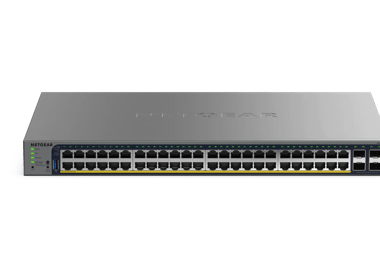
GS752TPS(B) | 52-Port Gigabit Ethernet Stackable Smart Switch with 48 PoE Ports, 2 Copper/SFP+ (2.5G) and 4 Dedicated SFP+ Ports (2.5G), plus 2 10G SFP+ Cables (AGC761) | NETGEAR Support
GS752TPS(B) - 52-Port Gigabit Ethernet Stackable Smart Switch with 48 PoE Ports, 2 Copper/SFP+ (2.5G) and 4 Dedicated SFP+ Ports (2.5G), plus 2 10G SFP+ Cables (AGC761)
Showing 1-1 of 1
3 Items
Manage Your Network Easier with NETGEAR Smart Switch CLI
Simplify network management with NETGEAR Smart Switch CLI. Configure, monitor, and troubleshoot your switches all from one place.
DK Productions & House of Magic
Discover how DK Productions collaborates with House of Magic using NETGEAR’s AV solutions for stunning results. Explore the case study.
IT Supervision Solutions - Enhance Network Management
Partnering for reliable, high-speed, and secure connectivity based on the NETGEAR Total Network Solution
Showing 1-3 of 3