
Search results for: GS752TPSB
2 Items
Sort by

Showing 1-2 of 2
115 Items
Sort by
Security Advisory
Security Advisory for Authentication Bypass and Remote Command Execution on Some Smart and Managed Switches, PSV-2017-0857 - NETGEAR Support
NETGEAR is aware of a security issue that can allow an attacker to access the debugging URL of some models of Smart and Managed Switches without first authenticating. After accessing the debugging URL, the attacker can then execute commands on the switch, such as resetting or restarting the switch. This attack can only be executed remotely if the switch itself can be accessed remotely; for most users, a firewall will block access from outside the local network. This vulnerability affects the fol...
Knowledge Article
GS728TS / GS752TS / GS728TPS / GS752TPS Firmware Version 5.3.0.35 - NETGEAR Support
Bug Fixes: For compliance with California state law, the default “password” must be changed after logging into the switch. To configure SNMPv3, the Authentication Protocol must be configured as MD5 or SHA. The ‘none’ option for Authentication Protocol is no longer allowed. If you upgrade firmware to V5.3.0.35 from an older version, you can clear your temporary Internet files or browser cache to see the new settings. Add a new option under Security > Management Security > SCC Control to disable o...
Knowledge Article
GS728TS / GS752TS / GS728TPS / GS752TPS Firmware Version 5.3.0.36 - NETGEAR Support
Bug Fixes: GUI page for LLDP can be opened with a URL without logging in to the switch. Notes: SNMP community with public or private community string will be removed. To configure SNMPv3, the Authentication Protocol must be configured as MD5 or SHA. The ‘none’ option for Authentication Protocol is no longer allowed. Smart Control Center (SCC) is set to Disabled by default. The SCC Utility can still discover the switch even if SCC is disabled. NETGEAR 10G SFP+ modules AXM761/762/763 can be used f...
Knowledge Article
GS728TS, GS752TS, GS728TPS and GS752TPS Firmware Version 5.3.0.31 - NETGEAR Support
Bug Fixes: Multicast packet with destination MAC address of 01:80:c2:00:00:1c and Ethernet type of 0x88CC causes loop in properly converged STP topology. Debugging URL of ‘devshell’ is accessible without authentication. Fiber port 50 goes down when copper port47/port48 links up. Cannot access switch via HTTPS when using the certificate generated by the switch. Notes: The released zip contains switch firmware (gs7xxts_tps-v5.3.0.31.stk) and MIB files. Please unzip the file to extract the switch i...
Knowledge Article
GS728TS, GS752TS, GS728TPS and GS752TPS Firmware Version 5.3.0.17 - NETGEAR Support
Supported Models: GS728TS, GS752TS, GS728TPS and GS752TPS • The GS728TS/GS752TS Smart Switch has 24/48 10/100/1000 Mbps copper ports and 6 SFP fiber ports, 2 of which are combo ports. Up to two SFP ports (the last two ports) at a time can be used as 2.5G stacking ports to create six unit stack system. • The GS728TS/GS752TS Smart Switch has 24/48 10/100/1000 Mbps PoE capable copper ports and 6 SFP fiber ports, 2 of which are combo ports. Up to two SFP ports (the last two ports) at a time can be u...
Knowledge Article
GS728TS, GS752TS, GS728TPS and GS752TPS Firmware Version 5.3.0.29 - NETGEAR Support
Modifications: Added error handling enhancement to prevent system from hanging caused by potential memory issue. Bug Fixes: Ports list cannot not be displayed under Port Mirroring page when the stack consists of 5 or more units. Stack crashes or freezessometimes when the network has lots of 802.1X broadcast traffics, while 802.1X is disabled on the system. Switch reboots every few hours when it is monitored by SSL Security Check sensor from PRTG network monitoring software. VoIP Phones change VL...
Knowledge Article
GS728TS, GS752TS, GS728TPS and GS752TPS Firmware Version 5.3.0.26 - NETGEAR Support
Fixed issues ,Sometimes Auto-VoIP messages of 'send failed' are observed in the syslog. ,Some configurations (like STP BPDU forwarding and IPv6 traffic filter) are lost after upgrading from 5.3.0.17 to 5.3.0.25. ,Stack could hang after running for some time. ,While changing the static route configuration, there is chance that the master unit would reboot with the following message shown in the techsupport log: “hapiL3AsyncTask crashed in GS7xxTPS stack system”. ,Changed the default voice and vid...
Knowledge Article
GS728TS, GS752TS, GS728TPS and GS752TPS Firmware Version 5.3.0.25 - NETGEAR Support
Fixed issues: Switch cannot be accessed via WEB GUI after running some time. Switch loses connection to SNTP Auto-VoIP messages of 'send failed' Voice vlan affect the PVID of port when Voice device is connected Switch reboots 2 times after after about 15 minutes Need to have a way to create and download the techsupport file via web page for TPS switch Problems with the Status LEDs Error logs are continuously logged in memory every few seconds Failed to configure VLAN port membership through SNMP...
Knowledge Article
GS728TS, GS752TS, GS728TPS and GS752TPS Firmware Version 5.3.0.15 - NETGEAR Support
Supported Models: GS728TS, GS752TS, GS728TPS and GS752TPS The GS728TS/GS752TS Smart Switch has 24/48 10/100/1000 Mbps copper ports and 6 SFP fiber ports, 2 of which are combo ports. Up to two SFP ports (the last two ports) at a time can be used as 2.5G stacking ports to create six unit stack system. The GS728TS/GS752TS Smart Switch has 24/48 10/100/1000 Mbps PoE capable copper ports and 6 SFP fiber ports, 2 of which are combo ports. Up to two SFP ports (the last two ports) at a time can be used ...
Knowledge Article
M6100 Firmware Version 11.0.0.25 - NETGEAR Support
M6100 Firmware Version 11.0.0.25 Release Notes Applicable Models M6100 XCM8903 XCM8944 XCM8948 XCM8944F XCM8924X XCM89P XCM89UP Bug Fixes since 11.0.0.18 Unknown BGP packets locked up the switch and required hard reboot to start passing traffic again. SFP ports are not coming up after reboot. There are some garbage u/s/p value in PoE log messages. TechSupport file corrupted after upload it through GUI. The port does not link up after connect XCM8924X to GS752TPS. The switch is not using the conf...
Knowledge Article
NMS300 Software Release 1.1.0.13 - NETGEAR Support
Release date: June 14th 2013 This release notes contains features and known issues for NETGEAR ProSAFE NMS 300 Network Management Software release 1.1.0.13. Key features available in this software are the following: Support for NETGEAR Managed and Smart switches Support for discovery and node status monitoring of third-party devices NOTE: Support for NETGEAR Wireless, Security & Storage devices will be available in a future release of NMS300. Following NETGEAR Managed Switches are currently supp...
Security Advisory
Security Advisory for CVE-2013-4775, PSV-2016-0093 - NETGEAR Support
The original version of this advisory and the Encripto Security Advisory where this issue was identified incorrectly asserted that this defect could be exploited by a “remote attacker.” In fact, an attacker trying to exploit this vulnerability must be either physically or logically present on the same subnet as the switch. NETGEAR is aware of a security issue that can allow attackers on your local network to read startup configuration files, including encrypted admin credentials, for some models...
Knowledge Article
NMS300 Software Release 1.2.0.16 - NETGEAR Support
Release date: September 16th 2013 This release notes contains features and known issues for NETGEAR ProSAFE NMS 300 Network Management Software release 1.2.0.16. Key features available in this software are the following: Support for NETGEAR ProSAFE Wireless products (see models number in below list). Support for NETGEAR ProSAFE Firewall FVS318G. NOTE: Support for NETGEAR Storage & remaining Security devices will be available in a future release of NMS300. Following NETGEAR ProSAFE Wireless produ...
Knowledge Article
EU Declarations of Conformity - NETGEAR Support
Please click on the Model to view Declarations of Conformity. To access EU Declarations of Conformity for Arlo products, visit https://kb.arlo.com/000061839/EU-Declarations-of-Conformity-for-Arlo-and-VueZone. Model 6000451 A6100 A6150 A6210 A7000 A7500 A8000 A8500 A9000 ACM761 / ACM762 / AXLM761 / AXLM762 ACC761 / ACC763 / AXLC761 / AXLC763 AC785S AC790S AC810 / AC810S AFT402 AGM731F AGM732F AGM734 AirCard 797 (AC797) APM402XL APM408 / APM402 APS150W APS250W APS254W APS299W APS350W APS550W APS60...
Knowledge Article
What is stacking, which smart switches support it, and what are the functionalities of stacking? - NETGEAR Support
A stack is a collection of switches in which one switch controls the operation of all switches. This controlling switch is called the stack manager. The remaining switches in the stack are called stack members. The stack manager and members use stacking technology to function as a unified system. The switch stack is presented to the network as a single entity. The stack manager is the single point of management for the stack. The network IP address of a stack enables the network to identify the ...
Knowledge Article
GS752TXS Firmware Version 5.2.0.26 - NETGEAR Support
GS752TXS is NETGEAR's new generation of Gigabit Stackable Smart Switch with new or enhanced features. GS752TXS supports 48 10/100/1000 Mbps RJ45 ports and 4 10Gbps SFP+ ports within which two ports (port 51 and 52) can be used as stacking ports or as uplink ports. GS752TXS supports the latest Smart Control Center, please use SCC version 1.1.2.1 or above for switch discovery, basic configuration and FW upgrades. In this release, feature of production release was added and below customer issues we...
Knowledge Article
GS728TXS / GS752TXS Firmware Version 6.1.0.27 - NETGEAR Support
GS728TXS and GS752TXS are NETGEAR’s new generation of Gigabit Stackable Smart Switch with new or enhanced features such as 10G uplink, Static Routing, Green Ethernet, IPv6 Service, Dot1x VLAN Assignment, DHCP Snooping and DoS (Denial of Service) protection. This maintenance release 6.1.0.27 is to fix some critical customer issues. And in this release some more debug info was also added to help debug in customer filed. Note: Maintenance release 6.1.0.x supports both GS728TXS and GS752TXS. Previou...
Knowledge Article
GS728TXS / GS752TXS Firmware Version 6.1.0.36 - NETGEAR Support
Bug Fixes: Multicast packet with destination MAC address of 01:80:c2:00:00:1c and Ethernet type of 0x88CC causes loop in properly converged STP topology. Debugging URL of ‘devshell’ is accessible without authentication. Known Issues: Master unit is unexpectedly changed after reboot the whole stack many times. Workaround:Assign the master unit with a higher priority. Interface Shaping Rate doesn’t work on GS7xxTXS when shape is configured with min value 16. Workaround:The min effective value is 5...
Knowledge Article
GS728TXS / GS752TXS Firmware Version 6.1.0.35 - NETGEAR Support
Bug Fixes: A security issue of “CVE-2013-4775” (published on CVE web site https://cve.mitre.org/) that can allow remote attackers to read startup configuration file. Device view does not work after updating to Java JRE 7u51 (1.7.0_51-b13) or newer versions on the host computer. Instead of showing the actual system IP, SNMP TRAP always display “192.168.0.239” for its agent IP. Stack system can't be accessed when stack master switchovers soon after deleting an empty unit. After an IGMP Snooping VL...
Knowledge Article
GS728TXS / GS752TXS Firmware Version 6.1.0.39 - NETGEAR Support
Bug Fixes: For compliance with California state law, the default “password” must be changed after logging into the switch. To configure SNMPv3, Authentication Protocol must be configured as MD5 or SHA. The ‘none’ option for Authentication Protocol is no longer allowed. If you upgrade firmware to V6.1.0.39 from an older version, clear your temporary internet files or browser cache to see the new settings. Added a new option under Security > Management Security > SCC Control to disable or enable S...
Showing 1-20 of 115
196 Items
Sort by
Discussion Post
S3300 or GS752TPSB? | NETGEAR Communities
Hello, I've been working with the S3300 for years and like them but they don't have enough POE power and are about 2 10g ports short of what I need...
Discussion Post
Stacking GS752TPSB and GS752TSB questions | NETGEAR Communities
Hi, I am new to switch stacking. I will soon be getting 2 GS752TPSB and 2 GS752TSB switches, and am wondering about the following: a)if stacking is...
Discussion Post
GS752TPSB Stacking | NETGEAR Communities
I'm trying to determine how to stack these switches. It states to use the following:AGC761However those don't seem to be currently manufactered However...
Discussion Post
Two stacked GS752TPSB switches - no POE on switch #1 | NETGEAR Communities
I have two stacked GS752TPSB switches. Switch #1 has no POE output. POE works fine on switch #2. Both switches are running firmware version...
Discussion Post
Stacking Cables | NETGEAR Communities
Hello guys,We just add new switches to our server rack, but we miss stacking cables to stack them correctly.Here is my setup :3 x GS728TPSB1 x GS752TPSB1 x...
Discussion Post
Netgear GS752TPS Slow after stack master election. | NETGEAR Communities
I have two GS752TPS switches stacked together using the standard Netgear stacking cable. An issue occurred after a power failure that resulted in the stack...
Discussion Post
GS752TPS Gain Access to Management VLAN using Loopback? | NETGEAR Communities
I've tried using netgear support for this issue but the guys in India aren't aware that their GS7xx models don't allow the management VLAN to be on the same...
Discussion Post
Help GS752TPS with XS712T and FVS336G v2 | NETGEAR Communities
Hi EveryoneQuestion for expanding my network. I currently have a FVS336G v2 running into a 24TPS. I've upgraded to the GS752TPS. I'm also considering adding...
Discussion Post
Switch GS752TPS | NETGEAR Communities
Netgear switch ProSafe both switches are on firmware .31I am trying to connect two switches and have an Ethernet cable connected to one of them to...
Discussion Post
PROSAFE GS752TPS 48 Port need optimal switch setup for 3 vlans on router | NETGEAR Communities
I have 3 wans coming into a tp-link ER7206 all connected to there own designated port.ports have there own vlans on the lan side also designated...
Discussion Post
GS752TPS, GS752TXS - Need help with SNMP and fans state | NETGEAR Communities
Hello, I have a similar problem as user milp (from this...
Discussion Post
Stacked switches split in two groups that can't see each other GS752TPS | NETGEAR Communities
the stack knows there should be 3 switches in it, one sees 2, the other sees only itself and both says the one/ones he can't see is offline, but they are...
Discussion Post
GS752TPS / GS728TPS not showing in stack | NETGEAR Communities
After doing a maintenance, which included opening my switches and blowing compressed air on the components, 2 of my switches don't show anymore in the stack....
Discussion Post
GS752TPS interface keeps bouncing | NETGEAR Communities
GS752TPS interface keeps bouncing. It happend on random ports. I've upgrade the Firmware to 5.3.0.36 and keep getting the same error. I've...
Discussion Post
GS752TPS:Auto VLAN VOIP not working | NETGEAR Communities
I’m trying to add an Alcatel phone IP on Netgear GS752TPS (firmware 5.3.0.36) switch. When I connect phone to the switch, the port goes to VLAN 4088 Untagged...
Discussion Post
GS752TPS HTS and ECCN | NETGEAR Communities
I need to ship a GS752TPS switch to Europe and need an ECCN number for the export documents. Can somebody please help?? Thank you!!
Discussion Post
Can you stack a GS752TPS switch with a GS752TPX (SS3300) | NETGEAR Communities
Please advise if it is possible to stack a SS3300 (GS752TPX) with a GS752TPS switch ?
Discussion Post
No link lights on shared SFP ports (GS752TPS) | NETGEAR Communities
***EDIT*** I just discovered that the SFP ports on the switch are fine. I plugged in another switch to the SFP port, and it works just fine. The issue must...
Discussion Post
ProSafe GS752TPS SFP/SFP+ Compatability | NETGEAR Communities
I purchased a Meraki MX64 Firewall and was wondering if a Cisco Meraki 10 GbE SFP+ will work in the Netgear Fiber port. I can also purchase a 1G...
Discussion Post
Stacking ports on GS752TPS | NETGEAR Communities
I have three GS752TS connected in a stack configuration as below:Questions:1. Is the bandwidth between the switchs 5Gbps or only 2.5Gbps?2. Is it...
Showing 1-20 of 196
2 Items
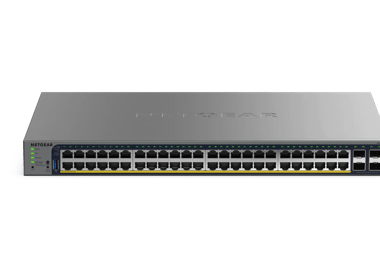
GS752TPS(B) | 52-Port Gigabit Ethernet Stackable Smart Switch with 48 PoE Ports, 2 Copper/SFP+ (2.5G) and 4 Dedicated SFP+ Ports (2.5G), plus 2 10G SFP+ Cables (AGC761) | NETGEAR Support
GS752TPS(B) - 52-Port Gigabit Ethernet Stackable Smart Switch with 48 PoE Ports, 2 Copper/SFP+ (2.5G) and 4 Dedicated SFP+ Ports (2.5G), plus 2 10G SFP+ Cables (AGC761)
GS752TS(B) | 52-Port Gigabit Stackable Smart Switch with 2 Copper/SFP+ (2.5G) and 4 Dedicated SFP+ Ports (2.5G), plus 2 SFP Stacking Cables (AGC761) | NETGEAR Support
GS752TS(B) - 52-Port Gigabit Stackable Smart Switch with 2 Copper/SFP+ (2.5G) and 4 Dedicated SFP+ Ports (2.5G), plus 2 SFP Stacking Cables (AGC761)
Showing 1-2 of 2
3 Items
Manage Your Network Easier with NETGEAR Smart Switch CLI
Simplify network management with NETGEAR Smart Switch CLI. Configure, monitor, and troubleshoot your switches all from one place.
DK Productions & House of Magic
Discover how DK Productions collaborates with House of Magic using NETGEAR’s AV solutions for stunning results. Explore the case study.
IT Supervision Solutions - Enhance Network Management
Partnering for reliable, high-speed, and secure connectivity based on the NETGEAR Total Network Solution
Showing 1-3 of 3