
Search results for: GS728TX
5 Items
Sort by



Showing 1-5 of 5
131 Items
Sort by
Knowledge Article
GS728TXPv3 / GS752TXPv3 Firmware Version 6.2.2.15 - NETGEAR Support
Bug Fixes: Fixes the issue where the management VLAN ID may be overwritten with the default value on a trunk port when you manage the switch through Insight. Known issues: When you perform a cable test for all ports on the switch through Insight, results for some ports do not display. After the IP address of a device changes, it can take 10 to 15 minutes to update an IP address in the Device list on Insight. After a port link fails and comes back up, the DHCP binding table empties. Warnings: Rea...
Knowledge Article
GS728TXS / GS752TXS Firmware Version 6.1.0.39 - NETGEAR Support
Bug Fixes: For compliance with California state law, the default “password” must be changed after logging into the switch. To configure SNMPv3, Authentication Protocol must be configured as MD5 or SHA. The ‘none’ option for Authentication Protocol is no longer allowed. If you upgrade firmware to V6.1.0.39 from an older version, clear your temporary internet files or browser cache to see the new settings. Added a new option under Security > Management Security > SCC Control to disable or enable S...
Knowledge Article
GS728TXS / GS752TXS Firmware Version 6.1.0.36 - NETGEAR Support
Bug Fixes: Multicast packet with destination MAC address of 01:80:c2:00:00:1c and Ethernet type of 0x88CC causes loop in properly converged STP topology. Debugging URL of ‘devshell’ is accessible without authentication. Known Issues: Master unit is unexpectedly changed after reboot the whole stack many times. Workaround:Assign the master unit with a higher priority. Interface Shaping Rate doesn’t work on GS7xxTXS when shape is configured with min value 16. Workaround:The min effective value is 5...
Knowledge Article
GS728TXPv3 / GS752TXPv3 Firmware Version 6.2.2.40 - NETGEAR Support
Release Date: April 17, 2026 Enhancement: Increase of the time zone name to 7 characters. Restriction: Switches manufactured with this firmware or later versions do not support firmware downgrades. Note: You can still perform firmware downgrades on switches that were manufactured with older firmware versions. Bug Fixes: This firmware addresses the following bugs: Fixes the issue where whole subnet DHCP exclusion rules affect other configured DHCP pools. Fixes the issue where MAC/IP ACL rules wer...
Knowledge Article
GS728TXPv3 / GS752TXPv3 Firmware Version 6.2.1.32 - NETGEAR Support
Enhancements: You can now use the new NETGEAR Discovery Tool (NDT) or the latest NETGEAR Insight app to discover the switch in the same subnet. The NDT supports UPnP, which is now the preferred method of discovery. Known issue: When you perform a cable test for all ports on the switch through Insight, results for some ports do not display. After the IP address of a device changes, it can take 10 to 15 minutes to update an IP address in the Device list on Insight. After a port link fails and come...
Knowledge Article
GS728TXv3 / GS728TXUPv3 / GS752TXv3 / GS752TXUPv3 Firmware Version 6.2.2.15 - NETGEAR Support
Bug Fixes: Fixes the issue where the management VLAN ID may be overwritten with the default value on a trunk port when you manage the switch through Insight. Known issues: When you perform a cable test for all ports on the switch through Insight, results for some ports do not display. After the IP address of a device changes, it can take 10 to 15 minutes to update an IP address in the Device list on Insight. After a port link fails and comes back up, the DHCP binding table empties. Warnings: Rea...
Knowledge Article
GS728TXPv3 / GS752TXPv3 Firmware Version 6.2.2.14 - NETGEAR Support
New Features and Enhancements: Support for the UI Dark Theme option. Replacement of all TFTP methods with HTTP to improve reliability. Bug Fixes: Fixes the issue where the GS752TXPv3 switch might not forward packets between ports 1 – 24, 49, 50, and ports 25 – 48, 51 and 52. Fixes the issue where the IP phone that has LLDP enabled cannot join the voice VLAN. Known issues: When you perform a cable test for all ports on the switch through Insight, results for some ports do not display. After the I...
Knowledge Article
GS728TXS/GS752TXS Firmware Version 6.1.0.12 - NETGEAR Support
GS728TXS and GS752TXS are NETGEAR's new generation of Gigabit Stackable Smart Switch with new or enhanced features such as 10G uplink, Static Routing, Green Ethernet, IPv6 Service, Dot1x VLAN Assignment, DHCP Snooping and DoS (Denial of Service) protection. Note that GS728TXS is new product, and GS752TXS was released with firmware 5.2.0.x in July 2011. New SW release 6.1.0.x will support both GS728TXS and GS752TXS. GS728TXS and GS752TXS support the latest Smart Control Center, please use SCC ver...
Knowledge Article
GS728TXv3 / GS728TXUPv3 / GS752TXv3 / GS752TXUPv3 Firmware Version 6.2.2.17 - NETGEAR Support
Bug Fixes: Fixes the issue where connecting a PC to an IP phone’s LAN port causes the switch to remove the voice VLAN, resulting in a 30 second loss of call audio. Known issues: When you perform a cable test for all ports on the switch through Insight, results for some ports do not display. After the IP address of a device changes, it can take 10 to 15 minutes to update an IP address in the Device list on Insight. After a port link fails and comes back up, the DHCP binding table empties. Warning...
Knowledge Article
GS728TXPv3 / GS752TXPv3 Firmware Version 6.2.2.17 - NETGEAR Support
Bug Fixes: Fixes the issue where connecting a PC to an IP phone’s LAN port causes the switch to remove the voice VLAN, resulting in a 30 second loss of call audio. Known issues: When you perform a cable test for all ports on the switch through Insight, results for some ports do not display. After the IP address of a device changes, it can take 10 to 15 minutes to update an IP address in the Device list on Insight. After a port link fails and comes back up, the DHCP binding table empties. Warning...
Knowledge Article
GS728TXv3 / GS728TXUPv3 / GS752TXv3 / GS752TXUPv3 Firmware Version 6.2.2.14 - NETGEAR Support
Bug Fixes: Fixes the issue where the IP phone that has LLDP enabled cannot join the voice VLAN. New Features and Enhancements: Support for the UI Dark Theme option. Replacement of all TFTP methods with HTTP to improve reliability. Known issues: When you perform a cable test for all ports on the switch through Insight, results for some ports do not display. After the IP address of a device changes, it can take 10 to 15 minutes to update an IP address in the Device list on Insight. After a port li...
Knowledge Article
GS728TXPv3 / GS752TXPv3 Firmware Version 6.2.1.30 - NETGEAR Support
Features and Enhancements: Addition of bidirectional synchronization of the configuration settings between Insight and local GUI management Addition of online checks for new firmware updates Insight management mode is now enabled by default Update to the dashboard page in the switch GUI. Known issue: When you perform a cable test for all ports on the switch through Insight, results for some ports do not display After the IP address of a device changes, it can take 10 to 15 minutes to update an I...
Knowledge Article
GS728TXv3 / GS728TXUPv3 / GS752TXv3 / GS752TXUPv3 Firmware Version 6.2.2.40 - NETGEAR Support
Release Date: April 17, 2026 Enhancement: Increase of the time zone name to 7 characters. Restriction: Switches manufactured with this firmware or later versions do not support firmware downgrades. Note: You can still perform firmware downgrades on switches that were manufactured with older firmware versions. Bug Fixes: This firmware addresses the following bugs: Fixes the issue where whole subnet DHCP exclusion rules affect other configured DHCP pools. Fixes the issue where MAC/IP ACL rules wer...
Knowledge Article
GS728TXPv3 / GS752TXPv3 Firmware Version 6.2.1.42 - NETGEAR Support
Enhancements: This firmware version is an initial release to support the new GS728TXv3, GS728TXUPv3, GS752TXv3 and GS752TXUPv3 models. Known issue: When you perform a cable test for all ports on the switch through Insight, some ports do not display. After the IP address of a device changes, it can take 10 to 15 minutes to update an IP address in the Device list on Insight. After a port link fails and comes back up, the DHCP binding table empties. Warnings: Read and follow these warnings before u...
Knowledge Article
GS728TXS / GS752TXS Firmware Version 6.1.0.27 - NETGEAR Support
GS728TXS and GS752TXS are NETGEAR’s new generation of Gigabit Stackable Smart Switch with new or enhanced features such as 10G uplink, Static Routing, Green Ethernet, IPv6 Service, Dot1x VLAN Assignment, DHCP Snooping and DoS (Denial of Service) protection. This maintenance release 6.1.0.27 is to fix some critical customer issues. And in this release some more debug info was also added to help debug in customer filed. Note: Maintenance release 6.1.0.x supports both GS728TXS and GS752TXS. Previou...
Knowledge Article
GS728TXv3 / GS728TXUPv3 / GS752TXv3 / GS752TXUPv3 Firmware Version 6.2.1.42 - NETGEAR Support
Bug Fix: This firmware version is an initial release to support the new GS728TXv3, GS728TXUPv3, GS752TXv3 and GS752TXUPv3 models. Known issues: When you perform a cable test for all ports on the switch through Insight, some ports do not display. After the IP address of a device changes, it can take 10 to 15 minutes to update an IP address in the Device list on Insight. After a port link fails and comes back up, the DHCP binding table empties. Warnings: Read and follow these warnings before updat...
Knowledge Article
GS728TXPv3 / GS752TXPv3 Firmware Version 6.2.1.22 - NETGEAR Support
New Features and Enhancements: This is the initial release of this firmware. Known Issues: Results for some ports are not displayed when you do a cable test for all ports through Insight. It might take between 10 and 15 minutes to update an IP address in the Device list on Insight after a device’s IP address is changed. The DHCP binding table is emptied after a port link goes down and comes back up. Download Link: https://www.downloads.netgear.com/files/GDC/GS728TXPv3/GS728TXPv3_GS752TXPv3-V6.2....
Knowledge Article
GS728TXS / GS752TXS Firmware Version 6.1.0.35 - NETGEAR Support
Bug Fixes: A security issue of “CVE-2013-4775” (published on CVE web site https://cve.mitre.org/) that can allow remote attackers to read startup configuration file. Device view does not work after updating to Java JRE 7u51 (1.7.0_51-b13) or newer versions on the host computer. Instead of showing the actual system IP, SNMP TRAP always display “192.168.0.239” for its agent IP. Stack system can't be accessed when stack master switchovers soon after deleting an empty unit. After an IGMP Snooping VL...
Knowledge Article
Which smart switches support 10G SFP+ slots and which optical modules can you install in an SFP+ slot? - NETGEAR Support
The GS728TXS, GS752TXS and XS712T smart switches support 10G small form-factor pluggable (SFP+) slots in which you can install optical modules: GS728TXS and GS752TXS. Support four SFP+ slots, two of which you can configure for either a 10G uplink or 10G stacking. XS712T. Supports two SFP+ slots that function as combo ports in which you can install10G Fiber or copper optical modules. You can use the SFP+ slots on the GS728TXS, GS752TXS, and XS712T to install either Gigabit SFP optical modules or ...
Security Advisory
Security Advisory for Pre-Authentication Buffer Overflow on Some Switches, PSV-2022-0016 - NETGEAR Support
Associated CVE IDs: None First published: 11/7/2022 NETGEAR has released fixes for a pre-authentication buffer overflow security vulnerability on the following product models: GS728TX fixed in firmware version 6.6.4.28 GS728TXP fixed in firmware version 6.6.4.28 GS752TX fixed in firmware version 6.6.4.28 GS752TXP fixed in firmware version 6.6.4.28 GS724Tv4 fixed in firmware version 6.3.1.43 GS748Tv5 fixed in firmware version 6.3.1.43 GS716Tv3 fixed in firmware version 6.3.1.43 GS324T fixed in fi...
Showing 1-20 of 131
192 Items
Sort by
Discussion Post
GS728TXPv3 Stacking with S3300-28X-PoE+ (GS728TXP) | NETGEAR Communities
Hello, i recently got a replacement for one S3300-28X-PoE+ (GS728TXP) and it is called GS728TXPv3.The GUI is completely different and i cannot find the...
Discussion Post
GS728TXP (S3300-28X-PoE+) EOL Bonjour/mDNS issue | NETGEAR Communities
Hi: Recently got a project relate with EOL switch S3300 for mDNS service. It seems mDNS didn't run through uplink to other switches. I googled...
Discussion Post
GS728TXP (S3300-28X-PoE+) EOL // Replacement? | NETGEAR Communities
I notice the GS728TXP (S3300-28X-PoE+) switch I bought a few months ago has now been listed as EOL. What switch will be taking the place of the...
Discussion Post
GS728TXP Insight Support | NETGEAR Communities
Does anyone know if the GS728TXP will get Insight support in the future? Seems like it could be useful to some users who bought the switch due to the 4x 10Gb...
Discussion Post
Replaced GS724Tv4 with GS728TXP and AirPrint Will No Longer Work | NETGEAR Communities
Hi, I had a working configuration with IGMP snooping enabled per directions found in the forum. All mdns functions on the network were working....
Discussion Post
NETGEAR GS728TX (S3300-28X) Stencils | NETGEAR Communities
Hi, will there be stencils for this switch added anytime soon please? There are PoE models in current Netgear Stencils pack, but not the non-PoE ones. I...
Discussion Post
DHCP relay on GS728TX | NETGEAR Communities
Good day! I have 2 switches S3300-28X (GS728TX). They are stacked.I am trying to build the core of the network on them. Created several vlan, configured...
Discussion Post
connecting GS728TXS and GC728XP with AXC761 | NETGEAR Communities
Hello,I want to connect my two switches (GS728TXS and GC728XP) to work as one.Simply plugging the AXC761-cable into some 10G-ports does not work.I need some...
Discussion Post
GS728TXP with 10GBASE-T as normal Port | NETGEAR Communities
Hello,Is it possible to use on GS728TXP the 10GBASE-T as normal port for example on a Notebook with 10GBASE-T ethernet port? The other 10GBASE-T port is...
Discussion Post
S3300-28X (GS728TX) volatility | NETGEAR Communities
Need a certificate of volatility for the S3300-28X switch
Discussion Post
GS728TXS x27 and x28 SFP+ Slots Not Working | NETGEAR Communities
Hello, I have a GS728TXS upgraded to the latest 6.1.0.36 firmware. I have 10G links working fine on xg25 & xg26 ports. I've tried 2 different brands of...
Discussion Post
GS728TX | NETGEAR Communities
We are planning to purchase 4 Netgear S3300-GS728TX and for our requirement, this model is just right considering the price. Can somebody please...
Discussion Post
SFP+ Module AXM765 compatible with GS728TXS | NETGEAR Communities
Hallo, does it work? Is not specified in the documention. Thank you and best regards
Discussion Post
GS728TX vs GS728TXS | NETGEAR Communities
Can anyone help me figuring out what the differences between GS728TX and GS728TXS are? They are from two difference series but from their model numbers...
Discussion Post
SFP+ slots do not work at 1GE on GS728TXS | NETGEAR Communities
According to its specification the Netgear GS728TXS switch supports optical signals with line rates of 1GE or 10GE on ports xg25..xg28. All works fine for...
Discussion Post
I have a GS728TXP-100NES smart switch that won't boot up. The power light just stays on yellow. i | NETGEAR Communities
I have a GS728TXP-100NES smart switch that won't boot up. The power light just stays on yellow. i would like to send it back for repair but i can't open a...
Discussion Post
GS728TX lost programming | NETGEAR Communities
I have four GS728TX installed and they have been installed for about two months. Sometime this weekend three of the four switches lost all the Auto VoIP...
Discussion Post
Can I use all 4 10G ports on the S3300-28X (GS728TX) at the same time? | NETGEAR Communities
So as the title says, can I use all 4 10GbE ports at the same time, this switch has 2 x RJ45 and 2 x SFP+
Discussion Post
S3300 Bricked Firmware Recovery Howto | NETGEAR Communities
Good day all, I just spent the better part of 8 hours recovering a bricked S3300 switch (GS728TXP) where the web-interfaced crashed mid-firmware-update....
Discussion Post
Need to upgrade J query (S3300-28X-PoE) | NETGEAR Communities
We are using Net gear S3300-28X-PoE (GS728TXP) — 28-Port core switch. We need to upgrade the J query of login page. Required technical support in...
Showing 1-20 of 192
4 Items
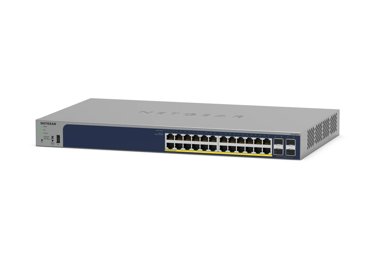
S3300-28X (GS728TX) | 28-Port Gigabit Ethernet Stackable Smart Switch with 2 Copper 10G and 2 SFP+ 10G Ports | NETGEAR Support
S3300-28X (GS728TX) - 28-Port Gigabit Ethernet Stackable Smart Switch with 2 Copper 10G and 2 SFP+ 10G Ports
S3300-28X-PoE+ (GS728TXP) | 28-Port Gigabit Ethernet Stackable Smart Switch with 24 PoE+ Ports, 2 Copper 10G and 2 SFP+ 10G Ports | NETGEAR Support
S3300-28X-PoE+ (GS728TXP) - 28-Port Gigabit Ethernet Stackable Smart Switch with 24 PoE+ Ports, 2 Copper 10G and 2 SFP+ 10G Ports
GS728TS(B) | 28-Port Gigabit Ethernet Stackable Smart Switch with 2 Copper/SFP+ and 4 Dedicated SFP+ Ports | NETGEAR Support
GS728TS(B) - 28-Port Gigabit Ethernet Stackable Smart Switch with 2 Copper/SFP+ and 4 Dedicated SFP+ Ports
GS728TPS(B) | 28-Port Gigabit Ethernet PoE Stackable Smart Switch with 24 PoE Ports, 2 Copper/SFP+ and 4 Dedicated SFP+ Ports | NETGEAR Support
GS728TPS(B) - 28-Port Gigabit Ethernet PoE Stackable Smart Switch with 24 PoE Ports, 2 Copper/SFP+ and 4 Dedicated SFP+ Ports
Showing 1-4 of 4
4 Items
DC Montessori School Chandigarh - Case Study - NETGEAR Blog
DCM School Chandigarh has upgraded its network with NETGEAR Business, improving speed, reliability, and security for staff and students.
Manage Your Network Easier with NETGEAR Smart Switch CLI
Simplify network management with NETGEAR Smart Switch CLI. Configure, monitor, and troubleshoot your switches all from one place.
Cuisine Schmidt IT Solutions - Simplify Business Processes
Schmidt cuisine enables their advisors to present new kitchen designs using tablets to provide its customers an excellent buying experience.
Campus-wide large-scale connectivity for SIMATS delivers a better university experience for students and staff - NETGEAR Blog
Campus-wide large-scale connectivity for SIMATS delivers a better university experience for students and staff
Showing 1-4 of 4