
Search results for: GS516TP
3 Items
Sort by
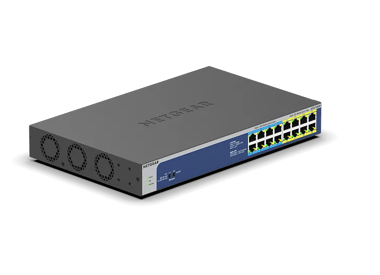

Showing 1-3 of 3
61 Items
Sort by
Knowledge Article
GS516TP Firmware Version 6.0.1.11(Initial Release) - NETGEAR Support
GS516TP is a brand new 16-port ProSAFE® Gigabit Ethernet Smart Switch with PoE/PD features. It can work as PD device that can get power from other PSE device through port 15 or/and port 16. Meanwhile, it can also deliver power to other PDs that are connected to its PoE ports (port 1 to 8). This release notes contains known issues and limitations for GS516TP firmware. And note that boot code 2.0.0.11 is also released together with this firmware. GS516TP support the latest Smart Control Center, pl...
Knowledge Article
GS516TP Firmware Version 6.0.1.30 - NETGEAR Support
Enhancements: To comply with California state law, the switch now requires that you change the default password after using it to access the local browser UI. Known Issues: Reboot is required when changing between Switch mode and Router mode. Dynamic VLAN assignment and DiffServ Simple Policy (differentiated services flow-based policer) are supported in Switch mode, but not in Router mode. Download Link: https://www.downloads.netgear.com/files/GDC/GS516TP/GS516TP_V6.0.1.30.zip Firmware Update In...
Knowledge Article
GS516TP Firmware Version 6.0.1.16 - NETGEAR Support
Note: It will take about 8 minutes for the first boot up after upgrade to 6.0.1.16 from previous releases 6.0.1.x, because the switch will auto-upgrade the new PoE firmware. Please wait patiently till the switch completely boot up. GS516TP support the latest Smart Control Center, please use SCC version 1.1.3.2 for switch discovery, basic configuration and FW upgrades. Fixed Issues Only one port works well with the time-range when apply same time-range to several ports. Unable to get any value fr...
Knowledge Article
Updating Boot Code via TFTP for GS516TP, GS728TPx, GS752TPx switches - NETGEAR Support
Some firmware upgrades require the switch to update the boot code or that some fixes require the boot code to be updated. This guide is for updating the boot code update through TFTP and not through HTTP. To do that, follow the steps below: 1. Download or get the boot code. Normally the boot code comes with the firmware when you download it. 2. Install a TFTP application. Here we will be using TFTD32. 3. Once installed, open TFTPD32. 4. Click Browse then select the folder location of the boot co...
Knowledge Article
How do jumbo frames work on smart switches GS516TP, GS728TP, GS728TPP, and GS752TP? - NETGEAR Support
The GS516TP, GS728TP, GS728TPP, and GS752TP smart switches differ in hardware from other smart switches. On these models, jumbo frames function differently than on other smart switch models: You can enable jumbo frames globally only, not per port. By default, jumbo frames are disabled and the switch supports a packet size of up to 2,048 bytes. Other switch models support a packet size of up to 1,518 bytes when Jumbo frames are disabled. When you enable jumbo frames, you cannot configure the maxi...
Knowledge Article
How does dynamic VLAN assignment work on smart switch models GS516TP, GS728TP, GS728TPP, and GS752TP? - NETGEAR Support
The GS516TP, GS728TP, GS728TPP, and GS752TP smart switches differ in hardware from other smart switches. On these models, routing mode rather than switching mode is enabled by default. When you change from routing mode to switching mode, or the other way around, from switching mode to routing mode, the switch reboots. Dynamic VLAN assignment functions only in switching mode. When you disable switching mode and enable routing mode, dynamic VLAN assignment is no longer supported. For information a...
Knowledge Article
How do I enable the voice VLAN on smart switch models GS516TP, GS728TP, GS728TPP, and GS752TP? - NETGEAR Support
For information about how the voice VLAN works, see the “How does the voice VLAN work on smart switch models GS516TP, GS728TP, GS728TPP, and GS752TP? To enable the voice VLAN on a GS728TP, GS728TPP, GS752TP, or GS516TP smart switch: Open a web browser. In the browser address field, type the IP address of the smart switch. The default IP address is 192.168.0.239 and the default subnet mask is 255.255.255.0. You are prompted to enter your password. Type the password in the Password field. The defa...
Knowledge Article
What are the switching and routing modes on smart switch models GS516TP, GS728TP, GS728TPP, and GS752TP? - NETGEAR Support
The GS516TP, GS728TP, GS728TPP, and GS752TP smart switches differ in hardware from other smart switches. On these models, routing mode rather than switching mode is enabled by default. When you change from routing mode to switching mode, or the other way around, from switching mode to routing mode, the switch reboots. These modes have the following restrictions: Routing mode. You can configure VLAN routing and static routing. However, if you disable routing mode and enable switching mode, VLAN r...
Knowledge Article
How do I enable dynamic VLAN assignment on smart switch models GS516TP, GS728TP, GS728TPP, and GS752TP? - NETGEAR Support
For information about how dynamic VLAN assignment works, see the “How does dynamic VLAN assignment work on smart switch models GS516TP, GS728TP, GS728TPP, and GS752TP? To enable dynamic VLAN assignment for selected ports on a GS728TP, GS728TPP, GS752TP, or GS516TP smart switch: Open a web browser. In the browser address field, type the IP address of the smart switch. The default IP address is 192.168.0.239 and the default subnet mask is 255.255.255.0. You are prompted to enter your password. Typ...
Knowledge Article
NMS300 Software Release 1.3.0.21 - NETGEAR Support
This release notes contains features and known issues for NETGEAR ProSAFE NMS 300 Network Management Software release 1.3.0.21. Key features available in this 1.3 release of NMS300 software are the following: Supports for NETGEAR ProSAFE Firewall products Supports for NETGEAR ReadyNAS & ReadyDATA products Supports for few of the newly released Switch & Wireless products The below list provides the specific device models which are now supported in NMS300 starting from this 1.3 release: FVS318N, F...
Knowledge Article
PoE pass through switches - NETGEAR Support
Power over Ethernet (PoE) pass through switches can operate as both a Powered Device (PD) and Power Sourcing Equipment (PSE). This means that the switch can be powered by PoE while simultaneously providing power by PoE to other devices such as IP phones or wireless access points. This provides great flexibility because it means that the switch can be deployed without the constraints of an AC power outlet. In a PoE pass through switch, one or more ports will be designated as PD ports and one or m...
Knowledge Article
GS716TP / GS716TPP Firmware Version 1.0.2.2 - NETGEAR Support
New Features and Enhancements: Registration is no longer required to access the full UI menu. It can be skipped at UI login. Insight management mode is disabled by default. Select the “NETGEAR Insight Mobile App and Insight Cloud Portal” radio button to enable Insight management mode. You can pause Insight management mode at any time to temporarily manage the switch through the device UI by selecting the “Local-Only GUI” radio button. To return to Insight management mode, select the “NETGEAR Ins...
Knowledge Article
GS716TP / GS716TPP Firmware Version 1.0.2.3 - NETGEAR Support
Bug Fixes: Fixes the RADIUS reauthentication configuration where it did not clear after session timeout. Fixes an issue where the packet counter for the CPU port on the Statistics page did not work. Fixes an issue where a client device can fail to get a DHCP IP address when there is another network device connected between the switch and the client device. Security Fixes: Fixes various security vulnerability fixes and enhancements. Warnings: Read and follow these warnings before updating any fir...
Knowledge Article
GS510TP Firmware Version 5.4.2.18 - NETGEAR Support
Bug Fixes: Fixed the issue of switch not able to obtain IP address from some DHCP server. This particular DHCP server requires the source address from the DHCP discovery packet to be 0.0.0.0. Fixed the issue of stronger key (bigger than 2048 bits) can’t be downloaded to the switch. Fixed the issue where switch receives SNTP KISS OF DEATH from SNTP server, switch will no longer contact the SNTP server for time update. Known issues: Port PVID (Switching > VLAN > Advanced > Port PVID Configuration)...
Knowledge Article
GS510TP Firmware Version 5.4.0.8 - NETGEAR Support
New Features: None. Bug Fixes: Fixed the problem that the switch does not try to obtain time from SNTP server anymore if it receives a Kiss of Death packet from the server. When this happens, status of "Kiss of Death" is shown in the "Last Attempt Status" column of SNTP Server Status under System > Management > Time > SNTP Server Configuration page. Fixed the problem of not able to access the internet and other VLANs after about 6 to 8 hours if using management VLAN ID of 100 and dynamic IP. Fix...
Knowledge Article
GS510TP Firmware Version 5.4.2.19 - NETGEAR Support
Bug Fixes: Fixed the issue where the device view (System > Device View) fails to come up after updating to Java JRE 7u51 (1.7.0_51-b13) or newer versions on the host computer. Removed “1000 Mbps Full Duplex” selection from the drop-down menu for Port Speed (Switching > Ports > Port Configuration) since it is covered by the “Auto” option Known issues: Port PVID (Switching > VLAN > Advanced > Port PVID Configuration) does not automatically changed back to 1 after its associated VLAN is deleted. Wo...
Knowledge Article
GS716TP / GS716TPP Firmware Version 1.0.4.8 - NETGEAR Support
New features : Supports the latest version 1.3 of the Transport Layer Security (TLS) protocol. Bug Fixes : Power Timer Schedule does not work for certain time zones. Security Fixes : Various security vulnerability fixes and enhancements. Warnings: Read and follow these warnings before updating any firmware version prior to 1.0.2.2: Because HTTPS has been disabled by default in v1.0.2.2, the device UI Home page does not display automatically after using HTTPS to update to this firmware version. O...
Knowledge Article
GS716TP / GS716TPP Firmware Version 1.0.1.2 - NETGEAR Support
New Features and Enhancements: Adds ping and traceroute network administrative functions to the Troubleshooting page in the Insight Web Portal and app. Security Fixes: Fixes security vulnerabilities. This firmware addresses security vulnerabilities. For more information about security vulnerabilities, visit https://www.netgear.com/about/security. Bug Fixes: Fixes the issue where the DNS host configuration doesn’t accept an IPv6 address. Fixes the issue where the PoE schedule for weekly recurrenc...
Knowledge Article
GS716TP / GS716TPP Firmware Version 1.0.4.2 - NETGEAR Support
Security Fixes Various security vulnerability fixes and enhancements. Warnings: Read and follow these warnings before updating any firmware version prior to 1.0.2.2: Because HTTPS has been disabled by default in v1.0.2.2, the device UI Home page does not display automatically after using HTTPS to update to this firmware version. Open a new web browser tab and type the switch’s IP address to access the Home page. Download Link: https://www.downloads.netgear.com/files/GDC/GS716TP/GS716TPv1_GS716TP...
Knowledge Article
GS510TP Firmware Version 5.4.2.9 - NETGEAR Support
New Features: Added IPv6 management, IPv6 QoS, and IPv6 DiffServ support. Bug Fixes: Fixed the issue that SCCD (Smart Control Center Discovery) Utility cannot discover the device when its DHCP lease time has expired. Changed the sysObjectID to the correct one of 1.3.6.1.4.1.4526.100.4.24. Fixed the issue that VLAN does not change via RADIUS VLAN assignment unless bring the link down and up. Known issues: Port PVID (Switching > VLAN > Advanced > Port PVID Configuration) does not automatically cha...
Showing 1-20 of 61
39 Items
Sort by
Discussion Post
LAG/Port-trunk GS516TP to Auss router on Merlin | NETGEAR Communities
So I found out the Asus router I have supports port trunking which would allow for more bandwith for wireless clients when doing heavy data transactions on...
Discussion Post
gs516tp vlan help | NETGEAR Communities
I could use some help. Im new to setting up VLANS. I have a location were I need to send two separate VLANS over a wireless bridge. Im have...
Discussion Post
GS516TP - SInce installed I now cant see my CCTV Cameras via the main outside IP Address?? | NETGEAR Communities
Hi I changed from an unmanaged Prosafe 8 port to the GS516TP - SInce installed I now cant see my CCTV Cameras via the main outside IP...
Discussion Post
Certificate of Volatility for GS516TP | NETGEAR Communities
Where can I get a Certificate of Volatility for my GS516TP / ProSafe 16 port PoE Smart Switch?
Discussion Post
GS516TP IPv6 ACLs with non static /56 from ISP | NETGEAR Communities
Background - I'm redoing my home network and need a >=16 port Gigabit switch with PoE. I do have multiple subnets/VLANs and would love for the switch to...
Discussion Post
GS516TP Inter VLAN access | NETGEAR Communities
I have a GS516TP Pro-Switch and the hardware below: ISP Huawai RouterLAN IP 10.0.0.1/24DHCP 10.0.0.2/170 GS516TPLAN IP 10.0.0.111Subnet Mask...
Discussion Post
Read GS516TP temperature sensor / replacing fan | NETGEAR Communities
The 40mm fan inside the GS516TP is rather loud, even if no network connections are plugged in. It appears if, although being fully PWM controlled, the fan...
Discussion Post
GS516TP Not Found using Smart Control Center | NETGEAR Communities
I am running the latest version of Smart Control Center and when I click on Network and pick discovery after a progesss bar saying it's discovering all...
Discussion Post
GS516TP VLAN HELP!!!! | NETGEAR Communities
Hello everyone, First, all my networking knowledge has been learned through trial and error and the internet. With that said, I have taken on...
Discussion Post
Netgear GS516TP / Roaming Guest Wifi / DD-WRT / OpenWRT / WNDR3700 and others | NETGEAR Communities
Hello everyone. Happy New Year, I have a Netgear WNDR3700 running DD-WRT as my main router. This router has two guest access points, one for...
Discussion Post
GS516TP - Newbie Totally lost. | NETGEAR Communities
Hi, So I just upgraded to this switch from an unmanaged 8 Gb ports Cisco. I needed more ports and power since I already have 4 IP Cams and plan on...
Discussion Post
GS516TP randomly rebooting | NETGEAR Communities
We have two GS516TP switches installed and both seem to randomly reboot. When looking at the logs one had rebooted just under 7 days at the last check, but...
Discussion Post
unable to connect to m5300v11.0 | NETGEAR Communities
good morning so i am use to working with the gs728tpp and gs516tp. i got a m5300-52g switch and i am having some trouble connecting to...
Discussion Post
How to prevent packets from being seen from devices which belong to other VLANs? | NETGEAR Communities
Hello.I configured my GS516TP switch to use VLANs. There are currently three VLANs: VLAN 10, 11, and 12, with three devices, 10.0.10.5, 10.0.11.5, and...
Discussion Post
Hello, can I be provided with the ECCN and CCATS details for GS510TPP please? | NETGEAR Communities
Hello, can I be provided with the ECCN and CCATS details for GS510TPP please?
Discussion Post
Netgear GS510TPP - simple VLAN question | NETGEAR Communities
I started monitoring my home letwork traffic using ntopng. I connected the ntopng monitoring interface to port 8 on my switch which is the probe port for the...
Discussion Post
GS510TPP Change VLAN Membership via SNMP | NETGEAR Communities
Hello, i want to set VLAN membership using SNMP PVID works just fine using the OID 1.3.6.1.2.1.17.7.1.4.5.1.1.{port} and setting the...
Discussion Post
Vlan router->gs716tpp->gs724t | NETGEAR Communities
Situation Draytek router with 3 vlans -> connected to GS716TPP > Connected to GS724Tv3 i like to use the vlans on that second...
Discussion Post
GS716TP Using SNMP to reboot the device and/or power cycle a PoE port | NETGEAR Communities
Dear Community, With a GS716TP switch (firmware 1.0.4.8), is there a way to reboot the device through SNMP ? In other words what is the OID which allows...
Discussion Post
GS716tpp unable to connect to internet or allow any clients to access internet | NETGEAR Communities
Hi everyone, I purschased a Netgear 16 port gigabit POE+ ethernet smart managed pro switch and I have been unable to get it to connect to my TPLink...
Showing 1-20 of 39
We couldn’t find anything for "GS516TP".
Showing 0-0 of 0
We couldn’t find anything for "GS516TP".
Showing 0-0 of 0