
Search results for: GS308LP
5 Items
Sort by

£93.99
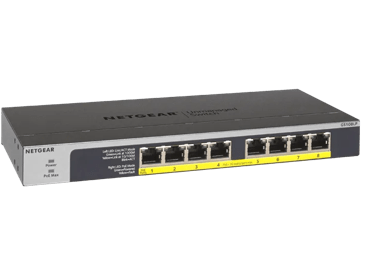
NETGEAR GS108LP Unmanaged 8-Port Gigabit Ethernet PoE/PoE+ Switchcurrent price £93.99
£89.99
8-Port Gigabit Ethernet PoE+ Easy Smart Essentials Switch (62W)current price £89.99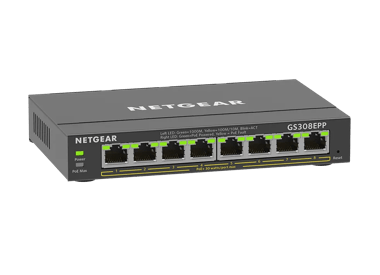
£119.99
8-Port Gigabit Ethernet Easy Smart Essentials PoE Switch (123W)current price £119.99
£104.99
8-Port Gigabit Ethernet Unmanaged PoE+ Essentials Switch with 8-Ports PoE+ (83W)current price £104.99Showing 1-5 of 5
26 Items
Sort by
Knowledge Article
UKCA Declarations of Conformity - NETGEAR Support
Please click on the Model to view Declarations of Conformity. Model A6100 A6150 A6210 A7000 A7500 A8000 A8500 A9000 ACC761 / ACC763 / AXLC761 / AXLC763 ACM761 / ACM762 / AXLM761 / AXLM762 AFT402 AGM731F AGM732F AGM734 APM408 / APM402 APS150W APS250W APS254W APS299W APS350W APS550W APS600W / APS1200W APS600Wv2 APS600Wv3 APS920W APS1000W APS1200Wv2 APS2000W APS2000Wv2 AXC761 AXC7610 AXC7615 AXC7620 AXC763 AXC765 AXC767 AXM761, AXM762, AXM763, AXM764, AXM765 AXM765v2 BR200 CSM4532 EAX12 EAX17 EAX20...
Knowledge Article
EU Declarations of Conformity - NETGEAR Support
Please click on the Model to view Declarations of Conformity. To access EU Declarations of Conformity for Arlo products, visit https://kb.arlo.com/000061839/EU-Declarations-of-Conformity-for-Arlo-and-VueZone. Model 6000451 A6100 A6150 A6210 A7000 A7500 A8000 A8500 A9000 ACM761 / ACM762 / AXLM761 / AXLM762 ACC761 / ACC763 / AXLC761 / AXLC763 AC785S AC790S AC810 / AC810S AFT402 AGM731F AGM732F AGM734 AirCard 797 (AC797) APM402XL APM408 / APM402 APS150W APS250W APS254W APS299W APS350W APS550W APS60...
Knowledge Article
GS308EPP Firmware Version 1.0.0.10 - NETGEAR Support
New Features: Support port mirroring from multiple ports. Warnings: Firmware files for GS308EP and GS308EPP are different. Be sure to download and install the correct firmware for your model. After upgrading to v1.0.0.7, the setting for Port LEDs on the home page will be incorrectly changed from ON to OFF, different from the actual Port LEDs on the front panel. To fix the issue, please reset the switch to factory default settings. Download Link: https://www.downloads.netgear.com/files/GDC/GS308E...
Knowledge Article
GS308EPP Firmware Version 1.0.1.1 - NETGEAR Support
Bug Fixes: Fixes an interoperability issue with the Hikvision camera, model DS-2CD2146G2-ISUI and model DS-2CD2046G2-IU, in which the camera might not receive PoE power from the switch. Warnings: Read and follow these warnings before updating your firmware: The firmware files for model GS308EP and model GS308EPP are different. Be sure to download and install the correct firmware for your model. After you upgrade the firmware to version 1.0.0.7, the settings for the port LEDs on the HOME page are...
Knowledge Article
GS308EP Firmware Version 1.0.0.7 - NETGEAR Support
New Features and Enhancements: After the switch falls back to its default IP address (192.168.0.239), it continues to request a DHCP IP address every 5 minutes until: It acquires one from a DHCP server, Or, Is assigned a fixed/static IP address. Switch attempts to renew its DHCP lease when its IP address lease expires, as per RFC standards. Warnings: Firmware files for GS308EP and GS308EPP are different. Be sure to download and install the correct firmware for your model. After upgrading to v1.0...
Knowledge Article
GS308EPP Firmware Version 1.0.0.4 - NETGEAR Support
New Features and Enhancements: Initial Release Warnings: Firmware files for GS308EP and GS308EPP are different, please use the correct fie for your model. Download Link : https://www.downloads.netgear.com/files/GDC/GS308EPP/GS308EPP_V1.0.0.4.zip Firmware Update Instructions: To update your product’s firmware, follow the instructions in your product’s user manual. To find your user manual, visit https://www.netgear.com/support/, enter your model number in the search box, and click the Documentati...
Knowledge Article
GS308EPP Firmware Version 2.0.0.11 - NETGEAR Support
Release Date:July 7, 2026 New Features and Enhancements: Support for adjusting the management VLAN to enhance network management flexibility. Note: After you update to this firmware, the switch management page is only accessible from ports in VLAN 1, which is the default management VLAN. If you are accessing the switch from a port assigned to a different VLAN, you need to switch to a VLAN 1 port to regain access. Support for manual SNTP server configuration for system time synchronization. Suppo...
Knowledge Article
GS308EP Firmware Version 1.0.0.4 - NETGEAR Support
New Features and Enhancements: Initial Release Warnings: Firmware files for GS308EP and GS308EPP are different, please use the correct fie for your model. Download Link : https://www.downloads.netgear.com/files/GDC/GS308EP/GS308EP_V1.0.0.4.zip Firmware Update Instructions: To update your product’s firmware, follow the instructions in your product’s user manual. To find your user manual, visit https://www.netgear.com/support/, enter your model number in the search box, and click the Documentation...
Knowledge Article
GS308EP Firmware Version 2.0.0.5 - NETGEAR Support
Bug fixes: Fixes the issue where the switch incorrectly forwards specific multicast traffic across different VLANs. Known Issues: After you upgrade the firmware to version 1.0.0.7, the Home page in the device UI incorrectly displays the port LED settings as OFF, while the physical port LEDs on the front panel display as ON. Workaround: To fix this issue, reset the switch to the factory default settings. Download Link: https://www.downloads.netgear.com/files/GDC/GS308EP/GS308EP_V2.0.0.5.zip Firmw...
Knowledge Article
GS308EP Firmware Version 1.0.0.6 - NETGEAR Support
New Features and Enhancements: Added an option on the device UI to disable or enable the uninterrupted PoE feature. Add a “REFRESH” button to the PoE port status feature on the device UI. Displays different colors for different link speeds when the port status is “UP” on the HOME page: Green =>1000Mbits, Yellow=>10/100Mbits. Warnings: Firmware files for GS308EP and GS308EPP are different. Be sure to download and install the correct firmware for your model. Download Link : https://www.downloads.n...
Knowledge Article
GS308EPP Firmware Version 1.0.0.7 - NETGEAR Support
New Features and Enhancements: After the switch falls back to its default IP address (192.168.0.239), it continues to request a DHCP IP address every 5 minutes until: It acquires one from a DHCP server, Or, Is assigned a fixed/static IP address. Switch attempts to renew its DHCP lease when its IP address lease expires, as per RFC standards. Warnings: Firmware files for GS308EP and GS308EPP are different. Be sure to download and install the correct firmware for your model. After upgrading to v1.0...
Knowledge Article
GS308EP Firmware Version 1.0.1.4 - NETGEAR Support
Enhancement: You can use Universal Plug and Play (UPnP) protocol to discover the device. Warnings: Read and follow these warnings before updating your firmware: Do not use the NETGEAR Switch Discovery Tool (NSDT) to discover the device as it is no longer supported from firmware version 1.0.1.4. Use NETGEAR Discovery Tool (NDT) or the latest NETGEAR Insight App to discover the switch in the same subnet. The firmware files for models GS308EP and model GS308EPP are different. Ensure you download an...
Knowledge Article
GS308EPP Firmware Version 1.0.0.6 - NETGEAR Support
New Features and Enhancements: Added an option on the device UI to disable or enable the uninterrupted PoE feature. Add a “REFRESH” button to the PoE port status feature on the device UI. Displays different colors for different link speeds when the port status is “UP” on the HOME page: Green =>1000Mbits, Yellow=>10/100Mbits. Warnings: Firmware files for GS308EP and GS308EPP are different. Be sure to download and install the correct firmware for your model. Download Link : https://www.downloads.n...
Knowledge Article
GS308EP Firmware Version 1.0.0.10 - NETGEAR Support
New Features: Support port mirroring from multiple ports. Warnings: Firmware files for GS308EP and GS308EPP are different. Be sure to download and install the correct firmware for your model. After upgrading to v1.0.0.7, setting for Port LEDs on the home page will be incorrectly changed from ON to OFF, different from the actual Port LEDs on the front panel. To fix the issue, please reset the switch to factory default settings. Download Link: https://www.downloads.netgear.com/files/GDC/GS308EP/GS...
Knowledge Article
GS308EP Firmware Version 1.0.0.8 - NETGEAR Support
Enhancements: Increases the counter size of Port Statistics (Diagnostic > Port Statistics) from 32 bits to 64 bits. Security Fixes: Fixes security vulnerabilities. For more information about security vulnerabilities, visit https://www.netgear.com/about/security. Warnings: Firmware files for GS308EP and GS308EPP are different. Be sure to download and install the correct firmware for your model. After upgrading to v1.0.0.7, setting for Port LEDs on the home page will be incorrectly changed from ON...
Knowledge Article
GS308EPP Firmware Version 2.0.0.5 - NETGEAR Support
Bug fixes: Fixes the issue where the switch incorrectly forwards specific multicast traffic across different VLANs. Known Issues: After you upgrade the firmware to version 1.0.0.7, the Home page in the device UI incorrectly displays the port LED settings as OFF, while the physical port LEDs on the front panel display as ON. Workaround: To fix this issue, reset the switch to the factory default settings. Download Link: https://www.downloads.netgear.com/files/GDC/GS308EPP/GS308EPP_V2.0.0.5.zip Fir...
Knowledge Article
GS308EP Firmware Version 1.0.1.1 - NETGEAR Support
Bug Fixes: Fixes an interoperability issue with the Hikvision camera, model DS-2CD2146G2-ISUI and model DS-2CD2046G2-IU, in which the camera might not receive PoE power from the switch. Warnings: Read and follow these warnings before updating your firmware: The firmware files for model GS308EP and model GS308EPP are different. Be sure to download and install the correct firmware for your model. After you upgrade the firmware to version 1.0.0.7, the settings for the port LEDs on the HOME page are...
Knowledge Article
GS308EP Firmware Version 2.0.0.11 - NETGEAR Support
Release Date: June 24, 2026 New Features and Enhancements: Support for adjusting the management VLAN to enhance network management flexibility. Note: After you update to this firmware, the switch management page is only accessible from ports in VLAN 1, which is the default management VLAN. If you are accessing the switch from a port assigned to a different VLAN, you need to switch to a VLAN 1 port to regain access. Support for manual SNTP server configuration for system time synchronization. Sup...
Knowledge Article
GS308EPP Firmware Version 1.0.1.4 - NETGEAR Support
Enhancement: You can use Universal Plug and Play (UPnP) protocol to discover the device. Warnings: Read and follow these warnings before updating your firmware: Do not use the NETGEAR Switch Discovery Tool (NSDT) to discover the device as it is no longer supported from firmware version 1.0.1.4. Use NETGEAR Discovery Tool (NDT) or the latest NETGEAR Insight App to discover the switch in the same subnet. The firmware files for models GS308EP and model GS308EPP are different. Ensure you download an...
Knowledge Article
GS308EPP Firmware Version 1.0.0.8 - NETGEAR Support
Enhancements: Increases the counter size of Port Statistics (Diagnostic > Port Statistics) from 32 bits to 64 bits. Security Fixes: Fixes security vulnerabilities. For more information about security vulnerabilities, visit https://www.netgear.com/about/security. Warnings: Firmware files for GS308EP and GS308EPP are different. Be sure to download and install the correct firmware for your model. After upgrading to v1.0.0.7, the setting for Port LEDs on the home page will be incorrectly changed fro...
Showing 1-20 of 26
66 Items
Sort by
Discussion Post
PoE doesn't start_GS308EP | NETGEAR Communities
We use the GS308EP to manage 2 differents VLAN in our custom system. the port 1 is used to power on a RFID reader (FEIG MR102), the others ports are for...
Discussion Post
Broken GS308EPP web gui after reverse proxy | NETGEAR Communities
Hello community, I put my switch GS308EPP behind a reverse proxy HTTP -> HTTPS on my Synology DS923+ which works well.Unfortunately, the errors come...
Discussion Post
gs108v2 gs308ep DoS | NETGEAR Communities
I have both of those switches... The port turns off and has to be enabled to back on. The gs108v2 is connected to the gs308ep (poe is turned of on port...
Discussion Post
GS308EP Won't Factory Reset | NETGEAR Communities
So I have been using a GS308EP for my network for a while. I set it and forgot it and didn't leave a management port open. I'm changing my network now, so I...
Discussion Post
GS305EPP New Firmware But Not GS308EPP? | NETGEAR Communities
I see new firmware v2.0.04 for GS305EPP but not for GS308EPP. I would think these run the same software. Will new 2.0.0.4 firmware be...
Discussion Post
Netgear GS308EP | NETGEAR Communities
Morning all from UK.Just purchased my first ever switch and decided to go for one with POE as I want to eventually run a couple of security cameras.I've only...
Discussion Post
SSDP multicast leakage across VLAN on GS308EP | NETGEAR Communities
SetupSwitch is in Advanced 802.1Q VLAN modePort 1-6 connected to VLAN 1. Port 1-6 untagged, port 7-8 exclude.Port 7-8 connected to VLAN 2. Port 1-6 exclude,...
Discussion Post
Multiple GS308EPP switches and vlan | NETGEAR Communities
Hi All, I am trying to configure vlan traffice to travel true 4 switches. Now i configured vlan and this is working on my first switch. But for the...
Discussion Post
GS308EPP PoE & REOLINK PoE doorbell | NETGEAR Communities
GS308EPP:Port (PoE) doesent work regardless on the PoE setting with my NEW PoE Reolink doorbell (V3) -->IEEE 802.3afWhat is strange is the fact that the...
Discussion Post
Discussion Post
GS308EP incorrectly claims via UPnP to be a ROUTER/GATEWAY | NETGEAR Communities
GS308EP Firmware Version 1.0.1.4 claims "You can use Universal Plug and Play (UPnP) protocol to discover the device"... OK, let's test that. In...
Discussion Post
GS308EPP all POE lights are yellow | NETGEAR Communities
I connected power with nothing connected and all of the right LEDs are orange indicating a POE fault. I've tried powering up with the reset button held for...
Discussion Post
New GS308EP says default password is invalid | NETGEAR Communities
My new GS308EP is discoverable by NDT and browser page opens login screen with model number. However the password printed on the bottom is considered...
Discussion Post
GS108LP power supply providing only 52.25v | NETGEAR Communities
I purchased a GS108LP back in 2019. I was never able to get it to provide POE power to a WiFi device, and getting no solution from support I just fell...
Discussion Post
GS108LP PoE Not working | NETGEAR Communities
We are a IIoT device manufacturer, our gateway is PoE Class 1. One of the customer has GS108LP but couldn't power the device.Just bought the same GS108LP and...
Discussion Post
GS308EPP | NETGEAR Communities
Appears that switch is providing power in mode A pinout. Need to use mode B pinout (using spare pins). How do you set this up?
Discussion Post
GS308EPP power plug | NETGEAR Communities
What is the size of the power plug for a GS308EPP PoE switch?
Discussion Post
Discussion Post
Plus Configuration Utility 8 Port Gigabit Ethernet PoE+ Plus Switch (GS308EP) | NETGEAR Communities
Almost as soon as I bought this switch the management program, ProSAFE Plus Utility seems to have been discontinued. What if any...
Discussion Post
GS108LP switching works, power light is off, POE does not work | NETGEAR Communities
I have a GS108LP that works fine as a plain switch, but won't provide POE. I purchased it originally to use with a device that, as it turned out,...
Showing 1-20 of 66
We couldn’t find anything for "GS308LP".
Showing 0-0 of 0
2 Items
Upgrade Your Surveillance With PoE - NETGEAR Hub
Read our blog on upgrading your surveillance with PoE switches. Learn more here.
Experience High Performance with NETGEAR's WiFi 6
Experience the future of connectivity with NETGEAR's high-performance WiFi 6, offering faster speeds, increased capacity, and improved efficiency.
Showing 1-2 of 2