Key RS200 vs RS300 Differences
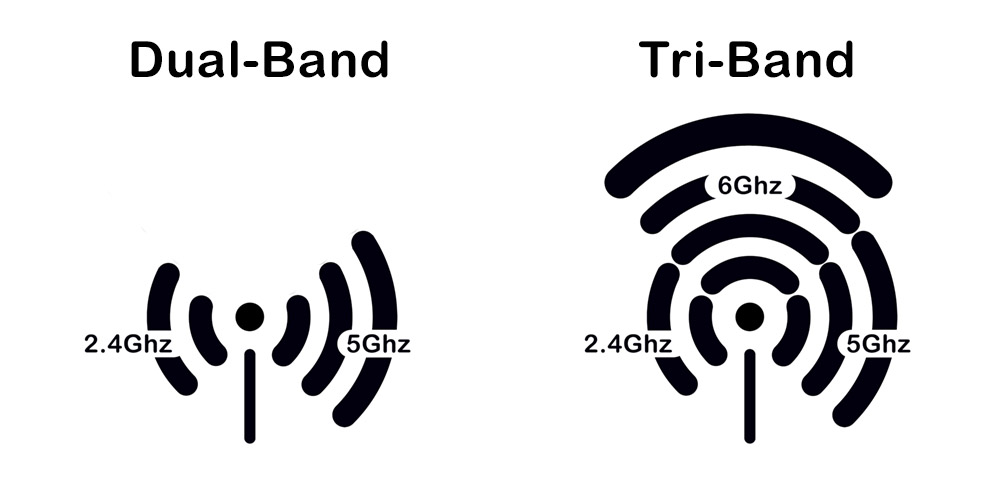
Both the RS200 and RS300 routers offer a great upgrade to the latest WiFi 7 technology. The primary upgrade from the RS200 dual-band WiFi Router to the RS300 tri-band WiFi Router is the addition of the 6 GHz band. Both routers also include WPA3 encryption, VPN, and Parental Controls. Setup and configuration are easily achieved in minutes using the Nighthawk App or web interface. Let’s explore some significant improvements.
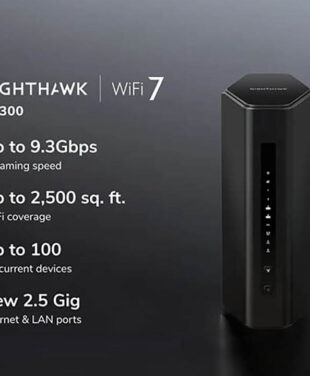
Nighthawk RS200 vs RS300 comparison specs:
| Router: | Nighthawk RS200 | Nighthawk RS300 |
| WiFi Standard: | WiFi 7 BE6500 | WiFi 7 BE9300 |
| WiFi Bands: | Dual-Band
- 2.4 Ghz (2x2)
- 5 Ghz (2x2)
- No 6Ghz Band | Tri-Band
- 2.4 Ghz (2x2)
- 5 Ghz (2x2)
- 6 Ghz (2x2) |
| Total WiFi Speed: | Up to 6.5Gbps | Up to 9.3Gbps |
| WiFi Coverage: | Up To 2,500 Sq. Ft. | Up To 2,500 Sq. Ft. |
| Supported Devices: | Up to 80 Concurrent Devices | Up to 100 Concurrent Devices |
| Learn More: | Shop RS200 Router>Add to Cart | Shop RS300 Router>Add to Cart |
When WiFi Networks Struggle to Keep Up
When your movie buffers or your game lags, it’s not just annoying—it’s a disruption to your downtime. Often, the culprit isn’t your internet provider, but a router that can’t organize the traffic of a modern home. With more devices like phones, laptops, and smart TVs competing for bandwidth, dual-band networks can become overloaded. The outcome? Slower speeds, lag, and unreliable connections when you need them most. Here’s why it happens:
- Too many networks in the same area: Apartments, offices, and dense neighborhoods often have dozens of routers broadcasting on the same channels.
- Overcrowded 2.4GHz & 5Ghz bands: The 2.4 GHz band has only three non‑overlapping channels (1, 6, 11). If everyone is on them, interference skyrockets. 5Ghz also has some limitations on speed and number of channels.
- Too many devices on one router: Smartphones, laptops, TVs, smart home gadgets — they all share the same WiFi bands.
- Legacy devices dragging everyone down: Older WiFi standards slow the entire network because the router must accommodate their slower speeds.
- High‑bandwidth activities: Video calls, 4K streaming, cloud backups, and gaming can saturate the network quickly.

What WiFi Network Congestion Feels Like
You need a reliable, fast internet connection to support simultaneous streaming, video calls, and online activities. A home network can slow to a crawl when everyone is online and streaming, gaming, and working simultaneously. The problem is further complicated when comprehensive WiFi coverage is needed in larger or multi-story homes.
High-speed internet is only as good as the WiFi delivering it. If your connection falters during video calls or grinds to a halt when the whole family is online, it’s likely your network is overloaded and needs more capacity.
To experience the full capability of a new phone, laptop, gaming console, or streaming service, it’s important to have a network that’s ready for tomorrow’s technology. It could be time to future-proof your network.
The Solution: Upgrading from RS200 to RS300
The solution to digital congestion isn’t just more internet speed, but more bandwidth space. A tri-band WiFi router opens up a new, un-congested lane for traffic (the 6 GHz band), ensuring your most important devices always have a fast, clear connection.
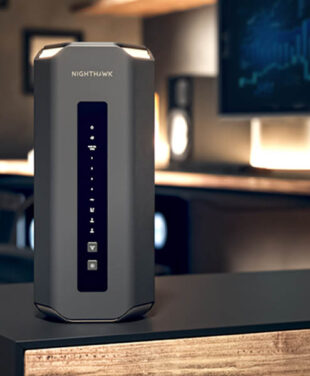
The NETGEAR Nighthawk RS300 WiFi 7 Router is built to deliver unmatched speed and reliability for busy, connected homes. While the RS200 router provides excellent dual-band performance, the RS300’s tri-band design adds a dedicated 6 GHz band, ensuring faster, more efficient connections for your newest devices.
With the RS300, you can enjoy uninterrupted 4K streaming, smooth video calls, and lag-free gaming—even during peak usage. Its WiFi 7 technology not only boosts today’s performance, but also prepares your network for the future. Pair it with NETGEAR Armor for comprehensive security that protects every device in your home.
Is the Nighthawk RS300 Worth It? Which Router Should You Choose?
Budget-Friendly Choice: The RS200 delivers reliable WiFi 7 performance, making it perfect for smaller homes or apartments where affordability meets functionality.
Future-Ready Upgrade: The RS300 is ideal for tech enthusiasts with the latest devices, offering tri-band speeds and the capacity to handle tomorrow’s technology with ease.
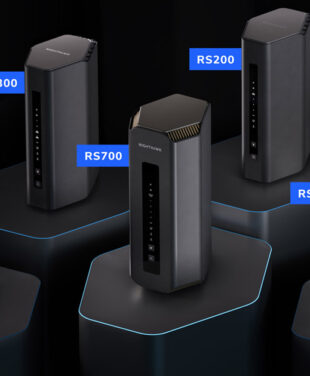
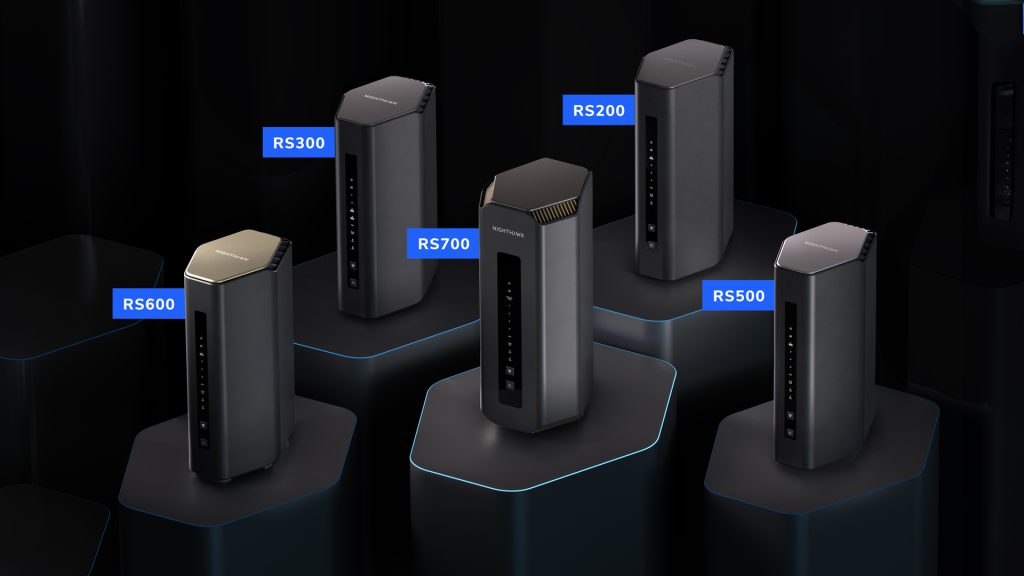
Explore the NETGEAR Nighthawk Buyer’s Guide to fully reference the full line-up of Nighthawk Routers. Check out NETGEAR’s most powerful Nighthawk RS700S WiFi 7 Router for inspiration. Alternatively, consider NETGEAR Orbi Mesh Systems with multiple mesh WiFi router satellites and beam-forming antennas—perfect for large homes and expansive layouts where both gigabit Ethernet cable and wireless connections are prioritized.
Why Upgrade #1: The Power of Tri-Band and the 6 GHz Band
The Nighthawk RS300 tri-band 6 GHz band is a new, exclusive multi-lane multi-gigabit superhighway for your newest, fastest devices. You will experience less interference and congestion from neighbors’ WiFi or older devices in your own home. The RS300 Router is ideal for high-bandwidth activities like AR/VR, 8K streaming, and competitive gaming on compatible devices.
Why Upgrade #2: Enhanced Performance for a Connected Home
The RS300’s architecture is built to handle more simultaneous connections without performance degradation. The result is a smoother, more reliable experience across all devices, not just the newest ones. This router is perfect for smart homes with dozens of connected devices or families where multiple people are streaming, working, gaming, and learning online at once.
Still deciding? Compare our full lineup of Nighthawk routers to find your perfect match.
FAQs
What is the main difference between the RS200 and RS300 routers?
The RS200 is a dual-band WiFi 7 router, offering excellent performance for standard home use. The RS300, on the other hand, is a tri-band WiFi 7 router that adds a 6 GHz band, providing faster speeds and less congestion for device-dense households.
Who should choose the RS200 over the RS300?
The RS200 is ideal for smaller homes or apartments with fewer connected devices. It’s a budget-friendly option for users who want reliable WiFi 7 speeds without the need for the additional capacity of a tri-band router.
How does the 6 GHz band in the RS300 improve performance?
The 6 GHz band in the RS300 acts as a dedicated fast lane for newer devices, reducing interference and congestion from older devices on the 2.4 GHz and 5 GHz bands. This ensures smoother streaming, gaming, and video calls, even during peak usage.
Is the RS300 future-proof for upcoming technologies?
Yes, the RS300 is designed to support the next generation of WiFi 7 devices, ensuring your network can handle future advancements in speed, capacity, and connectivity.
Can I set up both routers using the Nighthawk App?
Absolutely! Both the RS200 and RS300 can be set up quickly and easily using the Nighthawk App, which also allows you to manage your network, monitor connected devices, and enable advanced features like parental controls.