Portable WiFi for Internet Anywhere and Anytime
Online connectivity anywhere and anytime has become an essential communications strategy for Americans in today’s fast-paced world. Portable WiFi is the key that unlocks productivity and entertainment on the go wherever your travels take you. While versatile, smartphones are not designed to handle every connectivity requirement: laptops, many tablets, smart watches, gaming devices – like Nintendo Switch & Steam Deck etc.
This quick guide will provide an honest comparison of the three main internet connection options when away from home—tethering your smartphone, using public WiFi, and using a dedicated mobile hotspot—to help you find the perfect solution for your needs.
Option 1: Tethering Your Smartphone — The Quick & Easy Choice
Tethering uses your smartphone’s cellular data to create a personal WiFi hotspot access point for connecting to other WiFi devices.
When Tethering Makes Sense
Best for: Quick, infrequent use, like sending an urgent email from your laptop or when you have no other options.
Pros: It’s incredibly convenient (no extra hardware needed) and simple to activate in your phone’s settings. Note – some data-plans may not support tethering by default and will incur additional costs.
The Hidden Costs of Convenience
Battery Drain: Tethering can rapidly drain your phone’s battery, leaving you without your primary communication device.
Performance Limits: Phone calls often interrupt the connection, and speeds are typically throttled by carriers after a certain data limit.
Data Caps & Fees: Many mobile internet plans have surprisingly low hotspot data caps or charge extra fees, leading to unexpected costs.
Option 2: Using Public WiFi - The Free (But Risky) Option
Public WiFi is often free internet offered in places like airports, hotels, and cafes. But is public WiFi safe?
When Public WiFi Can Work
Best for: Non-sensitive browsing where security is not a concern and performance isn’t critical. Although a VPN can help, it’s not fool-proof and it incurs extra costs and complexity.
Pros: It’s widely available in urban areas and is usually free to use with WiFi enabled devices.
The Realities of “Free” Internet
Major Security Risks: These networks are often unencrypted, making you vulnerable to “man-in-the-middle” attacks where hackers can steal passwords and financial data such as banking and credit card information.
Unreliable Performance: Public networks are frequently slow and congested, leading to frustratingly unstable connections.
Inconsistent Availability: You can’t count on a reliable hotspot device connection, especially when traveling outside of major hubs.
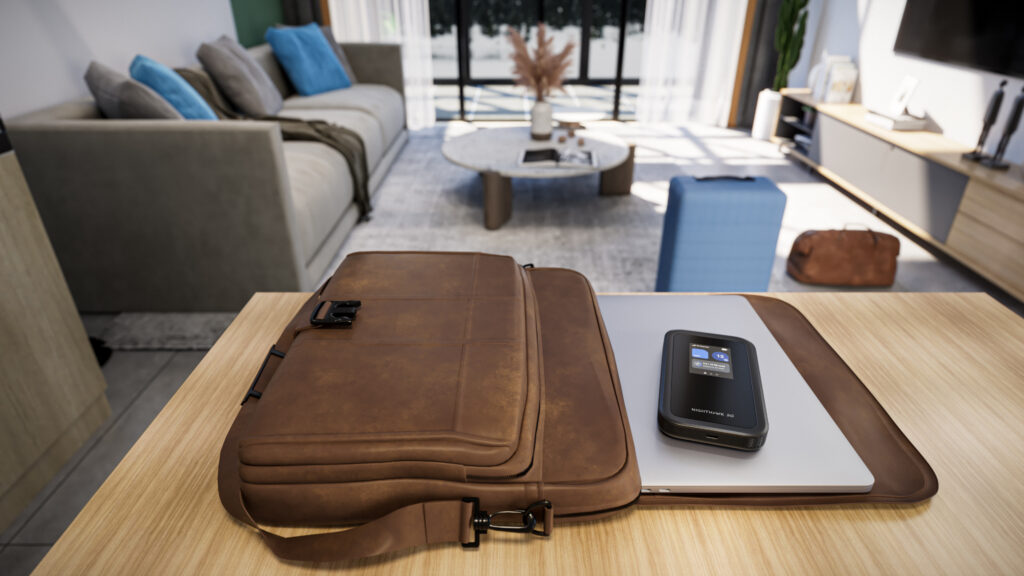
Option 3: Purpose-Built Mobile Hotspots — WiFi That Travels with You
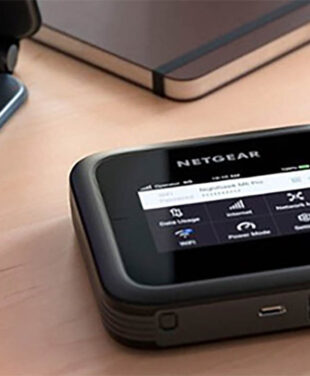
A dedicated mobile hotspot (or portable WiFi router) is a device specifically engineered for one mission: to deliver fast, secure, and reliable internet access anywhere. These portable WiFi hotspots use a cellular SIM card to create your own private WiFi network.
When a Dedicated Hotspot is the Best Choice
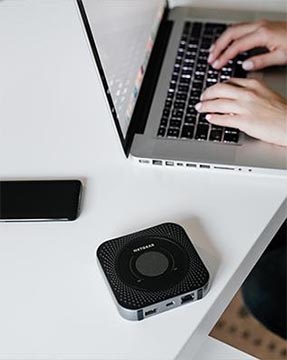
Best for: Remote workers, frequent travelers, families, and anyone who needs a consistently powerful and secure connection for multiple devices. These portable devices can power and secure internet access wherever your journey takes you. They can even power your home’s WiFi.*
Why Dedicated Hotspots Deliver Superior Performance
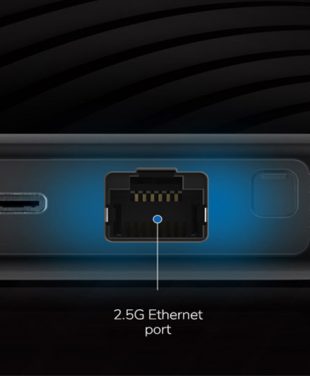
Unmatched Speed & Reliability: Leading US portable WiFi hotspots like the powerful NETGEAR Nighthawk models are purpose-built with advanced antennas for stronger WiFi connections and multi-gigabit speeds (with both 4G LTE and 5G mobile hotspot models available).
These features make Portable Hotspots an ideal choice for professionals, families, and frequent travelers who demand reliable and secure internet access.
All-Day Battery Life: Their mobile router dedicated batteries are designed for many hours of battery life, even in continuous use, allowing you to preserve your phone’s power for what it does best.
Secure by Design: With WPA3 encryption, you create your own private, trusted network, shielding all your compatible devices from the dangers of public WiFi.
Flexible Data Plans: Gives you the freedom to choose prepaid, pay-as-you-go, and unlimited data plans that fit your usage, ensuring you have the bandwidth you need.
*Many NETGEAR Nighthawk portable WiFi device can even cover a small smart home or apartment without the need for a traditional wire-based dedicated ISP plan.
At a Glance: Comparing Your Portable WiFi Options
| Feature | Phone Tethering | Public WiFi | Nighthawk Mobile Hotspot |
| Best For | Quick, occasional use | Non-sensitive browsing | Consistent, secure use |
| Security | Moderate | Very Low | High (WPA3) |
| Performance | Inconsistent | Unreliable & Slow | Fast & Stable |
| Battery Impact | Drains Phone Battery | N/A | Dedicated Battery |
| Device Connections | Limited (1-3) | Varies | 30+ Devices |
| | | Shop Portable WiFi |
Experience fast, reliable, and secure connectivity wherever life takes you with the NETGEAR Nighthawk mobile hotspots. From all-day battery life to cutting-edge WPA3 encryption, these devices are built to keep you connected with ease and confidence. Whether it’s supporting over 30 devices simultaneously or using flexible data plans that suit your needs, Nighthawk delivers unmatched performance. Don’t settle for limited connections or unreliable options. Take control of your internet today. Explore our portable WiFi solutions now and see how Nighthawk can empower your connected life.
FAQs
What's the difference between phone tethering vs mobile hotspots?
Tethering drains your phone’s battery and data, while a mobile hotspot provides a separate, high-performance solution with enhanced security and battery life.
Is a portable WiFi router secure?
Yes, a Nighthawk mobile hotspot uses WPA3 encryption to create a private, password-protected network, offering far greater security than public WiFi.
Can a mobile hotspot replace my home internet?
With the power of 5G portable WiFi, many Nighthawk mobile hotspots are powerful enough to serve as a primary internet source, especially in areas with poor broadband options or for those needing a flexible solution. For maximum coverage, they must be tethered to wall power-source.
How many devices can I connect?
Nighthawk mobile hotspots can support over 30 devices at once, making them the trusted choice for families, work teams, and internet on the go.