As our homes become smarter, our exposure to risk grows. The average household now houses 22 connected devices. From smart thermostats and baby monitors to laptops and gaming consoles, every connection represents a potential entry point for malicious actors.
The reality is that online threats are evolving just as fast as the technology we use and they affect everyday families. Attackers do not just target bank accounts anymore; they target privacy, identity, and the computing power of your home devices to launch larger attacks. A digital reset helps you lockdown your personal data and protect the connected home you have built.
What Is Cybercrime—and Why Should You Care?
Cybercrime is any illegal activity that involves computers, networks, or connected devices. While many attacks aim to steal money, others target personal data, identities, or even the processing power of your home devices.
The scale is hard to ignore. According to the FBI’s 2024 Internet Crime Report, reported losses exceeded $16.6 billion, a 33% increase year over year. To put that number in further perspective, if cybercrime were measured as a country, it would rank as the world’s third-largest economy—behind only the United States and China (Cybersecurity Ventures, 2025). This surge highlights a critical truth: cybersecurity is no longer just for large corporations. It is a daily necessity for every connected home.
How Online Threats Show Up Today
Understanding what you are up against is the first step toward better protection. Here is how modern cybercrime manifests and the real-world impact it has on users.
Scams and Fraud
Scams remain the most common threat to consumers. Phishing emails and fake messages impersonating banks, delivery companies, or even friends are designed to steal passwords and financial information.
Did you know? Phishing was the most reported cybercrime in 2024, with more than 193,000 complaints filed with the FBI.
- Real-world example: In 2024, a finance employee transferred $25 million after joining a video call that appeared to include their company’s CFO—later revealed to be a convincing deepfake.
Hacking
Hacking involves breaking into devices or networks without permission. Today, attackers are far more likely to exploit software weaknesses than guess passwords—especially in smart home devices that are rarely monitored or updated.
- Key stat: According to Bitdefender, security researchers saw a 34% increase in vulnerability exploitation, with billions of attacks targeting smart home and IoT devices in a single year. These devices are particularly attractive to attackers because many lack built-in security features and are often left running for years without updates.
Malware
Malware is a broad term for harmful software designed to sneak onto devices without permission. Once inside, it can spy on activity, steal personal information, slow performance, or give attackers control over accounts that store sensitive data. Malware comes in many forms, from viruses and trojans to spyware and ransomware.
One of the fastest-growing threats is ransomware. In these attacks, criminals lock access to files or devices and demand payment in exchange for restoring them. While headlines often focus on businesses, everyday users and families are also frequent targets—especially through infected email attachments, fake downloads, or compromised websites. Even when a ransom is paid, access is not always restored, making prevention far more effective than recovery.
Identity Theft
When criminals steal personal details like Social Security numbers or account credentials, they can open credit lines, file fraudulent claims, or impersonate victims online.
- Key stat: The FBI received over 21,000 identity theft complaints in 2024, with losses exceeding $174 million.
Online Harassment
Digital platforms are unfortunately used to intimidate or threaten individuals. This includes cyberstalking and the non-consensual sharing of private information.
- Key Stat: Over 11,000 complaints of harassment and stalking were filed with the IC3 in 2024, proving that digital attacks often have severe psychological tolls alongside financial ones.
Hijacked Home Networks
Hackers don’t always go after people directly—they often go after home routers. Your router is the central hub that connects every device in your home to the internet. If it’s poorly secured or running outdated software, attackers can break in and quietly take control without you ever noticing.
Once compromised, routers and smart devices can be grouped into botnets—large networks of infected devices that criminals use to overwhelm websites, spread malware, or launch attacks on others. Your internet may still seem to work, but your home network could be doing harm in the background.
- Real-world example: A massive 22.2 terabit-per-second DDoS attack in 2025 was traced back to compromised home routers, demonstrating how ordinary households can unknowingly become part of large-scale cyberattacks.
Data Breaches
A breach occurs when sensitive data is accessed without authorization. This often exposes millions of user records to the dark web.
- Real-world example: The 23andMe breach exposed the data of 6.9 million users, revealing how interconnected data — like family trees and genetic history — can be vulnerable even if you are not the direct target of a hack.
10 Ways to Start the Year Strong & Secure
Securing your digital life does not require a degree in computer science. These ten practical steps will significantly harden your defenses against the threats listed above.
-
1. Upgrade your password strategy
Stop using the same password for everything. If one site suffers a breach, attackers will try that same email and password combination everywhere else. Use a password manager to generate and store complex, unique passwords for every account.
-
2. Enable Two-Factor Authentication (2FA)
Turn on 2FA wherever possible. This requires a second form of verification — like a code sent to your phone — in addition to your password. It stops credential stuffing attacks in their tracks because even if a hacker has your password, they cannot access your account without the second code.
-
3. Lockdown your home network
Your router is the digital front door to your home. Change the default administrative password immediately. Create a separate Guest WiFi network for visitors and smart home devices. This keeps your most sensitive devices, like your laptop and phone, isolated from potentially vulnerable IoT gadgets.
-
4. Keep everything updated
Software updates often contain critical security patches that fix known vulnerabilities. Do not ignore those “update available” notifications. Proactively check that all your devices — especially “set and forget” items like smart thermostats and cameras — are running the latest firmware.
-
5. Pause before you click
Web protection starts with skepticism. Avoid clicking links in unsolicited emails or texts, even if they look like they come from a trusted brand. Go directly to the company’s website or app to verify any claims about account issues or shipping delays.
-
6. Use a VPN for privacy
A virtual private network (VPN) encrypts your internet connection, making your activity unreadable to prying eyes. This is essential when using public WiFi at coffee shops or airports, but it also enhances privacy at home by masking your location and browsing habits from advertisers and data trackers.
-
7. Limit what you share
Social engineering attacks rely on information you post online. Be mindful of oversharing on social media. Details like your pet’s name, high school, or birthday are often answers to security questions. Keep your profiles private and prune your friend lists regularly.
-
8. Watch for SMS and email red flags
Phishing has evolved into “smishing” (SMS phishing). Be vigilant about text messages demanding urgent action, such as “confirm your delivery” or “verify your bank transaction.” Legitimate organizations rarely ask for sensitive info via text.
-
9. Stay informed on AI threats
Artificial intelligence helps criminals craft convincing scams, from perfectly written phishing emails to voice-cloned phone calls. Be aware that seeing or hearing something digitally is no longer proof of truth. Verify unusual requests from family or colleagues through a second channel of communication.
-
10. Invest in a dedicated security solution
Relying on basic antivirus is no longer enough. You need a solution that protects the network itself. A comprehensive security suite protects every device connected to your WiFi, including those that cannot run antivirus software, like smart TVs and door locks.
How NETGEAR Armor Protects Your Connected Home
Managing security across dozens of devices can feel overwhelming. NETGEAR Armor™, powered by Bitdefender®, simplifies this by providing an automatic shield for your entire connected home.
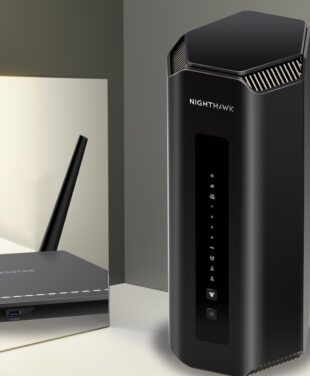
Armor runs directly on your Orbi or Nighthawk router, blocking threats at the source before they ever reach your devices.
Armor offers:
- Smart Security: AI-powered protection identifies and blocks anomalies, stopping attacks on vulnerable IoT devices that other solutions miss.
- Powerful Privacy: Integrated VPN encrypts your internet connection to keep your data and location private, whether you are at home or on the go.
- Total Peace of Mind: With 24/7 priority tech Technical Support and protection for your computers and mobile devices outside the home, you remain secure everywhere you connect.
The digital world brings incredible convenience—but it also requires awareness. By taking a few simple steps now, you can reset your online security and start the year with greater confidence and peace of mind.