
Search Results for: m7300
14 Items
Sort By
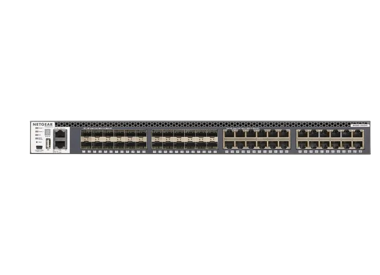
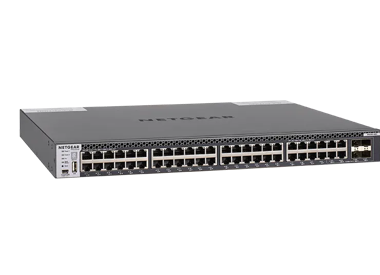
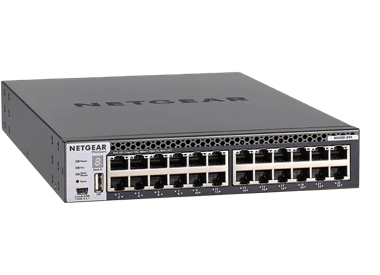
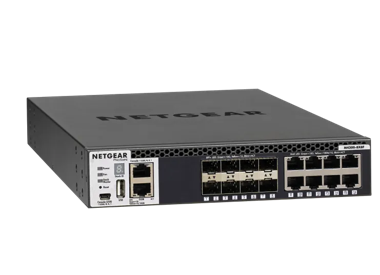


Fully Managed M4300-52G-PoE+ 550W (GSM4352PA)
GSM4352PA
- 52 Ports
- PoE+
- Full width with dual, redundant modular PSUs for business continuity
- 10G/1G

APS600W Power Supply Unit (APS600W)
600W Modular Power Supply Unit for M4300-16X (PB), M4300-96X Switches

550W Power Supply Unit (APS550W)
550W Modular Power Supply Unit for M4300 series Switches (PoE PA models)

150W Power Supply Unit (APS150W)
150W Modular Power Supply Unit for M4300 series Switches (1G non-PoE models)
Showing 1-12 of 14
487 Items
Sort By
Knowledge Article
M4300 Firmware Version 12.0.19.12 - NETGEAR Support
Enhancements: The AV UI provides the following enhancements: Support for new profiles: DICENTIS Conference system profile Telos Alliance / Livewire+ AES67 Support for configurable colors on the Audio Technica profile. Bug Fixes: This firmware addresses the following bugs: Fixes the issue where the switch crashes when a large configuration file is loaded and clears the configuration. [MS-4655] Fixes the issue where a stack of two switches does not deliver power to the connected PDs when stack is ...
Knowledge Article
M5300: To factory default from boot menu - NETGEAR Support
This procedure erases your entire configuration. To reset your M5300 to the factory default from the boot menu: From the boot menu, select option 7 and press enter. Enter 15 to reboot the switch. Last Updated:07/07/2025 | Article ID: 8010 Was this article helpful? Yes No
Knowledge Article
M7100-24X Firmware Version 10.1.0.10 - NETGEAR Support
New Features: Support MLAG(Multi-Chassis LAG). Ping Enhancement. Traceroute Enhancement. Port Mirror Enhancement(VLAN based mirror, RSPAN,Flow based mirror). Support DHCPv6 Snooping. IGMP snooping Enhancement( support SSM). Serviceability Enhancement. CLI Enhancement. ACL Enhancement( more options supported). Note: 10.1.0.10 doesn't support IE10 yet. Upgrade procedure Save the current configuration data. Normally the firmware will preserve the original configuration in the switch, however, just ...
Knowledge Article
M7100 Firmware Version 11.0.0.28 - NETGEAR Support
Applicable Models: M7100-24X(XSM7224) Bug Fixes since 11.0.0.24 Switch sends radius accounting requests with default interface IP instead of user configured radius source interface IP. Increased MAC based VLAN to 512. The description is incorrect for ingress filtering on GUI help page. Dot1x unauthenticated-vlan command caused long delay to DHCP client. VLAN routing interface randomly goes down and observes "Failed to register router interface vlan 6 with ARP" log on the console. Download Using ...
Knowledge Article
M4300 Firmware Version 12.0.17.15 - NETGEAR Support
Enhancements: Adds support for SDM templates on models M4300-48XF, M4300-24XF, and M4300-16X. Adds the IP address of the host in the switch log when an unsuccessful logging attempt to the switch is made. Adds new profiles: Crestron DigitalMedia AV Network, Visionary Network AV, and NUCLEUS Converged AV Network. Adds the AV UI dark theme. Adds a provision to disable an AV UI HTTP connection so that it can align with the Main UI HTTP/HTTPS configuration. Adds support in the AV UI to directly modif...
Knowledge Article
M4300 Firmware Version 12.0.6.7 - NETGEAR Support
Applicable Models: M4300-28G(GSM4328S) M4300-52G(GSM4352S) M4300-28G-POE+(GSM4328PS) M4300-52G-POE+(GSM4352PS) M4300-8X8F(XSM4316S) M4300-12X12F(XSM4324S) M4300-24X24F(XSM4348S) M4300-24X(XSM4324CS) M4300-48X(XSM4348CS) M4300-96X(XSM4396S) Bugs fixed on 12.0.6.7 since 12.0.6.6: SFP-BIDI module is not active in M4300-24x24F at 1G Speed with third party switch Tech-support file for M4300 is missing the critical 'show interface counters' output Multicast Packets is counted as Unicast Packets when t...
Knowledge Article
M4300 Firmware Version 12.0.17.19 - NETGEAR Support
Enhancements: The AV UI provides the following enhancements: Added new profiles: Birddog, Audio Basalte Multiroom, Audio Audio-Technica, and Kramer AV Added the Manual Trunk configuration option Added the option to configure STP priority on the Edit STP Network Redundancy pop-up page, which you can access from the Overview page Added a fanout configuration in on the Port Configuration > Port Interface Details page for model M4300-96X Added a new “Port Interface Setting” configuration on the Port...
Knowledge Article
M5300 Firmware Version 11.0.0.14 - NETGEAR Support
M5300 Firmware Version 11.0.0.14 Release Notes Applicable Models: All M5300 series M5300-28G(GSM7228Sv1h1) M5300-52G(GSM7252Sv1h1) M5300-28G3(GSM7328Sv2h2) M5300-52G3(GSM7352Sv2h2) M5300-28G-PoE+(GSM7228PSv1h2) M5300-52G-PoE+(GSM7252PSv1h2) M5300-28GF3(GSM7328FSv2h1) Bug Fixes since 11.0.0.12 Fixed the issue where the fiber port link goes down after the issue ‘cablestatus <unit/slot/port’’ to test cable. Fixed the issue where the [10G compatibility] Fiber port link goes down after switch reloads...
Knowledge Article
M4300 Firmware Version 12.0.19.23 - NETGEAR Support
Release Date: August 13, 2026 Enhancements: Support for the following new AV profiles: Turtle Profile Just Add Power Updated the following existing AV profiles: Sonos: Updated profile configurations AVoIP Lightware: Updated profile configurations Audio-Technica: Updated default profile color AES67: Updated profile descriptions Nice Home Management: Updated profile name to Elan OS Lighting: Updated profile description Addition of the Timeout column to the multicast table Addition of REST API supp...
Knowledge Article
M5300: Can't upgrade to firmware version 11 - NETGEAR Support
Before Upgrading to v11.0 Make sure you are running firmware version 10.0.0.53. Updating to the 11.0.0.x firmware requires that you are running on the 10.0.0.53 firmware. Checking current running image Web management Go to Maintenance > File Management > Dual Image Configuration Active Image displays which image the switch is currently running from, Version will display the active version on that image From CLI (M5300-28G) #show bootvar Image Descriptions image1 : image2 : Images currently avail...
Knowledge Article
M5300 Firmware Version 11.0.0.31 - NETGEAR Support
M5300 Firmware Version 11.0.0.31 Release Notes Applicable Models: All M5300 series M5300-28G(GSM7228Sv1h1) M5300-52G(GSM7252Sv1h1) M5300-28G3(GSM7328Sv2h2) M5300-52G3(GSM7352Sv2h2) M5300-28G-PoE+(GSM7228PSv1h2) M5300-52G-PoE+(GSM7252PSv1h2) M5300-28GF3(GSM7328FSv2h1) Bug Fixes since 11.0.0.31 GARP vlan status is not stable. Multicast packet from UBNT wifi AP caused GS716T to enter packet storm. Switch crashed in a specific 802.1x setup. Fixed 'devshell access' security issue on GUI. Download Usi...
Knowledge Article
M7100-24X Firmware Version 10.1.0.11 - NETGEAR Support
Bugs fixes since 10.1.0.10: System Object ID is incorrect, it should be 1.3.6.1.4.1.4526.100.11.15. Upgrade procedure Save the current configuration data. Normally the firmware will preserve the original configuration in the switch, however, just in case something went wrong during the upgrade, you may want o save a copy of current running configuration. To do so, go to 'Maintenance->Upload' page, and select Text Configuration option and click Apply button to save the configuration file. Downloa...
Knowledge Article
M5300: Accessing boot menu - NETGEAR Support
To access the M5300 boot menu: Open a serial connection to the device with these settings: Speed (baud). 115200 Data bits. 8 Stop bits. 1 Parity. None Flow control. XON/XOFF To enter the boot menu, connect your preferred console application using these settings. Reboot the switch. The switch reboots. As soon as you see Checking for application displayed, press and hold the q key. The normal boot cycle is interrupted. Continue holding until the boot menu idisplays. Last Updated:07/07/2025 | Artic...
Knowledge Article
M4300 Firmware Version 12.0.13.8 - NETGEAR Support
Enhancements: Assigns the service port (OOB port) IP address to 0.0.0.0 by default. As a fallback, if the service port is connected and the DHCP request times out, the switch assigns the IP address to 192.168.0.239. Bug Fixes: Fixes an issue where the switch can go into a restart loop. The stack is unstable after a restarted stack member comes back online. The SFP link between the S3300-28X-PoE+ and XSM4348S switches is not restored after the S330028X-POE+ is restarted. The DiffServ wizard in th...
Knowledge Article
M4300 Firmware Version 12.0.19.4 - NETGEAR Support
Enhancements: This firmware release provides the following enhancements: Added support to enable or disable enhanced hash mode on LAGs for non-unicast traffic. Added support to ignore the processing of client-identifier present in a DHCP transaction. The AV UI provides the following enhancements: In the Network Profiles page, when you create a profile using profile templates, the “PTP residency time stamping” toggle button is present to enable or disable PTP TC setting for the profiles excluding...
Knowledge Article
M4300 Firmware Version 12.0.2.12 - NETGEAR Support
Applicable Models: M4300-28G(GSM4328S) M4300-52G(GSM4352S) M4300-28G-POE+(GSM4328PS) M4300-52G-POE+(GSM4352PS) M4300-8X8F(XSM4316S) M4300-12X12F(XSM4324S) M4300-24X24F(XSM4348S) M4300-24X(XSM4324CS) M4300-48X(XSM4348CS) Bug Fixes: Root Unauthenticated Remote Code Execute via DevShell. Logging email" feature does not send an email via SMTP. Debug information for the SFP + transceivers is incorrect on the 24X24F Known issues: Loop Protect functionality does not work if igmpsnooping is enabled. Upg...
Knowledge Article
M7100-24X Firmware Version 11.0.0.24 - NETGEAR Support
M7100-24X Firmware Version 11.0.0.24 Release Notes Applicable Models: M7100-24X(XSM7224) Bug Fixes since 11.0.0.18 Failed to disable LACP mode on ports through web GUI. The 1G SFP link goes down when M7100 is migrated from 10.1.0.x to 11.0.0.x. Download Using the Download Link below, download and extract the new firmware to a convenient place such as your desktop.The filename after extracting is m7100-24xv11.0.0.24.stk. Download Link: http://www.downloads.netgear.com/files/GDC/M7100-24X/XSM7224_...
Knowledge Article
M4300 Firmware Version 12.0.19.15 - NETGEAR Support
Release Date: October 22, 2025 Enhancements: The AV UI provides the following enhancements: Support for new profiles: Visionary Advanced Multi-Domain G&D KVM-over-IP Poly StudioNet Modular Room Updated the default web browser protocol to HTTPS Added interface descriptions that specify the VLAN ID, the profile name and the profile template Updated AV profile descriptions QoS is redesigned on the related profiles Support for gPTP options on all AVB profiles Upgraded OpenSSL package to OpenSSL3 Sup...
Knowledge Article
M4300 Firmware Version 12.0.9.4 - NETGEAR Support
Bug Fixes: Switches in a stack setup randomly reboot 1 to 2 times per month. Link on the switch is down when the speed is changed from 1G to 100MB on the remote device. Change default QoS trust mode from dot1p to ip-dscp (from 'classofservice trust dot1p' to 'classofservice trust ip-dscp'): When customer does image upgrade to 12.0.9.4 or later releases, default/explicitly configured QoS dot1p (in the old image) will be changed to ip-dscp. If customer wants dot1p QoS mode, then customer has to ex...
Knowledge Article
M4300 Firmware Version 12.0.6.6 - NETGEAR Support
Applicable Models: M4300-28G(GSM4328S) M4300-52G(GSM4352S) M4300-28G-POE+(GSM4328PS) M4300-52G-POE+(GSM4352PS) M4300-8X8F(XSM4316S) M4300-12X12F(XSM4324S) M4300-24X24F(XSM4348S) M4300-24X(XSM4324CS) M4300-48X(XSM4348CS) M4300-96X(XSM4396S) New features in 12.0.6.6: Supports new module APM402XL which has 40G QSFP ports for M4300-96X Supports UPnP and Bonjour to allow management station to discover the IP address of management VLAN or Service port. Adds ‘time-a.netgear.com’ and ‘time-c.netgear.com...
Showing 1-20 of 487
861 Items
Sort By
Discussion Post
M7300 POWER 1 LED INDICATED YELLOW STEADY | NETGEAR Communities
MODEL NO. is M7300-24XF XSM7224S.POWER 1 LED is indicated yellow steadily and all of ports LEDs is yellow and STACK Master LED is OFF.ID is displayed...
Discussion Post
Prosafe M7300-24XF factory reset | NETGEAR Communities
Hi all, I have a new Prosafe M7300-24XF switch that I have accidentally misconfigured and I need to reset it to factory defaults. I understand from another...
Discussion Post
M7300/M4300, and all netgear managed switches, apparently do not support LACP fallback mode | NETGEAR Communities
We have both M4300 and M7300 10GbE switches from Netgear in our environment. It does not appear that any netgear switches support LACP fallback mode. We...
Discussion Post
M7300-24XF all port lights flashing in sequence | NETGEAR Communities
Hi guys, We have several of these switches in a stack and all port lights are flashing on and off in sequence with even timing. I'm relatively new to...
Discussion Post
Prosafe M7300-24XF (XSM7224S) | back to factory default | NETGEAR Communities
Hello Team Netgear, Good Day. How can i back to factory default settings of Prosafe M7300-24XF (XSM7224S) switch using the reset button? Since the...
Discussion Post
Wake on LAN Unicast & IP directed broadcast | NETGEAR Communities
Hi, is it possible to send a WOL-packet via IP directed Broadcast threw our network with the M7300-24XF?It should be a unicast packet till it reaches...
Discussion Post
Multicast stops working after about 20 minutes | NETGEAR Communities
Hello Everyone... We have the following setup.. 1 x XSM7224S-100AJS (M7300) running 9.0.1.42 acting as a Core2 x M4300-52G ProSAFE 48-port 1G and...
Discussion Post
DHCP Relay Problem | NETGEAR Communities
Hi,I installed Netgear M7300-24XF switch as a Backbone and I established 5 VLAN connections to this switch. VLANs are running smoothly. I set DHCP Relay...
Discussion Post
How to connect M5300-52G to Intel® Network Adapter X520 Series | NETGEAR Communities
Hi..I'd like to connect M5300-52G to Intel® Network Adapter X520 Series with SFP+.I just found out intel did not accept 10gb DAC (AXC761).What...
Discussion Post
M5300-28G3 Management VLAN Disable Routing | NETGEAR Communities
Hey, I'm testing a stack of M5300-G3 switches with the 11.x firmware and just cannot get the managment VLAN figured out. It seems that whatever I...
Discussion Post
Connecting XS728T and M5300-28G_case # 25861705 | NETGEAR Communities
Hello, We have an M5300-28G and an XS728T. On the 5300, ports 25 and 26 (RJ-45) are bonded. On the 728, ports 1 and 2 are bonded as LAG1, ports 3 and...
Discussion Post
VLAN routing drop out every 4 hours on M7100 | NETGEAR Communities
Hey all, so we have a core M7100 and 7 edge M5300 POE. I have VLAN 200 across all switches with my voice traffic, tagged on all edge ports and untagged...
Discussion Post
Netgear Prosafe M5300 ( lag + NIC Teaming ) Windows Server 2012 | NETGEAR Communities
Hello ,I have a problem in my two stack switch M5300. I have a Lag with two ports 1/0/49(10G) and 2/0/49 (10G) , anda a nic teaming created on Windows Server...
Discussion Post
DHCPv6 Relay on M5300-28G3 | NETGEAR Communities
Hi All, I've having a bit of a problem testing an IPv6 deployment on a stack of M5300-28G3s, specifically I can't seem to get DHCPv6 relaying to work. I have...
Discussion Post
M5300-g52 | NETGEAR Communities
Just had an 8 hour downtime last night due to this switch.power went off for 10 minutes, and a fauly UPS caused this and other machines to poweroff.On...
Discussion Post
How to set M5300-28G(GSM7228S) to Factory Default State | NETGEAR Communities
I know there is a way to do this using the browser.But, is there a way to set M5300-28G(GSM7228S) switch to the factory default state not using the browser...
Discussion Post
Netgear M7100 - creating a trunk | NETGEAR Communities
HeyI need to created a trunk between HP Proliant switch and this netgear switch.On the HP its real easy to make a trunk, select each port - tell the port it...
Discussion Post
M7100-24X -Vlan Issues | NETGEAR Communities
HelloSo my current networks setup is as follows -HP Proliant E2910AL Switch Primary core switch (everything is routed through this) This has a bunch of...
Discussion Post
M5300-52G3 and M5300-28GF3 traffic loss | NETGEAR Communities
Hi,I have a case open with Netgear about this but thought it worth asking here in case anyone has seen anything similar.I have an M5300-52G3 and an...
Discussion Post
m7100-24X rebooting | NETGEAR Communities
Hi there, I have two brand new m7100-24x switches, and both of them are rebooting randomly when on load (if I leave them powered without anything connected...
Showing 1-20 of 861
27 Items
M7300-24XF (XSM7224S) | ProSAFE 24-port, 10 Gigabit Stackable L2+ Managed Switch | NETGEAR Support
M7300-24XF (XSM7224S) - ProSAFE 24-port, 10 Gigabit Stackable L2+ Managed Switch
M4300-96X (XSM4396K0 and XSM4396K1) | M4300-96X - Modular Managed Switch | NETGEAR Support
M4300-96X (XSM4396K0 and XSM4396K1) - M4300-96X - Modular Managed Switch
M5300 | ProSAFE Managed Stackable Switch | NETGEAR Support
M5300 - ProSAFE Managed Stackable Switch
M5300-28G-POE+ (GSM7228PSv1h2) | 12-Port Managed Gigabit Switch | NETGEAR Support
M5300-28G-POE+ (GSM7228PSv1h2) - 12-Port Managed Gigabit Switch
M4300-48XF (XSM4348FS) | 48x10G Stackable Managed Switch with 48xSFP+ | NETGEAR Support
M4300-48XF (XSM4348FS) - 48x10G Stackable Managed Switch with 48xSFP+
M4300-48X (XSM4348CS) | Stackable Managed Switch with 48x10GBASE-T | NETGEAR Support
M4300-48X (XSM4348CS) - Stackable Managed Switch with 48x10GBASE-T
M4300-24XF (XSM4324FS) | 24x10G Stackable Managed Switch with 24xSFP+ | NETGEAR Support
M4300-24XF (XSM4324FS) - 24x10G Stackable Managed Switch with 24xSFP+
M4300-24X (XSM4324CS) | Stackable Managed Switch with 24x10GBASE-T | NETGEAR Support
M4300-24X (XSM4324CS) - Stackable Managed Switch with 24x10GBASE-T
M7100-24X (XSM7224) | ProSAFE 24 Ports 10G Fully Managed L2 Switch | NETGEAR Support
M7100-24X (XSM7224) - ProSAFE 24 Ports 10G Fully Managed L2 Switch
M5300-52G3 (GSM7352Sv2h2) | ProSAFE 48 ports managed L3 gigabit stackable switch | NETGEAR Support
M5300-52G3 (GSM7352Sv2h2) - ProSAFE 48 ports managed L3 gigabit stackable switch
M5300-52G-POE+ (GSM7252PSv1h2) | ProSAFE 48+4 L2+ POE Stackable Managed Switch | NETGEAR Support
M5300-52G-POE+ (GSM7252PSv1h2) - ProSAFE 48+4 L2+ POE Stackable Managed Switch
M5300-52G (GSM7252S) | ProSAFE 48-port Gigabit L2+ Managed Stackable Switch | NETGEAR Support
M5300-52G (GSM7252S) - ProSAFE 48-port Gigabit L2+ Managed Stackable Switch
M5300-28G (GSM7228S) | ProSAFE 24-port Gigabit L2+ Managed Stackable Switch | NETGEAR Support
M5300-28G (GSM7228S) - ProSAFE 24-port Gigabit L2+ Managed Stackable Switch
M5300-28GF3 (GSM7328FSv2) | ProSAFE 24 SFP + 4 Gigabit L3 Managed Stackable Switch | NETGEAR Support
M5300-28GF3 (GSM7328FSv2) - ProSAFE 24 SFP + 4 Gigabit L3 Managed Stackable Switch
M5300-28G3 (GSM7328Sv2h2) | ProSAFE 24+4 Gigabit Ethernet L3 Managed Stackable Switch | NETGEAR Support
M5300-28G3 (GSM7328Sv2h2) - ProSAFE 24+4 Gigabit Ethernet L3 Managed Stackable Switch
M4300-16X (XSM4316PA) | 16x10G Stackable Managed Switch with 16x10GBASE-T (299W PSU) | NETGEAR Support
M4300-16X (XSM4316PA) - 16x10G Stackable Managed Switch with 16x10GBASE-T (299W PSU)
M4300-16X (XSM4316PB) | 16x10G Stackable Managed Switch with 16x10GBASE-T PoE+ (600W PSU) | NETGEAR Support
M4300-16X (XSM4316PB) - 16x10G Stackable Managed Switch with 16x10GBASE-T PoE+ (600W PSU)
M4300-8X8F (XSM4316S) | Stackable Managed Switch with 16x10G including 8x10GBASE-T and 8xSFP+ Layer 3 | NETGEAR Support
M4300-8X8F (XSM4316S) - Stackable Managed Switch with 16x10G including 8x10GBASE-T and 8xSFP+ Layer 3
M4300-52G-PoE+ (GSM4352PA) | 48x1G PoE+ Stackable Managed Switch with 2x10GBASE-T and 2xSFP+ (550W PSU) | NETGEAR Support
M4300-52G-PoE+ (GSM4352PA) - 48x1G PoE+ Stackable Managed Switch with 2x10GBASE-T and 2xSFP+ (550W PSU)
Showing 1-20 of 27
50 Items
EMG's innovative IP broadcast solution - NETGEAR Blog
How NETGEAR Pro AV M4250, M4300 and M4350 Switches help EMG’s innovative IP broadcast solution captivate audiences worldwide.
Business Articles - NETGEAR Blog
Business: Optimize your business with Netgear's top-rated technology solutions. Stay connected and stay productive with our advanced systems.
Gamestream IT Case Study - NETGEAR Solutions
Gamestream powers seamless cloud gaming with Netgear solutions. Visit the Netgear Hub now to optimise your network for better performance and reliability!
AMX & NETGEAR: Leading AV-over-IP Switch Solutions
Discover the partnership between AMX and NETGEAR, offering top-tier AV-over-IP switch solutions. Enhance your audiovisual experience with unparalleled quality.
ProAV Switch Selection Guide - NETGEAR Hub
Choose the right Lightware switch with the selection guide from NETGEAR. Optimize your ProAV setup and buy now!
OSA Music Festivals AV Success Story
See how the Netgear Hub supports OSA Music Festivals with reliable AV solutions. Visit now to optimise your network for unforgettable event experiences!
NETGEAR Engage™ Controller and AV OS Enhancements - NETGEAR Blog
Discover NETGEAR Engage™ Controller and AV OS Enhancements in Maintenance Release 24.04. Features include Quick Port Configuration.
Shenzhen Wanshi Technology’s Success with NETGEAR Solutions
Shenzhen Wanshi Technology upgraded its AV infrastructure with cutting-edge Netgear solutions enhancing reliability & performance. Read the full story now!
NETGEAR Engage: Evolution or Revolution? - NETGEAR Blog
Manage AV networks with ease: NETGEAR Engage unifies switches, routers & WiFi into one powerful, portable platform.
Fast, Reliable Networking for Benton County
Benton County enhances citizen services with a fast reliable high-bandwidth network using Netgear solutions. Visit the Netgear Hub today to boost your network!
NETGEAR Engage 2.0 - NETGEAR Blog
NETGEAR introduces Engage 2.0: AV Network Management made simple. Upgrade your existing controller now!
How NETGEAR is helping inspire and engage future scientists - NETGEAR Blog
See how the Netgear Hub supports engaging AV solutions to inspire future scientists. Visit now to optimise your network with innovative technology!
AV over IP Technical Guides
Explore and download our ProAV tech guides and procedure documentation to quickly install and configure NETGEAR AV products and solutions.
Singapore Crestron Experience Case Study
When we were building our Crestron Singapore Experience Center, it was natural to partner with NETGEAR. Just like our customers choose Crestron and NETGEAR, we are putting the best of both in our Experience Center
New Partners & Alliances for AV-over-IP Networking
Netgear AV at ISE: new partners and alliances for better AV over IP networking. Read about the latest trends and technology in AV integration. Learn More.
New Partners & Alliances for AV-over-IP Networking
Netgear AV at ISE: new partners and alliances for better AV over IP networking. Read about the latest trends and technology in AV integration.
NETGEAR and ATEN Deliver Seamless AV-over-IP Solutions
See how the Netgear Hub supports seamless AV over IP solutions with ATEN's collaboration. Visit now to enhance your business network with innovation!
Managed Switches for AV over IP - NETGEAR Hub
Optimize your AV-over-IP setup with managed switches from NETGEAR. Contact us today for exclusive deals on top-of-the-line hardware.
NETGEAR and Waves Make Beautiful Music Together - NETGEAR Blog
NETGEAR M4250 AV Series switches now have a one-click profile to configure the AV-over-IP network in seconds for Waves SoundGrid® software.
NETGEAR Tests Panasonic SMPTE ST-2110 Solutions
NETGEAR announced an interoperability partnership with Panasonic Connect for the KAIROS IT/IP Platform for live production.
Showing 1-20 of 50